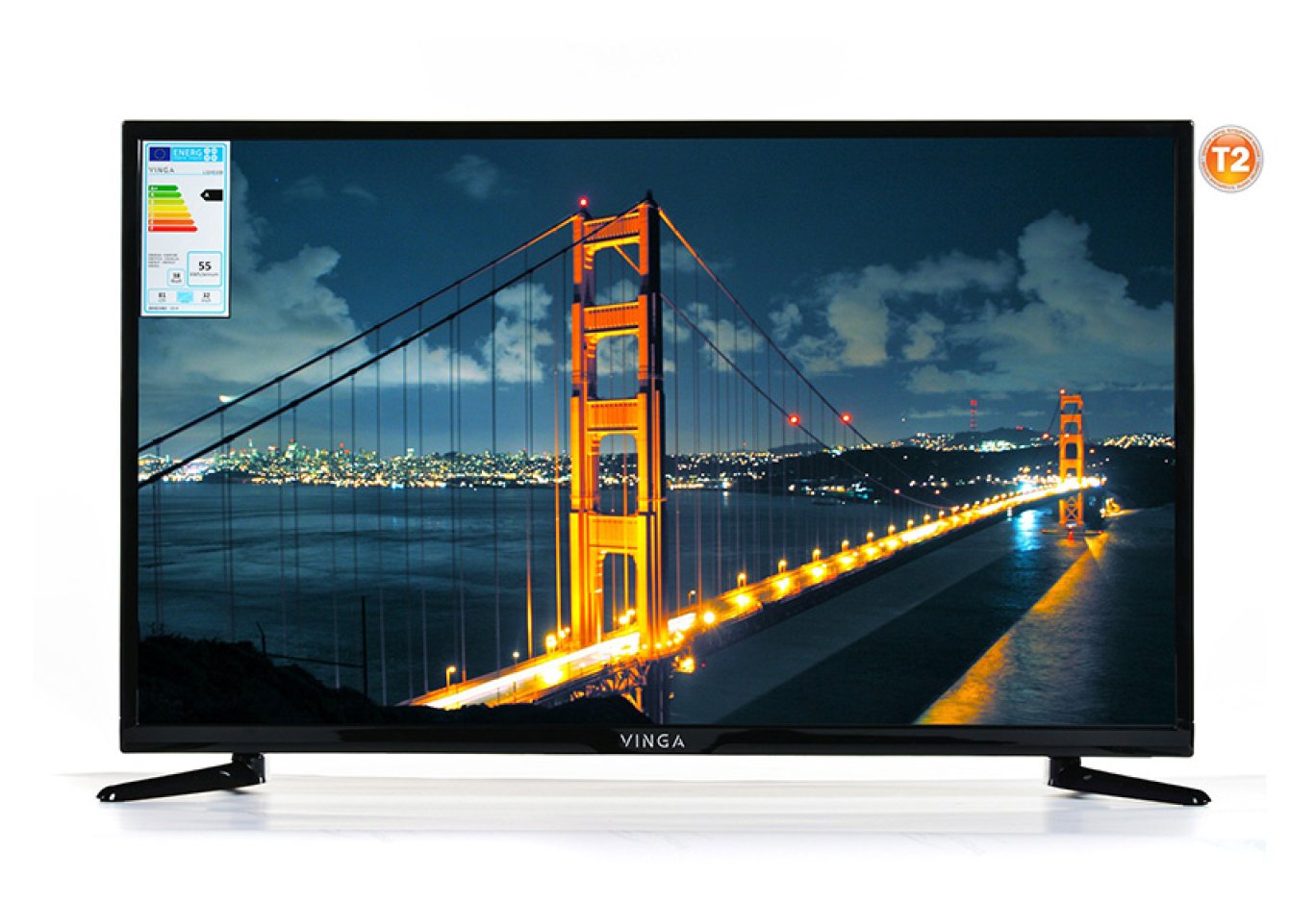

TV Vinga L32HD21B
Currently, in the TV segment, 4K Ultra HD resolution confidently surpasses the more familiar Full HD in terms of the number of offerings, and manufacturers are increasingly turning their attention to 5K and 8K. Against this backdrop, models with lower resolutions, such as 1366 x 768, appear somewhat archaic. However, they attract buyers due to their lower price.

For example, the cost of the 31.5-inch TV Vinga L32HD21B, reviewed in this article, is 5397 UAH ($193). If you want to get a model with a similar screen size but with Full HD resolution, you will have to pay at least an additional 590 UAH ($21). Sometimes this extra cost is simply not justified, so there is still demand for these TVs. So let's see what you can expect from it.
Specification
|
Model |
Vinga L32HD21B |
|
Panel Type |
LCD with Direct LED backlight |
|
Diagonal, inches |
31.5 |
|
Aspect Ratio |
16:9 |
|
Maximum Resolution |
1366 x 768 |
|
Vertical Refresh Rate, Hz |
60 |
|
Response Time GtG, ms |
8 |
|
Brightness, cd/m2 |
200 |
|
Contrast Ratio |
1200:1 |
|
Horizontal / Vertical Viewing Angles, ° |
170 / 170 |
|
Color System Standards Support |
SECAM, PAL |
|
Video Signal Support |
720p, 576p, 576i, 480i, 480p |
|
Tuner Type |
Digital (DVB-C, DVB-S2, DVB-T2) |
|
Smart TV Support |
No |
|
Built-in Speakers Power, W |
12 (2 x 6) |
|
Interfaces |
1 x CI+ 2 x 3.5mm audio 1 x RF (S2) 1 x RF (T2) 1 x USB 3 x HDMI 1 x D-Sub 1 x SCART 1 x Component In (Y/Pb/Pr) 1 x Coax |
|
Format Support |
AVI, PNG, JPEG, BMP, WMA, WAV, MP3, MPEG-2, MOV, MKV |
|
Typical Power Consumption in Active Mode, W |
65 |
|
VESA Mount Support, mm |
200 x 100 |
|
Dimensions with Stand / without Stand, mm |
730 x 234 x 470 / 730 x 77 x 429 |
|
Weight with Stand, kg |
3.95 |
|
Warranty, months |
12 |
|
Manufacturer's Website |
|
|
Product Page |
|
|
Purchase Page |
Packaging and Delivery Set

The box is made of familiar cardboard with monochrome printing. It allows you to evaluate the appearance of the TV and learn about its key advantages and features. There are holes on the sides for more convenient transportation.

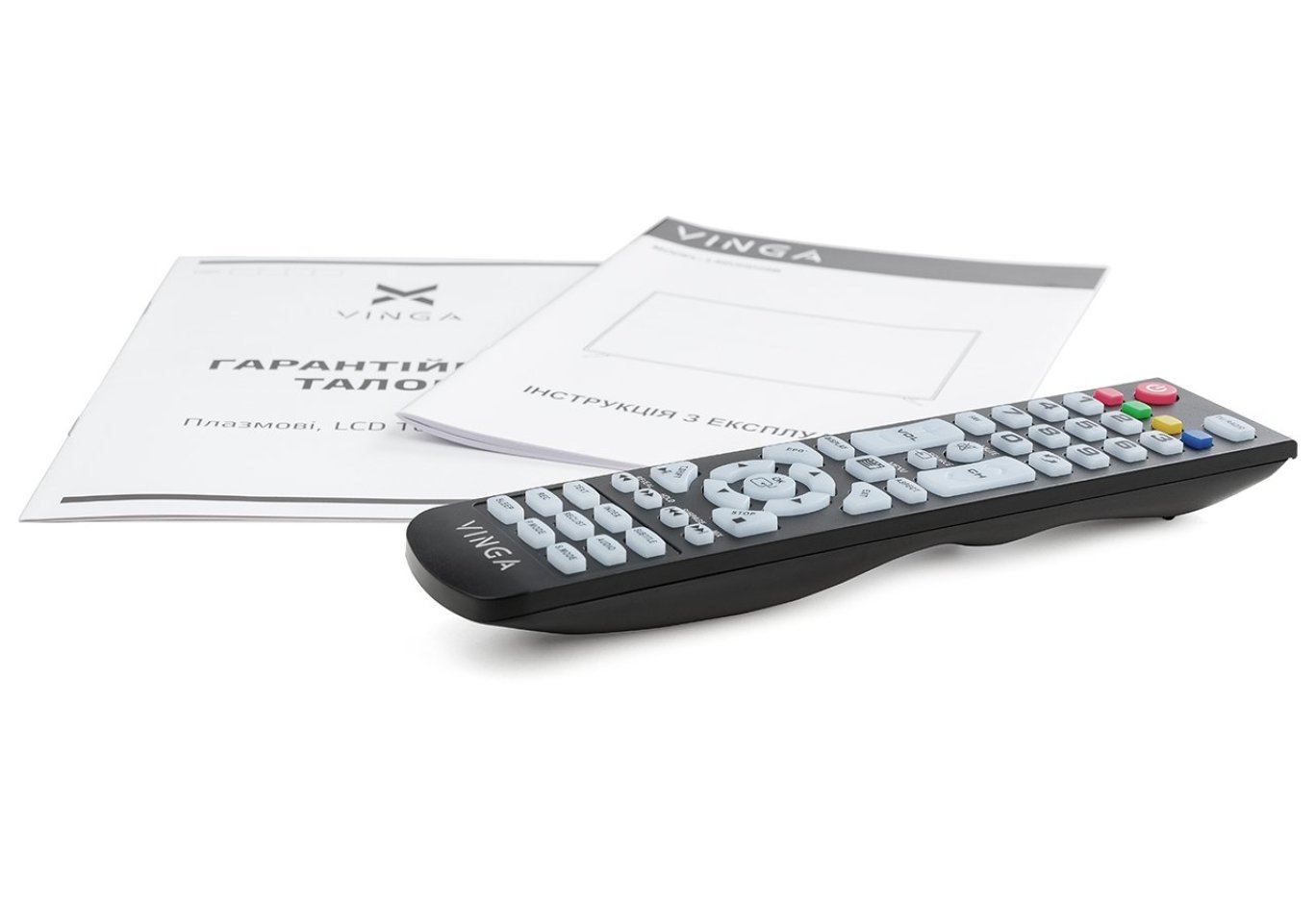
The delivery set is also quite predictable: a set of paper documentation, a pair of legs and four screws for their attachment, as well as a remote control and a pair of AAA batteries for its power supply.


We have already seen a similar remote control in the Vinga L50UHD20B TV. It is made of matte plastic and is characterized by a rather large length, so it may not seem very comfortable to owners of small palms. However, the developers have thoughtfully provided ergonomic indentations for the fingers on the back. Almost all buttons have large and clear markings, but if you have any questions about their purpose, you can refer to the user manual for explanations.
The remote does not need to be pointed directly at the TV sensor to activate the selected action: activation occurs from the top, bottom, and side directions. There is even reflected activation at a short distance.
Appearance and Features of Operation

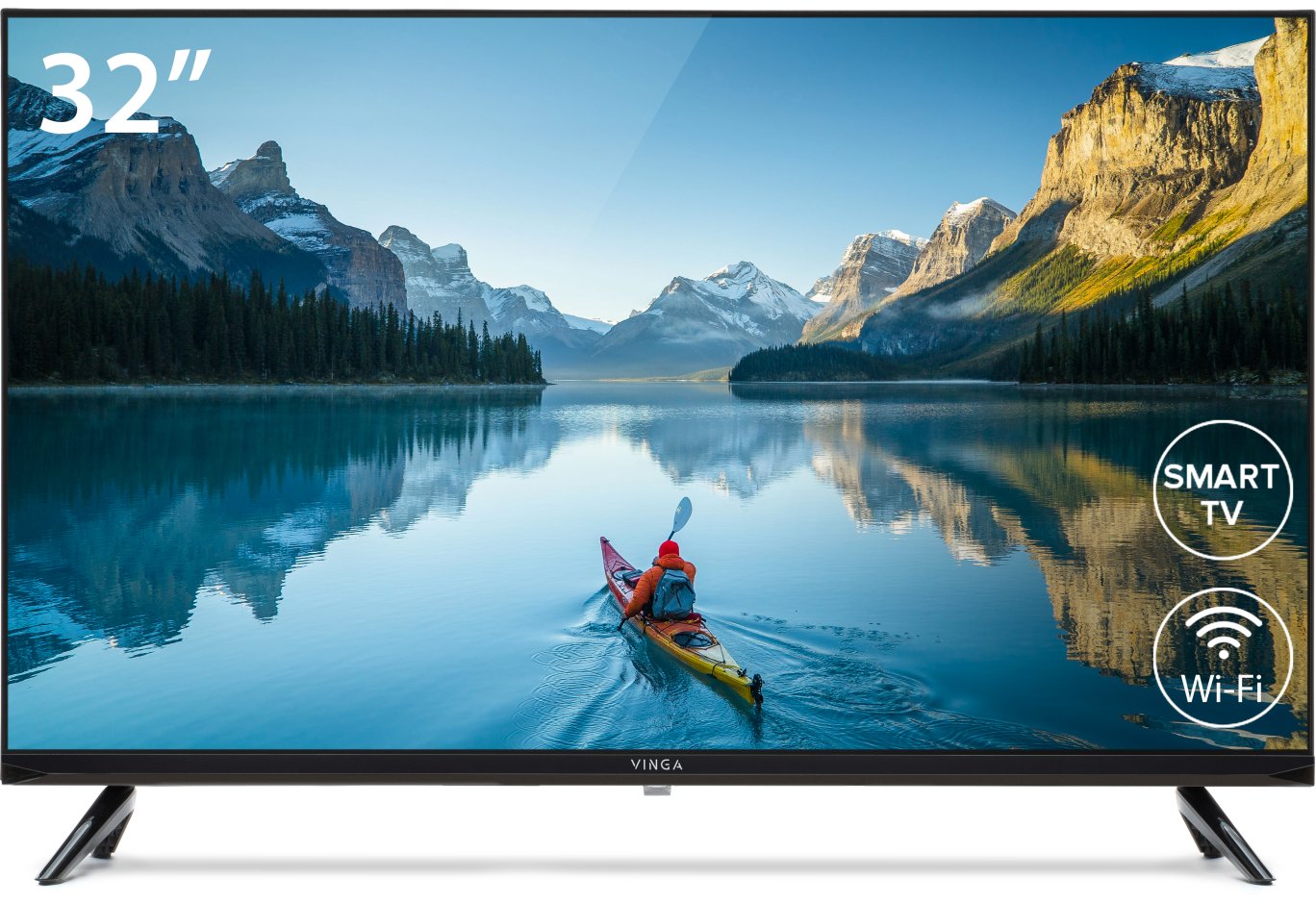
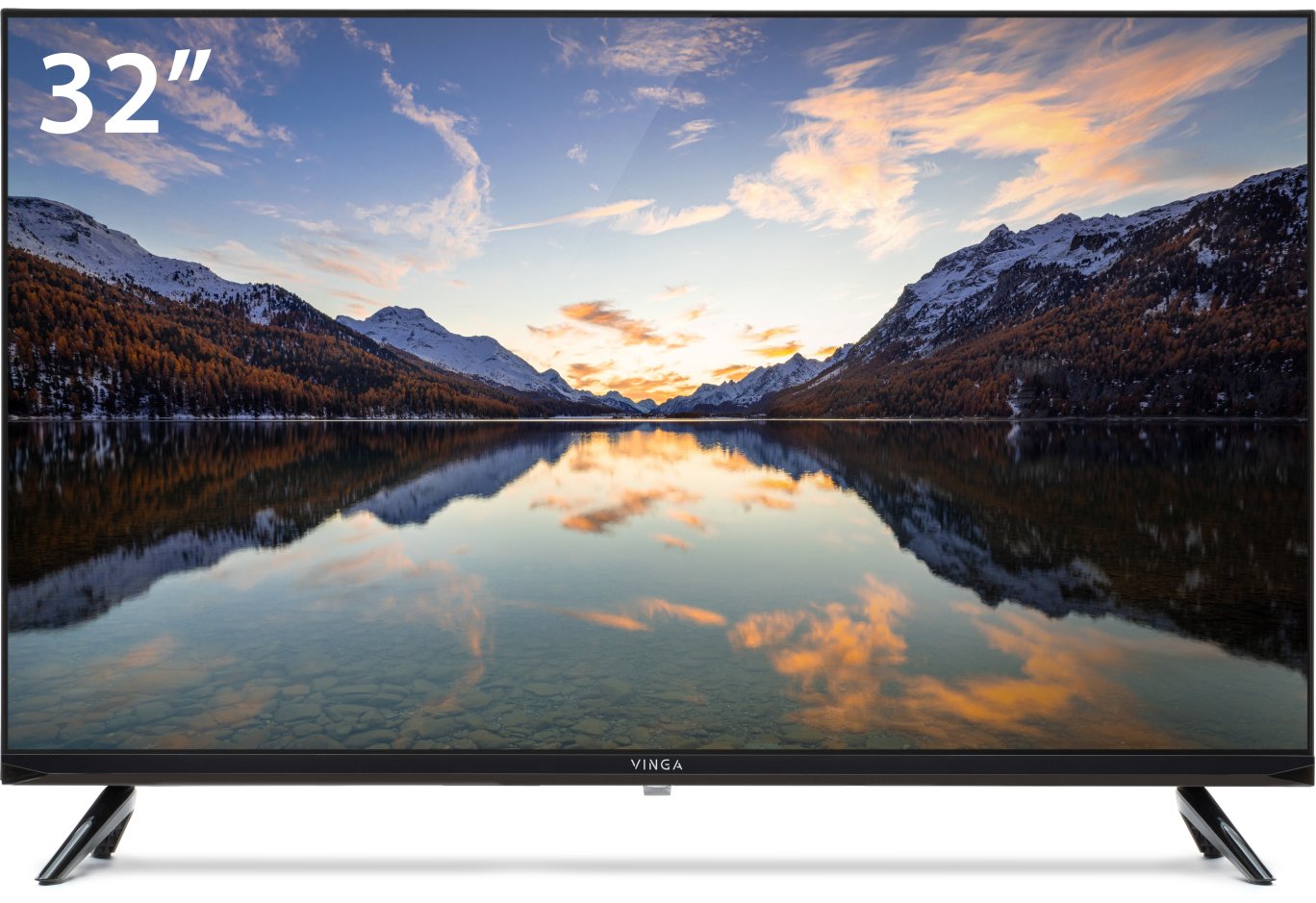
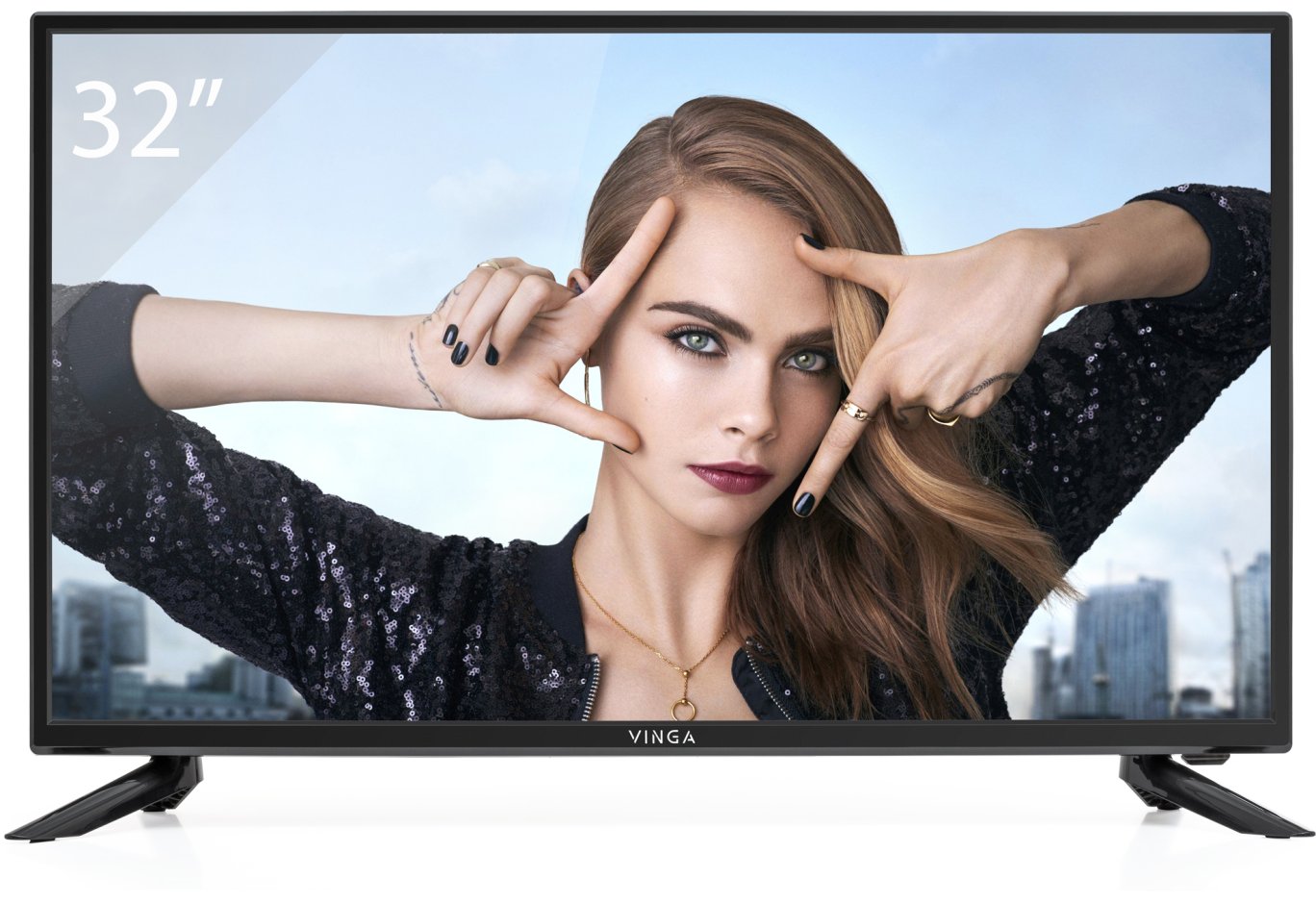
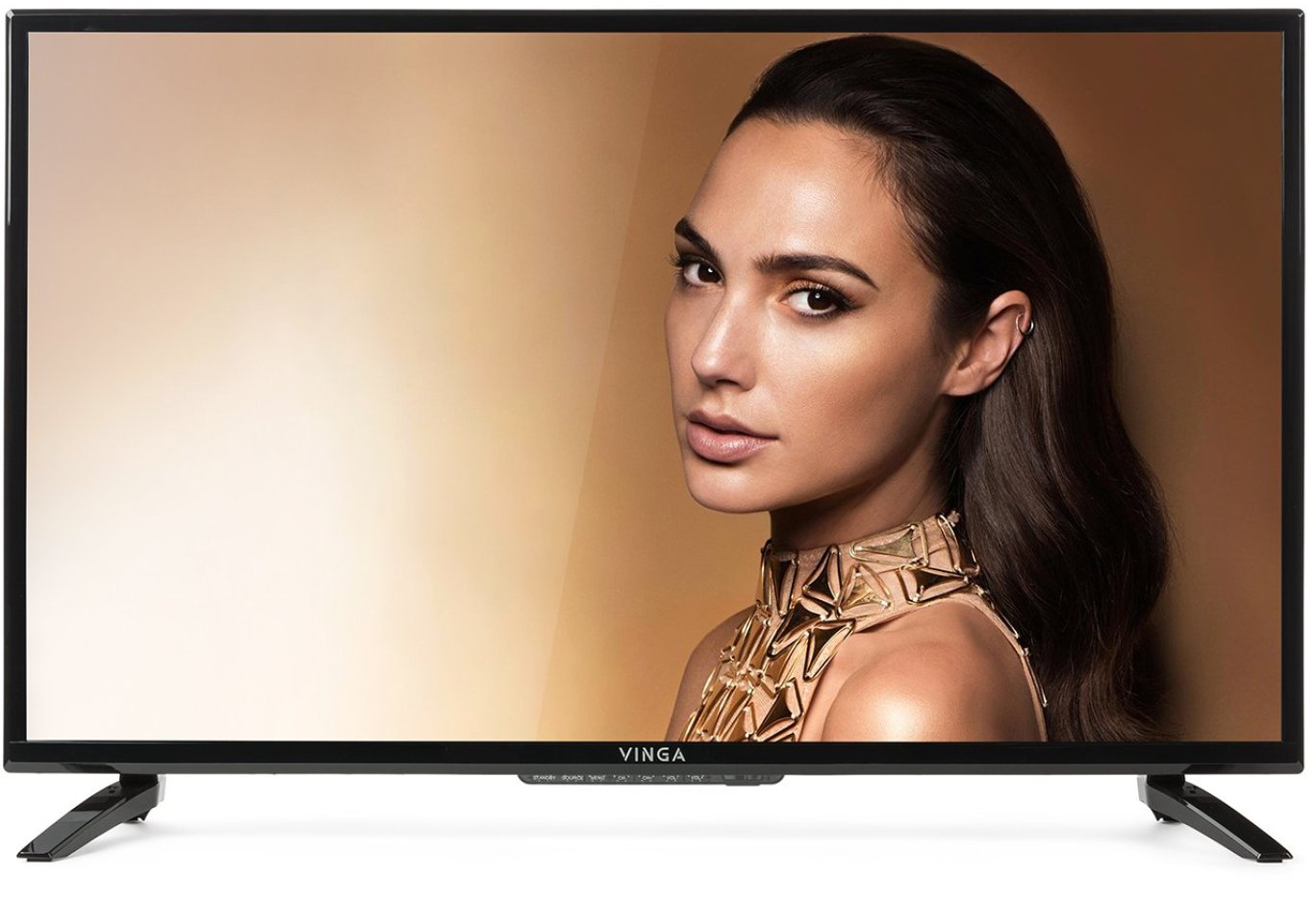
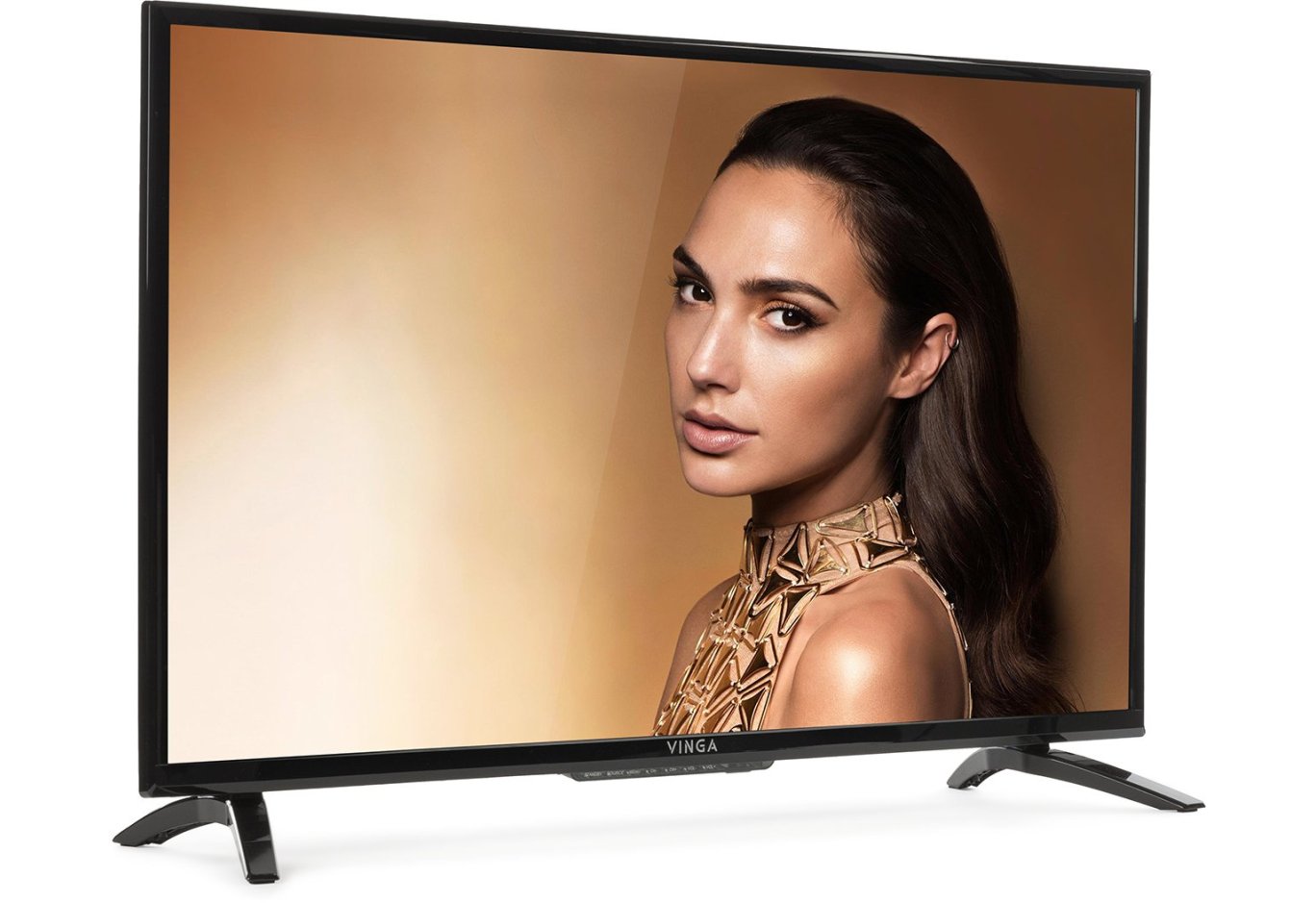
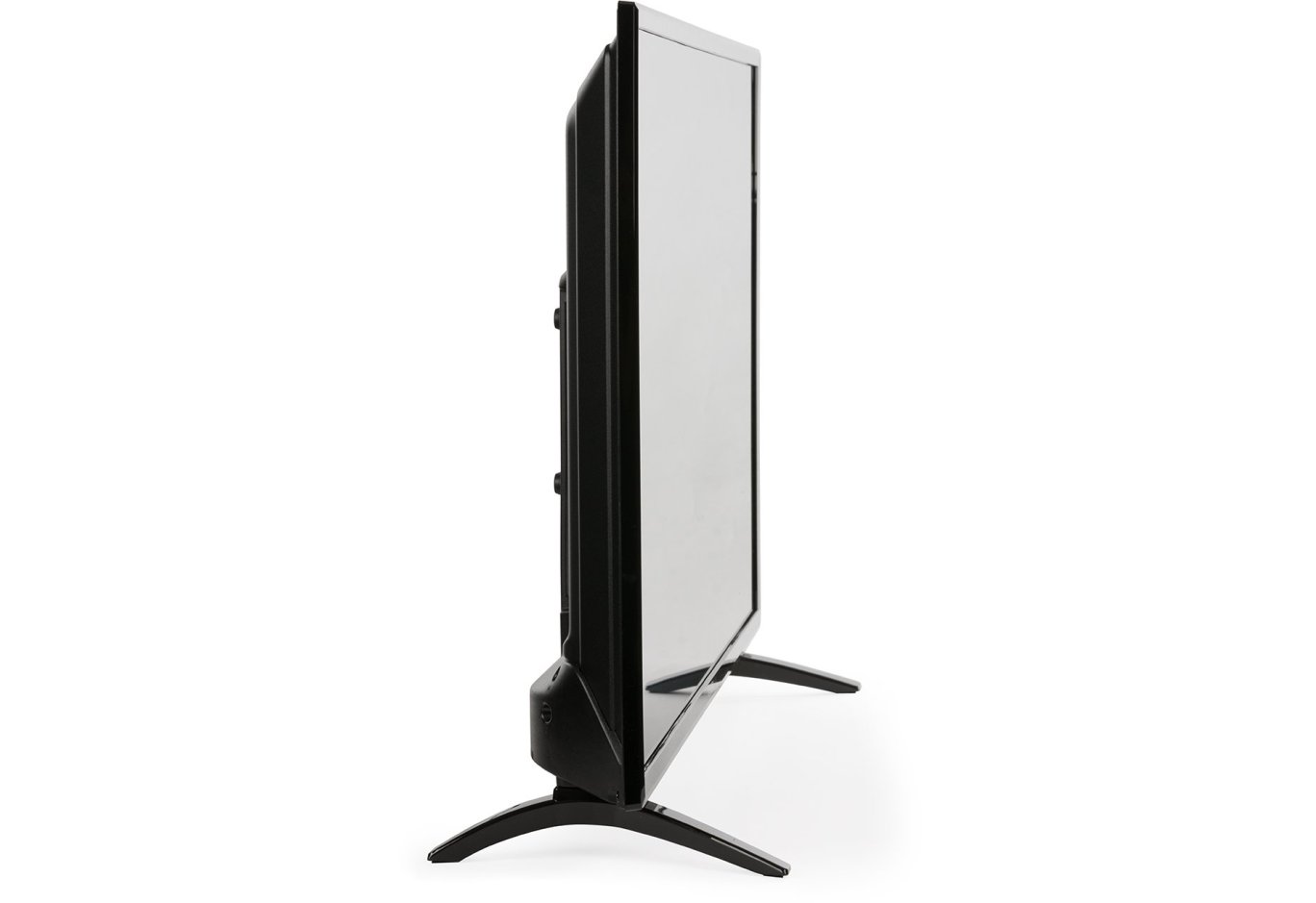
TVs generally find it difficult to boast of extraordinary design, and budget models have an even harder time in this regard, as developers have to save on every detail. However, the Vinga L32HD21B looks quite restrained and stylish thanks to the rather thin frame around the screen and elegant legs.
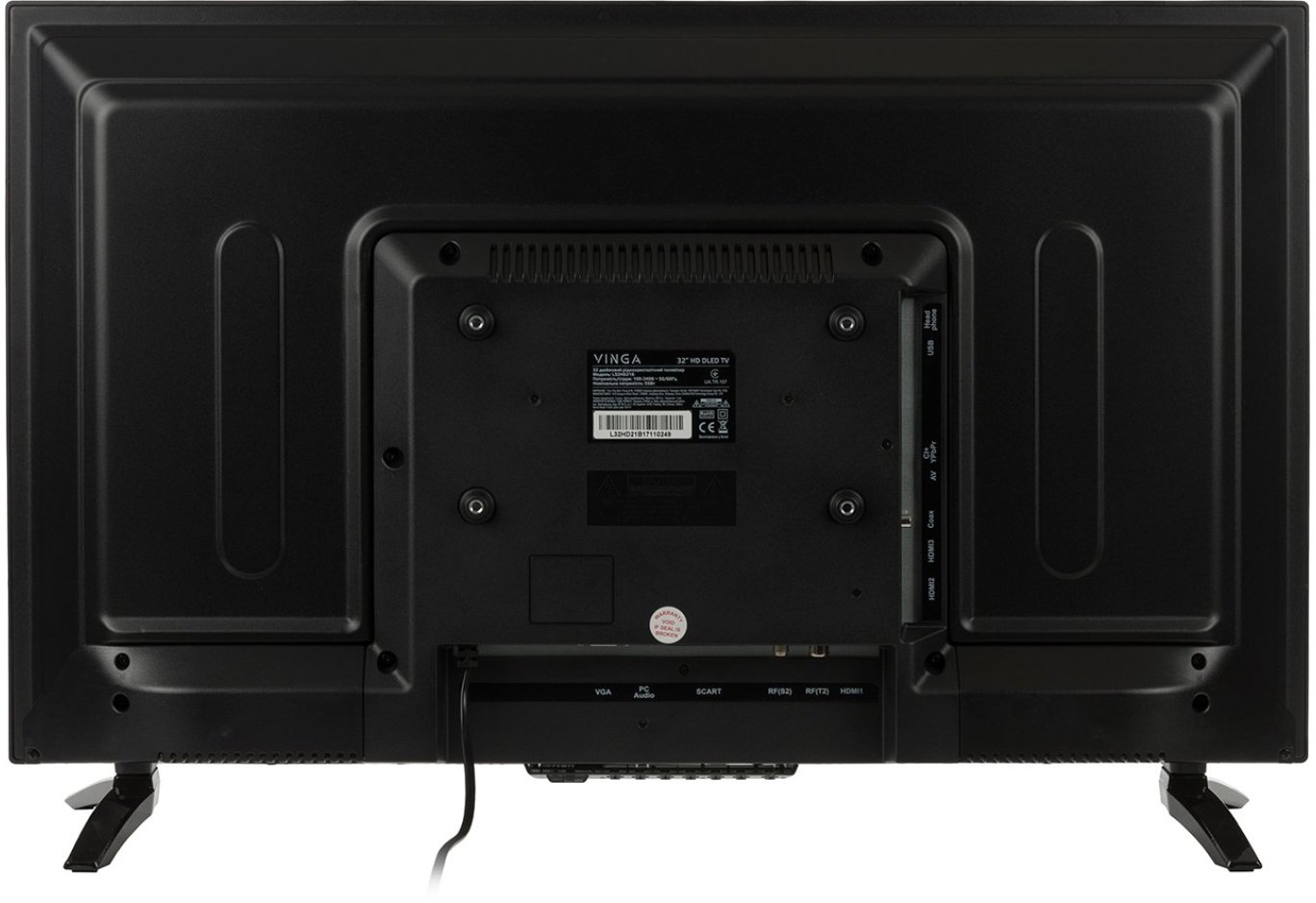
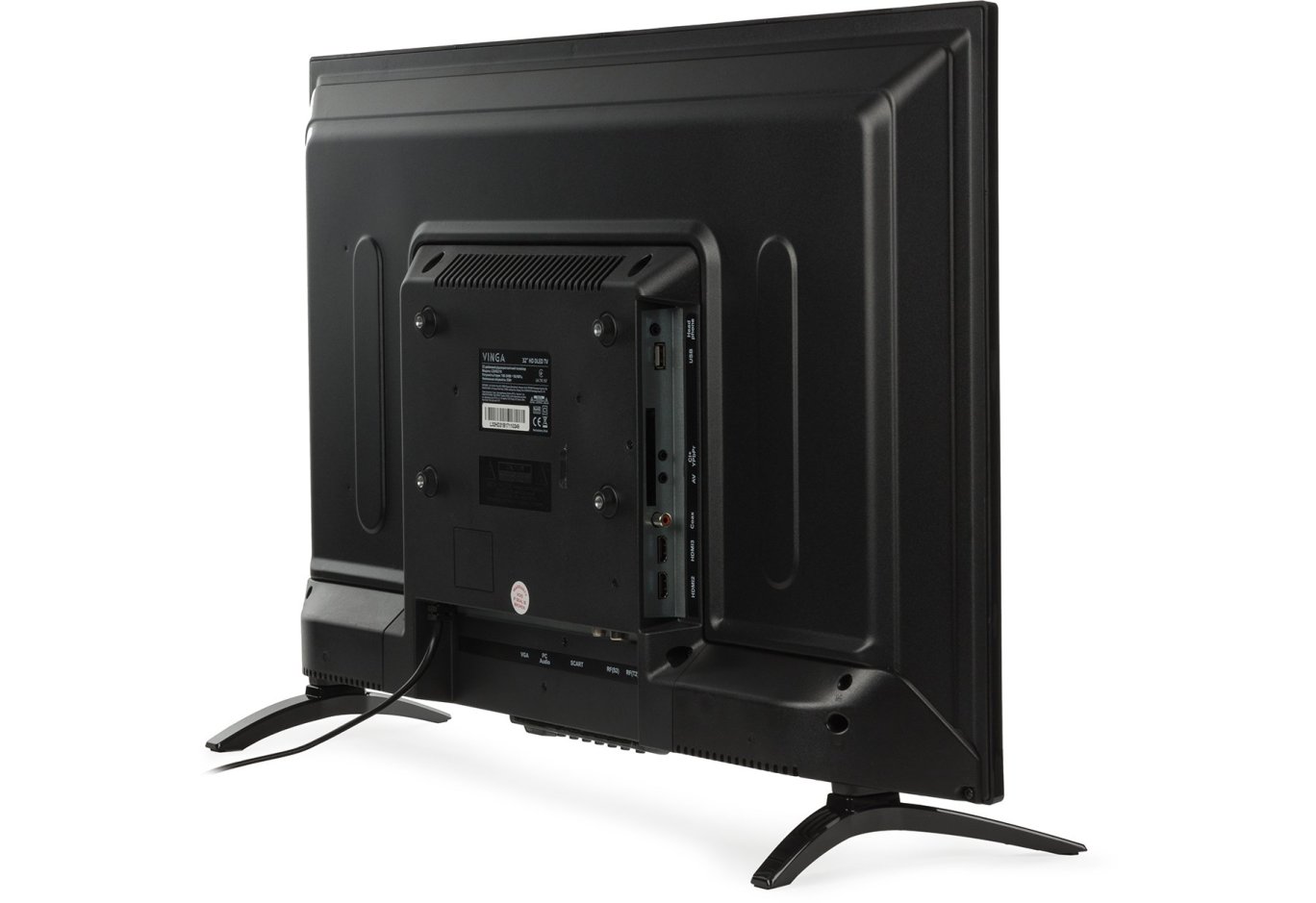
The design of the back panel is more reminiscent of previously reviewed models (for example, Vinga S42FHD20B) than the recently tested Vinga L50UHD20B. The raised area in the central region, where the power supply unit is hidden, immediately catches the eye. You can also notice VESA mounting holes and a sticker with technical information on it.

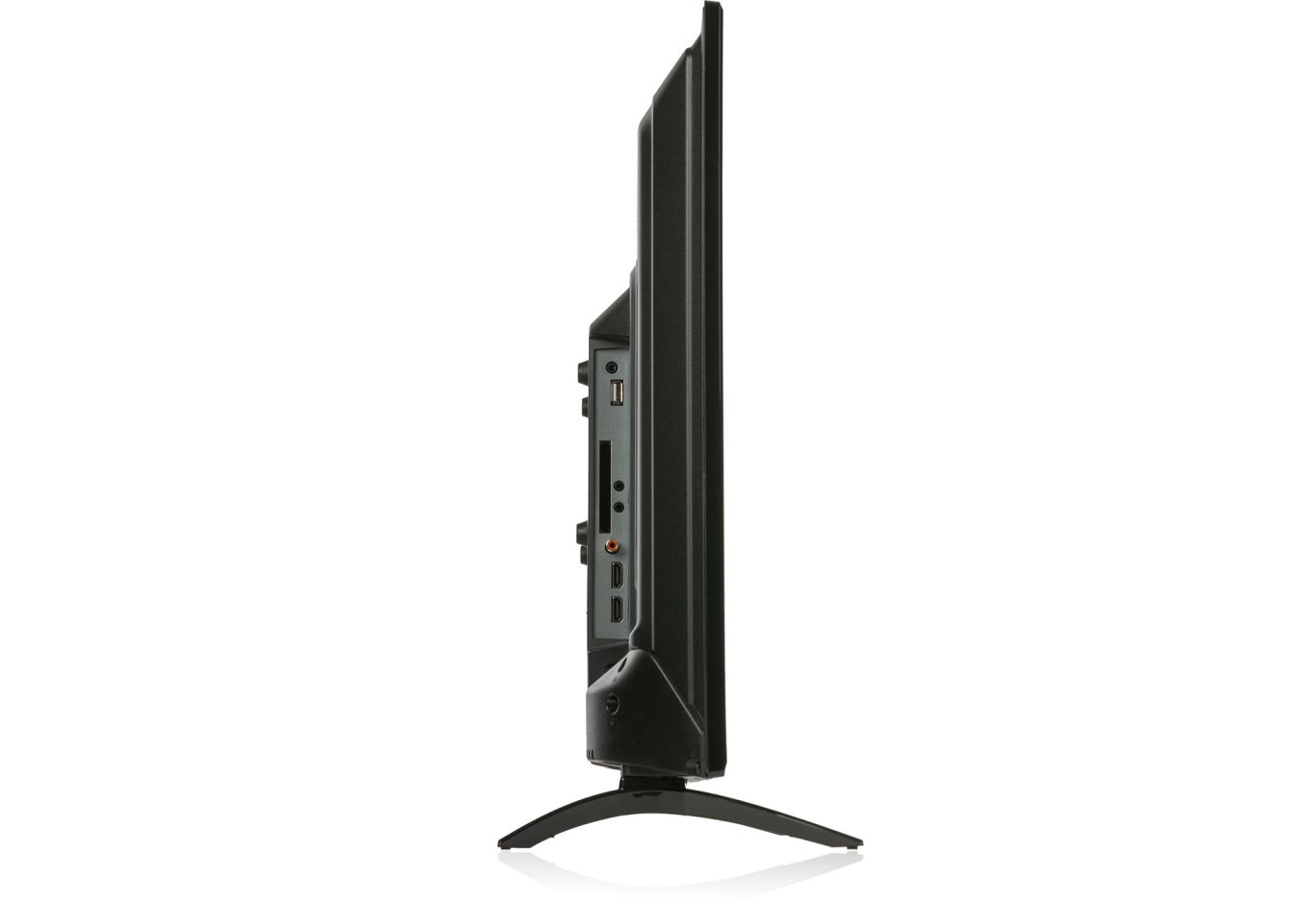
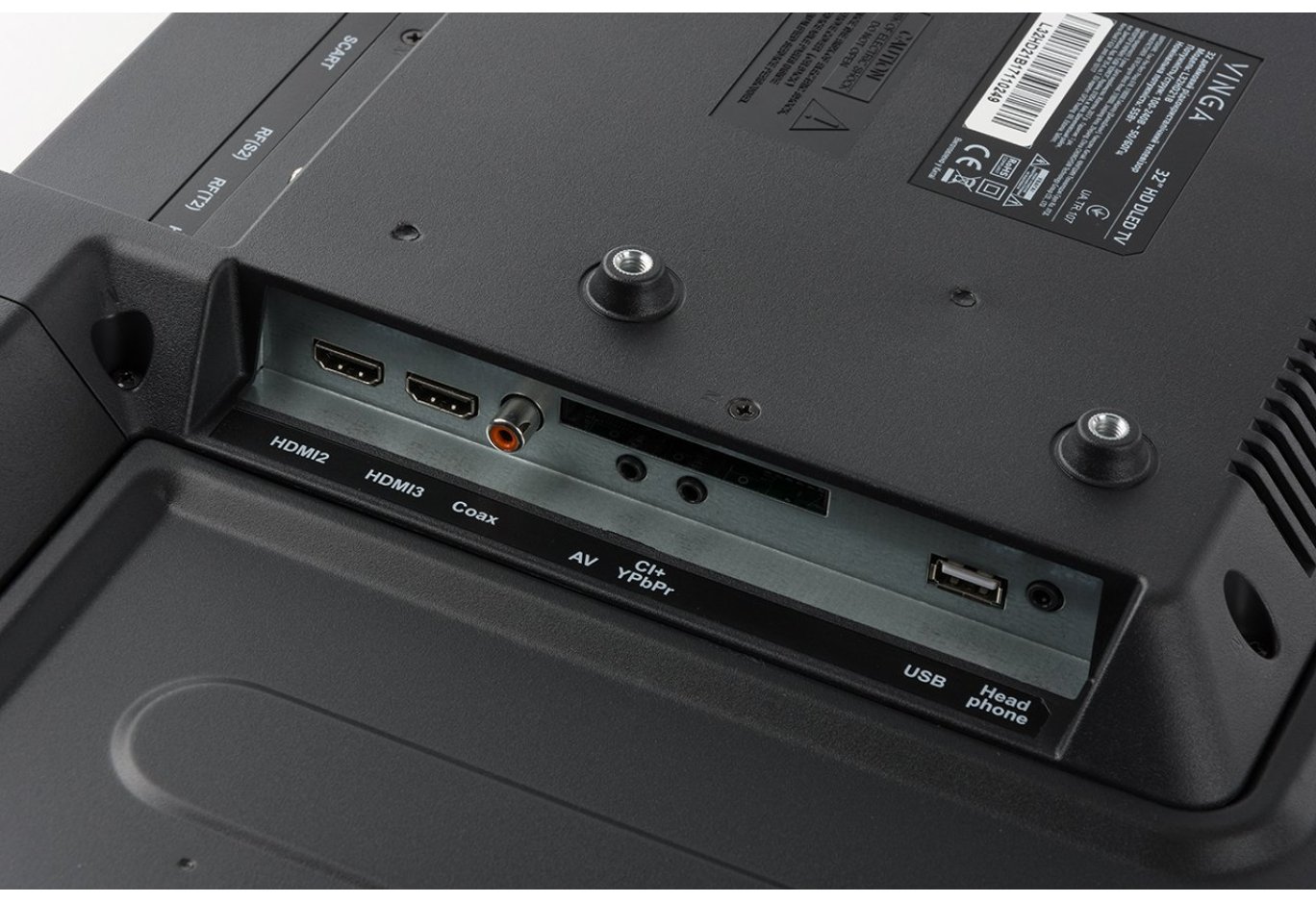
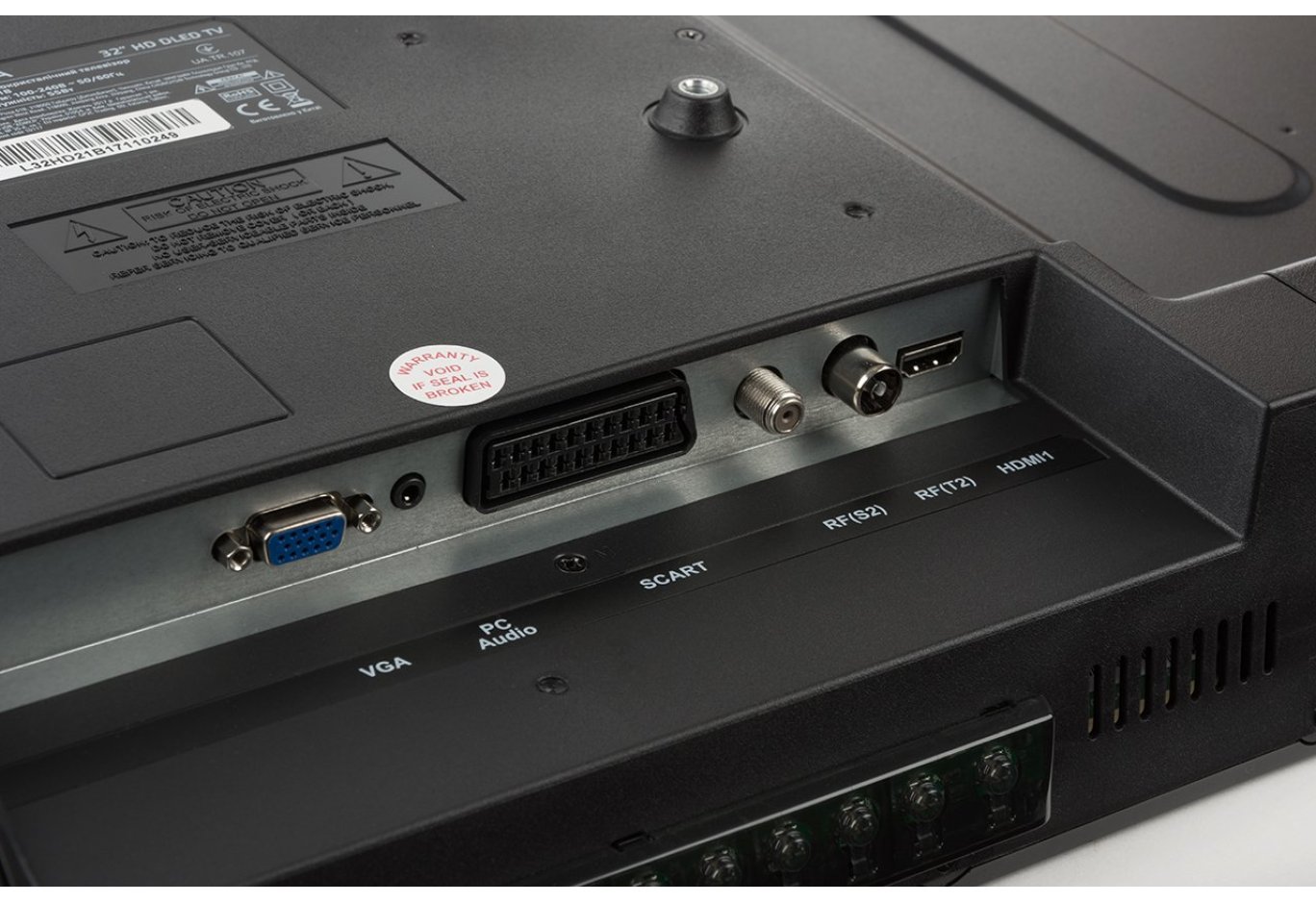
All external interfaces are comfortably located on the sides of this raised area. They are directed downwards or sideways, so convenient access to them is preserved even in the case of wall mounting. Thanks to the clear markings, even beginners can easily find the desired connector.

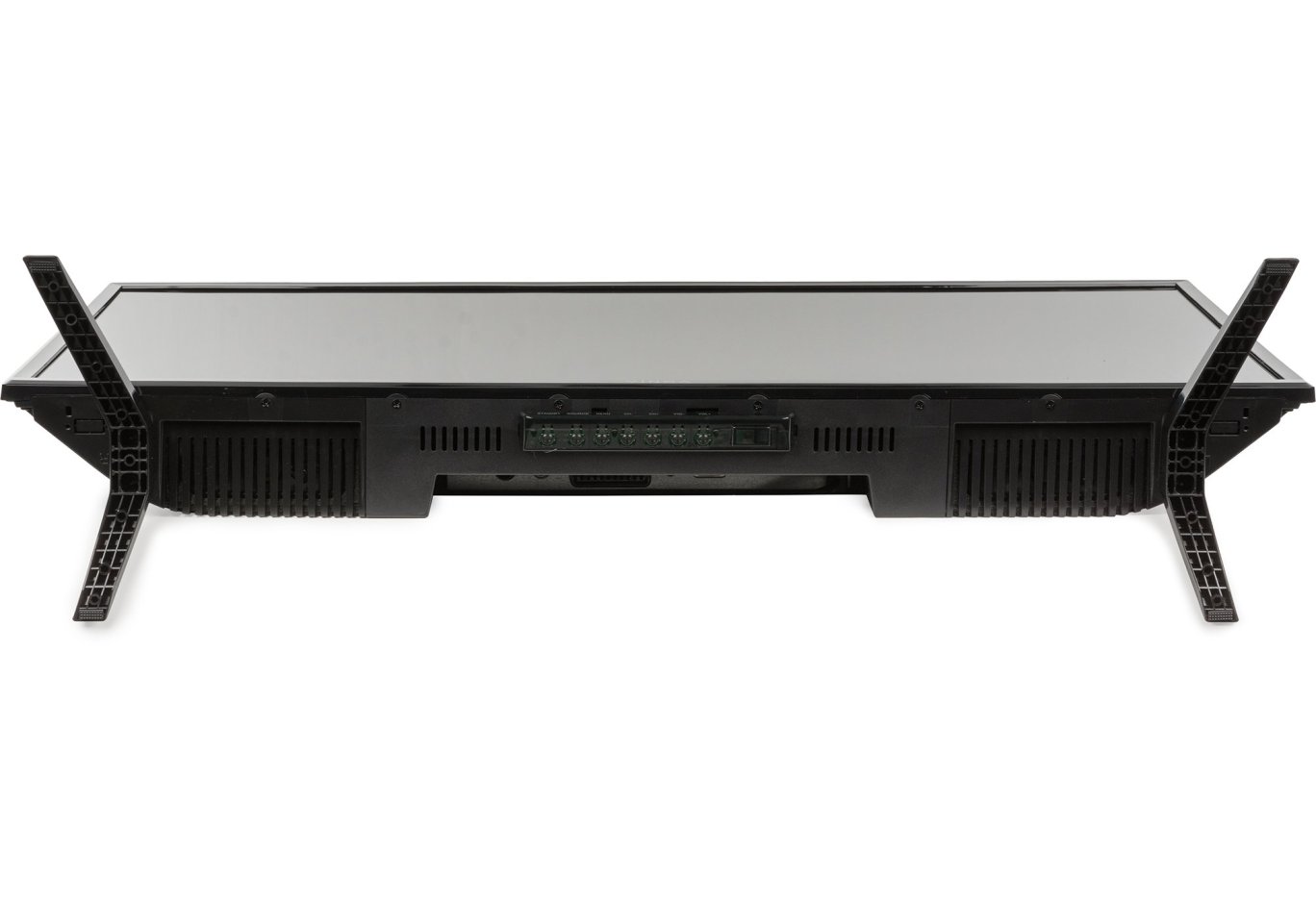
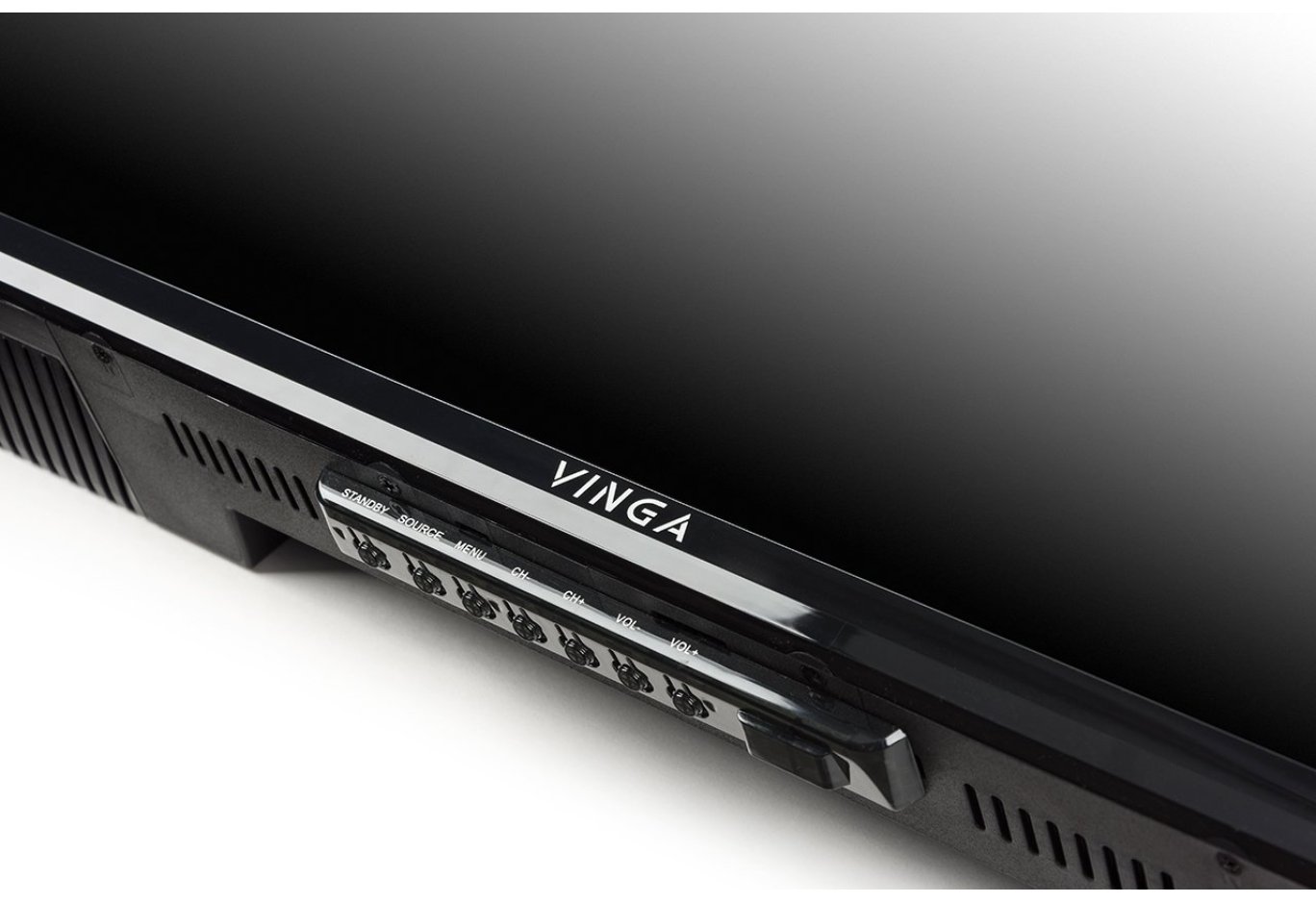
On the bottom panel, you can clearly see 7 buttons for accessing and navigating the menu, as well as controlling basic functions (channel switching, volume changes, etc.). They serve as an alternative to the remote control. On the edges, you can notice ventilation holes, which also serve to output sound from two 6-watt speakers. The sound quality is standard for inexpensive TVs. It will be sufficient for an undemanding user. The sound lacks low and mid frequencies, although it has a relatively high volume level. It's pleasing that even at maximum power, the sound is reproduced without annoying distortion and rattling.
To conclude the review of the Vinga L32HD21B's appearance, I would like to draw attention to its legs: they are equipped with small rubber inserts on the edges, which provide reliable grip with the table surface and prevent damage to it.

Now a few words about the functional capabilities. There is no Smart TV support, so you won't be able to launch games or independently access the internet. However, there is a built-in digital tuner with support for the DVB-T2 standard, which is relevant for our country and allows you to watch all available digital channels in excellent quality.

Thanks to the USB port and built-in tools, you can play multimedia content directly from a flash drive. We were able to read AVI, MP4, TS, and WMV without any problems, but there were difficulties with MKV, although its support is claimed on the official page. You can also view images or photos (PNG, JPEG, BMP) and listen to music (WMA, WAV, MP3).

If desired, you can connect the Vinga L32HD21B to a media player or computer, which will significantly expand the list of available entertainment.
On-Screen Menu
To access the menu and adjust settings, you can use the control elements on the bottom panel or the remote control. The functional capabilities allow you to select the input signal source, a preset image profile, or audio subsystem mode, set the time and sleep timer, set channel lock, specify the image format, and much more. The presence of high-quality Ukrainian language localization in the menu is pleasing.
Testing
The hardware platform during the testing of the Vinga L32HD21B TV was the ZOTAC ZBOX nano ID65 PLUS mini-computer. You can find a full description of the methodology for researching characteristics in the relevant material.

The display includes four color profiles: "Dynamic," "User," "Standard," and "Mild." For convenience, we have compiled all their parameters in a single table:
|
|
"Dynamic" |
"User" |
"Standard" |
"Mild" |
|
White field brightness, cd/m2 |
265.7 |
242.1 |
242.5 |
228.3 |
|
Black field brightness, cd/m2 |
3.8494 |
3.2607 |
3.2054 |
2.9723 |
|
Contrast ratio |
69:1 |
74:1 |
76:1 |
77:1 |
|
Color temperature of the white point, K |
7758 |
7374 |
7342 |
7331 |
|
Color space compliance with sRGB standard, % |
81.4 |
85.7 |
85.9 |
85.8 |
|
Color space compliance with Adobe RGB standard, % |
56.6 |
59.2 |
59.3 |
59.2 |
|
Average deviation dE*94 (∆E) |
2.91 |
2.72 |
2.69 |
2.66 |
|
Maximum deviation dE*94 (∆E) |
19.67 |
18.86 |
18.7 |
18.4 |
|
Average gamma |
1.24 |
1.32 |
1.32 |
1.35 |
|
Power consumption, W |
37 |
37 |
37 |
37 |
The initial test results brought both pleasant and unpleasant indicators. Let's start with the good: the brightness level ranging from 228 to 266 cd/m2 with a declared 200 units was pleasing. This enhances viewing comfort on a bright sunny day. However, the static contrast level was frankly disappointing: a maximum of 77:1 with a declared 1200:1. The high brightness of the black field is to blame: with an overall brightness above 35%, black becomes dark gray or takes on other shades. Therefore, it is advisable to reduce it to obtain a higher quality picture.
Color Coverage

CIE diagrams of the "Dynamic" profile for sRGB and Adobe RGB spaces

CIE diagrams of the "Custom" profile for sRGB and Adobe RGB spaces
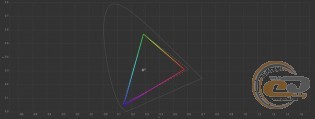
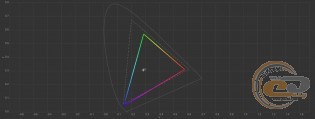
CIE diagrams of the "Standard" profile for sRGB and Adobe RGB spaces
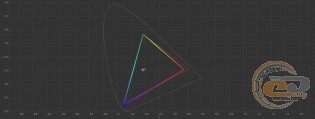
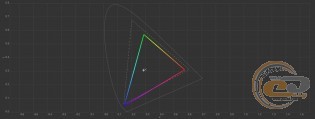
CIE diagrams of the "Moderate" profile for sRGB and Adobe RGB spaces
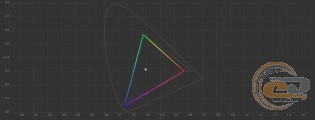
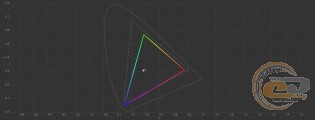
For non-professional solutions, 90% coverage of the sRGB space and 65% coverage of the Adobe RGB palette or higher are considered acceptable. The Vinga L32HD21B TV falls slightly short of these figures: we achieved a maximum of 86% and 59%, respectively.
All CIE diagrams for the sRGB space have the same character: the shift of two reference points leads to a lack in the area of yellow, orange, and red shades and to a slight oversaturation in the purple zone. Overall, quite good considering the final cost of the device.
Shade Accuracy
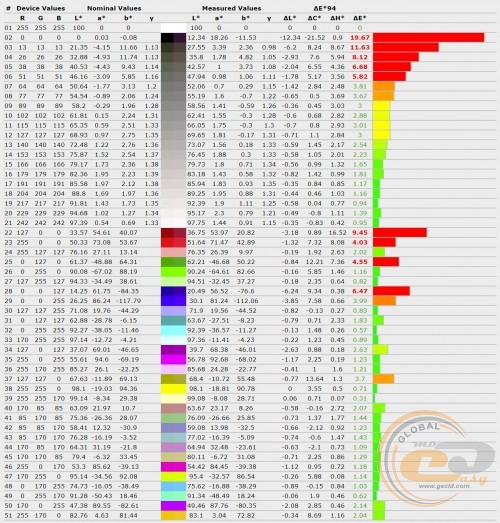
Diagram of deviation of primary colors and shades from standards in the "Dynamic" profile
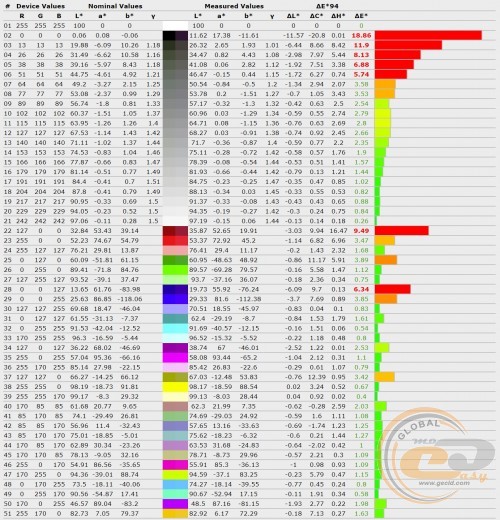
Diagram of deviation of primary colors and shades from standards in the "Custom" profile
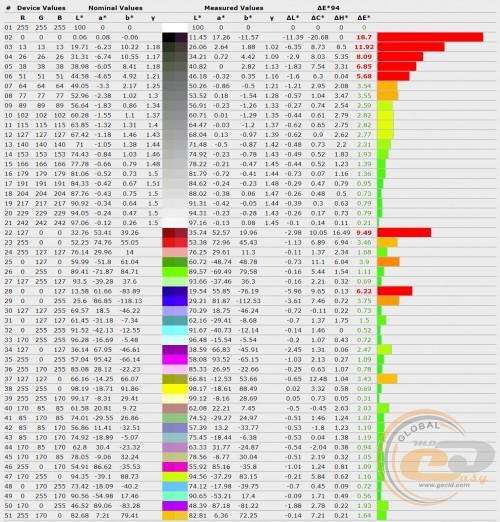
Diagram of deviation of primary colors and shades from standards in the "Standard" profile
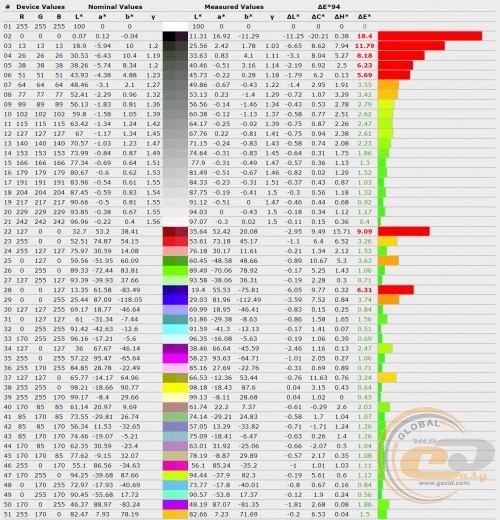
Diagram of deviation of primary colors and shades from standards in the "Moderate" profile
The situation with shade accuracy is ambiguous: on the one hand, none of the modes could fit within the necessary limits (1.5 for average deviation and 4 for maximum). On the other hand, high deviations are observed only in a small portion of shades, so in reality, the situation does not look as dire as it might seem from the dry numbers.
RGB Levels
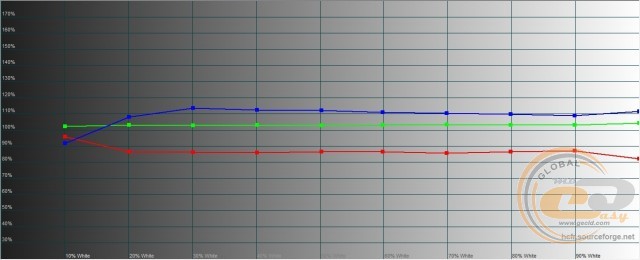
RGB level graph of the "Dynamic" profile
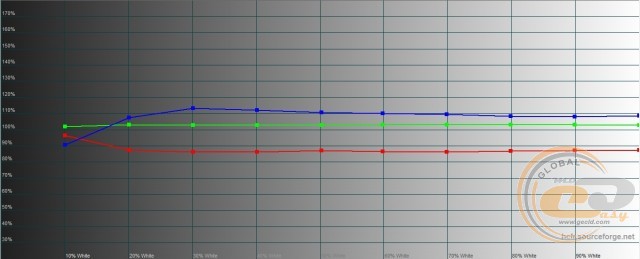
RGB level graph of the "Custom" profile
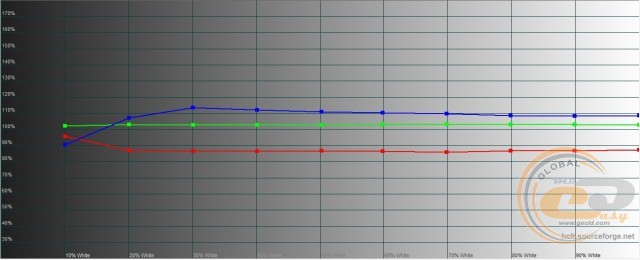
RGB level graph of the "Standard" profile
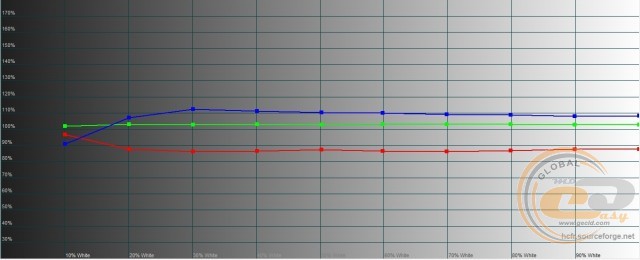
RGB level graph of the "Moderate" profile
There are practically no complaints about the RGB level settings - only the red component in most of the range in all profiles is slightly below 90%, meaning it does not fit within the acceptable range of 100% ± 10%. No complaints about the rest.
Gamma
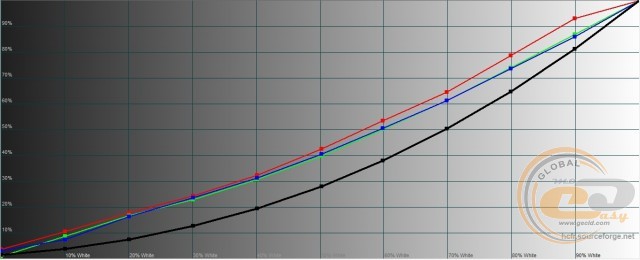
Gamma curve graph in the "Dynamic" profile
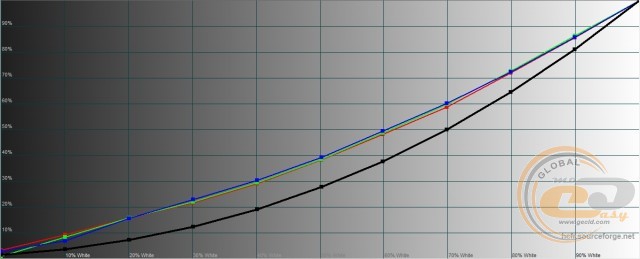
Gamma curve chart in the "User" profile
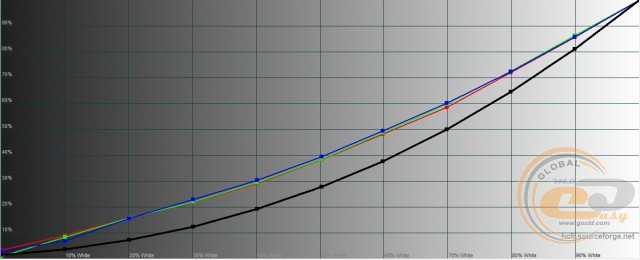
Gamma curve chart in the "Standard" profile
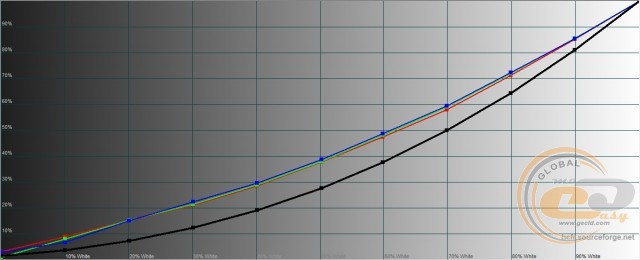
Gamma curve chart in the "Moderate" profile
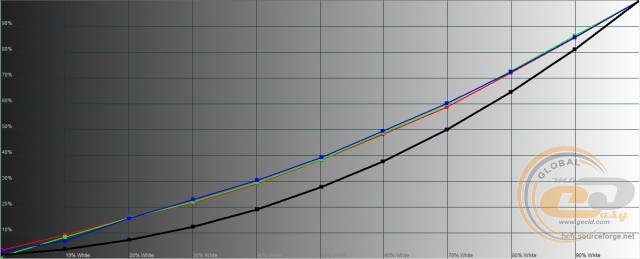
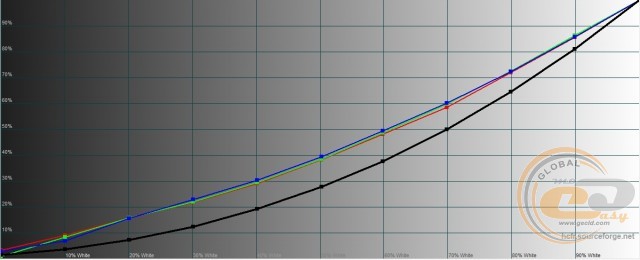
Here, the gamma curves lie noticeably above the reference black line, which can lead to overexposure of midtones and loss of detail in light areas of the image. Moreover, the average indicator in all modes is far from the nominal (1.24 - 1.35 versus 2.2).
Brightness range
Based on the testing results, the most balanced profile in the Vinga L32HD21B TV is the "User" profile, so further research was conducted based on it.
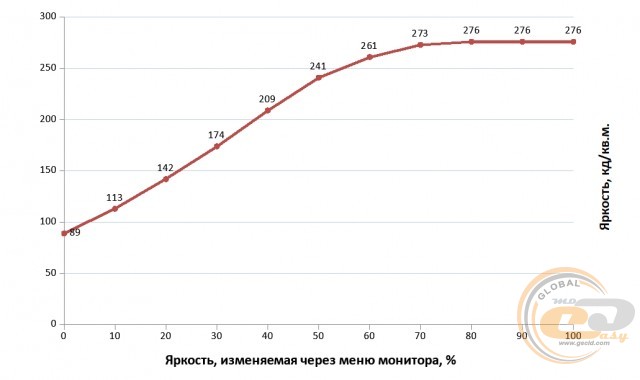
The brightness range was from 89 to 276 cd/m2. The minimum value may be somewhat excessive for viewing at night, while the upper limit will ensure operation in bright sunny conditions. It's a pity that a significant increase in brightness leads to distortion of the black color and a decrease in static contrast.
Monitor calibration
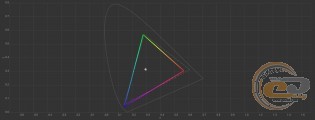
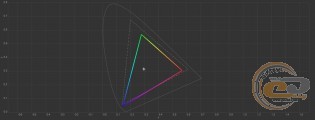
CIE diagrams of the calibrated profile for sRGB and Adobe RGB spaces
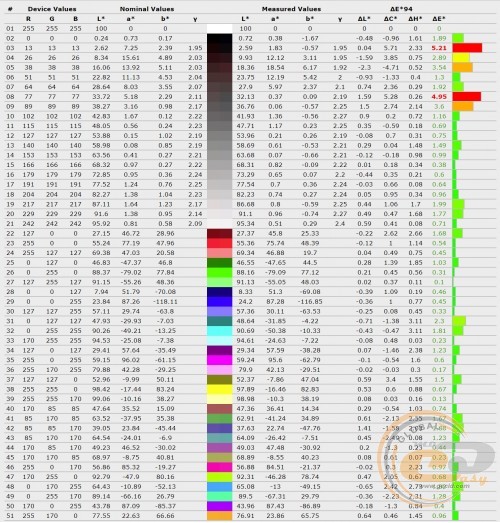
Diagram of the deviation of primary colors and shades from the standards in the calibrated profile
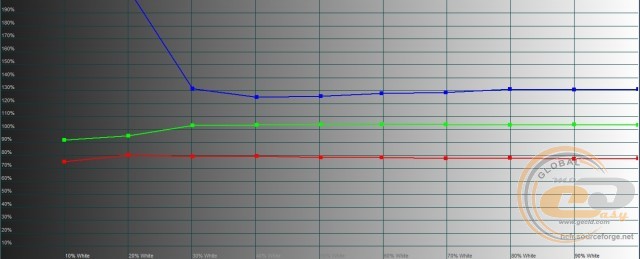
RGB levels chart of the calibrated profile
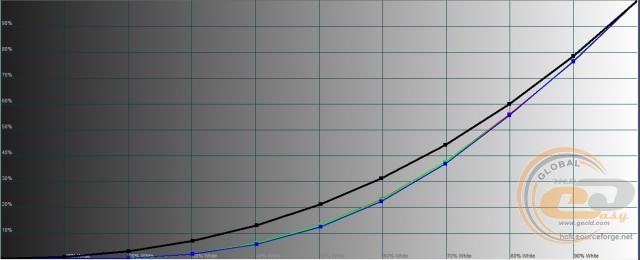
Gamma curve chart in the calibrated profile
The file with calibration parameters is available at this link. The results obtained before and after hardware calibration are summarized in the table.
|
Parameters |
"User" |
Calibrated |
|
White field brightness, cd/m2 |
242.1 |
100.8 |
|
Black field brightness, cd/m2 |
3.2607 |
0.0824 |
|
Contrast ratio |
74:1 |
1223:1 |
|
White point color temperature, K |
7374 |
6614 |
|
sRGB color space compliance, % |
85.7 |
87.8 |
|
Adobe RGB color space compliance, % |
59.2 |
60.5 |
|
Average deviation dE*94 (∆E) |
2.72 |
1.25 |
|
Maximum deviation dE*94 (∆E) |
18.86 |
5.21 |
|
Average gamma |
1.32 |
2.18 |
By reducing the brightness during calibration, we were able to significantly increase the static contrast, which exceeded the declared 1200:1. We also normalized the white point temperature, slightly increased the coverage of the sRGB and Adobe RGB color spaces, significantly improved color and shade accuracy, and the average gamma. However, the blue component of the RGB levels exceeded the permissible level, and the gamma curves fell below the reference black line, which may lead to underexposure of midtones and loss of detail in dark areas of the image.
Screen backlight uniformity
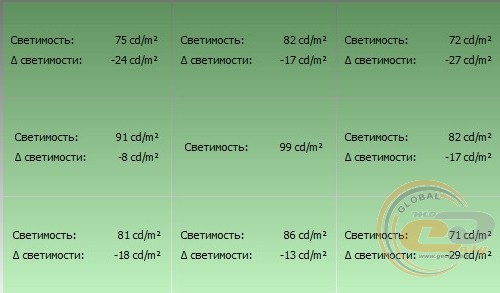
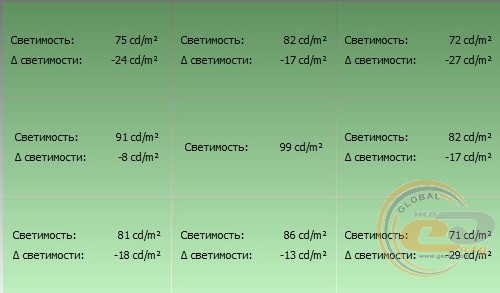
The brightness deviation relative to the central area does not exceed 29 cd/m2, which is a good result.
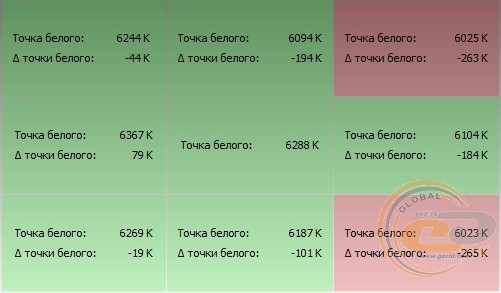
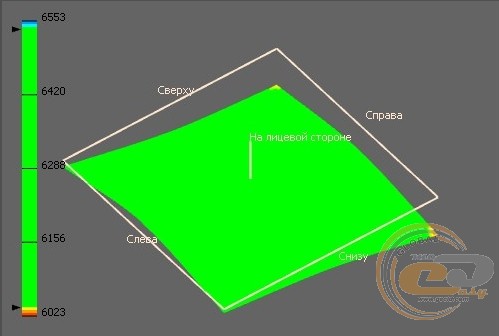
However, the white point temperature in two areas drops below the permissible deviation range of ± 250 K. Since the exceedance is minimal, these corners are only slightly warmer than the nominal level on the 3D diagram.
No significant issues were found in the fill test. If you look closely, you can see minimal backlight leakage from the sides on a black background, but they are not critical at all.
Matrix speed and PWM
The matrix response speed in the Vinga L32HD21B TV is stated to be 8 ms. In a real test using automation, we were indeed able to capture slight trails from moving objects, but they are not visible to the eye. We did not notice any artifacts or trails when playing games or watching videos.
Brightness - 25%, exposure - 1/15
A single solid front in the image indicates the absence of visible backlight flicker. This reduces eye strain for the viewer and increases comfort during prolonged screen time.
Viewing Angles
For the stated 170°, the viewing angles of the Vinga L32HD21B TV are quite decent, although from the sides and during diagonal viewing, there is slight whitening of the image. Therefore, as an information display, the TV is not very good, but for home use, the viewing angles are quite sufficient.
Conclusions
So what do we have in the end? The Vinga L32HD21B TV falls into the budget category, but it's hard to call it ultra-budget. It stands out with a pleasant design in black tones and thin bezels around the screen. The 31.5-inch diagonal is sufficient for many users, but the 1366 x 768 resolution is perceived as somewhat archaic in modern realities. Additionally, the TV offers a built-in digital tuner with support for the DVB-T2 standard relevant to our country, so there is no need to spend on an external set-top box. It also features a wide range of external interfaces with smart layout and the ability to play popular multimedia formats.
In terms of factory calibration, the RGB level settings were pleasing. Other parameters are ambiguous: they don't quite meet the standard, but it's not too bad (considering the device's price) to criticize. However, there is one bright drawback: low static contrast when the brightness level is increased above 35%. As a result, the black color becomes dark gray or takes on other shades. Therefore, it's better to personally evaluate the image quality before purchasing. Overall, the Vinga L32HD21B deserves attention in its price category.
Advantages:
- attractive and functionally designed body;
- convenient remote control;
- expanded set of external interfaces;
- ability to play multimedia content from an external USB drive;
- support for digital television thanks to the built-in tuner;
- convenient interface orientation for wall mounting;
- presence of a pair of built-in speakers with a total power of 12 W;
- functional menu with Ukrainian language localization;
- good brightness range;
- support for wall mounting.
Disadvantages:
- static contrast is lower than stated.
Author: Serhiy Budilovskyi
Translation: Yuriy Koval
Related products