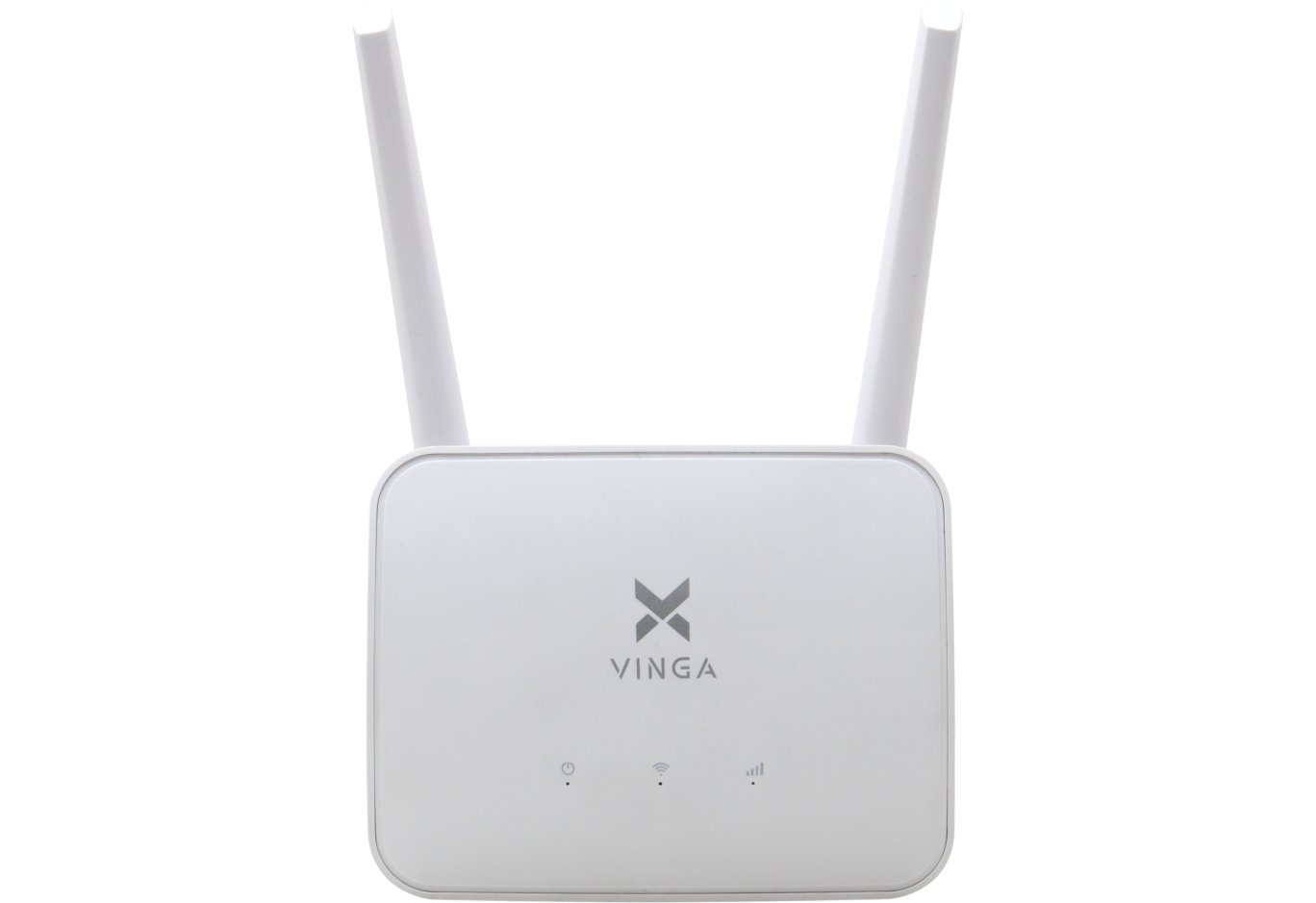


Router Vinga WR-N300U High Power (WR-N300U-HP)
We have already become acquainted with TVs, cases, power supplies, multimedia players, peripherals, and network equipment of the Vinga brand, although this is far from a complete list of its products. However, they all offer an interesting set of features at a very attractive price, which is quite logical for a young brand trying to capture its niche in the market.

But if we open the network devices section on the official website, we will see that the most expensive in its arsenal is the router Vinga WR-N300U High Power. Its price is 1299 UAH ($49), although it belongs to the N300 class. For comparison: Vinga WR-AC1200 Long Range of the AC1200 class costs 899 UAH ($34), and Vinga WR-N300 Long Range of the N300 class costs 399 UAH ($15). Immediately, the question arises: what are we overpaying for? Let's figure it out now.
Specification
|
Model |
Vinga WR-N300U High Power (WR-N300U-HP) |
|
Type |
Wireless Router |
|
Device Class |
N300 |
|
Wireless Standards |
IEEE 802.11b/g/n |
|
Frequency Band Support |
2.4 GHz |
|
Maximum Throughput |
up to 300 Mbps |
|
Antennas |
3 x external detachable |
|
Wireless Transmitter Power |
up to 500 mW |
|
Main Controller |
MediaTek MT7620A |
|
RAM |
128 MB |
|
Flash Memory |
8 MB |
|
External Interfaces |
4 x RJ45 (LAN, 10/100 Mbps) |
|
Wireless Network Security |
64 / 128-bit WEP, WPA / WPA2 |
|
Operating Modes |
Router, Access Point, Signal Booster |
|
Dimensions |
220 x 150 x 45 mm |
|
Weight |
280 g |
|
Manufacturer's Website |
|
|
Device Page |
|
|
Purchase Page |
Packaging and Delivery Set


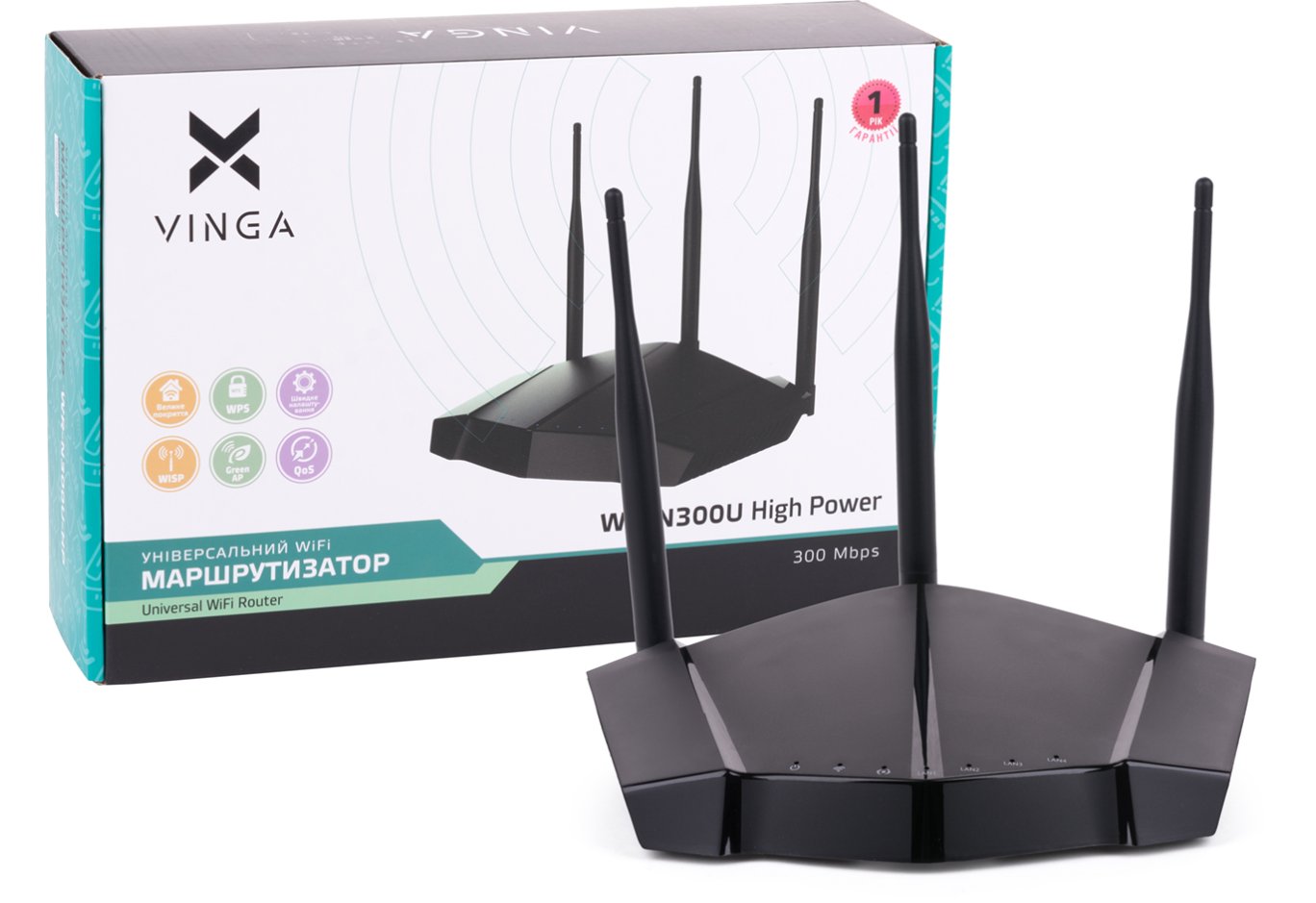
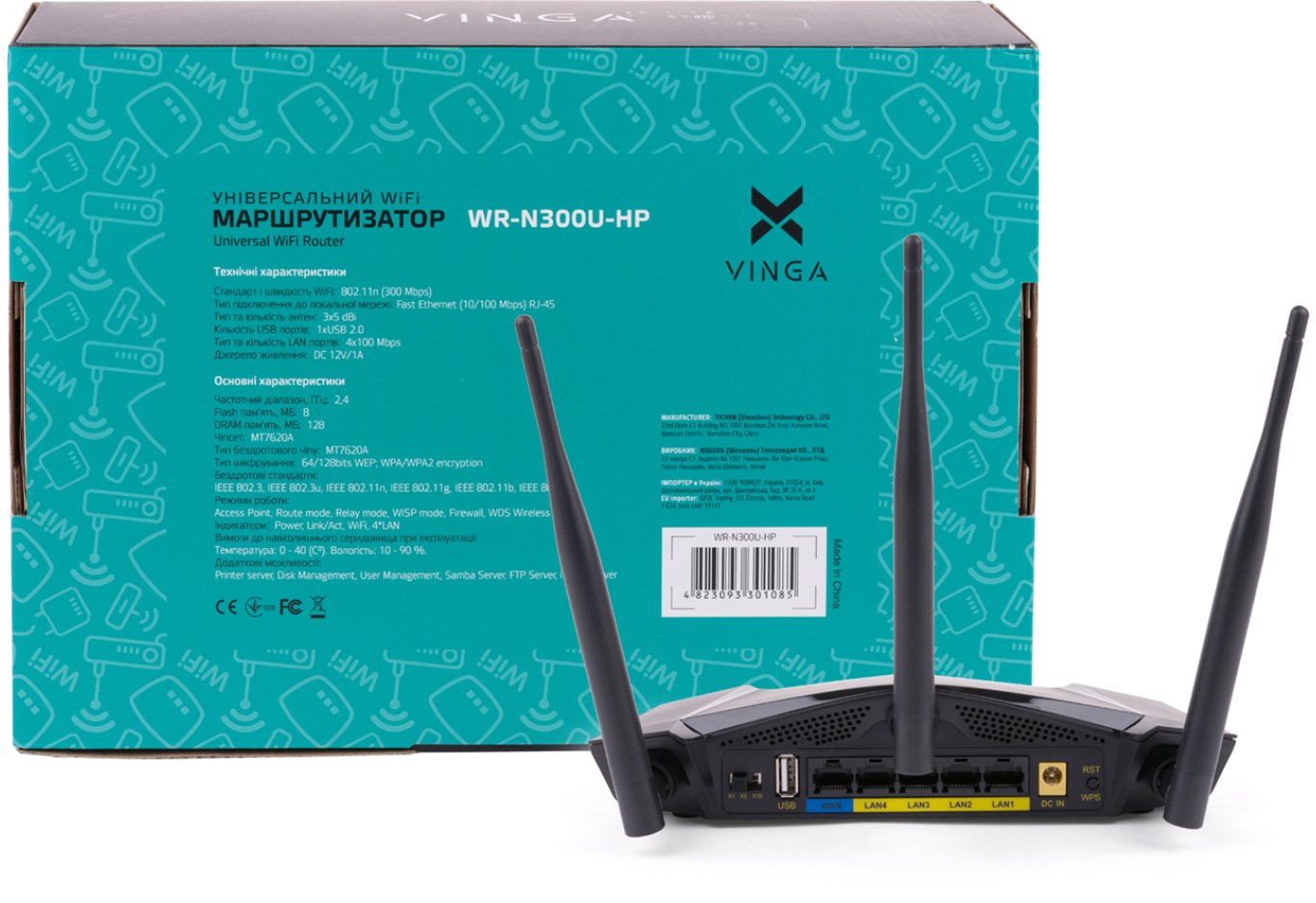
The design and informational content of the Vinga WR-N300U High Power packaging corresponds to the sample we are already familiar with from other models: colorful printing and detailed technical specifications are in place, allowing the buyer to make a first acquaintance with the device.


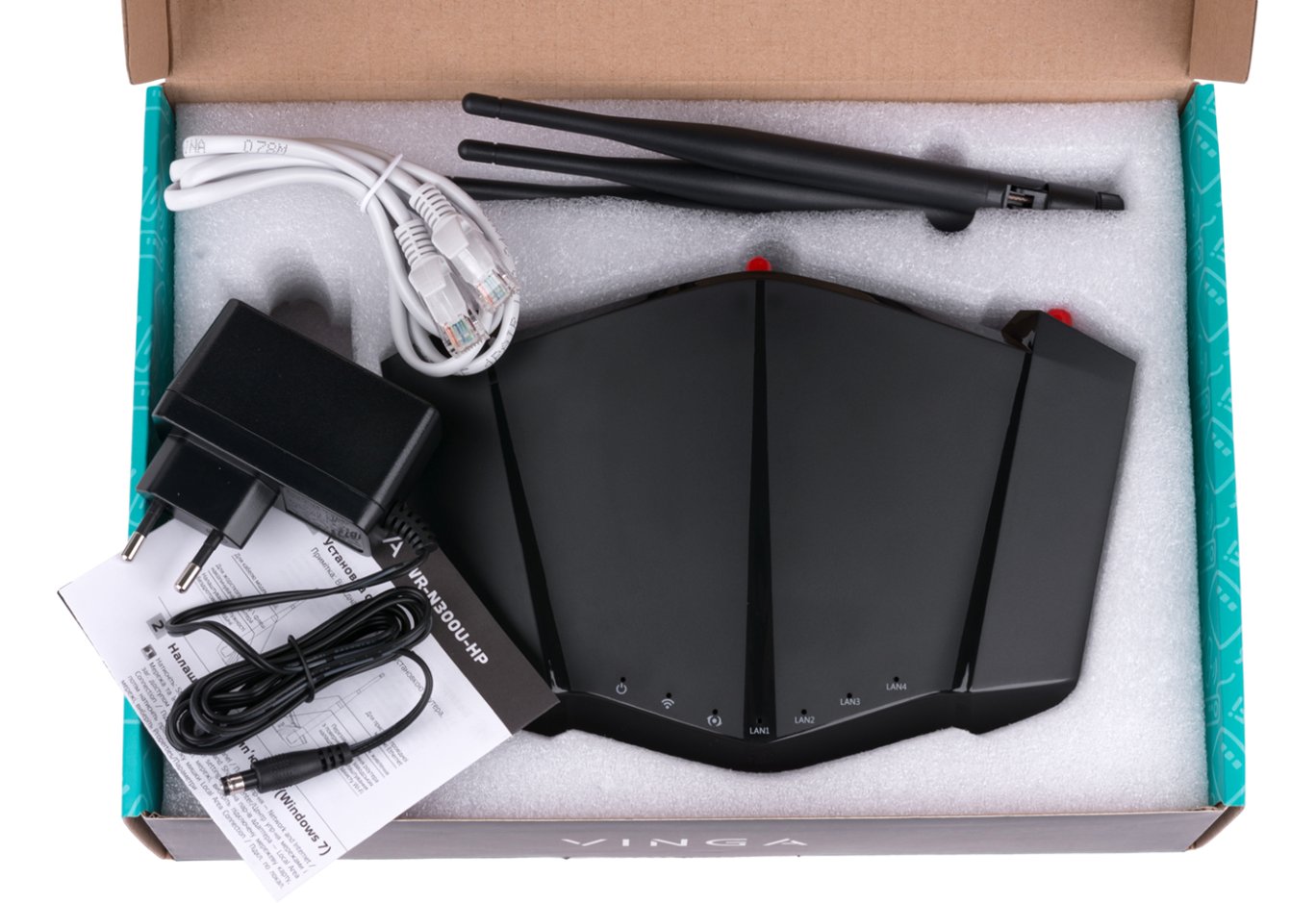
Inside, all components are placed in a foam polypropylene mold, so there is no need to worry about preservation during transportation. The delivery set includes a user manual, an external power supply unit S12B23-120A100-04 (input: 100 – 240 V at 50/60 Hz, output: 1.2 V at 1 A), three detachable antennas, and an Ethernet cable.
Appearance and Hardware Platform

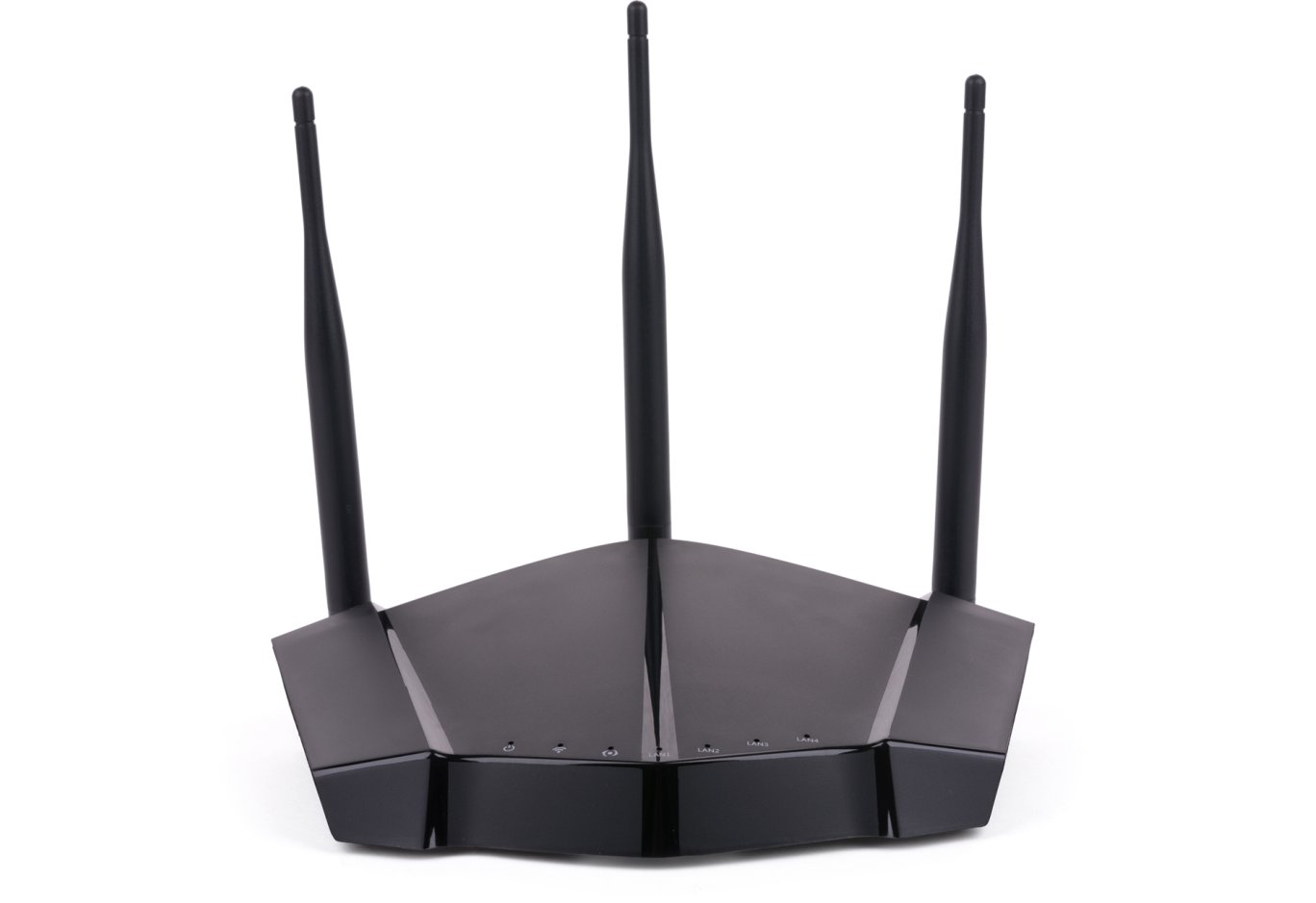
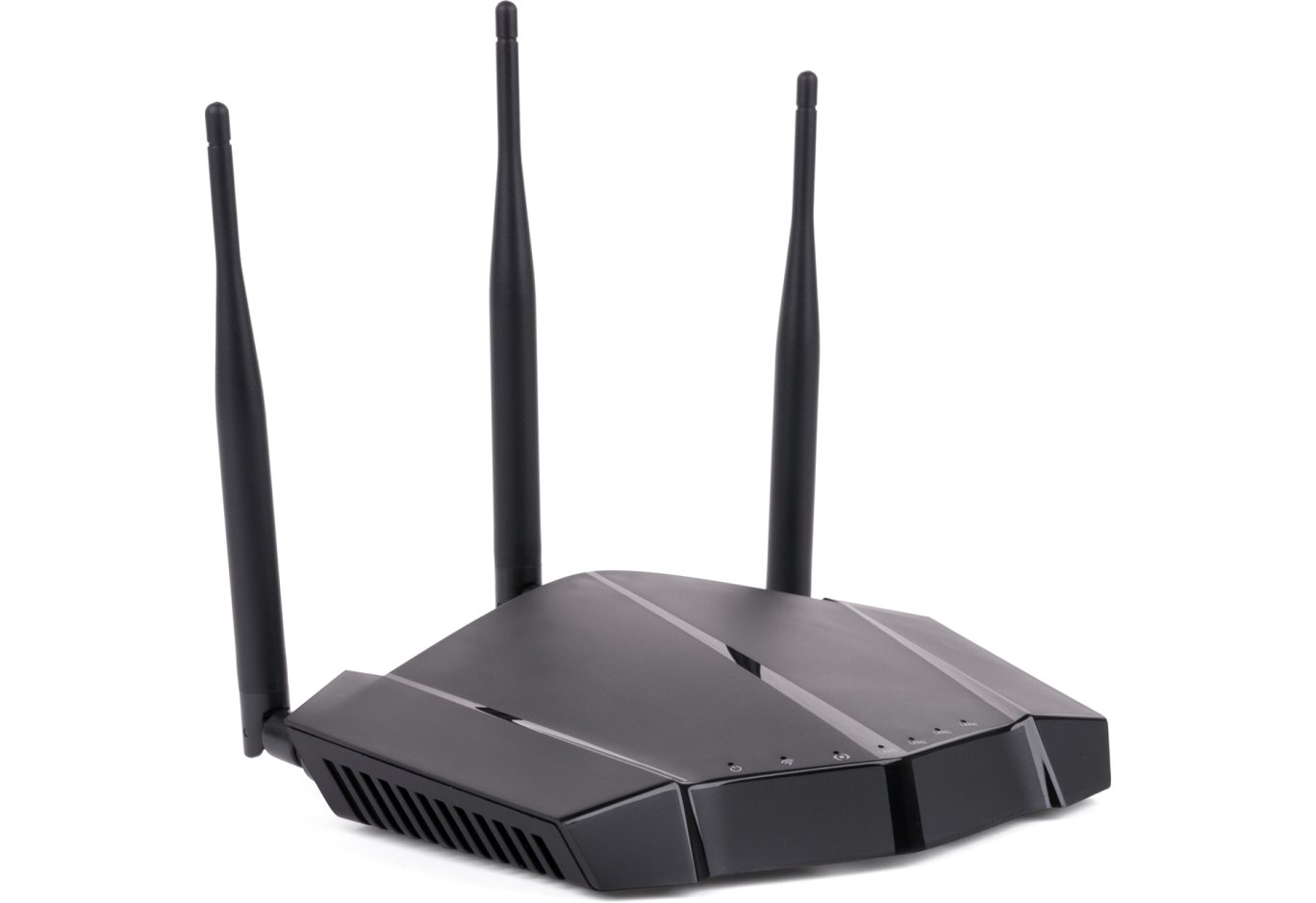
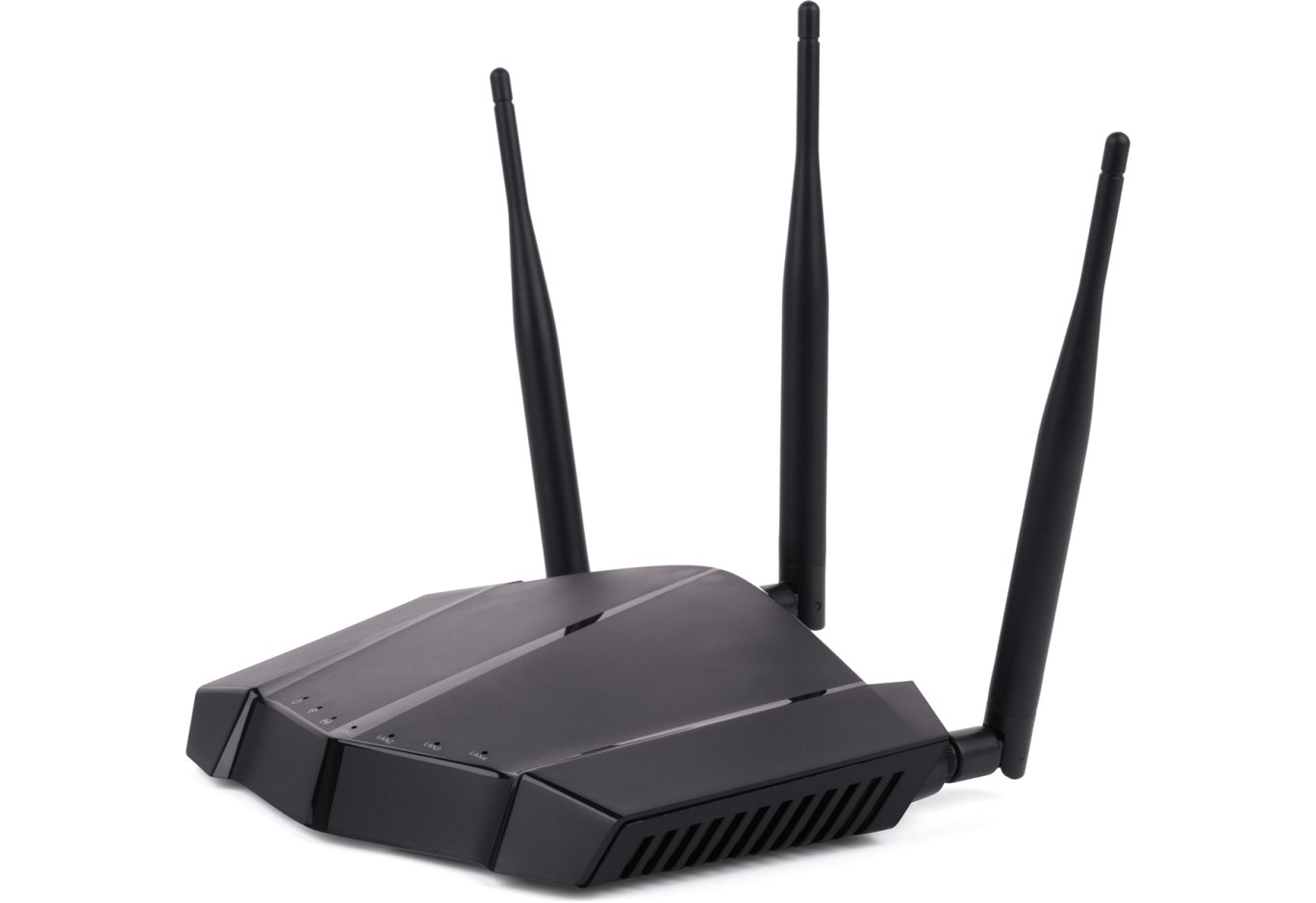
The Vinga WR-N300U High Power router looks very stylish and charismatic, reminiscent of powerful racing cars. The combination of black matte plastic and glossy inserts only enhances the aggressive design. However, they do tend to collect dust and fingerprints quite well.

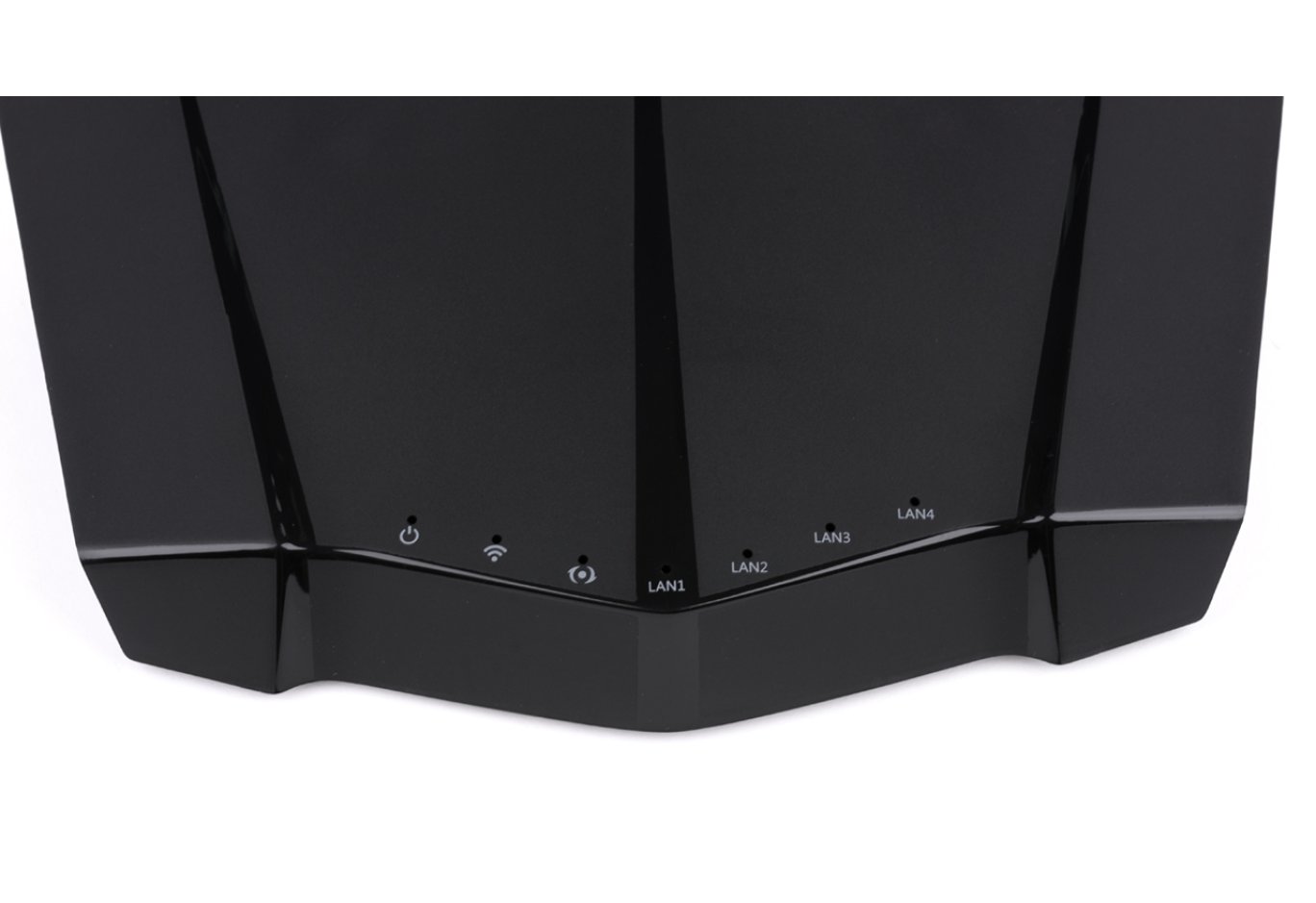
Closer to the front edge are LED activity indicators. They light up in different colors, significantly increasing informativeness, but they do not distract from work. All indicators are labeled or have a clear icon, so there should be no problems with identification.

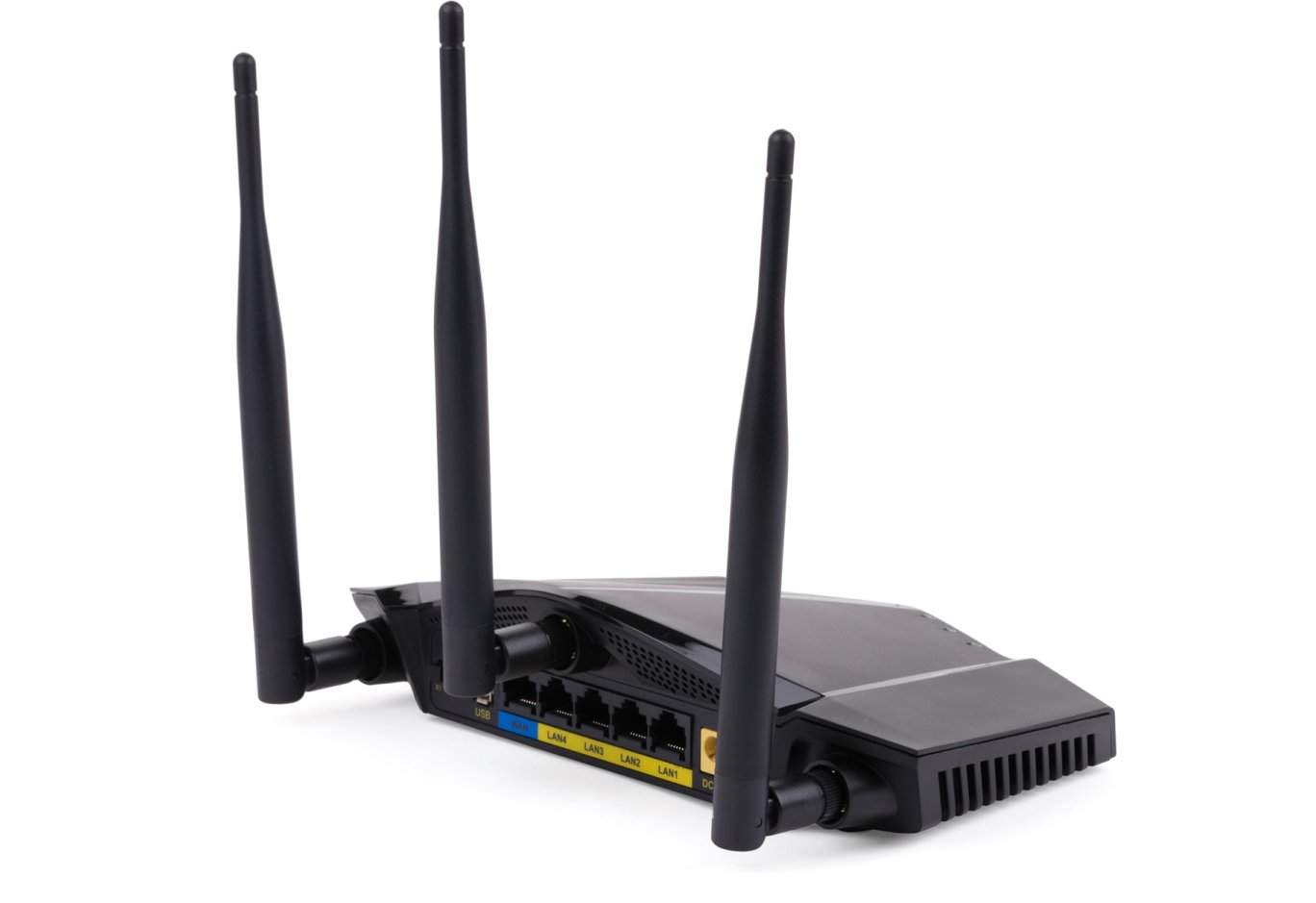
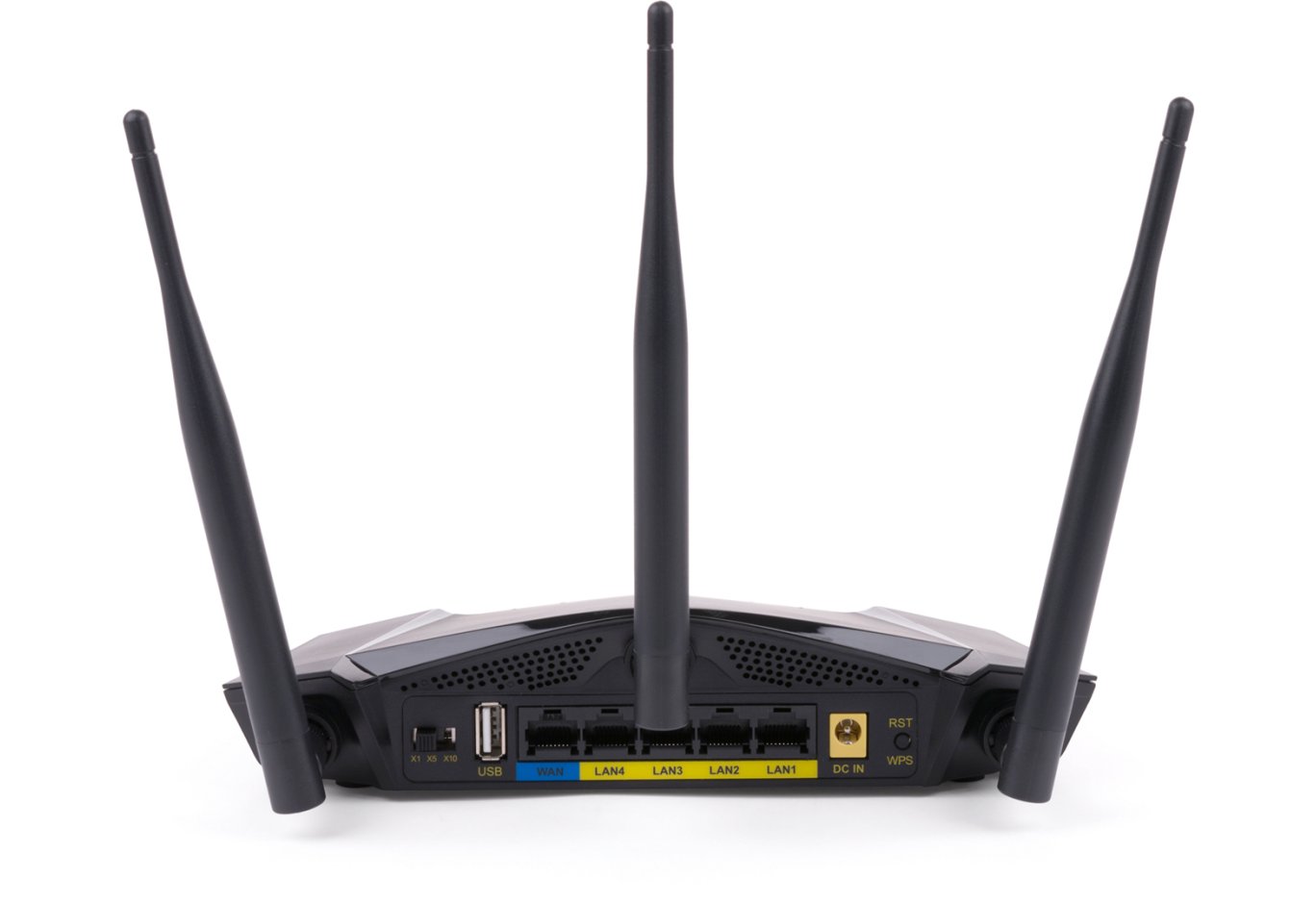
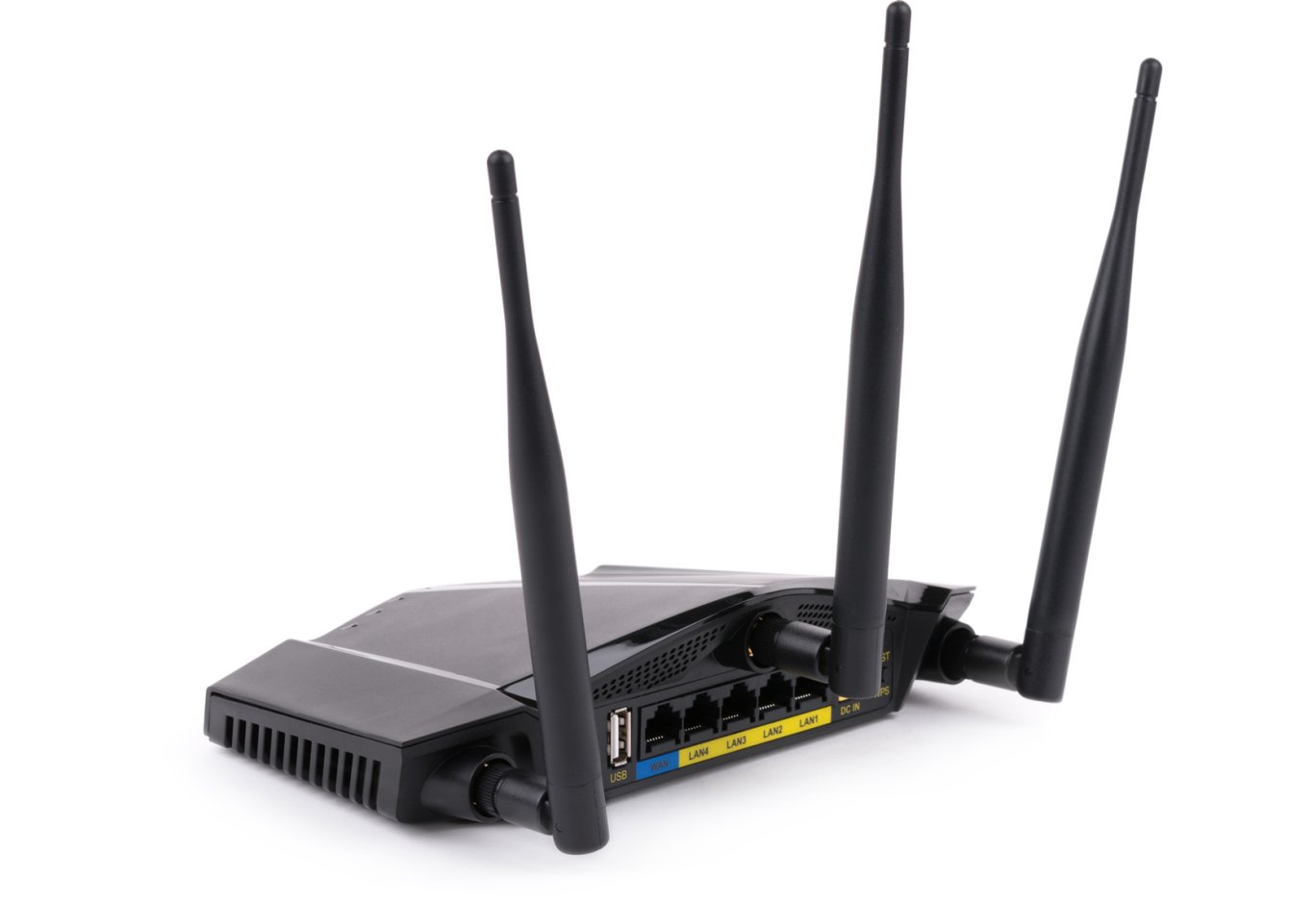
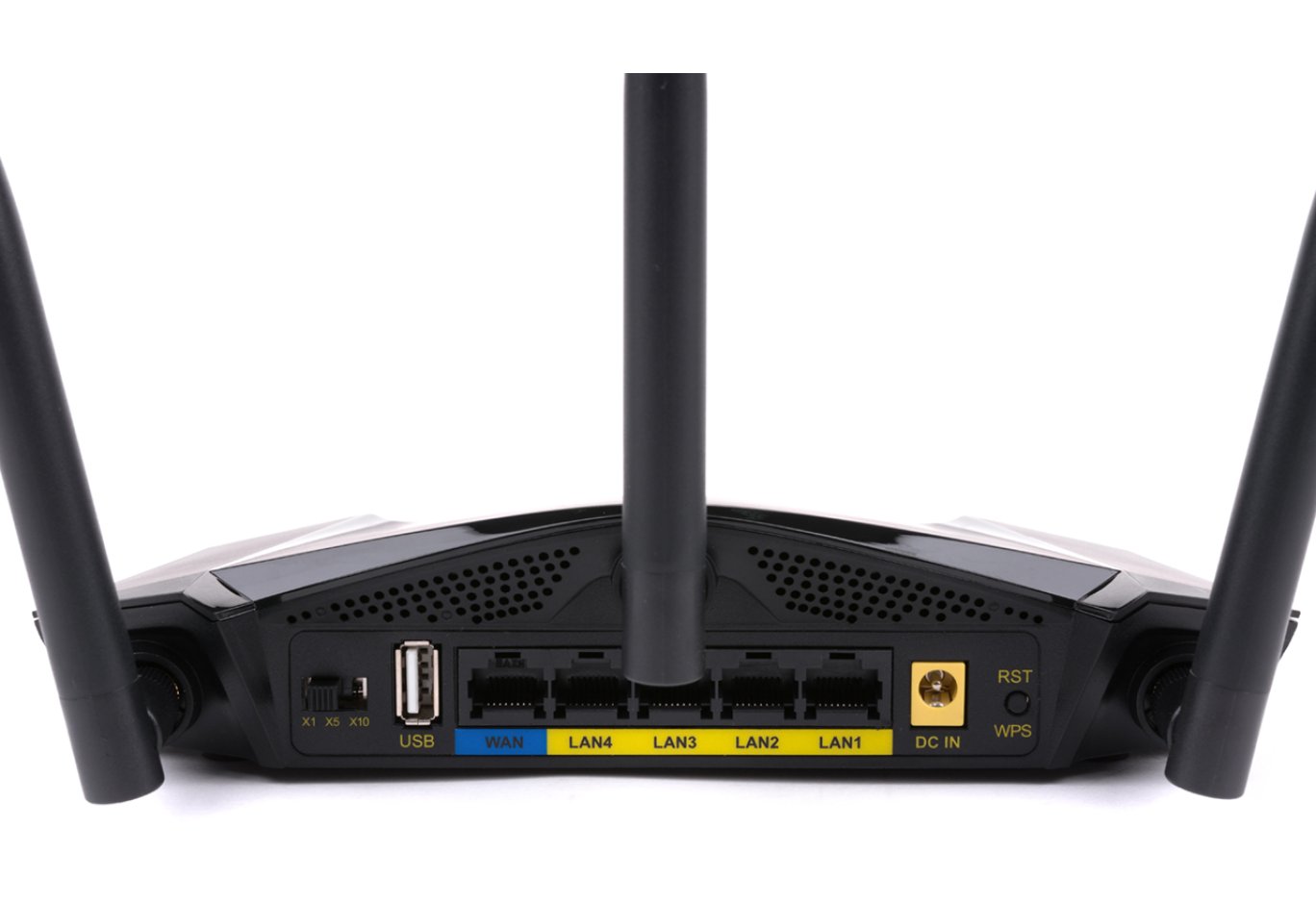
On the back side, there are three holes for connecting external detachable antennas, a power switch, one WAN and four LAN RJ45 ports of Fast Ethernet class (with a bandwidth of up to 100 Mbps) for connecting the internet cable and other wired devices, one USB 2.0 port, a DC In connector for the power supply unit, and a combined "RST/WPS" button.

The main feature of the device lies in the power switch of the wireless signal transmitter. The standard indicator is 100 mW, which corresponds to the "X1" position. When switching to "X2," the power increases to 250 mW, and in "X3" – up to 500 mW. This allows improving the coverage radius of the Wi-Fi network and ensuring excellent channel stability even with high interference levels, such as the presence of many other networks or shielded partitions. However, it is worth reminding that without a special license, it is legally prohibited in our country to use devices with a transmitter stronger than 100 mW. Thus, Vinga routers provide the technical capability to boost the signal, but all responsibility for its activation lies with the user.


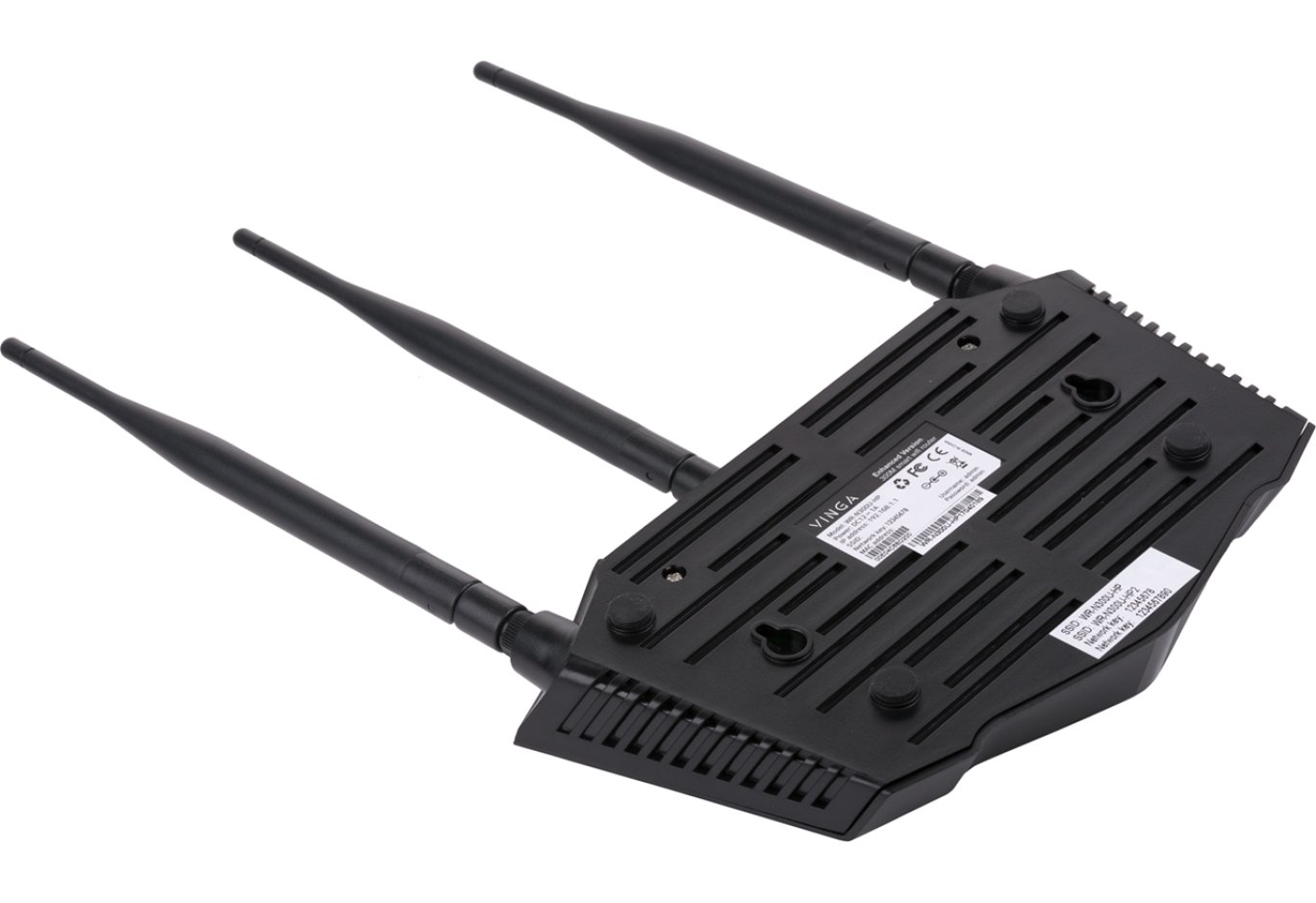
The sides have ventilation holes to improve the temperature regime inside the device.

On the bottom, you can notice feet with rubber pads that slightly raise the case for better air conditioning and protect the table surface from scratches, holes for wall mounting the router, and a sticker with technical information. It provides the web address of the setup page and the initial login and password for router configuration, which are strongly recommended to be changed later.

The main computing unit in the Vinga WR-N300U High Power model is the MediaTek MT7620A chip, which is covered by a compact heatsink. It is responsible for the implementation and maintenance of wired and wireless interfaces. Winbond 25Q64JVSIQ flash memory with a capacity of 8 MB is used for storing settings.

There aren't many components, but it's pleasing to see the use of more reliable solid capacitors instead of electrolytic ones.
Router Setup


For the initial configuration of the router, you need to go to the address 192.168.1.1 in a web browser, enter the login and password ("admin" / "admin"), and follow a few simple steps using the "Setup Wizard." During this process, you need to select the device's operating mode, set the password for the created network, etc.

After the initial configuration, we enter a menu with more extensive settings. Here you can view the current status of LAN and WAN connections, enable or disable IPv6 protocol support, activate or deactivate the Tx Burst function (the same wireless signal transmitter power amplifier, only in software form), set security parameters, configure the Green AP technology, implement port, IP, or MAC address filtering, choose the interface language, or even upload a file with ready-made settings and much more.

Overall, the interface pleases with its simplicity, high functionality, and informativeness. And on the right side, there is always a hint about the purpose of a particular menu item.
Testing
The Vinga WR-N300U High Power wireless router was tested in various data transmission modes – in wired networks, in wireless networks, as well as from wired to wireless and back. During testing, the following conditions were met:
- the router was tested under ideal wireless network operating conditions, with a distance of no more than two meters between points;
- the Wi-Fi channel bandwidth was measured at a frequency of 2.4 GHz;
- the wired segment bandwidth was measured under unshielded twisted pair conditions with a bandwidth of up to 1000 Mbps.
Comparative testing of operation in 802.11n mode at 2.4 GHz frequency using WPA2 encryption

Data flow in both directions

Data flow from client to router

We will compare the obtained indicators with the Vinga WR-N300 Long Range model, which also belongs to the N300 class. The average bandwidth when transmitting data in both directions exceeded 130 Mbps, and the maximum indicator almost reached 71 Mbps. The internal competitor's average indicator was slightly lower (128 Mbps), but the maximum was noticeably higher (94 Mbps).
Let us remind you that here and further, the average indicator is calculated by the program as the sum of the average values of both streams, and the maximum is the largest among the two indicators, so do not be surprised that the average value is greater than the maximum.
Comparative testing of packet transmission speed through the LAN interface for another LAN client

Data flow in both directions

Data flow from client to router
The average bandwidth when transmitting information in both directions was almost 179 Mbps, and the maximum was 93 Mbps. Everything is attributed to the limitations of Fast Ethernet ports with a bandwidth of up to 100 Mbps. At one time, Vinga WR-N300 Long Range delivered 169 and 95 Mbps. Thus, in ideal testing conditions, differences between hardware platforms do not significantly affect the results.
Comparative testing of packet transmission speed through the router's NAT service

Data flow in both directions

Data flow from router to client
The average speed when transmitting data in both directions was 95 Mbps, and the maximum was 49 Mbps. The competitor's results were 95 and 75 Mbps.
Comparative testing of read/write speed using a SAMBA client on an external SSD connected via a USB 2.0 port

Reading from the connected drive

Recording on a connected drive
The read speed was at 11.2 MB/s, and the write speed was 3.94 MB/s. These are typical figures for the USB 2.0 interface, which, if necessary, will allow organizing a network printer or data storage.
Conclusions

As mentioned at the beginning of the review, the Vinga WR-N300U High Power router is quite a controversial product. Its strong points include an attractive design, the use of three powerful removable antennas, and the presence of a USB 2.0 port for connecting peripheral devices or a drive.
The main highlight is the ability to increase the power of the wireless signal transmitter from the standard 100 mW to 250 or 500 mW. To do this, you can use the switch on the back panel or the corresponding item in the settings menu. A more powerful transmitter will improve the Wi-Fi network coverage radius and provide excellent channel stability even with a high level of interference, such as the presence of many other networks or shielded partitions in the building structure. But once again, we remind you that without a special license in our country, it is legally prohibited to use devices with a transmitter more powerful than 100 mW. So by activating this option, you do so at your own risk.
The weak points of the Vinga WR-N300U High Power include the use of RJ45 Fast Ethernet ports (up to 100 Mbps) and a relatively high price of 1299 UAH ($49). In ideal testing conditions, we did not find a noticeable advantage of the novelty over the more affordable internal N300 class competitor.
As a result, the Vinga WR-N300U High Power router will be of interest primarily due to the ability to increase the transmitter power for a higher quality communication channel in challenging operating conditions. In other cases, more affordable models may suffice.
Advantages:
- ability to boost the transmitter signal to 500 mW;
- stylish case design;
- high-quality assembly;
- user-friendly and functional web interface for configuration;
- support for IPv6 protocol;
- presence of USB 2.0 interface;
- three powerful removable external antennas for stable coverage;
- support for multiple operating modes;
- presence of a firewall;
- support for Green AP function to control the wireless transmitter power.
Features:
- use of Fast Ethernet ports;
- high price.
Author: Serhiy Budilovskyi
Translation: Yuriy Koval