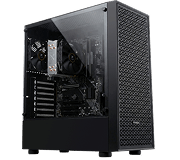


PC Case Vinga Hydra RGB
In recent years, computer cases have changed significantly. Models with top-mounted power supplies have practically disappeared from store shelves, leaving only representatives of the ultra-budget market segment. In modern Tower cases, the PSU is mounted at the bottom under a special shroud. The hard drive cage is also placed there. This is mostly for aesthetic reasons, as with the presence of a viewing window (which is now found almost everywhere), it allows you to hide unused cables and the HDDs themselves. Additionally, the dual-chamber design helps separate the power supply from other components, thereby improving the microclimate inside the case.
Another trend is the abandonment of external devices by most users, meaning there is simply no special need for 5.25-inch bays. A similar situation exists with 3.5-inch drive bays. More and more people prefer 2.5-inch SSDs, which easily fit behind the motherboard tray, not to mention the miniature M.2 format solid-state drives. In modern realities, a pair of hard drives is more than enough, and consuming and storing content has long been accepted online. As a result, a lot of space is freed up inside the case for bulky components, and there is an opportunity to organize a well-ventilated system.
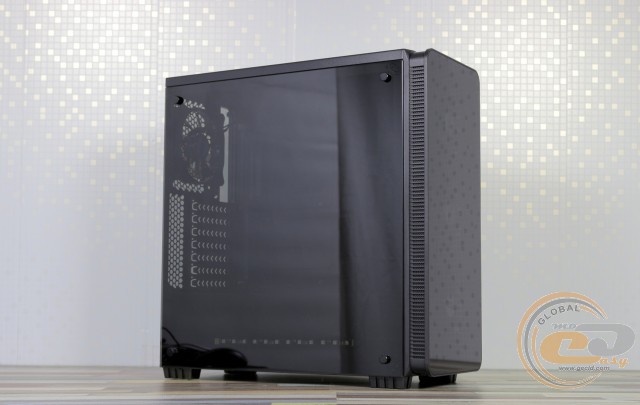
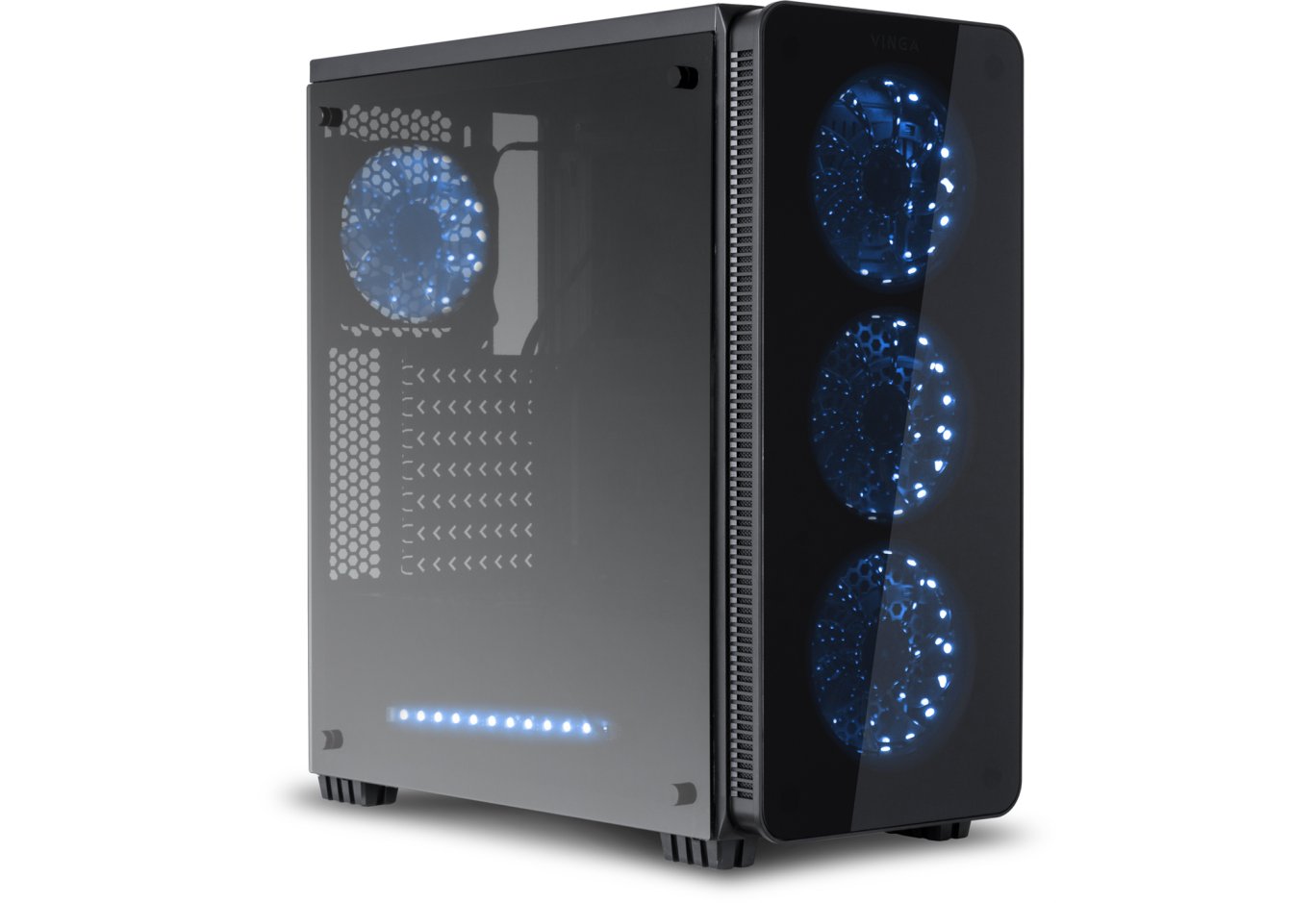
All this allows manufacturers to create neat and bright cases. An example of modern classics in case building is today's guest in our test lab - Vinga Hydra RGB. It is made in the most popular Middle Tower format, offering many transparent windows along with four pre-installed RGB fans and an LED strip. Attractive, isn't it?
Specification
|
Model |
Vinga Hydra RGB |
|
|
Case Size |
Middle Tower |
|
|
Motherboard Form Factor Support |
ATX / microATX / Mini-ITX |
|
|
Color |
Black |
|
|
Internal Bays |
3 x 3.5” 2 x 2.5” |
|
|
Expansion Slots |
7 |
|
|
Maximum GPU Length (in brackets - own measurements) |
395 mm (380 mm) |
|
|
Maximum CPU Cooler Height (in brackets - own measurements) |
161 mm (162 mm) |
|
|
Maximum PSU Length |
220 mm |
|
|
Ports |
2 x USB 2.0 1 x USB 3.0 2 x audio ports |
|
|
Features |
Lighted fans, LED strip, built-in RGB LED controller and two-position rheostat, transparent front and left side panels |
|
|
Pre-installed Fans |
On the front panel |
3 x 120 mm |
|
On the rear panel |
1 x 120 mm |
|
|
Fan Installation Options |
On the internal partition |
2 x 120 mm |
|
Power Supply |
None |
|
|
Materials |
|
Tempered glass 3.15 mm thick |
|
Chassis |
Steel 0.59 mm thick |
|
|
Left Panel |
Steel 0.61 mm thick |
|
|
Case Dimensions (in brackets - own measurements) |
450 x 195 x 410 mm (472 x 190 x 451 mm) |
|
|
Weight |
6.51 kg |
|
|
Manufacturer's Website |
||
Packaging and Delivery Set
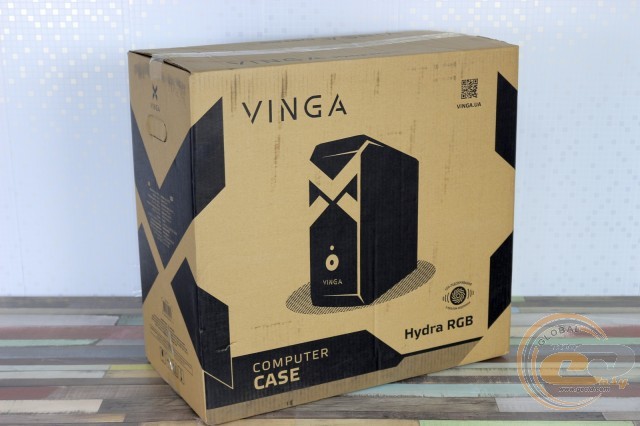
The Vinga Hydra RGB case is packed in a simple cardboard box with monochrome design. On its sides, you can find not only the model name but also the product specifications in English and Ukrainian. For convenience in transportation, there are cutouts on the ends.
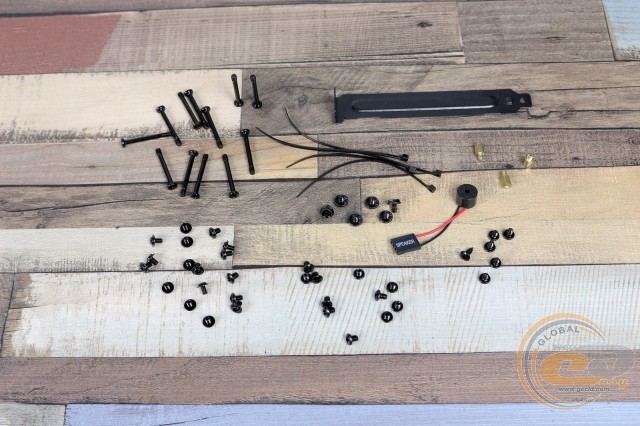
The delivery set includes the necessary accessories for assembling a computer: a set of stands and screws for mounting the motherboard, power supply, fans, drives, and even radiators. In addition, there is a reusable expansion slot cover, several disposable cable ties, and a system speaker.
Appearance
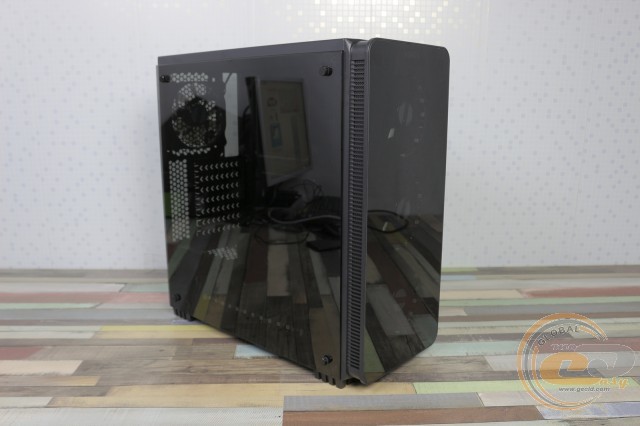
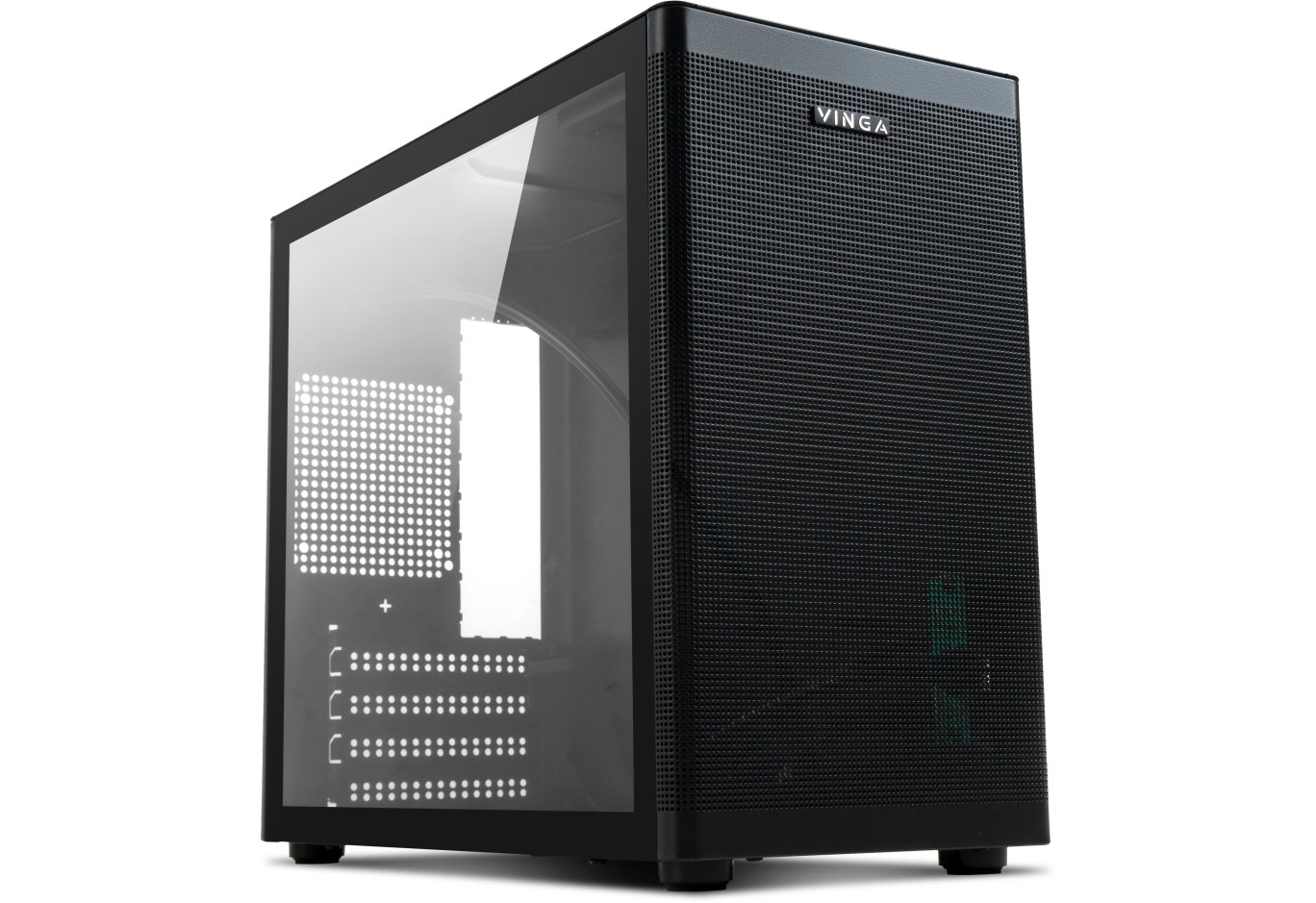
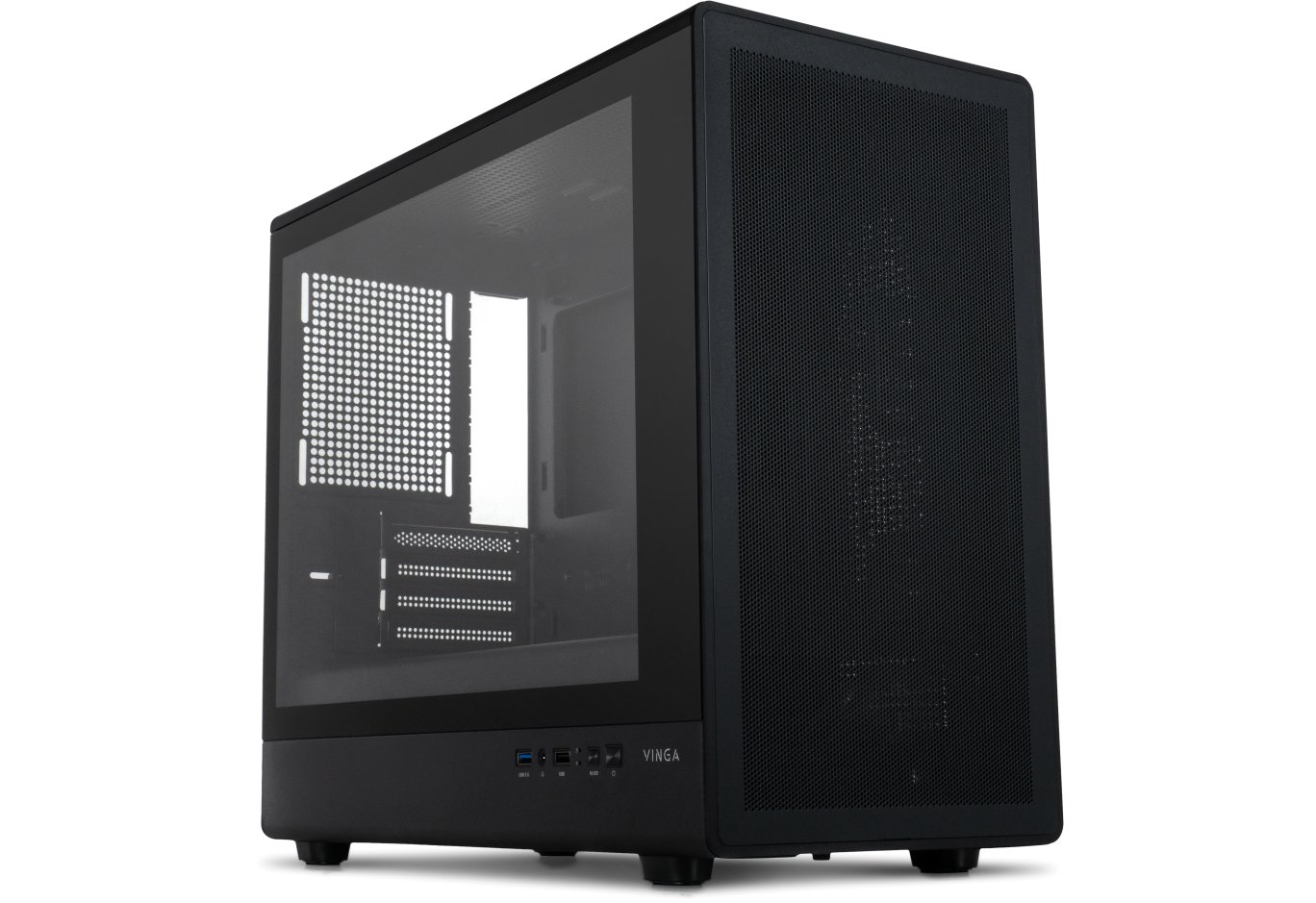
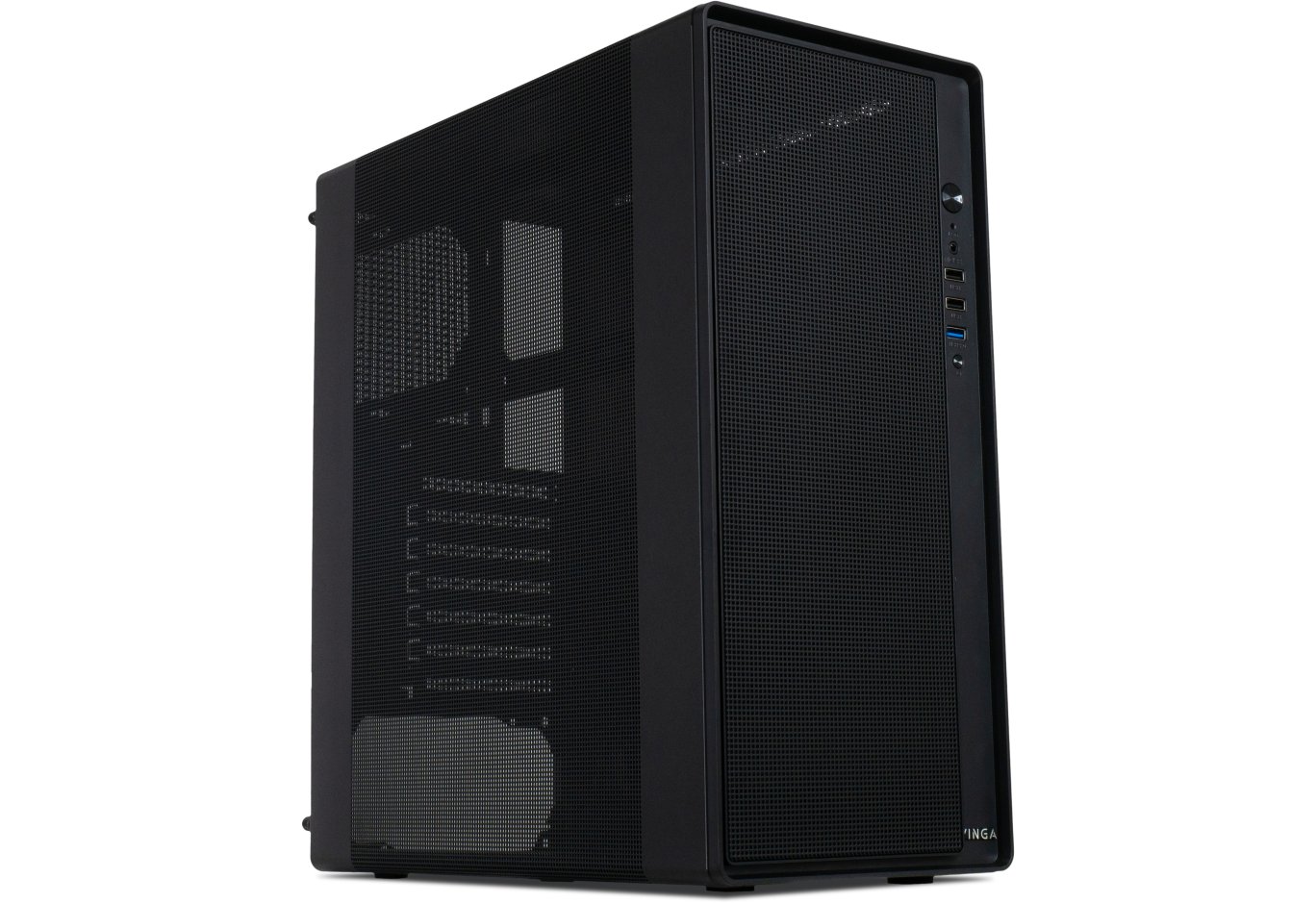
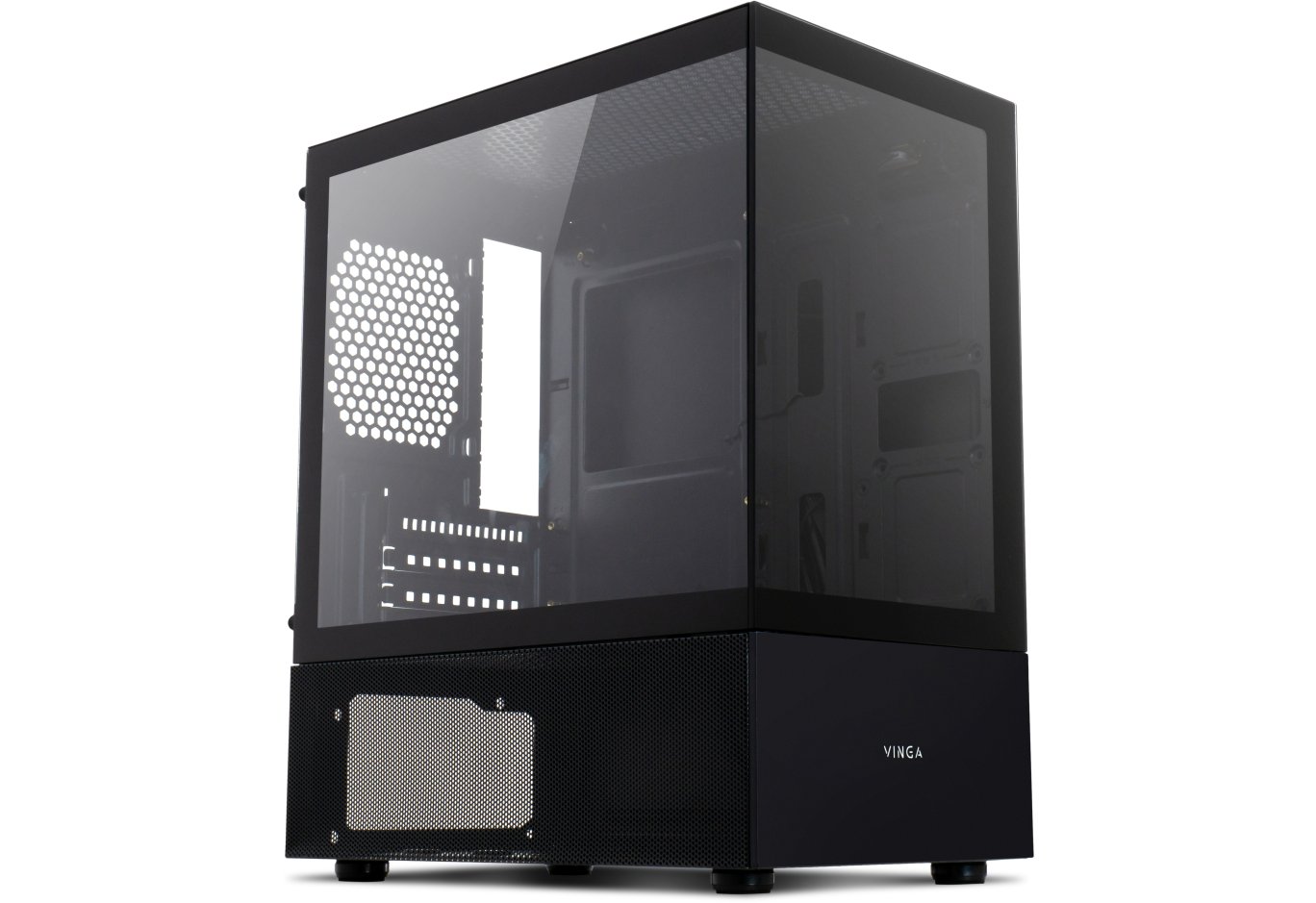
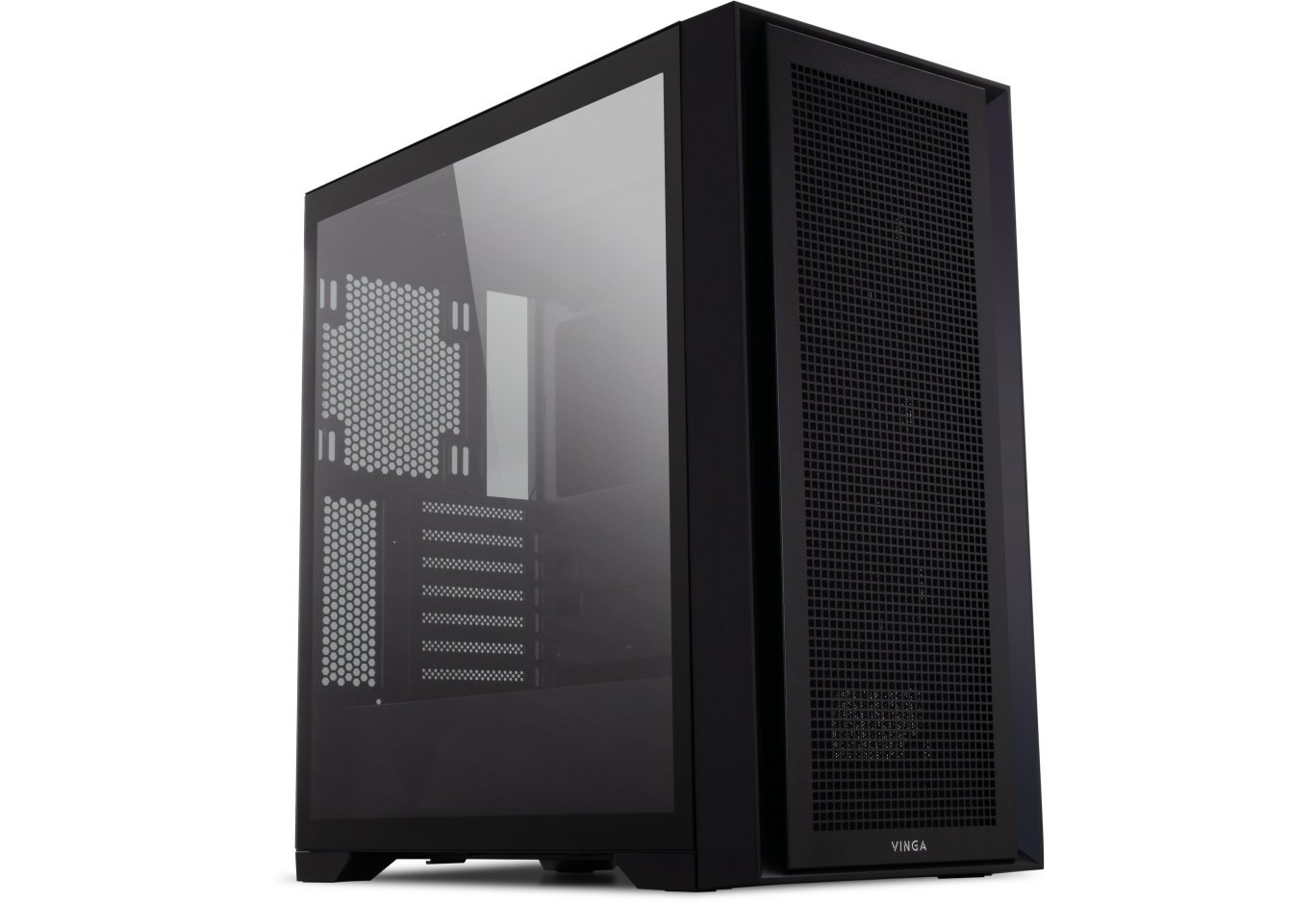
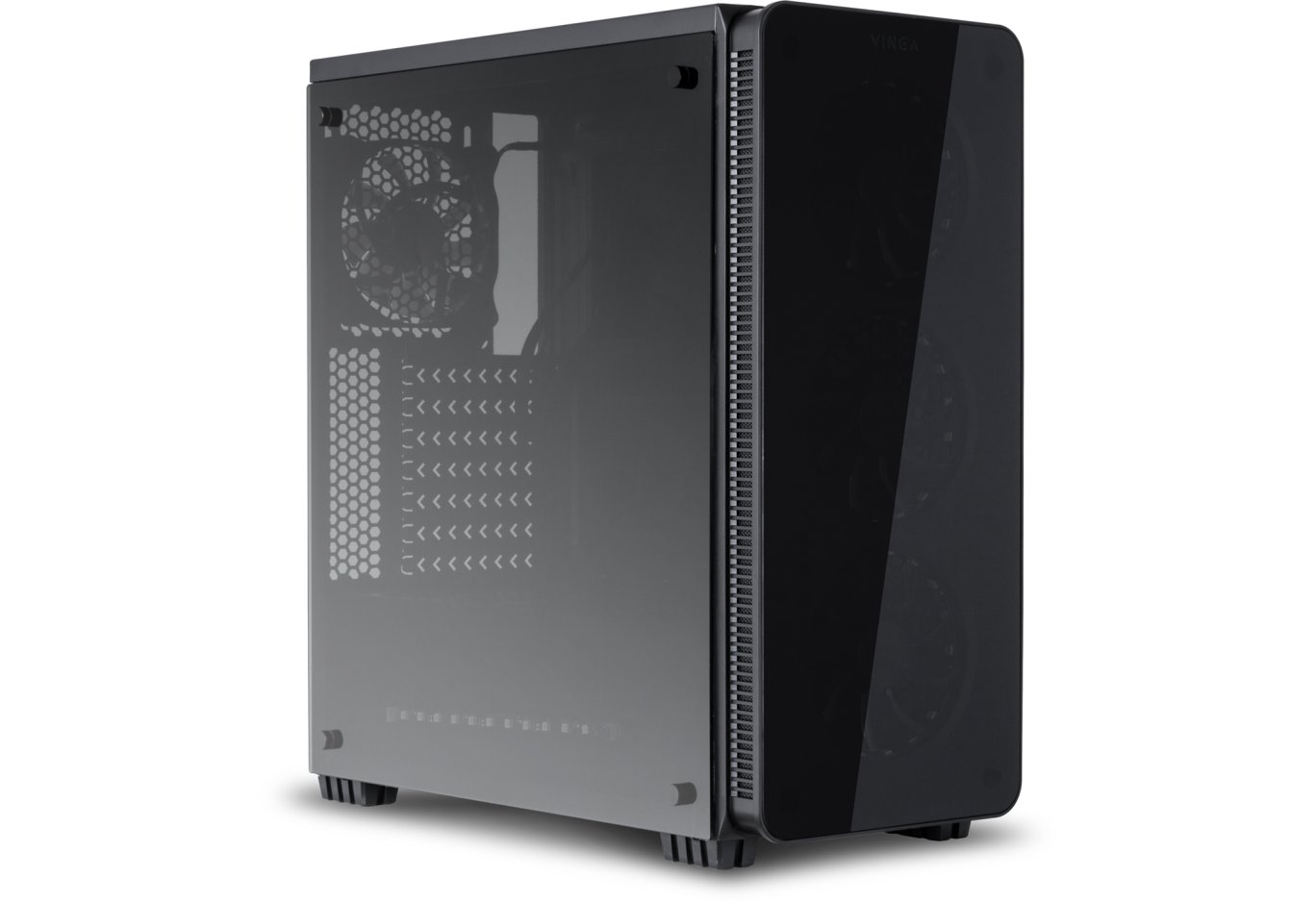
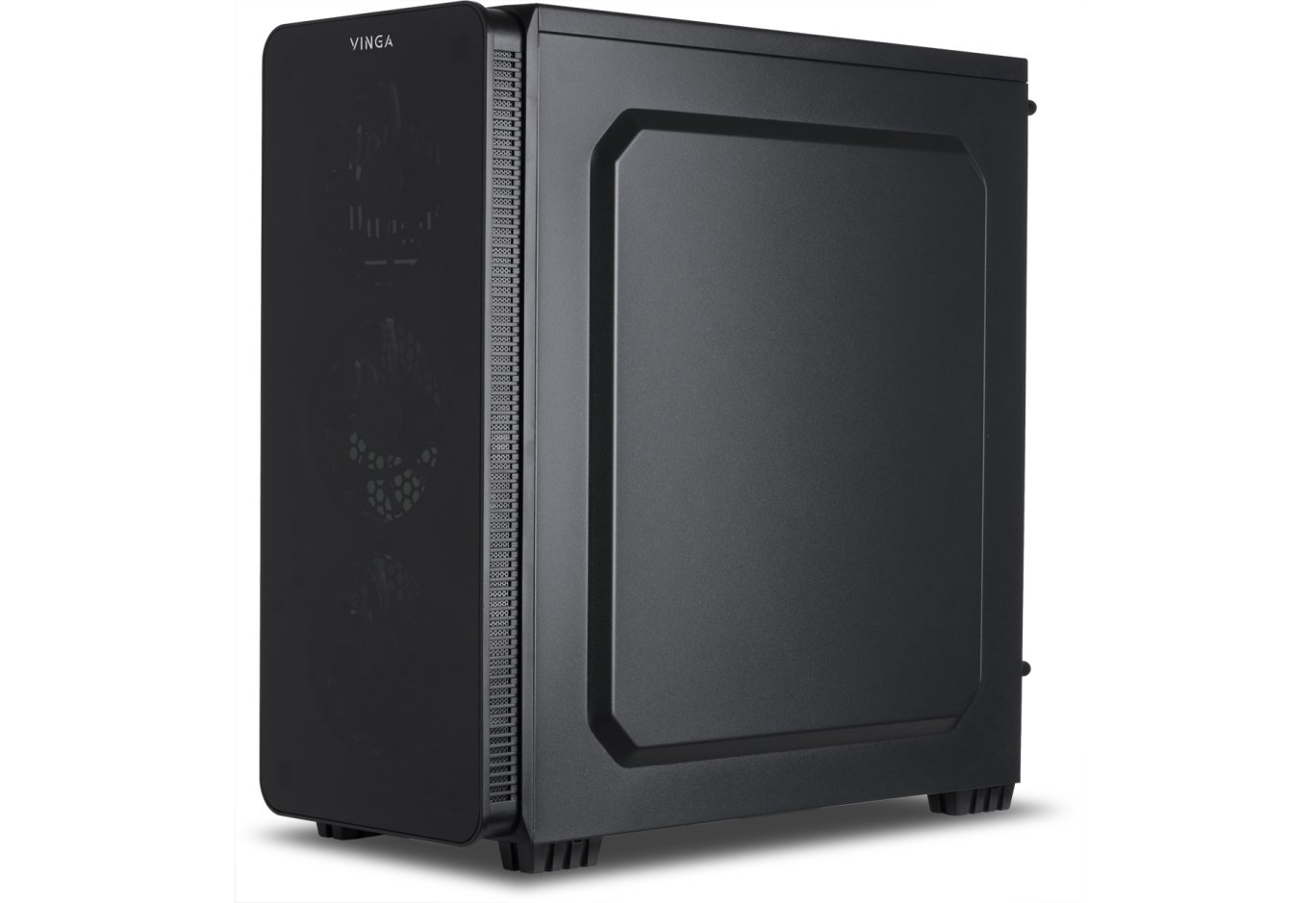
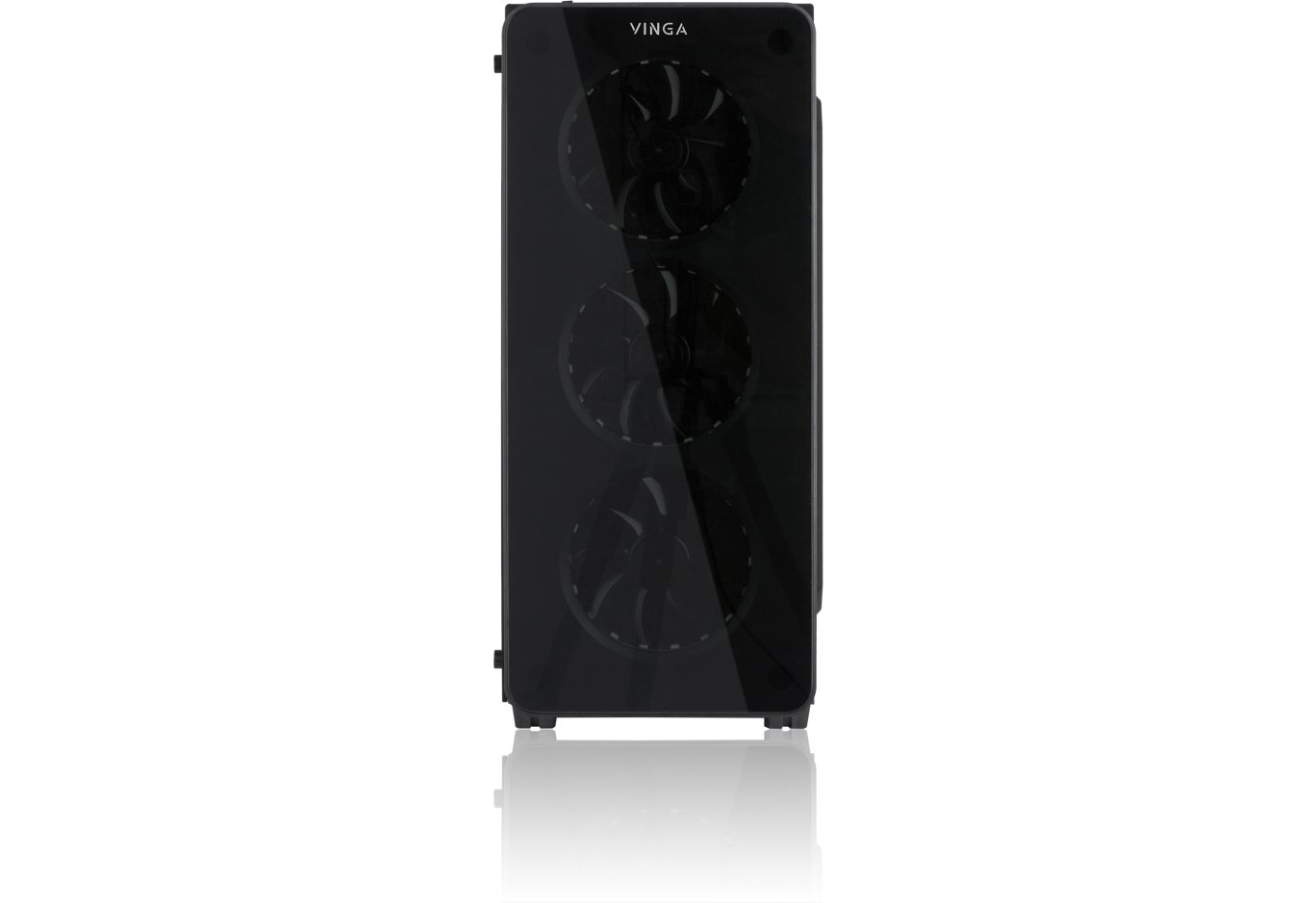
Design is subjective, but in the humble opinion of the author, the Vinga Hydra RGB looks excellent. The combination of straight lines, matte black finish, and translucent panels looks quite elegant and stylish. At the same time, the "face" with rounded edges adds a certain zest to the product. The chassis is made of steel sheets with a thickness of 0.59 mm and is complemented by plastic and tempered glass details. And while fingerprints are barely noticeable on the metal and plastic, the glass requires appropriate care to maintain a presentable appearance.
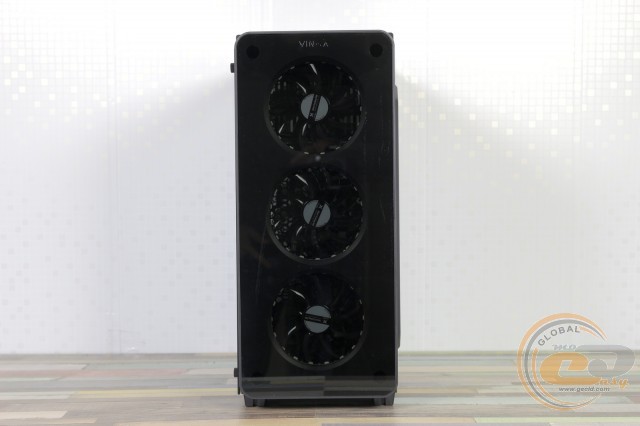
The front panel is bordered with plastic. There are ventilation holes on the sides that ensure the inflow of fresh air into the system. The entire front part of the panel is covered with tinted glass with the Vinga brand logo at the top. It allows you to admire the illumination of the three pre-installed fans.
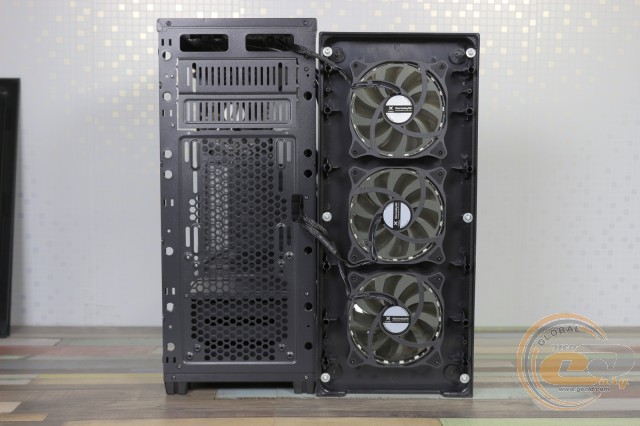
If desired, the panel can be removed as it is attached with latches. No excessive effort is needed for this, but it holds securely. After its removal, the chassis is revealed. At the same time, it is visible that the standard 120-mm RGB propellers are attached directly to the wall itself.
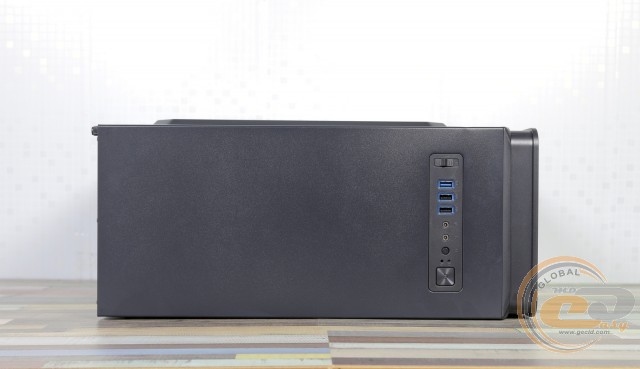
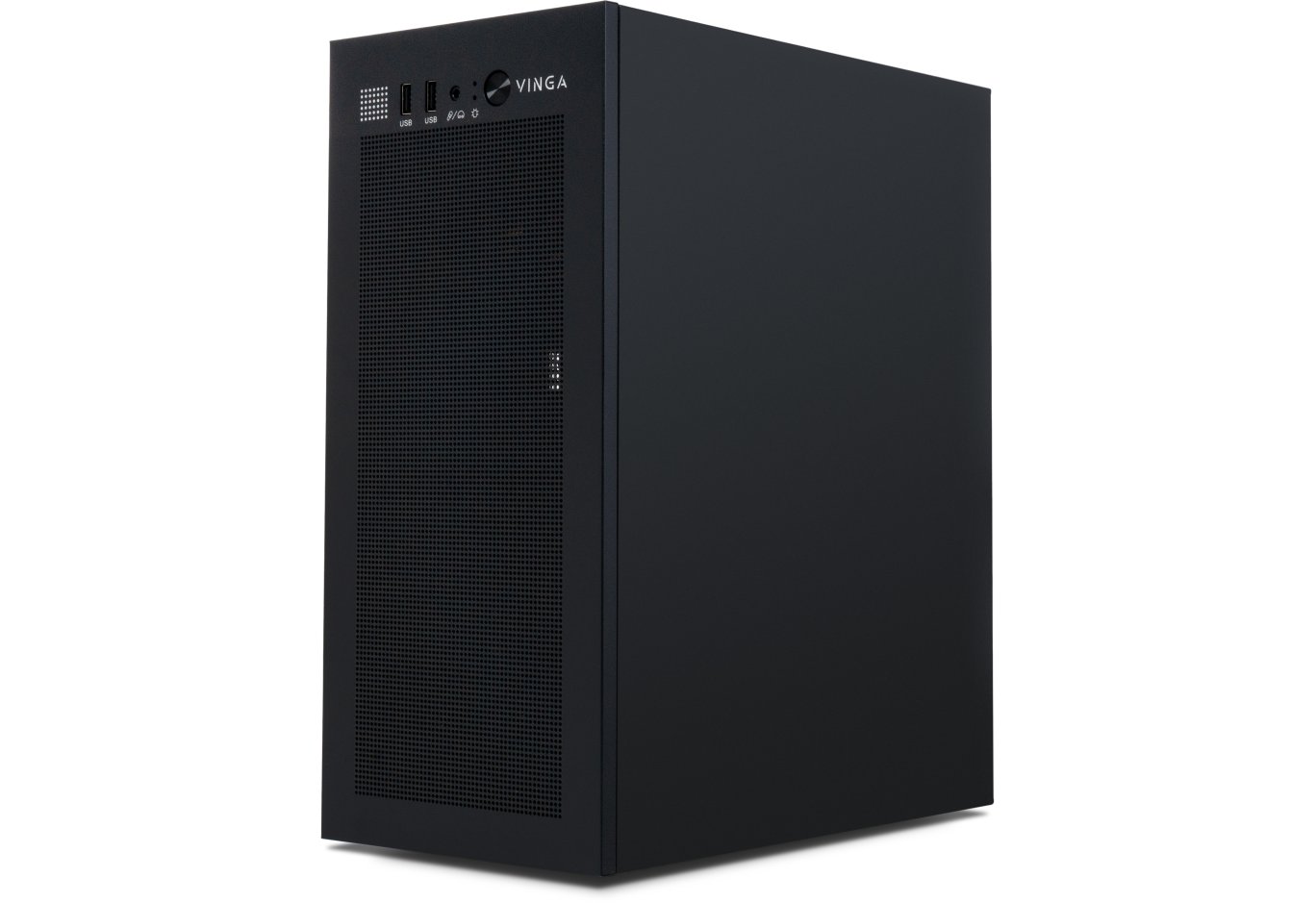
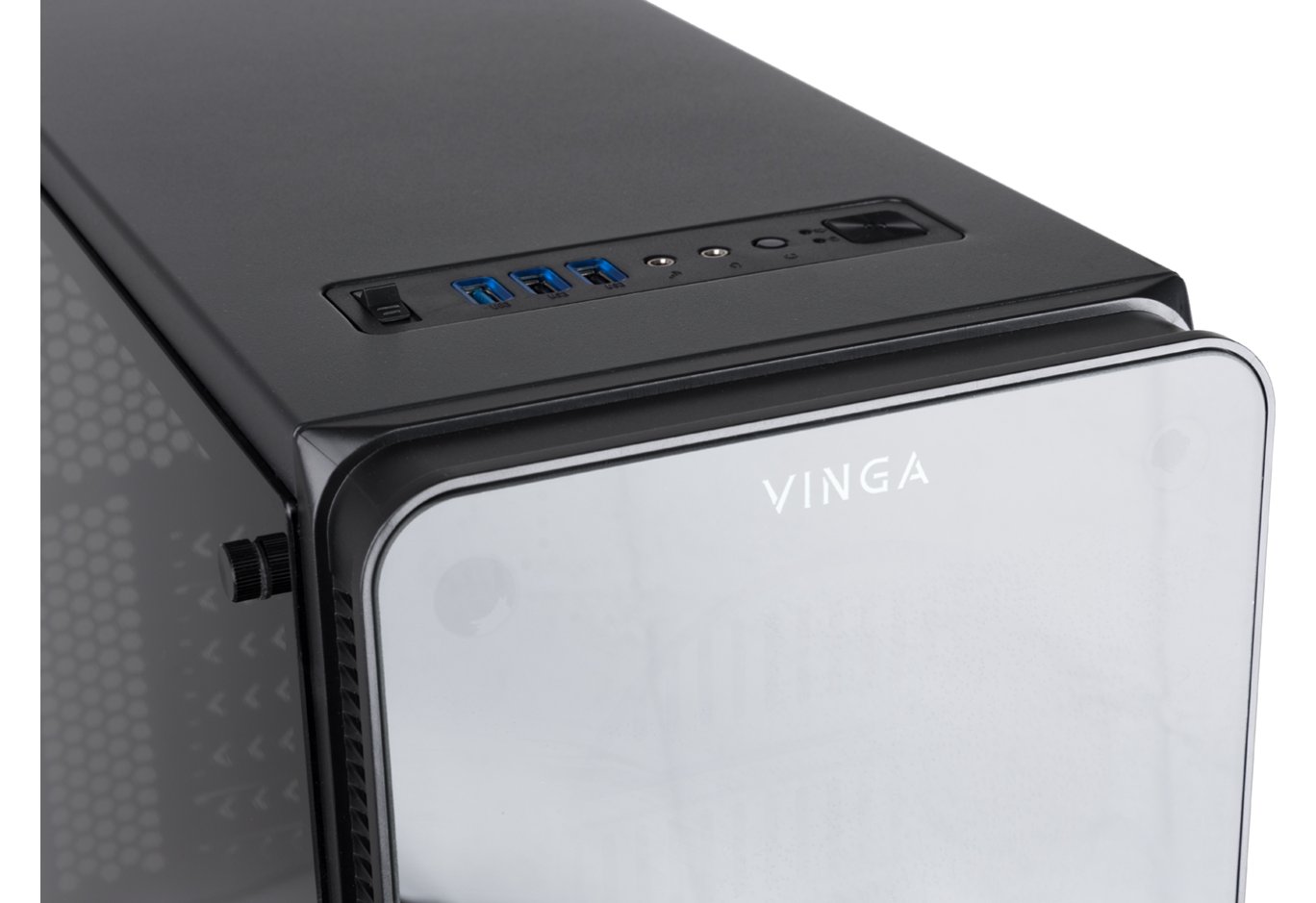
The top panel of the Vinga Hydra RGB case lacks ventilation holes, and the front part is concentrated with a block of buttons and interfaces. The set of elements is quite sufficient: a pair of USB 2.0 ports, one USB 3.0, and two 3.5-mm jacks for a microphone and headphones. Next to them is a two-position controller-rheobus, a reset button, a pair of LED indicators, and a large power button.
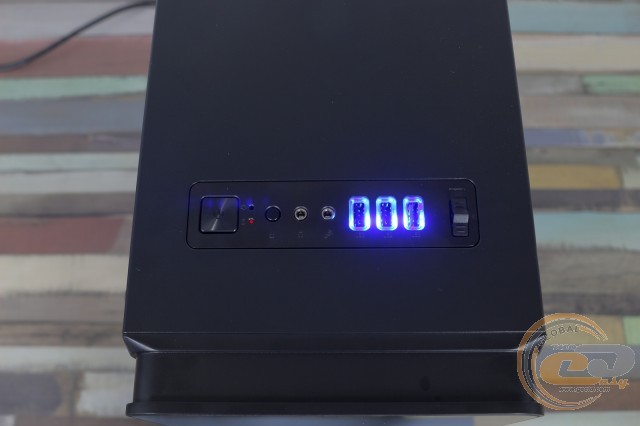
As with Vinga Graphyte, the USB ports have contour lighting, which will be useful in the dark, but it cannot be turned off.
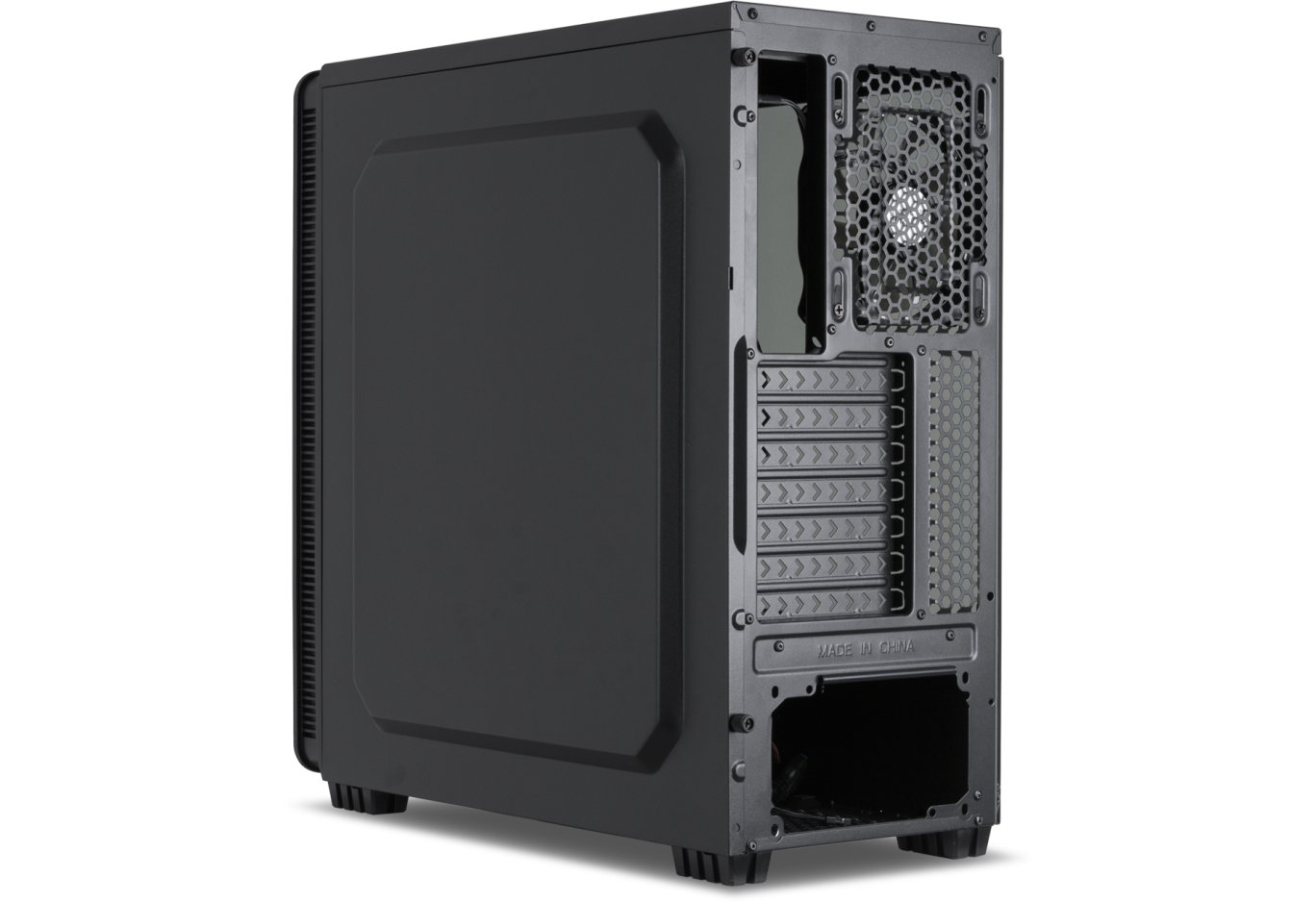
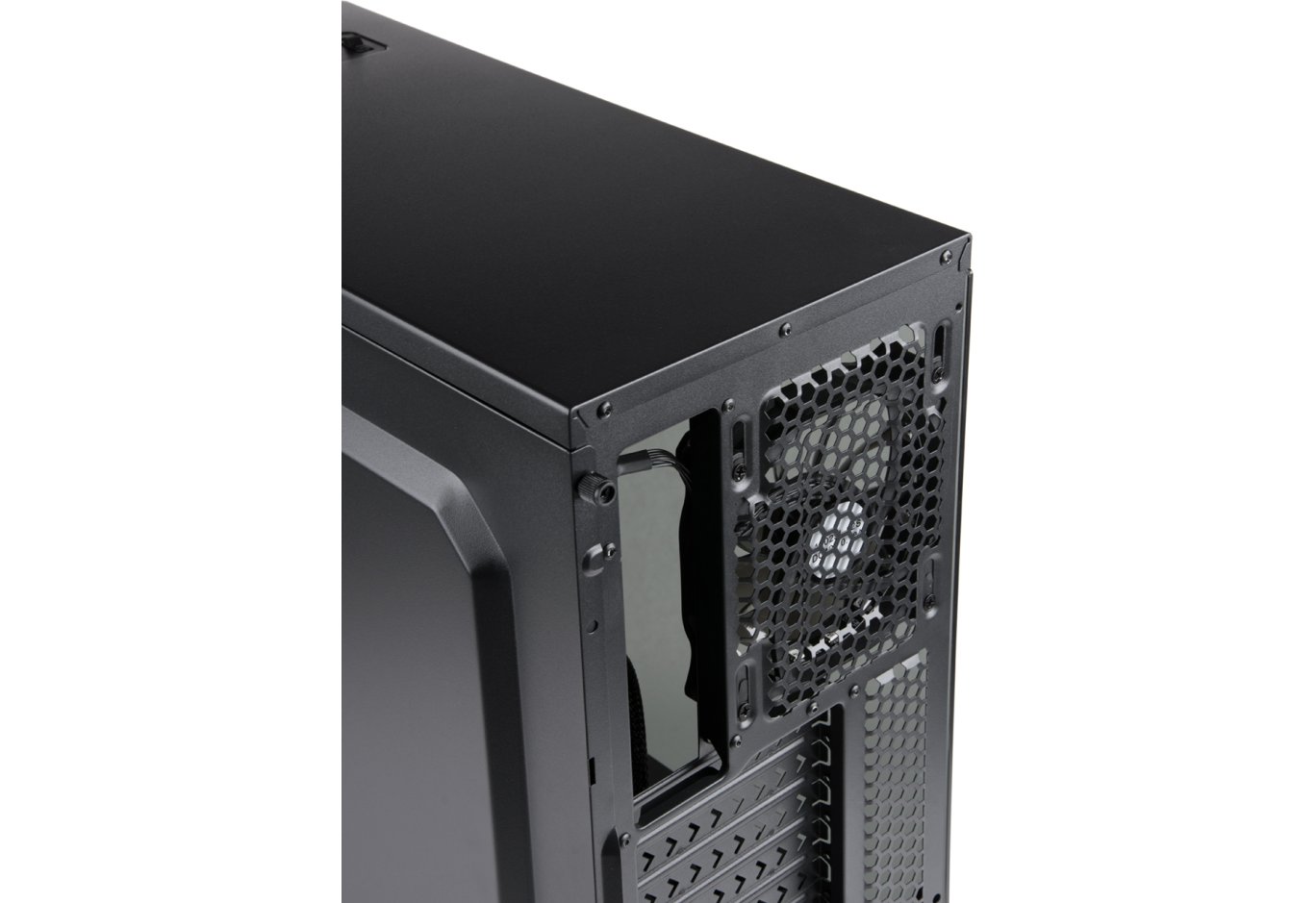
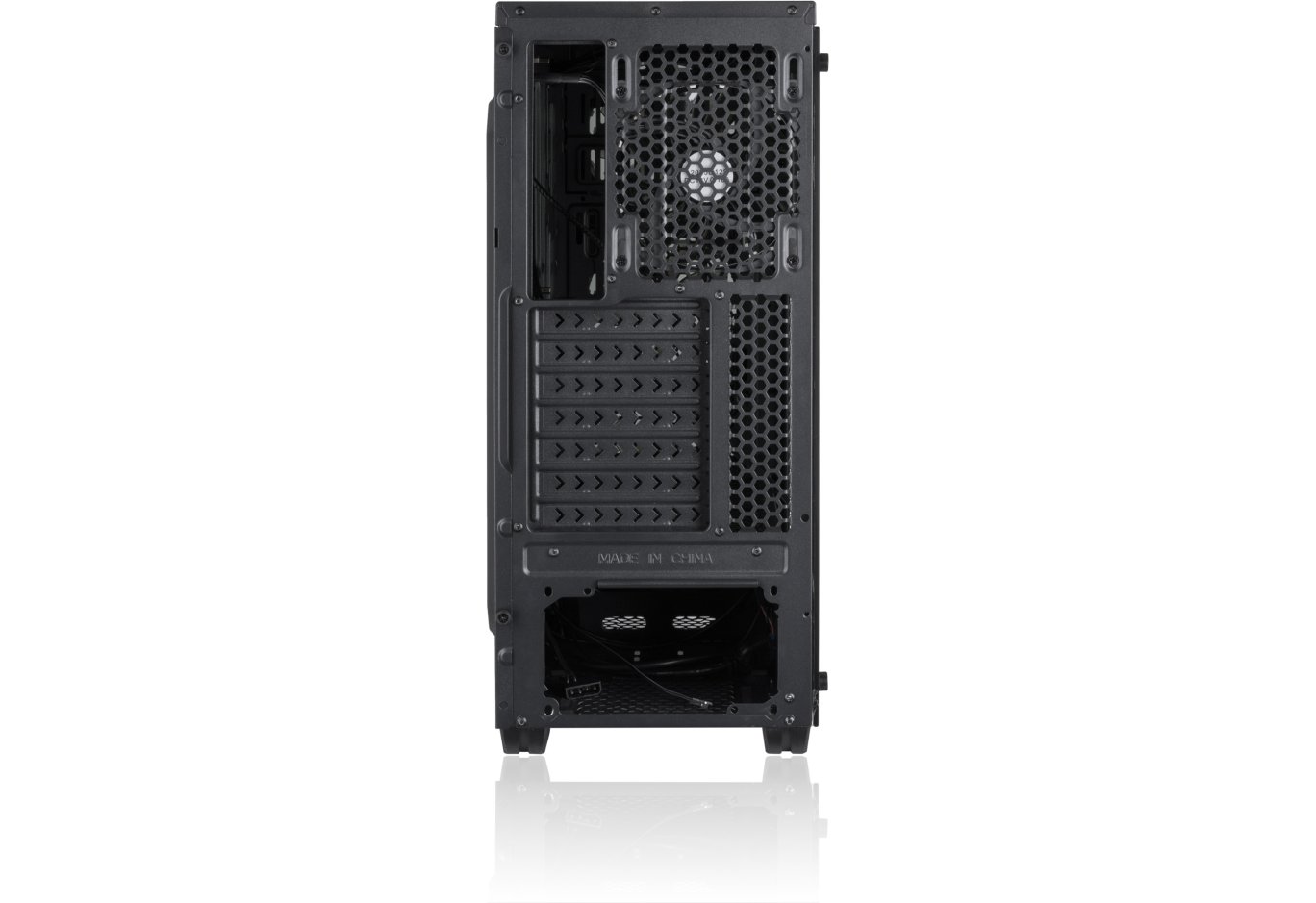
The back is standard for a layout with a bottom-mounted power supply unit. Above its mounting place are seven expansion slots, a cutout for the motherboard's interface panel, and an exhaust fan.
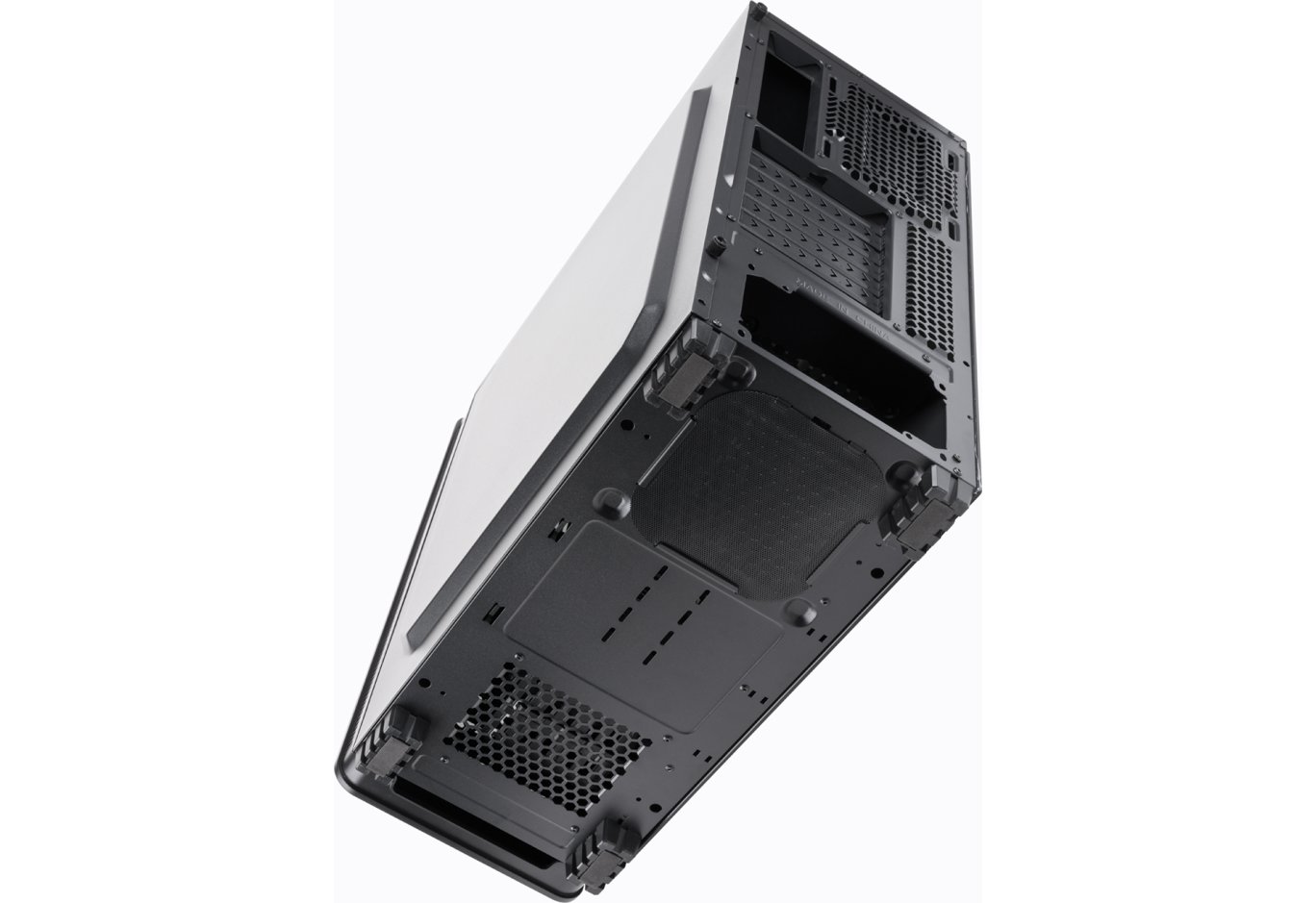
On the bottom part of the case, you can note two pairs of large elongated feet with a height of 17 mm with thin rubber pads, which provide good stability on different types of surfaces and sufficient airflow for the PSU. A good practice is the presence of a dust filter under the power supply installation place. It is easy to remove, blow out, and wash. In the front part, there is additional ventilation opposite the drive bay.
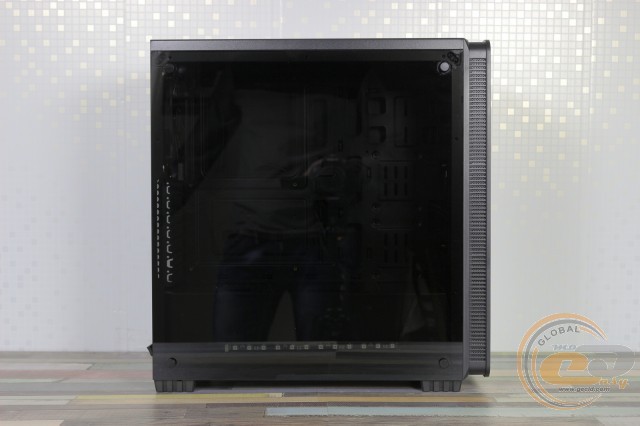
The left panel is made of tempered tinted glass measuring 409 x 435 mm and 3.15 mm thick. Thanks to this, the internal components are always visible, so when choosing them, it is necessary to take care of the appropriate design and illumination, which will help give the build individuality and express your creative nature.
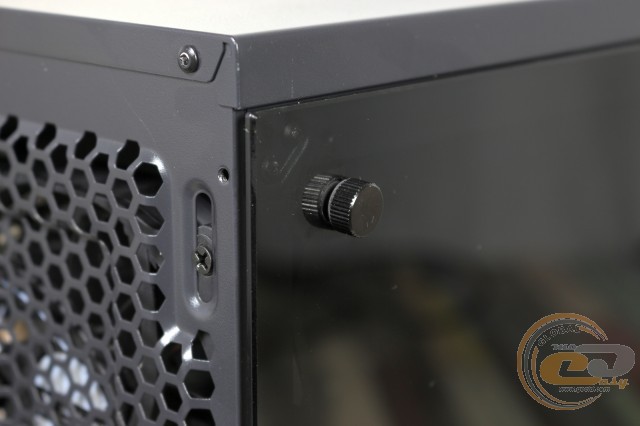
By the way, the mounting screws are located in the same plane as the panel itself. The places where it contacts the chassis have cushioning pads, and the inner side of the screws is equipped with rubber gaskets. All this will protect the glass from mechanical damage.
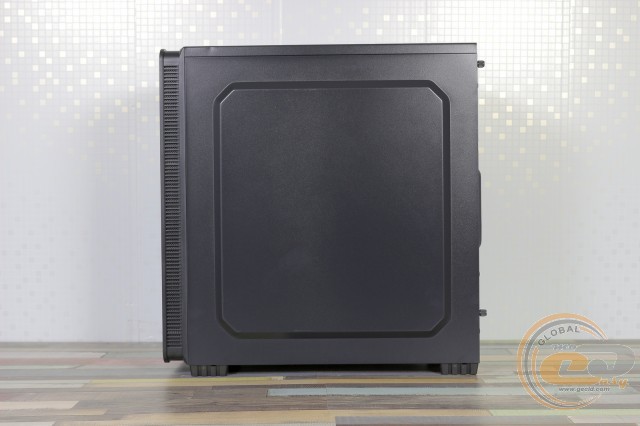
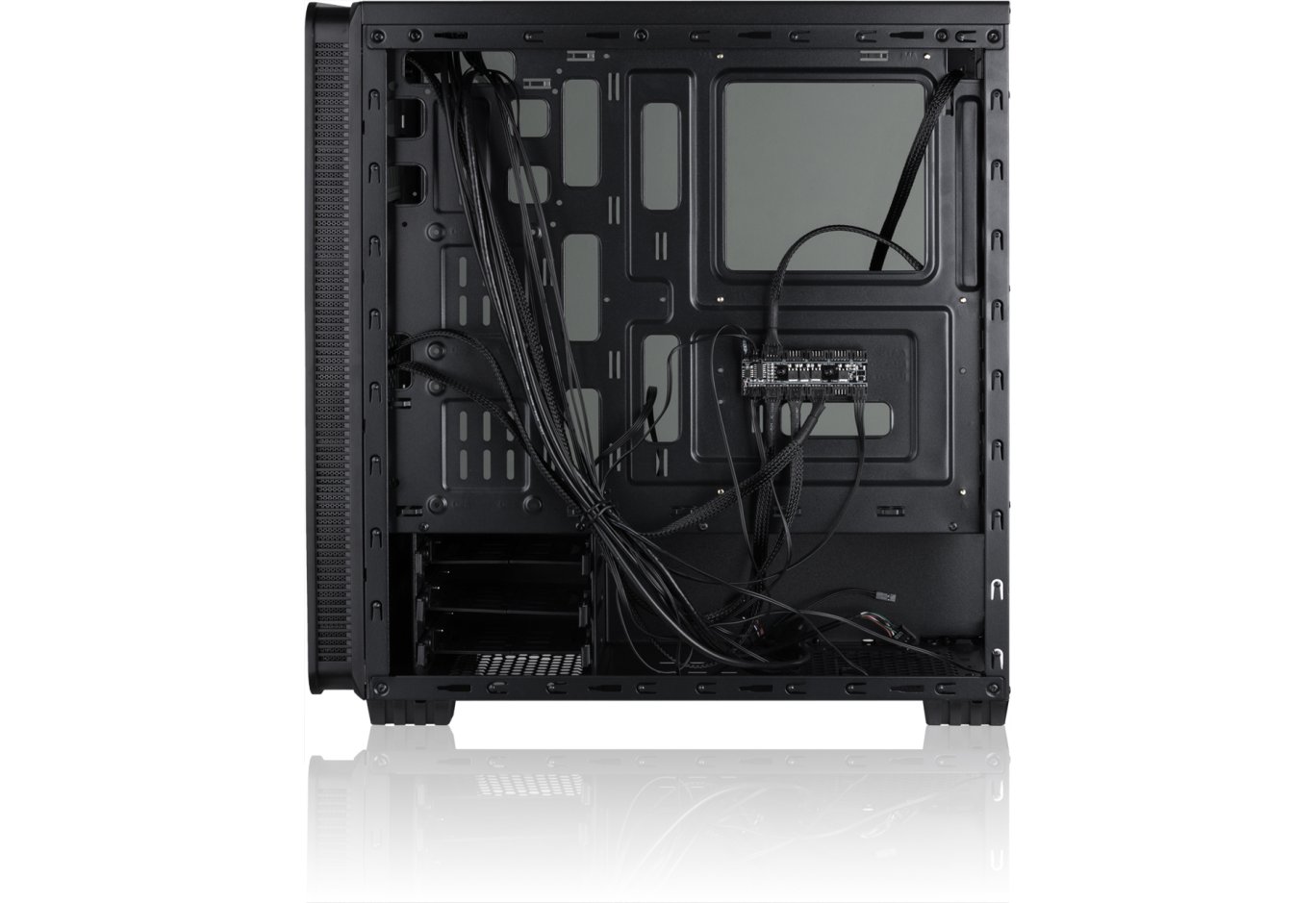
The right wall is a familiar sheet of metal with a thickness of 0.61 mm, reinforced with a stiffening rib. There is also a stamping that can be used as an additional place for cable management.
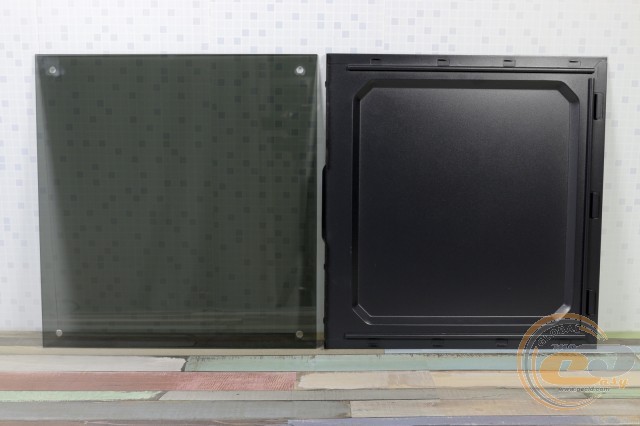
Removing the panels is easy and effortless thanks to the thoughtful design and the use of convenient screws with a shaped head.
Internal Structure
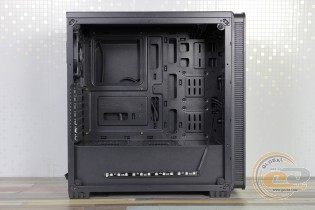
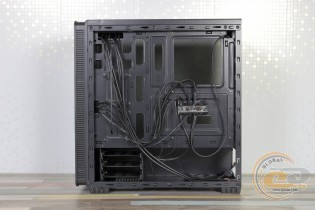
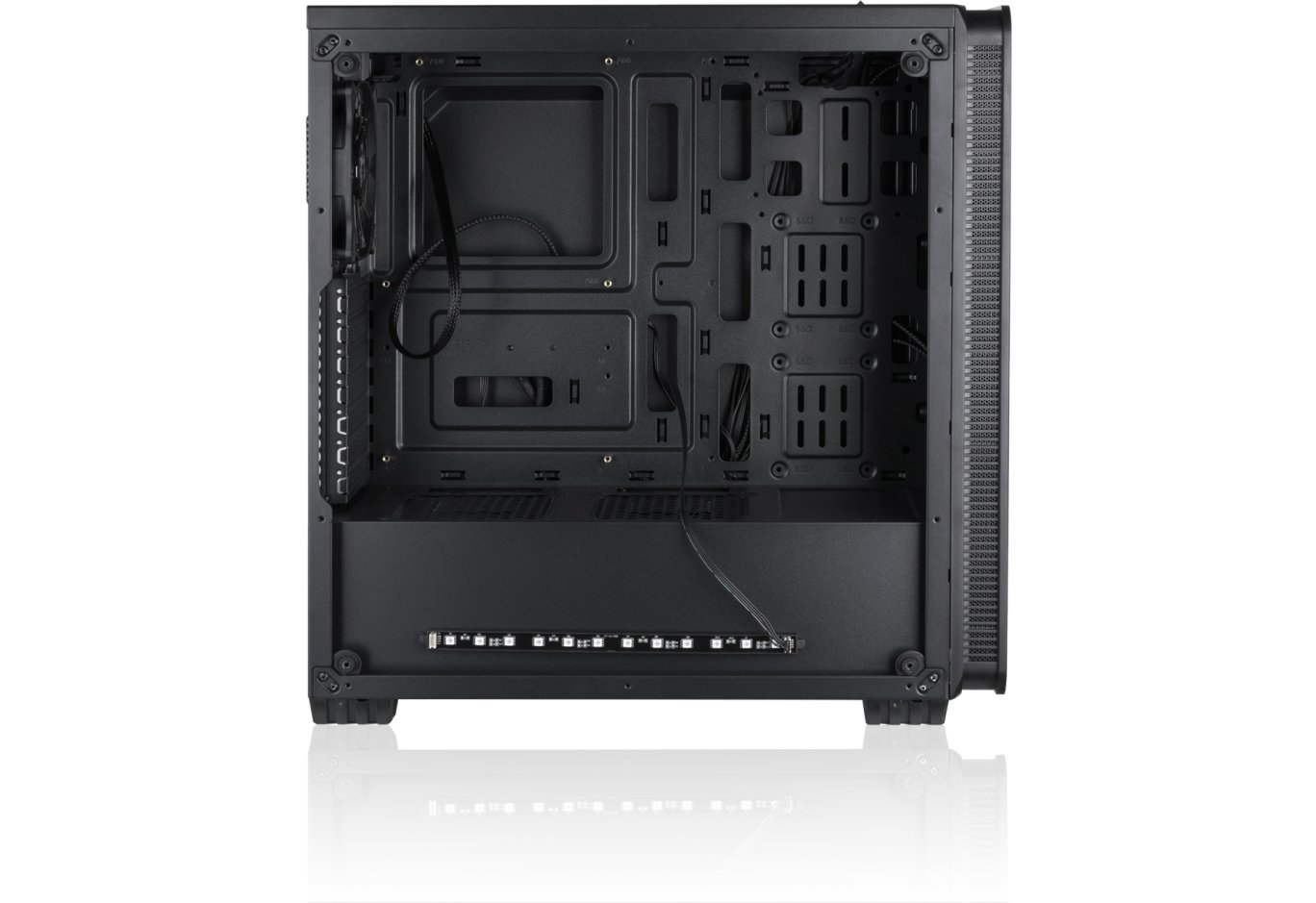
Like the exterior, the interior of the Vinga Hydra RGB is executed using a black color scheme and a modern two-section design. At the bottom, under the steel cover, is the power supply unit and the drive cage. The motherboard compartment is located at the top. The front part lacks any racks, allowing for the installation of large components and improving the system's airflow thanks to the free circulation of air currents. In the motherboard tray, there is a cutout that allows for the installation of CPU cooling systems with a backplate without removing the board itself. There are a number of openings for cable management without silicone grommets but with hooks to secure the cables.
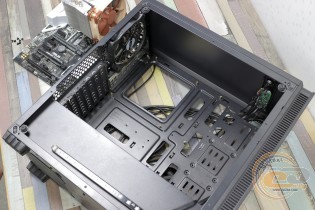
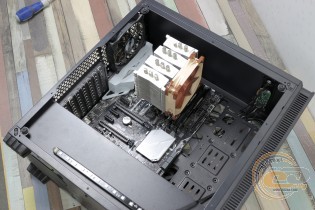
The motherboard is installed on standard bronze standoffs that the manufacturer has pre-screwed according to the ATX specification. More compact solutions in the microATX and Mini-ITX formats will also fit here.
The power supply mounting place is equipped with anti-vibration pads, and the fastening is done with the included screws. According to our measurements, the maximum PSU length is 220 mm, and about 40 mm is left for cable management. From the photos, you can see how the 160-mm Seasonic X-560 Gold block with a modular cable design fits.
There are a total of five mounting places for SSDs and HDDs in the Vinga Hydra RGB: two 2.5-inch on the motherboard tray or behind it and three 3.5-inch in the transverse cage at the bottom of the case with tool-free mounting. If necessary, 2.5-inch solutions can be installed here, but a screwdriver will be required. This is more than enough even for building a high-performance system.
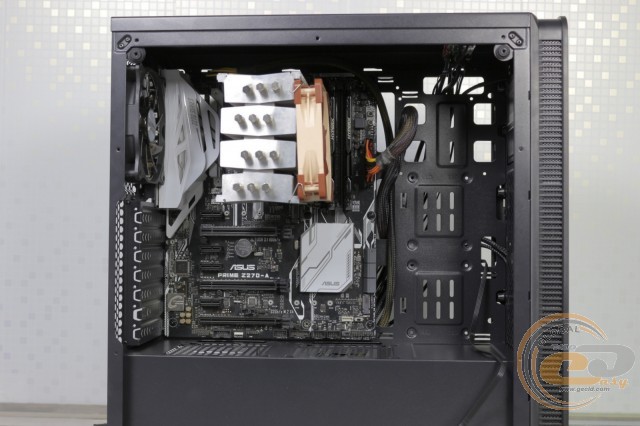
The width of the case allows for the installation of CPU coolers up to 162 mm in height, so we were able to easily fit the 158-mm Scythe Mugen 3 cooler.
All seven expansion slots in the Vinga Hydra RGB have one-time plugs, but the kit includes one reusable one. A tool-free mounting system is not provided - the manufacturer suggests using regular screws.
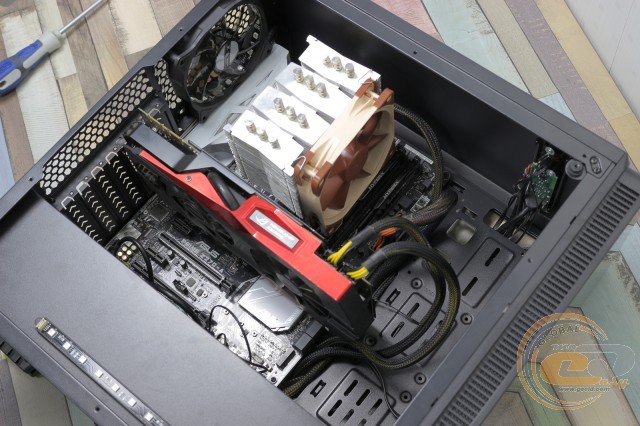
According to our measurements, the case can accommodate graphics cards up to 380 mm in length. In our case, after installing the standard ASUS ROG Matrix Platinum GTX 980 with a length of 309 mm, there was plenty of free space left.
As mentioned earlier, four 120-mm fans (three under the front panel and one at the rear) with RGB lighting and a nominal rotation speed of 1250 RPM are installed inside. There are no ventilation holes on the ceiling. On the partition of the unchanged cover, there are grids where two more 120-mm "wind blowers" can be installed.
Special attention should be paid to the hub board, which functions as an RGB LED controller and a fan controller in one. It can connect up to eight 4-pin fans and two LED strips. The latter is installed in a single instance (held by a magnet, can be disconnected or moved). Power is supplied to the board via a Molex connector, the illumination mode is selected using the "Reset" key (one press - change color, three-second hold - turn off), and fan speed is controlled by a two-position slider on the top panel (the speed can be limited to 800 RPM or completely turned off).
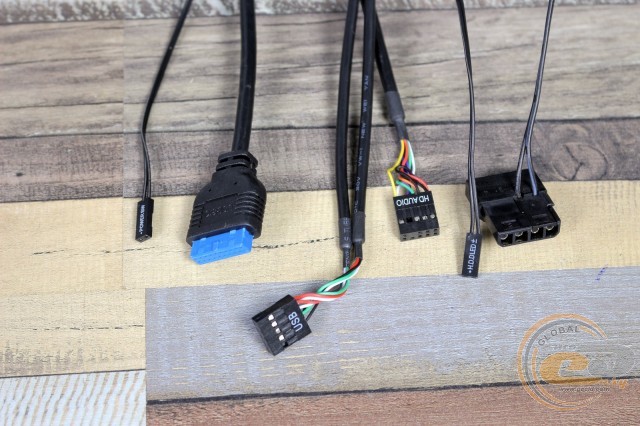
As for the length of the cables from the I/O panel, everything is in order here, even with a margin.
|
Name |
Length, cm |
|
USB 2.0 |
70 |
|
USB 3.0 |
70 |
|
HD Audio |
70 |
|
Buttons and indicators |
70 |
|
PATA (Molex) |
40 |
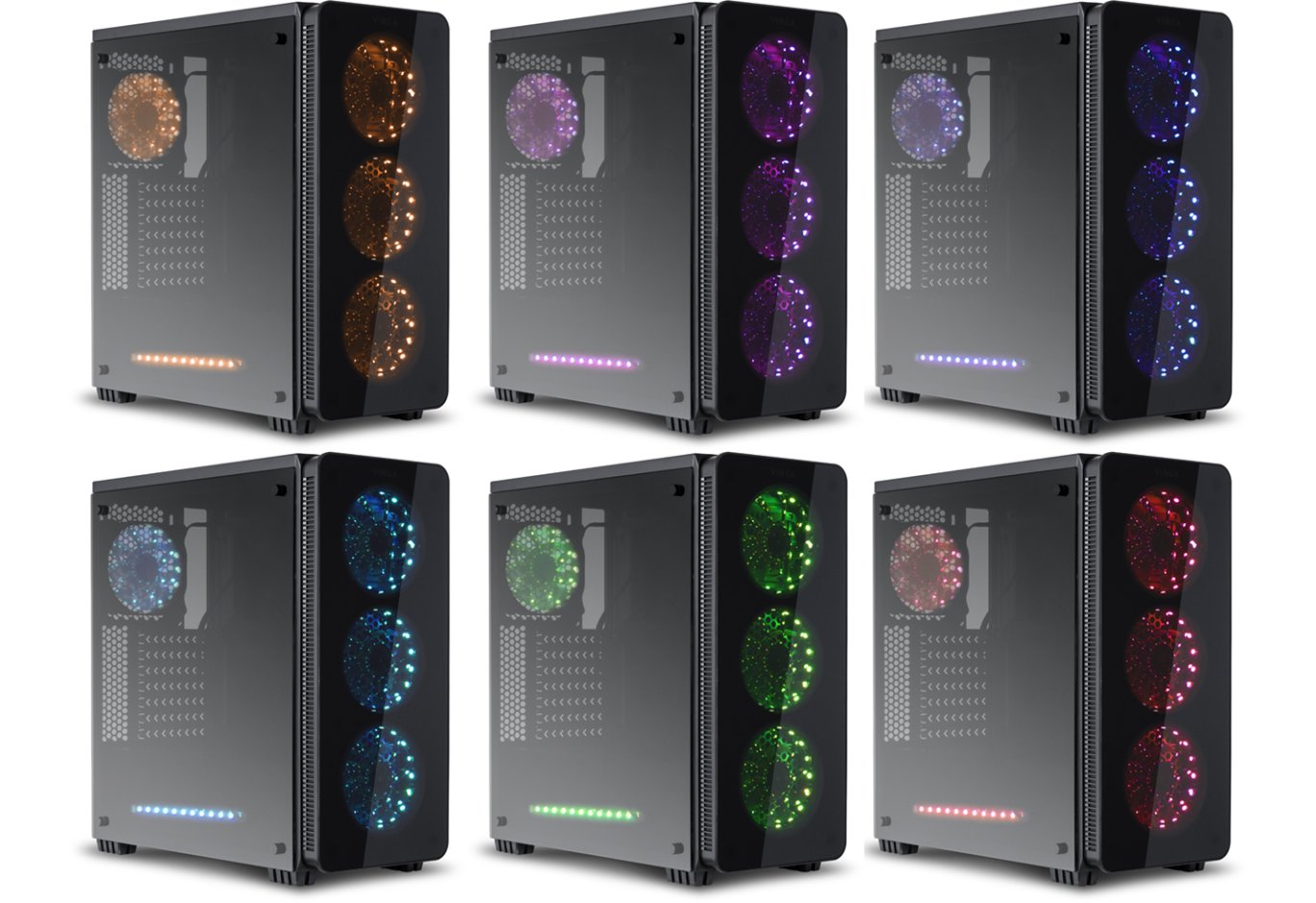
Overall, the build quality of the Vinga Hydra RGB is at the highest level, and assembling a system inside it is a pleasure. There is plenty of space to accommodate even very large components in the required quantity. There is also everything necessary to neatly route and lay cables - this is not only aesthetically pleasing but also allows for good air circulation. Thanks to the lighting of the included fans, the finished PC looks very impressive when turned on. The user has access to one operating mode (blinking) and six colors to choose from (blue, turquoise (or white), purple, red, green, and yellow). It shines quite brightly, but the intensity of the light flow cannot be controlled.
Testing
|
Processor |
Intel Core i7-7700K (Socket LGA1151, 4.2 GHz, L3 8 MB) |
|
Cooler |
Scythe Mugen 3 |
|
Motherboard |
ASUS PRIME Z270-A (ATX, Socket LGA1151) |
|
RAM |
2 x 4 GB DDR4-2400 HyperX Fury (HX424C15FBK2/16) |
|
Graphics Card |
ASUS GeForce GTX 980 MATRIX PLATINUM 4GB GDDR5 |
|
SSD |
KINGMAX SME35 HYPERLINK |
|
Power Supply |
GIGABYTE GP-P650B |
|
Thermal Paste |
Noctua NT-H1 |
The heating test of the main components was conducted with pre-installed fans: three 120mm for intake and one 120mm for exhaust, which operated at rated speeds. The air temperature in the test lab at the time of measurement was 25°C.
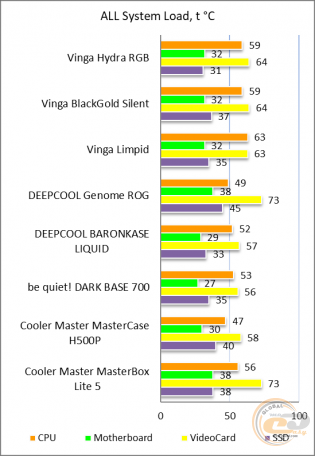
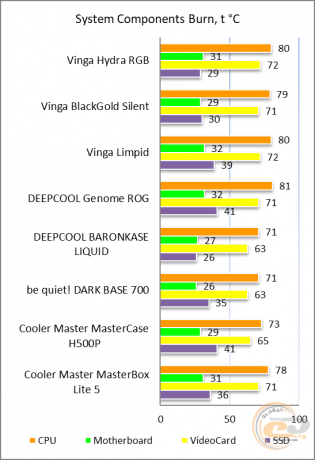
The "All System Load" chart shows the heating of components after 30 minutes of 3DMark Fire Strike in Ultra mode (4K resolution). The "System Component Burn" mode demonstrates temperatures under load with AIDA64 (Stress CPU and FPU) and MSI Kombustor applications for 15 minutes.
Due to the presence of four pre-installed fans in the Vinga Hydra RGB, we expected to see much more impressive results. Of course, the temperature indicators of all components can be considered quite comfortable under any type of load, but cases of a similar format show somewhat better results with fewer fans. Apparently, the limiting factor is the insufficient number of ventilation holes, which restricts the inflow of cool air into the system. We previously observed a similar feature in the Vinga Polaris case. As for the noise level, everything is in order here - quiet and calm.
Conclusions
Vinga Hydra RGB is a case with an excellent design created to attract attention. The multi-colored fans and LED lighting of the interior space visible through the front panel look very impressive.
The manufacturer equipped its creation with four RGB fans and an LED strip, which are connected to the included hub that functions as an LED controller and fan controller. The user has access to all the colors of the rainbow, which, combined with a large number of viewing windows and appropriate components, will allow creating a very attractive system. There is everything necessary for this. The case features a successful two-section design, and there is enough space for installing large, productive components.
In conclusion, the Vinga Hydra RGB can be recommended to users who are tired of the abundance of faceless black "boxes" and want to treat themselves to something bright, unusual, and unforgettable. For those who already have their own fans, the manufacturer has provided a model without the "RGB" suffix.
Advantages:
- bright, memorable design;
- front panel and left side made of dark glass;
- good chassis assembly quality, edge panel processing, and case painting;
- good structural rigidity;
- dual-section design;
- the ability to install graphics cards up to 380 mm in length and CPU coolers up to 162 mm in height;
- the ability to install up to six fans;
- the ability to install three 3.5" and two 2.5" drives;
- decent cable management capabilities;
- four quiet pre-installed fans with RGB lighting and an LED strip included;
- built-in hub for lighting and fan speed control;
- relatively affordable price.
Features:
- complete absence of external bays on the front panel.
Author: Victor Yefymenko
Translation: Liliya Masyuk
We express our gratitude to ASUS, Intel, Noctua and Sea Sonic Electronics for providing the equipment for the test bench.
Related products