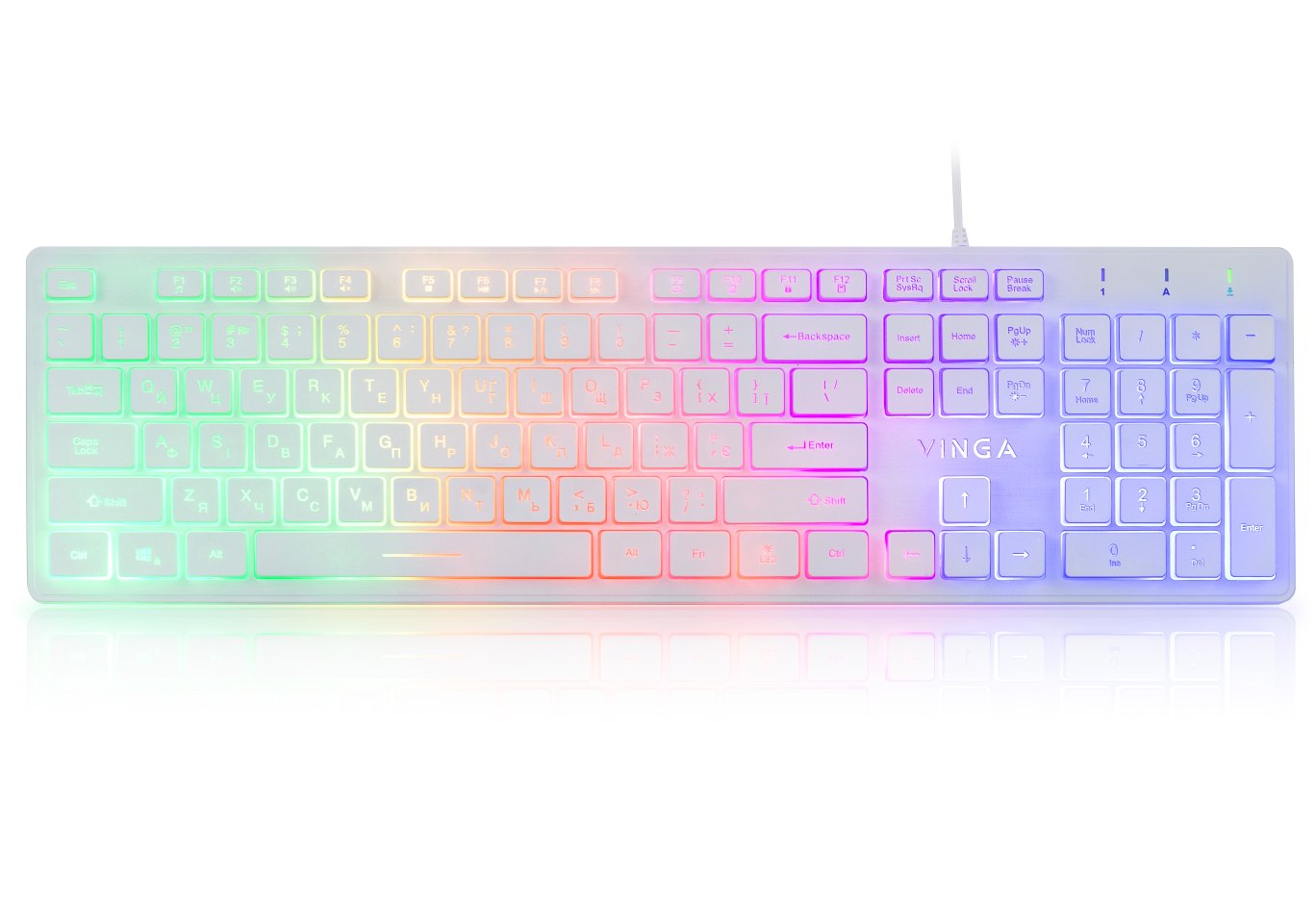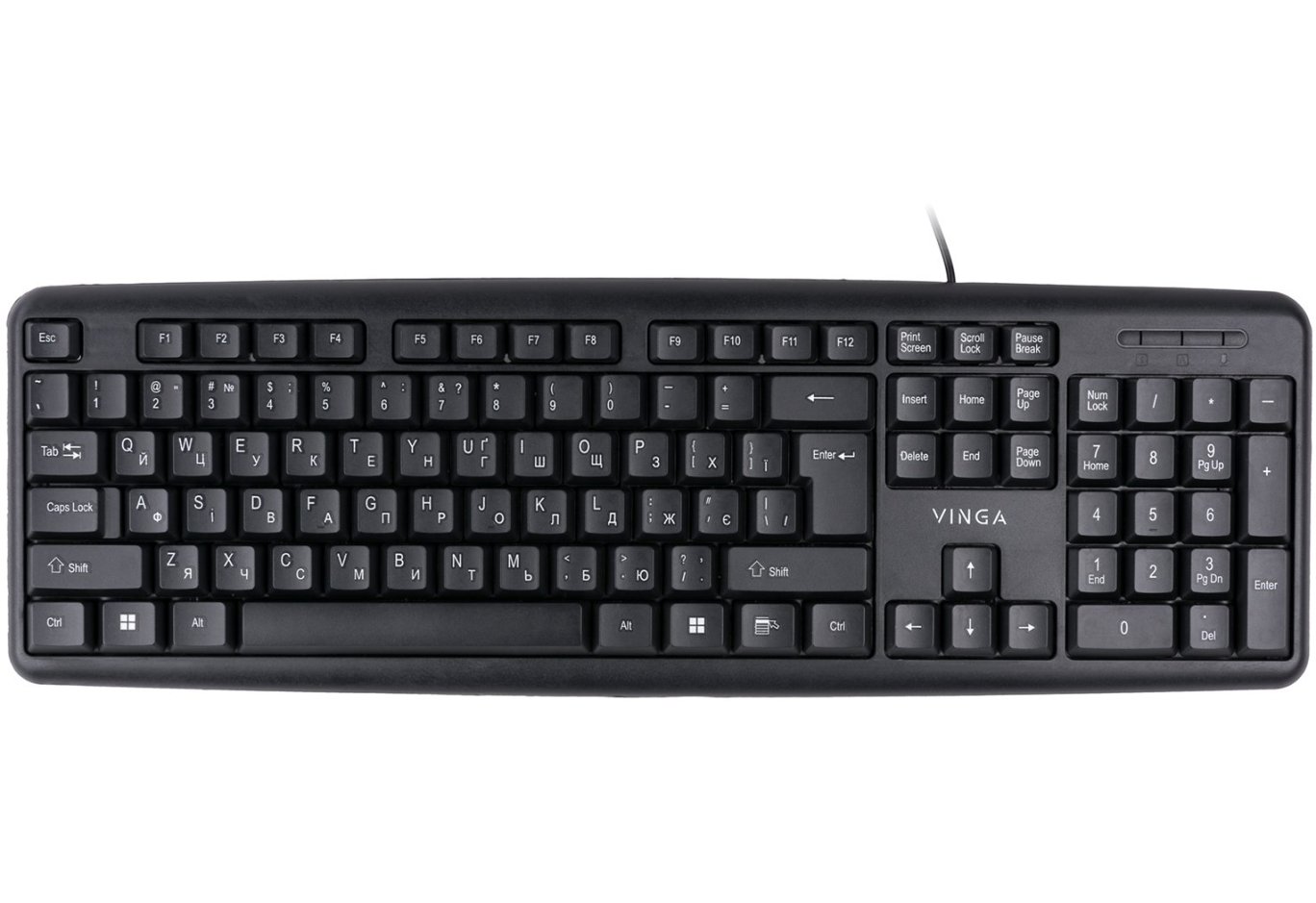


Keyboard Vinga KBG116

Hello, my friends.
Today, I am giving a second life to my old review section, which hasn't been updated with new articles for quite some time. The reason was my latest search (as always) for a keyboard, which led me to discover the Ukrainian company Vinga. The results of this discovery surprised me in every way.
Background
Many of my reviews initially started as simple searches for specific devices for particular tasks. I always knew what I was looking for, and therefore, such searches were often quite lengthy and exhausting because sometimes the relevance of the search results was zero. In the end, when I finally found the device I needed, I managed to accumulate a certain "layer" of information that I always wanted to share. That's what happened this time as well.
When I started searching for a work keyboard to replace the "standard sysadmin" Logitech k120, I relied only on a few conditions: low key travel, the presence of multimedia keys, and backlighting. While the last point was desirable but still optional, the first two were mandatory because I wanted variety in this gloomy monotonous world of office peripherals. Secondly, since I love listening to music at work to concentrate on tasks, the presence of multimedia keys for playlist and volume control was important to me.
After browsing price aggregator sites, I realized that the choice based on my criteria wasn't that great - while there were more than enough keyboards in the usual form factor with multimedia and backlighting for any taste, slim keyboards with low travel (or with "cut" keys and standard travel) were few and far between. But even among them, there was nothing to choose from because it was either holy simplicity, which was embarrassing to even approach, or a black keyboard with white keys and even more miserable blue-green backlighting that hurt the eyes (Defender, know that I hate you!), or something with an extreme price tag.
About 3-4 years ago, I managed to buy the HQ-Tech KB-327F keyboard very successfully, and since then, I couldn't get enough of it: everything about it was great, from the form factor and multimedia keys to the layout and backlighting. As an alternative, in the absence of anything suitable, I considered buying another one of these keyboards. However, this option seemed too simple and somewhat boring. My soul wanted something extraordinary :)
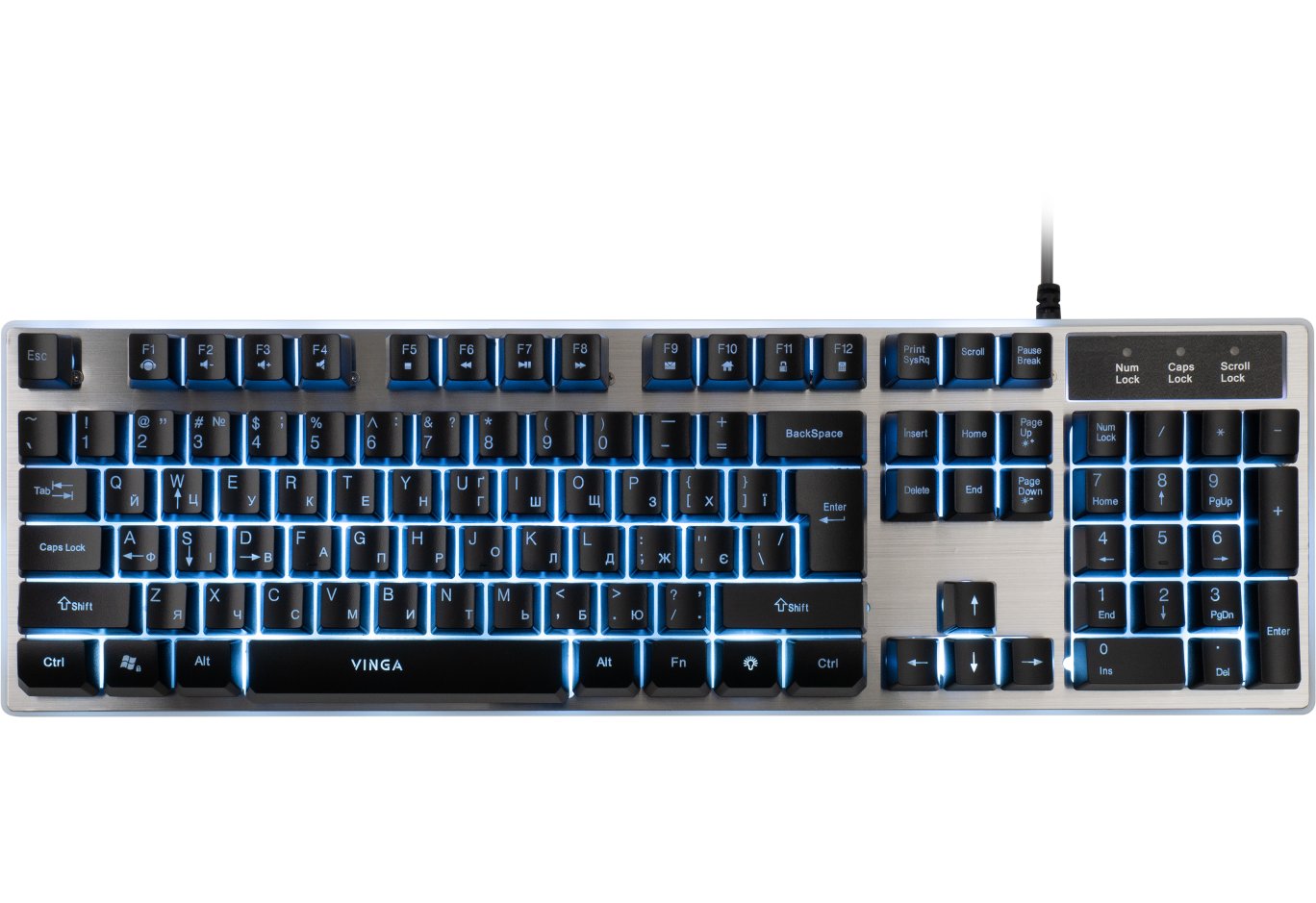
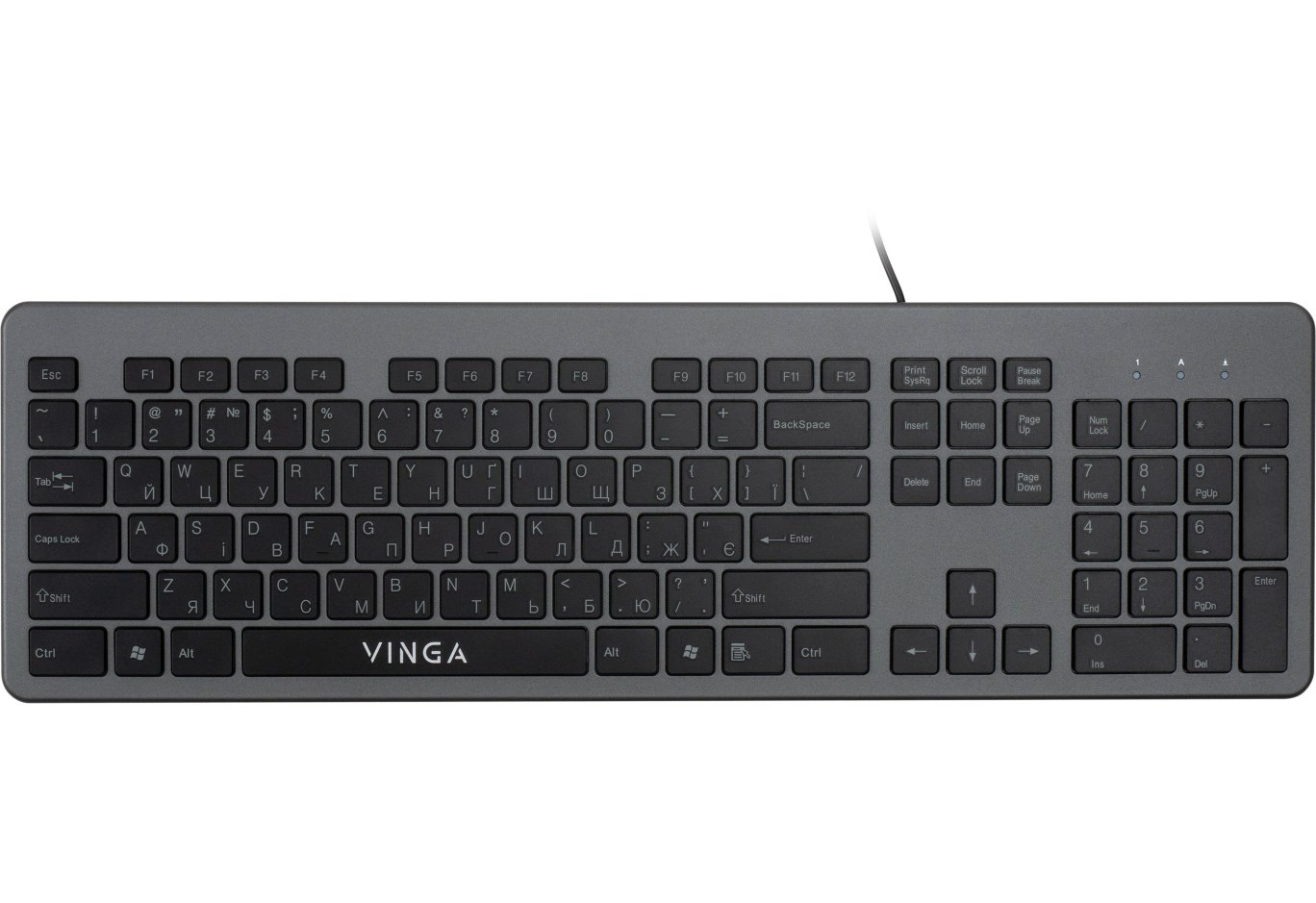
Disappointed in the hope of finding a good backlit keyboard (although at some point I was close to buying the A4 Tech KD-600L or KD-800L, but their price scared me off), I started looking for slim keyboards with multimedia. And almost immediately, I found two very interesting options from Vinga at the top. Their unusual design caught my attention: one was asymmetrical, with intricate carved lines, and the other was more traditional in shape but with a block of LEDs (Num, Caps, and Scroll) in the center and two multimedia islands on either side. Both keyboards had a familiar layout and numeric block but in a compact design (where the Home, End, Insert, Delete, PgUp, and PgDn keys are arranged in a line or scattered around Enter, Backspace, and arrow keys to save space), with low keys and letters in a pleasant blue shade. I immediately liked the color, even though there was no color separation of layouts (like what we're used to seeing on most keyboards: red/gray, white/green/orange, etc.). It remains a mystery to me why blue is mainly used for secondary symbols or action pictograms performed by pressing the Fn key. What surprised me even more was that both keyboards were of the island type, meaning each key was standalone and didn't share free space with others. The island design is often seen in laptops and ultrabooks and is considered the domain of more expensive keyboards (probably due to its convenience, practicality, and slightly higher durability). However, in practice, these advantages can be hard to trace because keyboards usually become boring faster than anything happens to them. Nevertheless, the island design in inexpensive models is a delight.
In the descriptions of one of the models, there was also mention of key backlighting, which surprised me even more and tipped the scales in favor of purchase. But judging by the photos, there was no backlighting, and the layout letters were glued onto the keys. In search of the truth, I wandered onto Vinga's Facebook page and asked the company's representatives this question. A prompt response confirmed my fears: there is no letter backlighting, only the edges of the keyboard are backlit. A brief conversation with the company representative about how great it would be if it had backlighting, then I would definitely be the first buyer and post a review of this wonder on my blog, to which I received the response: Okay, agreed! "Wow," I thought, "What if I develop the topic further?" As a result, a few days later, as happy as a clam, I brought home two keyboards for a comparative test. So, meet Vinga KBG-116 and KBG-216. Why these? Firstly, these two models are very similar in all parameters, quite extraordinary in design, they have multimedia keys... and I think I won't be alone if I say that choosing between them is difficult, even despite all their similarities. Let's figure out what unites them and what distinguishes them (if anything does).
About the company
As I found out, Vinga is the proprietary brand of the company BRAIN. The company itself has been on the Ukrainian market for over 20 years, but it hasn't been positioned under its own brand for that long. The main directions of Vinga are computer components, peripherals, various accessories, and related devices. The interest is due to the fact that usually, to attract their audience and market share, such "branded" companies offer quite extraordinary solutions. I think the keyboards that came to me for review will not be an exception.
Package and technical specifications
Both keyboards come in standard cardboard boxes, but I was pleased with the cheerful print on them, with characteristic computer-keyboard symbols and bright yellow-orange-white tones. It seems like a small thing, but it lifts the mood. The keyboards themselves are wrapped in soft "cases" and are the only "inhabitants" of the boxes: there are no additional accessories.

Let's briefly go through the specifications:
| Technical Specifications | KBG-116 | KBG-216 |
| Connection Type | wired | wired |
| Keyboard Type | gaming | gaming |
| Construction | membrane | membrane |
| Keyboard Layout | Ukrainian, Russian, English | Ukrainian, Russian, English |
| Keyboard Format | full-size | full-size |
| Number of Keys | 104 | 104 |
| Number of Multimedia Keys | 10 | 5 |
| Dimensions | 400 x 158 x 23 mm | 395 x 168 x 20 mm |
| Weight | 476 g | 445 g |
Build Quality
Overall, I would rate the build quality at 4: the case doesn't creak when bent or twisted, gaps are uniform, main keys don't wobble, but all wide keys (Shift, Caps, Enter (including additional), Backspace, Tab, numeric 0 (ins), and +) have slight rattling and swaying if you run your fingers over them. However, it's worth noting that when shaking the keyboards, the keys don't make noise, which I can't say about my HQ-Tech.
Summary: 4+ (8 out of 10)
Dimensions and Appearance
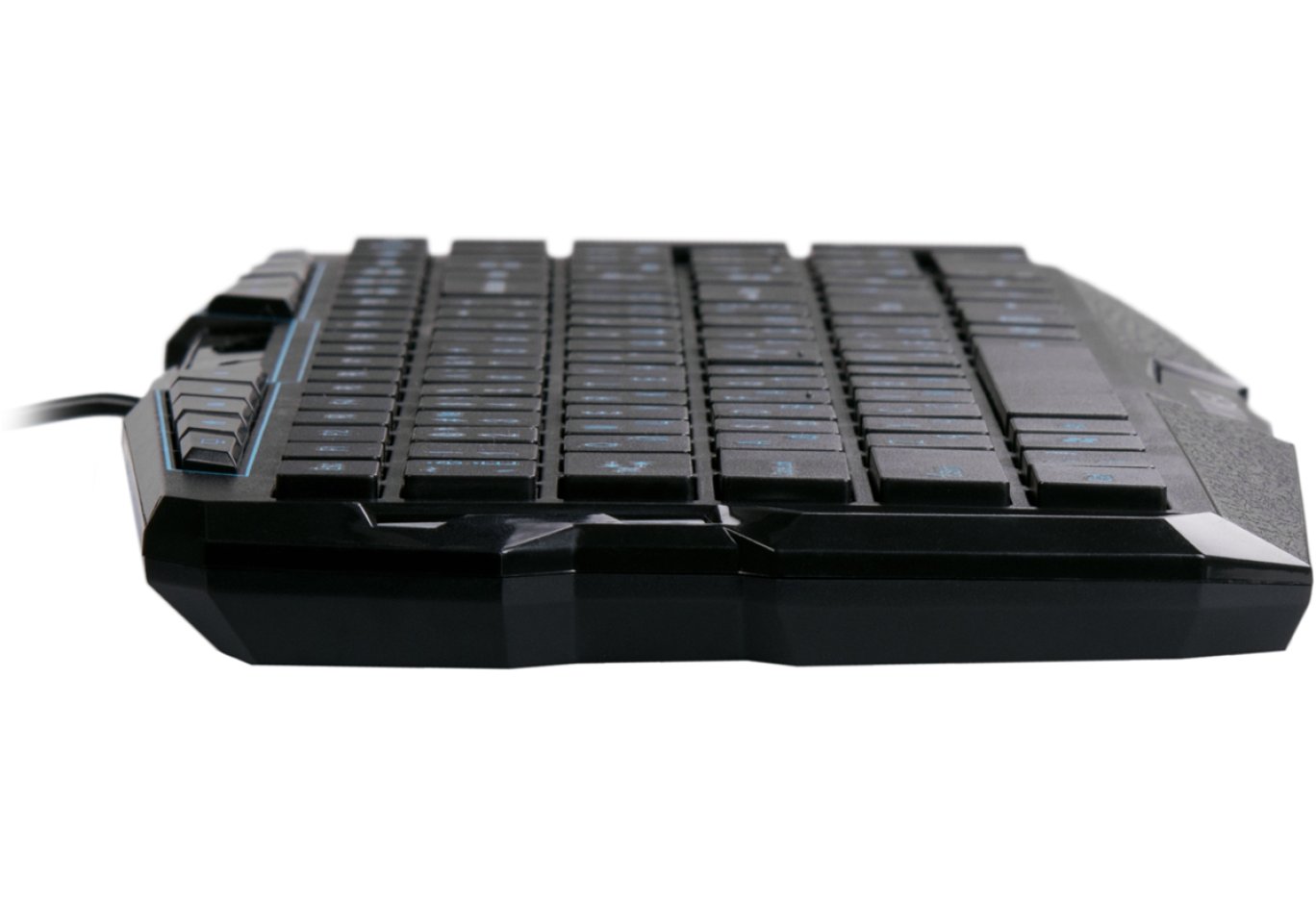
Unpacking both keyboards, the first thing that caught my eye was their compact size. With a length of 39.5 cm and a width of 16 cm, both keyboards easily fit in the palm and are almost unnoticeable due to their light weight. Compared to my main keyboard, the difference is noticeable, but I can't definitively say if it's good or bad. The keyboards won't slide around, but they're not protected from accidental bumps. For example, at work, the headphone cable (which includes sound, microphone, and USB) is usually to the left of the keyboard and often catches on its edge, which occasionally annoys me :) Fortunately, at work, the keyboard's weight partially mitigates negative consequences and saves my nerves. At home, I've already appreciated the compactness and lightness of both keyboards and enjoyed the freedom to continue typing from any position while sitting in a chair, without regretting that a bulky keyboard leaves no room for "maneuvers" on the sliding tray. (Of course, those whose keyboard is directly on the desk in front of the monitor may not fully understand how lucky they are :)).


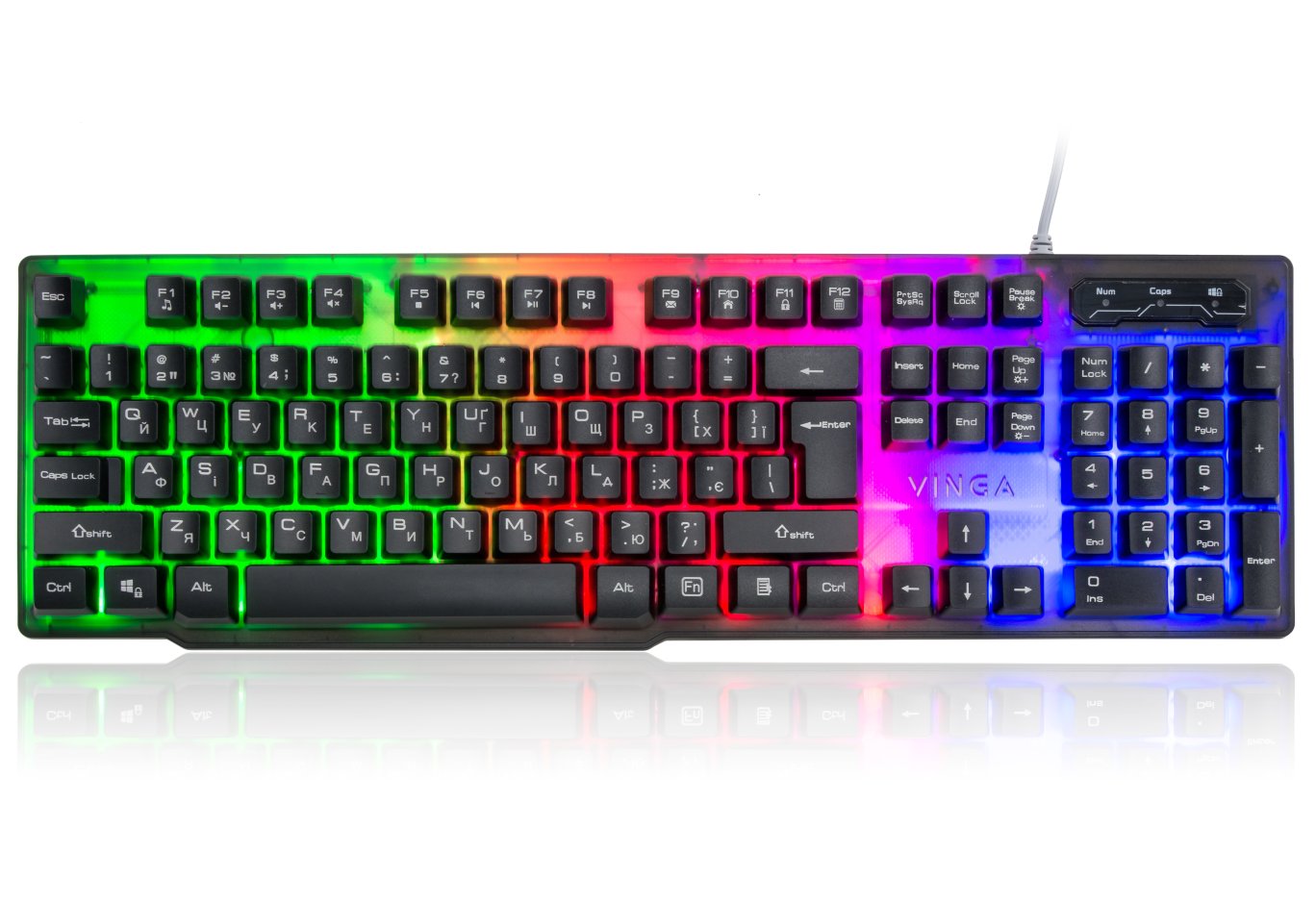
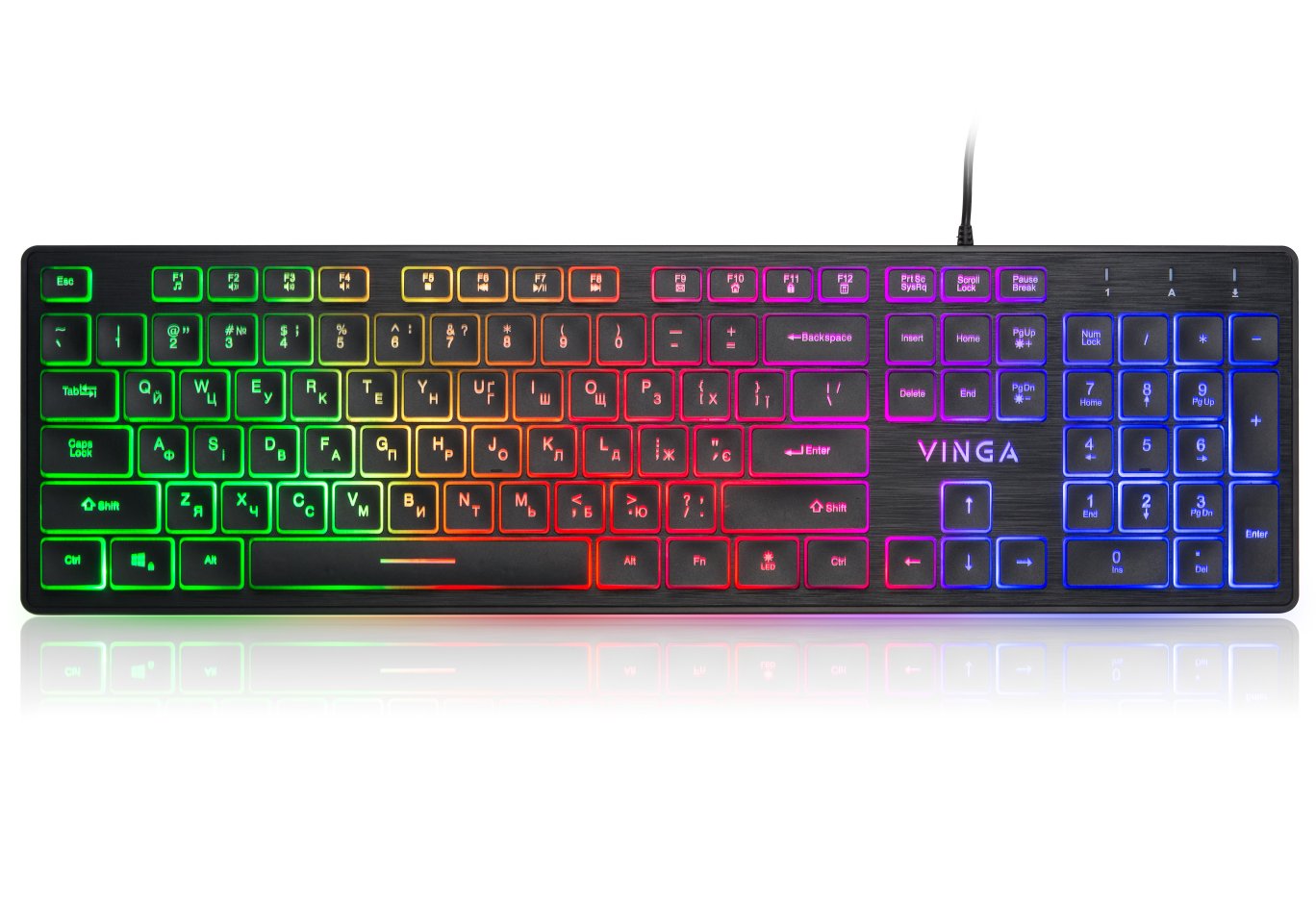
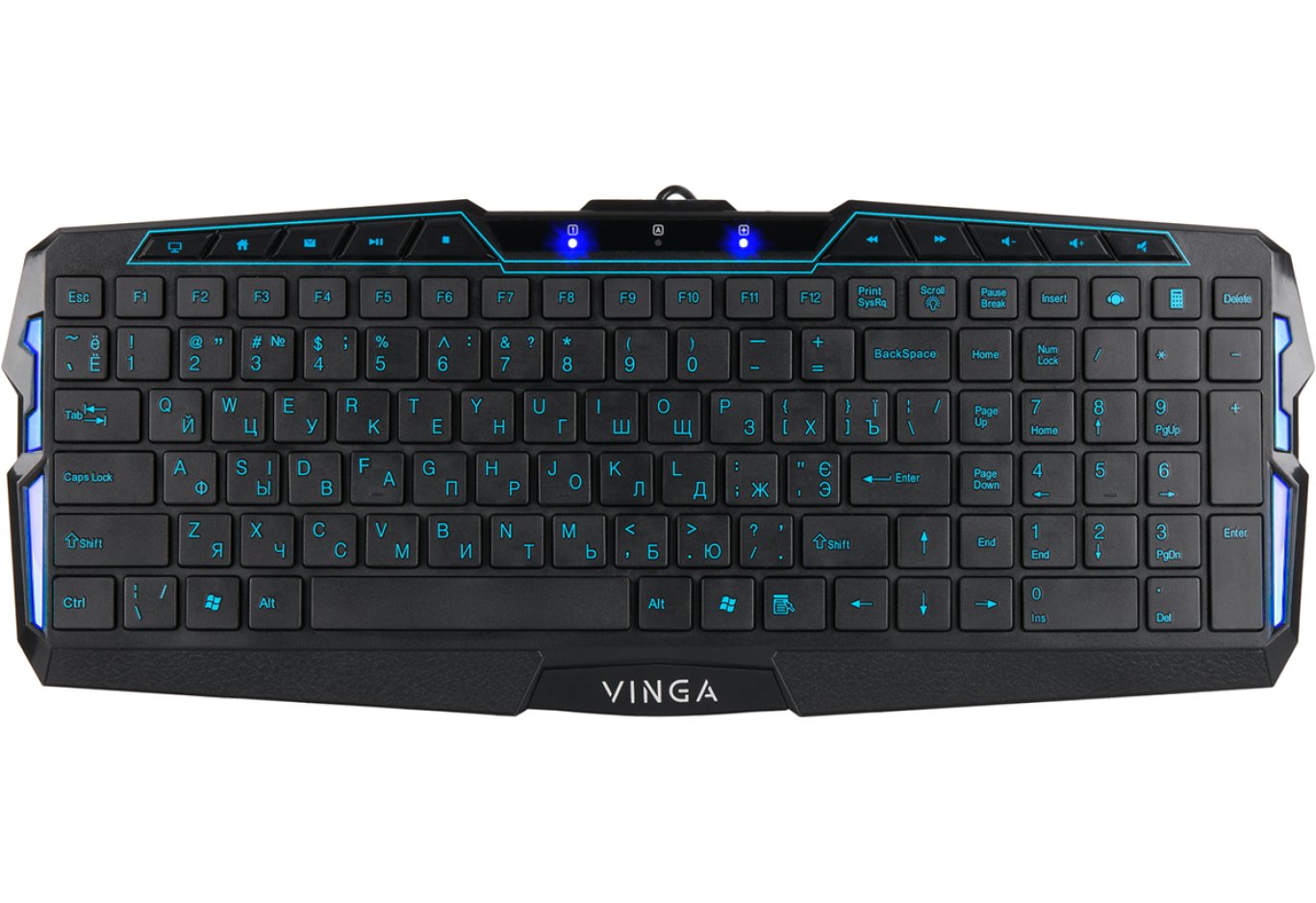
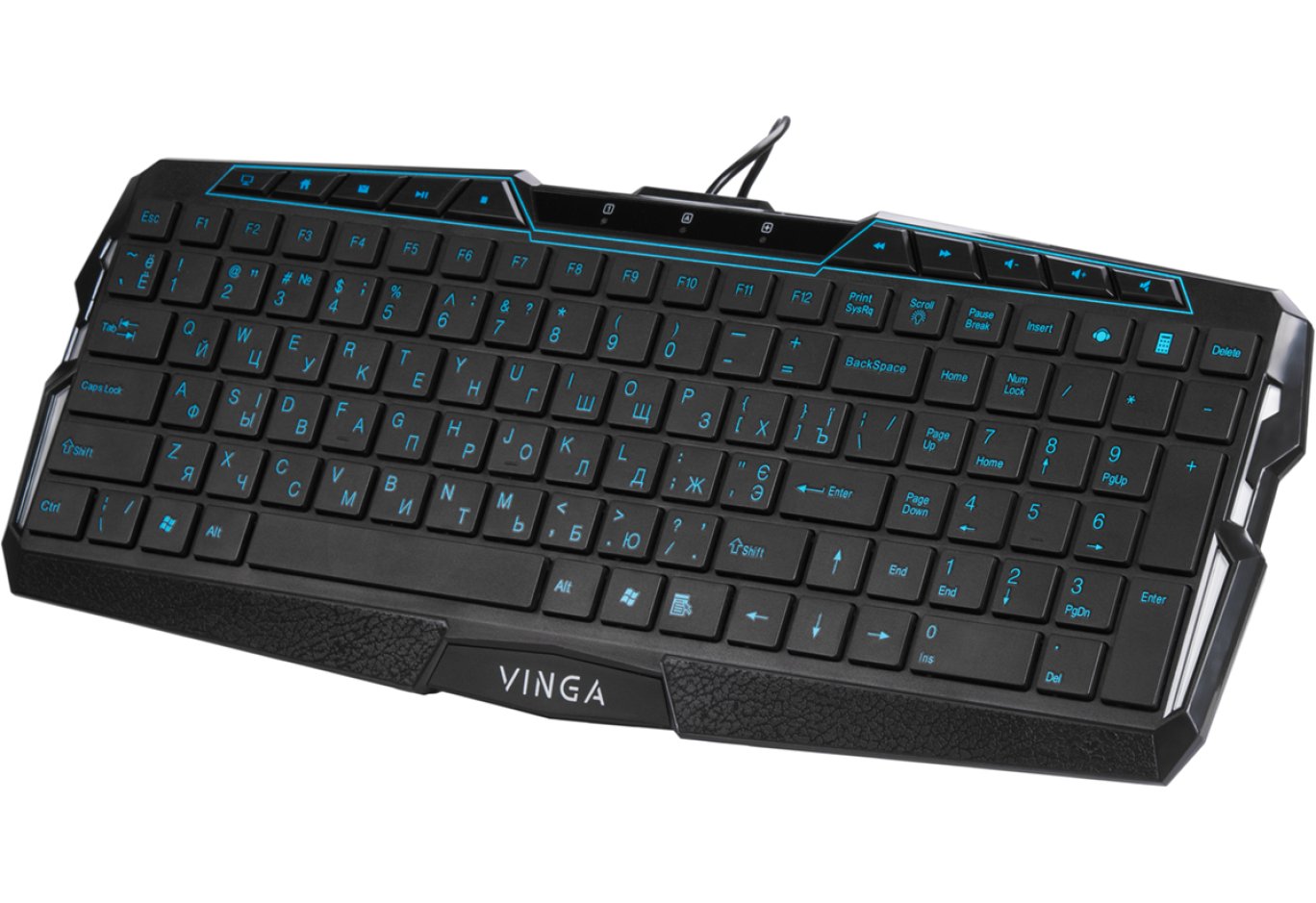
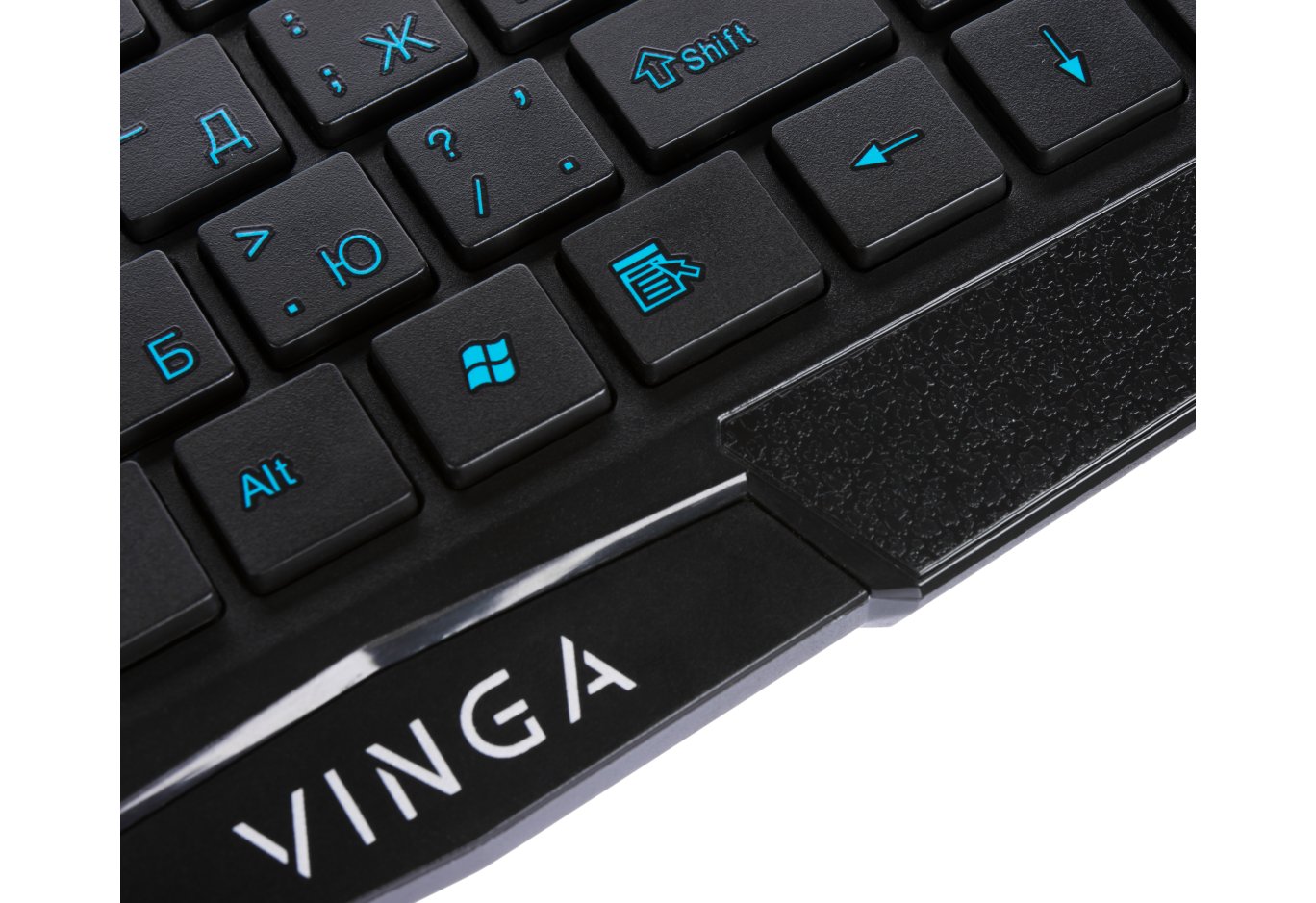
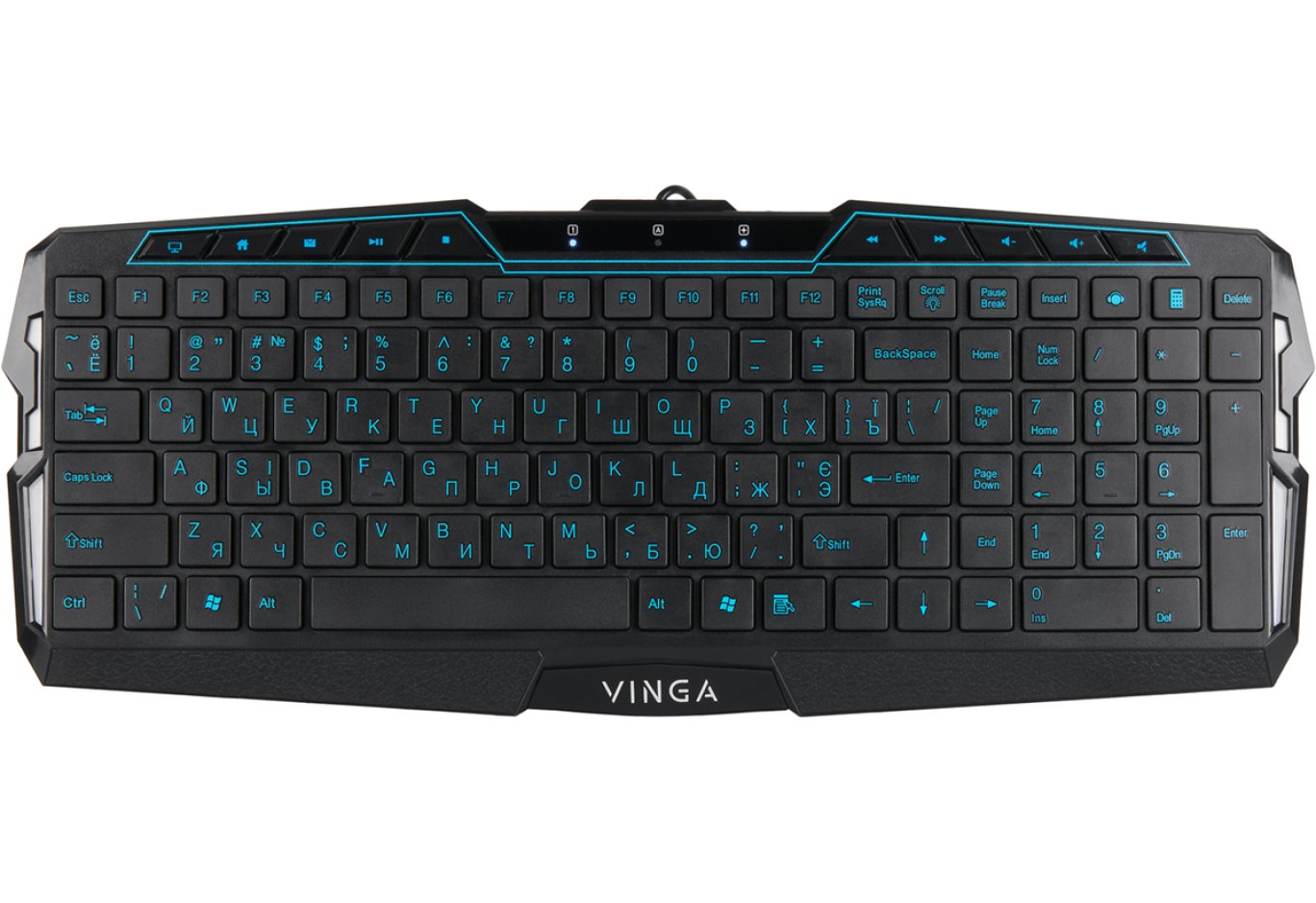
The appearance of both keyboards is quite unique, and there's hardly anything similar on the market. The main features of the KBG-116 are the edge lighting and the LED block in the center (they glow blue, while the KBG-216 glows green), framed on both sides by multimedia key strips. Additionally, the lower part has plastic inserts with a "leather-like" coating, adding a touch of style. The KBG-216 looks slightly more compact due to the absence of translucent inserts for edge lighting and a more streamlined lower part.
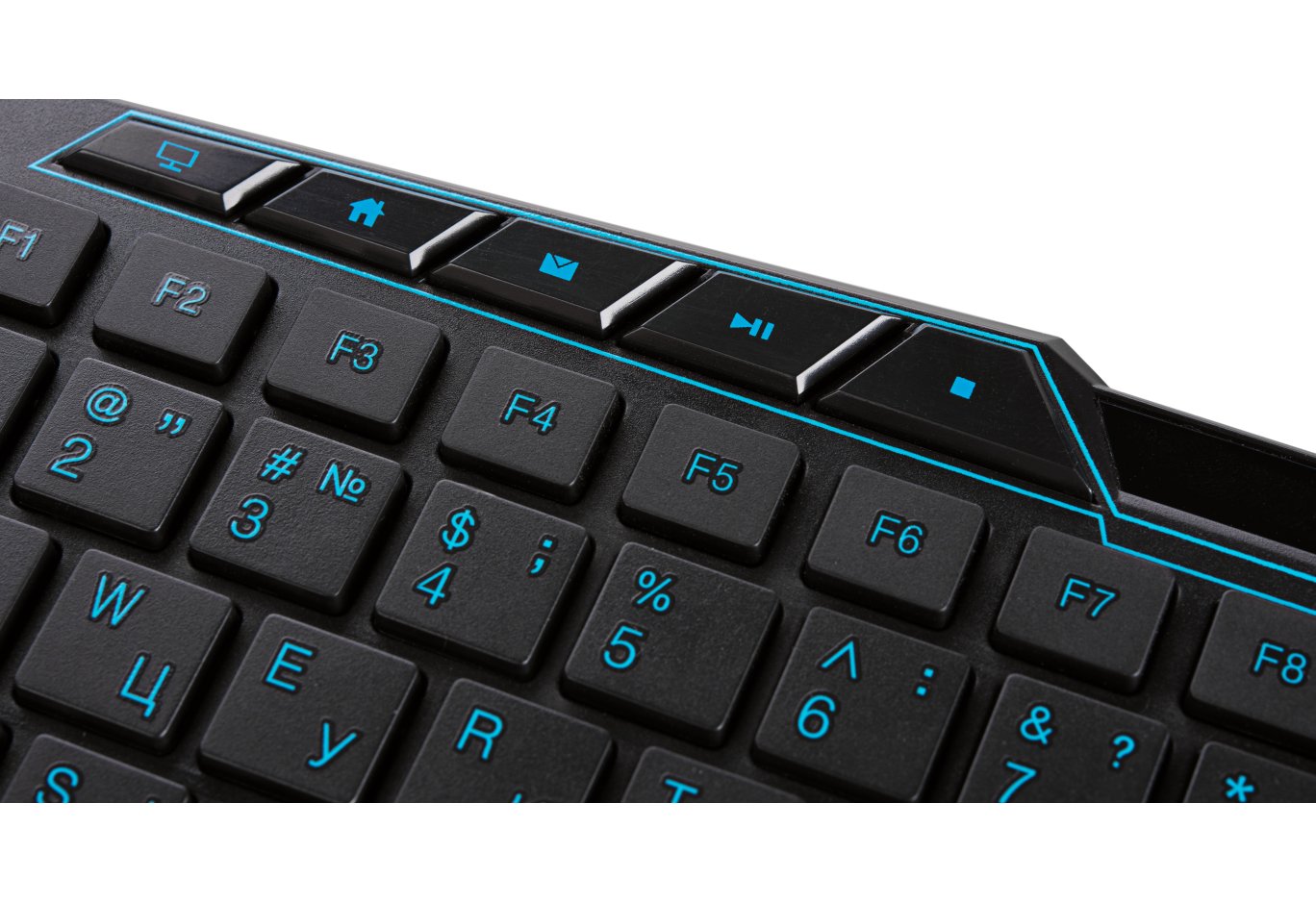
I also liked the island-style keys. Their main difference from those used in "standard" keyboards is that they are flat on top (no semi-spherical curve for the finger) and on the edges (no characteristic "skirt"). The letter keys are 1.5x1.5 cm, and the longest ones (Shift, additional Enter, and additional +) are 3.5 cm. Enter, Backspace, and Tab are slightly shorter, but this doesn't cause discomfort. By the way, Backspace has an unusual inscription - BackSpace, which I see for the first time. Unusual.
Summary: Dimensions: 5 (10 out of 10), appearance: 5 (10 out of 10)
Layout Features
Considering that both keyboards are full-sized but in a compact design, this introduces its own "adjustments" to the key layout. I've already mentioned this above, but I want to elaborate a bit more. So, all the keys are grouped into a single block, without any separators or gaps (the KBG-216 has a slight gap between the numeric block and the main keys), which looks interesting but is somewhat impractical: the aforementioned proximity of the numeric block or the consecutive row of 12 function keys (instead of 3 groups of 4).
I was also somewhat concerned that both keyboards lack a right Ctrl key, although the KBG-116 has an additional Win key, which the 216 model doesn't have. In my opinion, this is a rather controversial decision because the right Ctrl is a much more frequently used key than Win, even on the right. Bright examples: selecting multiple items when working with files, working in graphic editors, and coding. The absence of the right Ctrl is most noticeable and almost painful when key combinations involve letters from the right side of the keyboard.

Additionally, the Delete key is slightly more conveniently located on the 116 model: it's the last key in the top right row, whereas on the 216 model, it's to the left of the cursor keys. The KBG-116 also has two additional keys that launch the default music player and calculator. Why these functions were chosen is somewhat unclear.
The situation with multimedia keys is ambiguous: the KBG-116 has a full set of 10 keys with all necessary functions. The keys are low-profile, don't wobble, have a fairly stiff action, and provide distinct feedback. There are no issues with the keys on the KBG-116, but the decision to pair the backlight button with Scroll Lock raises questions, especially when connecting the keyboard to a laptop: the "paired" button blocks backlight activation in Linux systems (I couldn't get it to work on Linux) and also affects the Scroll Lock function both through the keyboard and when using the native keys on the laptop.
The KBG-216 has only 5 multimedia keys (honestly, I would have liked more), and they are about 1.5 times higher because the "platform" they're on is slightly lower than the main keys. The keys have inconsistent actuation force: the first three are relatively stiff, while the last two are softer. However, this doesn't significantly hinder their use, and apart from the quantity, there's not much to criticize.

Summary: KBG-116: 4- (6.5 out of 10), KBG-216: 4+ (8 out of 10)
Impressions from Use
The first few meters of typing on both keyboards delighted me: neat keys, pleasant coating, and distinct tactile feedback from each press.

However, on the KBG-216, the left cursor keys occasionally got stuck during leisurely photo browsing, but I attribute this flaw to this specific review unit, as it wasn't observed with other keys. Both keyboards have an attractive design and good color schemes.
A plus for both keyboards is their compactness - the small dimensions and weight allow them to be held in a hanging position with just three fingers, and the initial feelings of inconvenience due to their small size quickly give way to the convenience of moving the keyboards in limited space and the freedom to find a comfortable typing position.
The coolest advantage of the keyboards is the island-style keys. Despite using the simplest membrane construction with so-called "wells," the keys operate very smoothly and precisely. Typing long texts with these keys is a pleasure. Additionally, it's worth noting that these are two of the most affordable models with such key construction, which is also great and should attract buyers.
Another interesting plus is the sound of the keys. In my opinion, how a keyboard sounds is as important as its ergonomic design. While typing this review, I was initially a bit confused and even thought the keyboards were unusually loud. However, the sound wasn't irritating, but rather the opposite. I kept thinking about what it reminded me of, and when I finally realized, I smiled - it was the sound of old keyboards. Yes, those white ones with huge high keys, an endlessly long travel, but with that characteristic, slightly crackling, and pleasantly warming sound of pressing. By the way, a colleague in my team works on one of those, and when I discuss work matters with him, I always smile when he starts typing. I think only mechanical keyboards sound like that now. The 116 and 216 models sound similar, but the 216 is slightly more pleasant due to its more... hmm... clear tonality. The 116's sound seemed a bit more plastic, possibly due to a different membrane. Nonetheless, during the entire time the keyboards were with me for review, I noticed only one "side" effect - I listened to music only when I wasn't typing :)
I also really liked the color of the letters - a pleasant shade of blue that does not create discomfort, and despite the fact that the keyboards do not have color differentiation of letters of different layouts, it does not interfere with instantly reading the desired letter both during normal leisurely typing and after a mistake during semi-blind typing when the eye needs to quickly focus on the "problem" area. The letters are also well-read in poor lighting or from the light falling from the monitor.
On the downside, I can note the flimsy, wobbly legs on the KBG-116: not only do they unfold left-right (and not just flip from bottom to top), but their angle is such that it practically does not feel like they are flipped. The KBG-216 is equipped with regular flip-out legs, so it's a bit more pleasant to work with and the angle is more convenient.
During the review, I formed a small list of improvements that would help make Vinga keyboards even more interesting and worthy of attention for a wider audience.
So, to reinforce the positive emotions from using it, the first point I would advise Vinga to consider is releasing an island keyboard with a scissor mechanism for pressing keys. This will significantly reduce the noise of operation, make pressing even more pleasant in terms of tactile sensations, as well as in sound. Plus, the likelihood of sticking will be minimized (currently, some keys have a slight tendency to stick). Perhaps the design is more complex to implement and a bit more capricious, but I am confident that the feedback from the keyboard will outweigh these nuances.
The second point is to regroup the keys more logically, for example, to make a separate key or toggle switch that is responsible for turning on the backlight, get rid of incomprehensible soft keys responsible for the calculator and other unnecessary nonsense, and combine the player activation with multimedia keys - that's exactly where it belongs. RETURN the right ctrl and do not experiment with the location of delete (it should be at the top right or in any other place where the chance of accidentally pressing it is close to zero. This will be a win-win - the key can be intuitively found). Chaotic layout slows down work and sometimes greatly annoys because the keys are not where you expect to find them.
The third point is the backlighting (talking about the 116th model). Aesthetically pleasing, but absolutely impractical because the light constantly hits the eyes while typing. The solution is to move the backlighting to the edges, possibly even make small overhangs on the edges to achieve good lighting around the perimeter of the surface where the keyboard will stand. This is how it's done on my HQ-Tech, and it works.

The second point is to make the backlighting of the keys themselves (the keys themselves, not the entire space under them). The presence of full-fledged backlighting will make the keyboard truly desirable and will allow it to outshine all existing competitors in the segment far behind due to the island design. Neither A4Tech, nor HQ-Tech, nor Defender, and even Logitech have anything like this. I wouldn't overthink the color of the backlighting - the current blue-cyan color of the symbols will look great. As an alternative, emerald (muted green) and sand (muted yellow) can also be considered because they do not irritate and do not cause eye fatigue during prolonged lighting, unlike red or white. Looking back, I remember a few moments when turning on the computer and pulling out the keyboard stand, I caught myself thinking that "If it had backlighting, it would be priceless."
By the way, at the very beginning, in a conversation with company representatives, I said that if (or still "when") Vinga releases a model with backlighting, I want to be among the first (or the very first) to take it for review. So this offer is still valid, and I will be glad if it comes to fruition sooner or later, as it will be a very interesting piece!
Last, but not least, make full support for Linux because it becomes sad when all multimedia and additional keys work, but the backlighting does not. Although, the reason here may also indirectly lie in the layout of the keys.
So, summing up the final result, what do we have in the dry residue? Both keyboards have shown themselves well and made a positive impression. Either of them will be an excellent choice for those looking for an inexpensive but quite practical device capable of catching the eye. For those who love working on a laptop and do not want to compromise on convenience, these keyboards should also be to their liking. And if these models soon have a successor, then it risks becoming the best choice for any situation. Some of the shortcomings I mentioned above are easily fixable and can hardly be called critical, so Vinga has every chance to achieve a golden balance. Returning to the tested models, which one would I choose? Probably the KBG-216, because I got a little more enjoyment from working with it.
Author: Anton Zolotukhin
https://mister-gold.pro/posts/
Related products