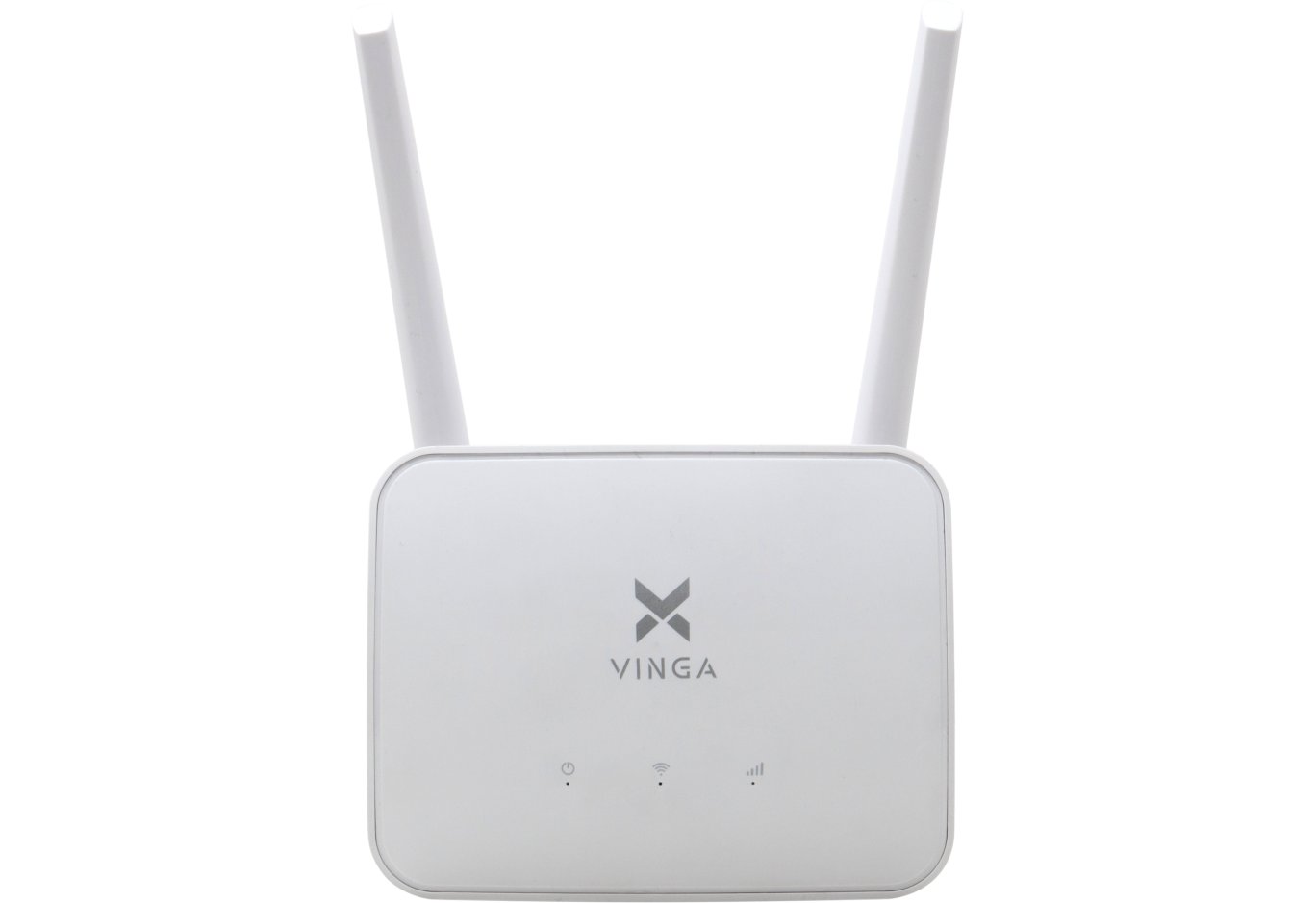





Router Vinga WR-N300 v2 (WR-N300v2)
In November 2017, we managed to get our hands on the Vinga WR-N300 wireless router for testing, whose name suggests its speed class. Since then, an updated version has appeared in the company's lineup - Vinga WR-N300 v2.

Both are targeted at the budget segment for undemanding users. They are priced the same and have very similar technical characteristics. Therefore, buyers may have a reasonable question: "Which version to choose?" We will try to answer this question in this review.
Specification
|
Model |
Vinga WR-N300 v2 (WR-N300v2) |
|
Type |
Wireless router |
|
Device class |
N300 |
|
Wireless standards |
IEEE 802.11b/g/n |
|
Frequency band support |
2.4 GHz |
|
Maximum throughput |
up to 300 Mbps |
|
Antennas |
2 x external |
|
Processor |
Realtek RTL8196E + Realtek RTL8192ER |
|
RAM |
16 MB |
|
Flash memory |
4 MB |
|
External interfaces |
4 x RJ45 (LAN, 10/100 Mbps) |
|
Operating modes |
Wireless router, access point, signal repeater |
|
Wireless network security |
WPA-ENT, WPA, WPA2-ENT, WPA2, 64/128-bit WEP |
|
Dimensions |
150 x 100 x 20 mm |
|
Weight |
160 g |
|
Device page |
|
|
Purchase page |
|
|
Manufacturer's website |
Packaging and delivery set


The packaging of both versions is exactly the same. The only difference is the image of the router itself on the front side. It also features the key characteristics of the device. Overall, it fully performs its protective and informative functions.

The package includes a user manual, a WT-P1105 power adapter with a power of 5 W (5 V at 1 A), and an Ethernet cable. This is quite sufficient for the full operation of the device.
Appearance and hardware platform

Vinga WR-N300 v2

Vinga WR-N300
The first difference between Vinga WR-N300 v2 and Vinga WR-N300 is the changed design. The manufacturer abandoned the white glossy plastic and gray antennas, and also did not emphasize the LED indicators with a black stripe. Subjectively, the appearance has become more attractive and practical. And, of course, the dimensions have changed: 150 x 100 x 20 mm at 160 grams for the new model and 180 x 130 x 30 mm at 250 grams for the predecessor.

The indicators themselves glow a faint green color and do not attract excessive attention. They signal the power supply, activation/deactivation of Wi-Fi broadcasting, and the presence of connections to the LAN and WAN ports.

As with the first version, all key elements are concentrated on the back panel. Their number and location have not changed: we have four LAN and one WAN port in the Fast Ethernet version (up to 100 Mbps), a combined "WPS/RESET" button, and a socket for connecting the power adapter. Two non-removable antennas are located at the edges.


The sides are devoid of any interfaces, but the manufacturer decided to use them to improve the temperature regime inside the case by equipping them with ventilation slots. In the Vinga WR-N300 version, the sides were solid.

On the back side, there are ventilation holes, two holes for wall mounting, four miniature plastic feet, and a sticker with useful information. In particular, it lists the power supply parameters, the IP address for accessing settings, SSID, MAC address of the router, and other details.

The hardware platform of Vinga WR-N300 v2, like in the case of Vinga WR-N300, is based on the Realtek RTL8196E processor and the Realtek RTL8192ER network controller, which is responsible for implementing wireless 802.11b/g/n Wi-Fi standards at 2.4 GHz. Instead of the EtronTech EM639165TS-6G RAM chip, the ESMT M12L128168A is used, but the volume has not changed.

Despite Vinga WR-N300 v2 belonging to the budget segment, we had no issues with the build quality and rigidity of the case.
Router Setup

To access the settings in a web browser, you need to go to http://192.168.1.1. During the first login, you should use the username (admin) and password (admin) combination. It is then strongly recommended to change it to enhance security.

Beginners are recommended to use the "Setup Wizard," which will prepare the router for operation in a step-by-step mode.

After the initial configuration, you can proceed to more fine-tuning of the parameters. In particular, there are advanced Wi-Fi network options, you can connect to an external access point, create a schedule for the Wi-Fi network, configure the LAN network, set up a firewall, configure the QoS service, view the system log, and much more. The presence of Ukrainian and Russian localization of the menu is pleasing, which will significantly simplify life for beginners.
Testing

The Vinga WR-N300 v2 wireless router was tested in various data transmission modes - in a wired network, in wireless networks, as well as from wired to wireless and back. During testing, the following conditions were met:
- the router was tested under ideal wireless network operating conditions, at a distance of no more than two meters between points;
- the Wi-Fi channel bandwidth was measured at a frequency of 2.4 GHz;
- the bandwidth of the wired segment was measured under conditions of unshielded twisted pair with a throughput of up to 1000 Mbps.
Comparative performance testing in 802.11n mode at 2.4 GHz with WPA2 encryption

Data stream in both directions

Data stream from client to router

Data stream from router to client
Throughout the review, we drew parallels with the Vinga WR-N300 version, so it makes sense to compare them in the test session as well. Especially since both models belong to the N300 class.
In 802.11n mode at 2.4 GHz, the sum of average speeds in both directions in Vinga WR-N300 v2 was 141 Mbps with a maximum of 94 Mbps. The first version had similar indicators of 133 and 84 Mbps, respectively.
Comparative LAN interface packet transmission speed testing for another LAN client

Data stream in both directions

Data stream from router to client
Despite using Fast Ethernet ports with a throughput of up to 100 Mbps in both cases, the new model's indicators were better: 176 and 94 Mbps versus 139 and 87 Mbps, respectively.
Comparative NAT service packet transmission speed testing of the router

Data stream in both directions

Data stream from client to router
And the NAT service in Vinga WR-N300 v2 works a bit faster: the sum of average speeds in both directions reached 95 Mbps with a maximum of 71 Mbps. At one time, in Vinga WR-N300, we recorded 94 and 49 Mbps.
Conclusions

Let's summarize. The Vinga WR-N300 v2 router fully justifies its price: for $11, you get an N300 class device that supports three operating modes (wireless router, access point, signal amplifier), four LAN ports (Fast Ethernet), 802.11b/g/n standards, and only one frequency band (2.4 GHz). This will be enough for undemanding users, but if you use multiple devices or need broadband internet access, it makes sense to look towards faster solutions with 802.11ac support.
Suppose you have made your choice, and there is no point in overpaying, but the question arises: "Which version to take: Vinga WR-N300 v2 or Vinga WR-N300?" Since their prices are the same, we recommend opting for the newer version. Firstly, it got rid of glossy plastic in the design (fewer fingerprint issues) and generally received a more attractive and functional design. But this is subjective, and objectively, its speed indicators are slightly better. Their hardware platform is almost identical, and we did not notice any other differences in design.
As a result, Vinga WR-N300 v2 can be a good option in cases where it is necessary to implement a wireless network for undemanding users in a small apartment or house with a minimal budget.
Advantages:
- good performance level in its segment;
- attractive design and quality case assembly;
- presence of two powerful external antennas for stable coverage;
- support for multiple operating modes;
- presence of a firewall;
- convenient and functional web interface for configuration.
Features:
- use of Fast Ethernet ports;
- absence of USB ports.
Author: Serhiy Budilovskyi
Translation: Liliya Masyuk