
Hello everyone.
After a recent review dedicated to keyboards, I became seriously interested in the products of the company Vinga. I was particularly pleased that in most cases their devices were as functional as those of more renowned brands (and sometimes even more interesting), while the price remained quite acceptable for this niche. I managed to find a few "growth" devices for myself, which I will talk about later. Today we will talk about routers - I was lucky to be one of the first to test 4 fresh devices and compare them with my TP-Link. So, let's get started.
Background
This time, representatives of the company contacted me themselves and asked if I would like to test routers from their new lineup, to which, given my long-standing desire to replace my old TL-WR741ND with something more modern and powerful, I gave a definite yes and about a week and a half later picked up a whole bunch of boxes from the store. They are all made in the typical Vinga style, with thematic drawings on the side and back walls.
For the test, I received the following models: WR-N300, WR-N300-LR (Long Range), WR-N300U-HP (High Power), and WR-AC1200-LR. The first router is an improved version of the N150 model, while the others are separate models.
WR-N300
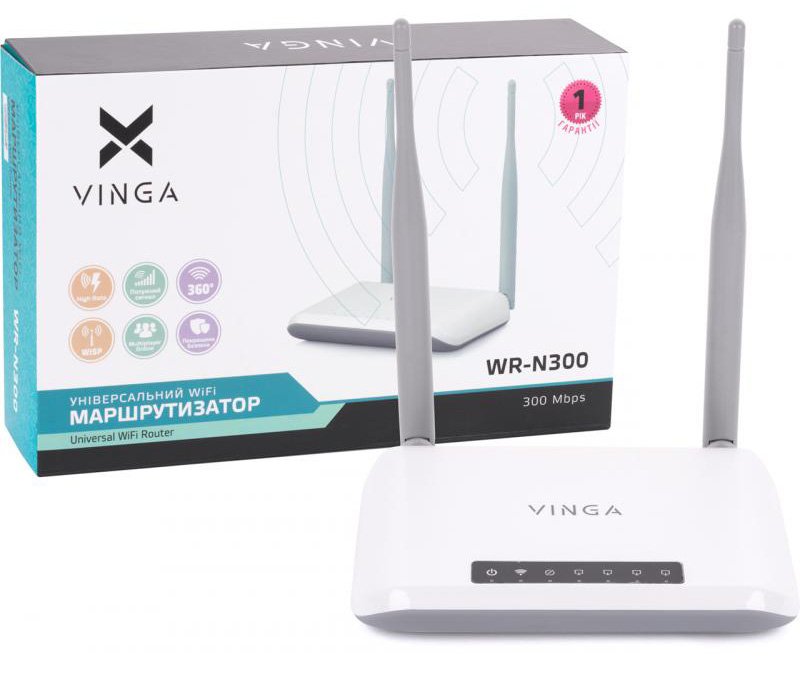
Package and Specifications
In the box (which opens from the side), there's nothing superfluous: router, manual, power adapter, and patch cord.
| Parameter | Value |
|---|---|
| Wi-Fi Standard and Speed | 802.11n (300 Mb/s) |
| Local Network Connection Type | Fast Ethernet (10/100 Mb/s), RJ-45 |
| Type and Number of Antennas | 2x5 dBi (non-removable) |
| Type and Number of LAN Ports | 4x100 Mb/s |
| Power Source | DC 5V/1A |
| --------------------------------- | ------------------------------------ |
| Frequency Range, GHz | 2.4 |
| Wireless Transmitter Power | up to 100 mW |
| Flash Memory, MB | 4 |
| DRAM Memory | 16 |
| Chipset | RTL8196E |
| Wireless Chip Type | RTL8192ER |
| Encryption Type | 64/128-bit WEP, WPA/WPA2 |
| Wireless Standards | IEEE 802.3, IEEE 802.3ab, IEEE 802.3u, IEEE 802.11n, IEEE 802.11g, IEEE 802.11b |
| Operating Modes | Access Point, Route, Relay, WISP |
First Impressions
The router is very compact (approximately 10x15 cm), has beveled edges and a two-tone design of white and light gray plastic. It is equipped with two non-removable antennas, similar in size and shape to TP-Link, with a gain of 5 dBi. On the lower part of the top cover, there is a black "window" with white-gray indicators, and below them are green LEDs. The decision, to be honest, is debatable - it's unlikely you'll be able to figure out in the dark what the lone green dot is responsible for. Therefore, memorizing the order of the indicators is unavoidable. By the way, in the router depicted on the box itself, this window is absent - the indication is applied in white on white, which makes reading information from the already white case even more difficult. Interestingly, there are holes on the bottom of the case for mounting the router on the wall.
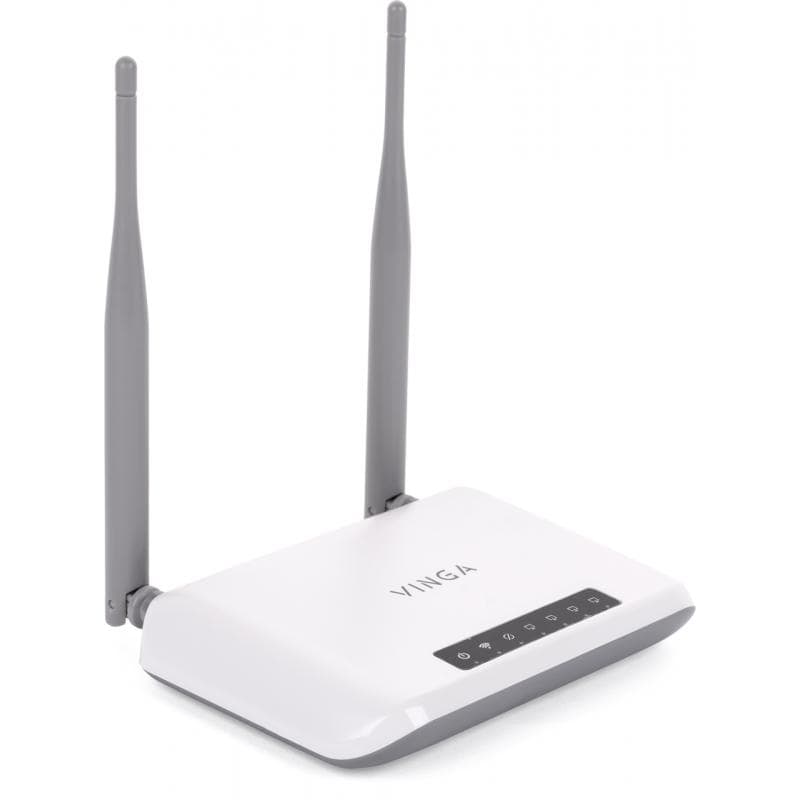
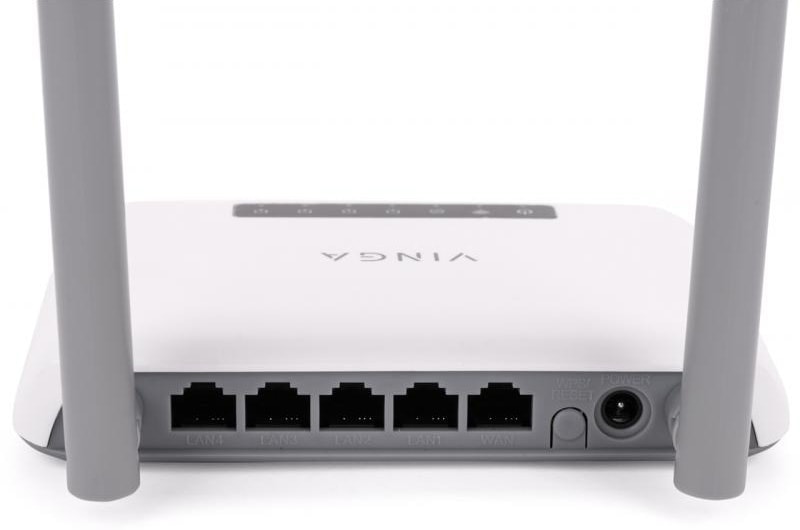
On the back of the router are the ports (from left to right, if viewed from above): power, WAN, LAN1-4. Between the power and WAN port is a tab (calling it a button doesn't quite fit) for resetting settings/WPS. All ports are oriented standardly, meaning the latches on the network cables will face upwards. How convenient and familiar this is is up to you, but from experience, I can say it's a bit easier to count wires blindly when the ports are "inverted." The ports themselves are made monolithically with the back wall and have a fairly stiff movement. On one hand, this is good because the wires inside won't wobble, fall out, and the chances of "network cable not connected" are minimal. On the other hand, I've had situations where, after catching a wire, I still got this error. The reason is simple - the RJ-45 locks earlier than the connector fully enters the port, although it held securely in it. Another point - all ports are black, and the markings are embossed on the plastic, meaning there's no visual differentiation between LAN and WAN ports. And that's bad. The budget nature of the model shouldn't play a cruel joke on it.
The power adapter is quite compact with a moderately thick wire. Moreover, it's a wire, not a two-core noodle like TP-Link. But unfortunately, this very wire in the N300 is about a third shorter, causing serious inconvenience when using the router. In my case, the device was in the "old" place, thus ensuring the purity of the experiment. I liked that the power plug is secured in the socket (much) more rigidly than in TP-Link, minimizing accidental unplugging when switching wires. However, even when it's necessary to remove the power wire, it's not that easy.
Functionality
There are no questions about the connection quality: the connection remained stable, and no drops were noticed. After forced disconnections, the connection was quickly restored. My provider offers Internet at a declared speed of up to 100 Mb/s, and the router delivered the following values:
-
Wired access:

-
Wireless access:
Direct visibility (~ 1.5 m) Through 2 brick walls (~ 10 m) 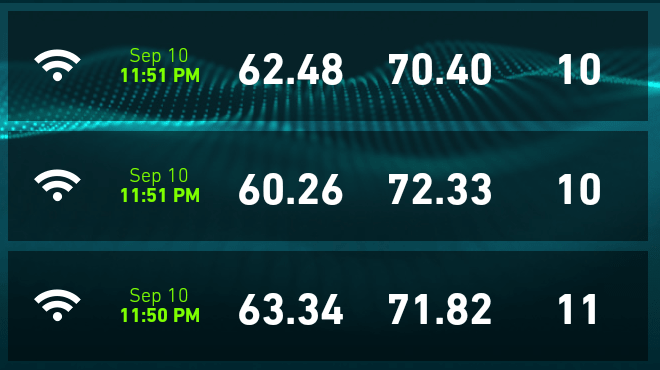
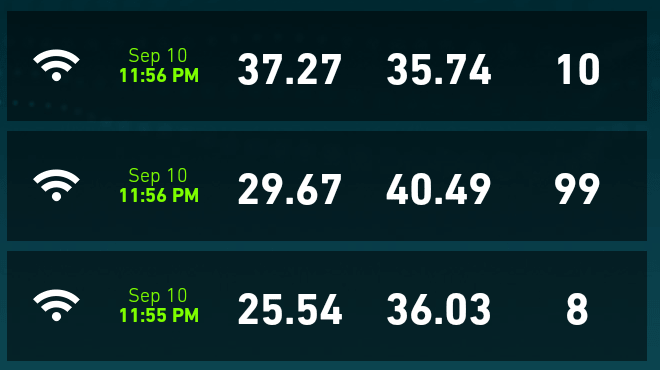
Interestingly, the router supports 4 operating modes:
- Access Point: a useful mode when you just need to get an Internet signal from the main device and distribute it via Wi-Fi.
- Router: the default operating mode. Everything is clear here.
- Client (+ WISP mode): a useful mode when there is a device(s) with a network interface but without Wi-Fi. In this case, the router is configured in "client" mode, then it will receive the Internet signal via Wi-Fi and transmit it through a twisted pair to the necessary devices.
- Repeater (+ WISP mode). The mode is used to expand the "coverage area" of the Wi-Fi network.
Also interesting: this little guy supports the creation of hierarchical Wi-Fi networks. In other words, you can create a root network, inside which there will be another one (public or hidden). At the same time, both networks use the same radio frequencies but can set their own security and encryption rules and can connect separately.
I liked the ability to choose the power of the wireless transmitter: 15, 35, 50, 70, 100%. Also worth noting is the firewall with fine filtering settings, settings to prevent DoS attacks, and the ability to turn off Wi-Fi on a schedule to save energy.
Admin Panel
The admin panel can be presented in simplified and extended versions. Depending on the selected operating mode, the admin panel also changes the set of functions.
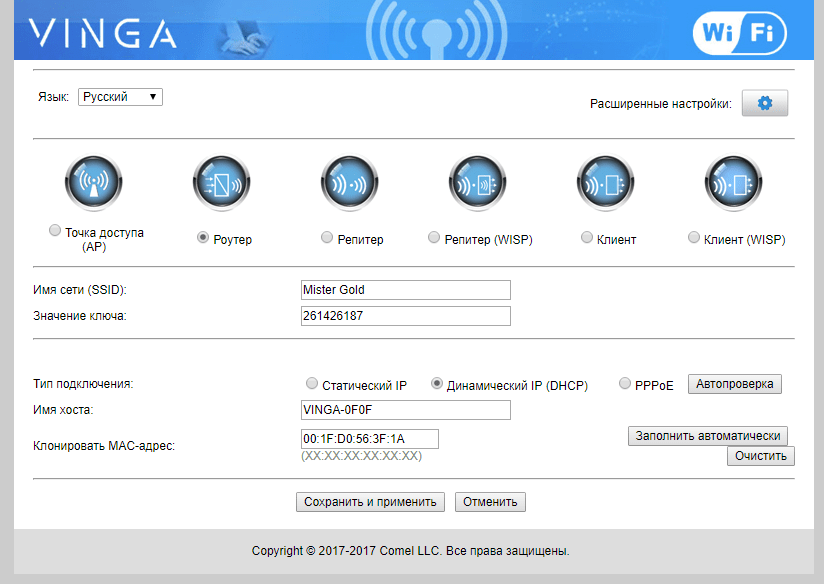
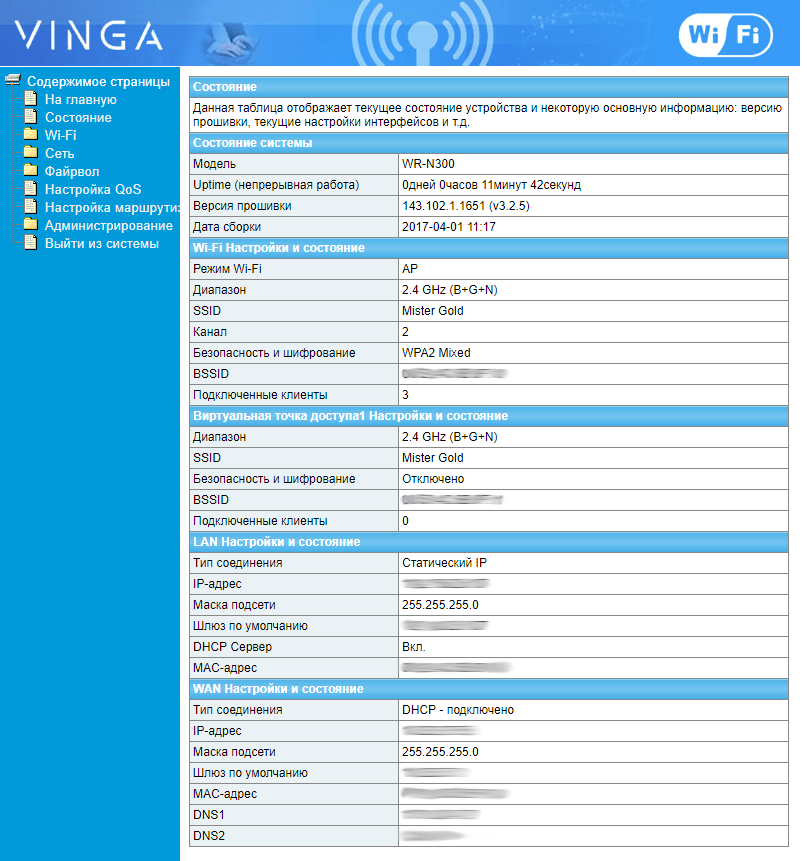
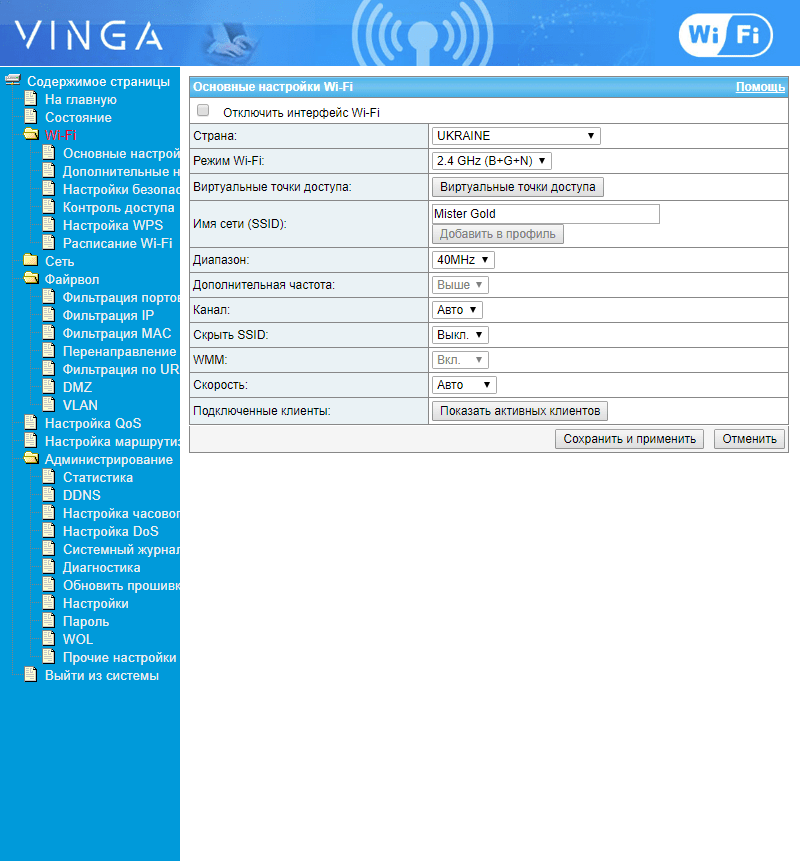
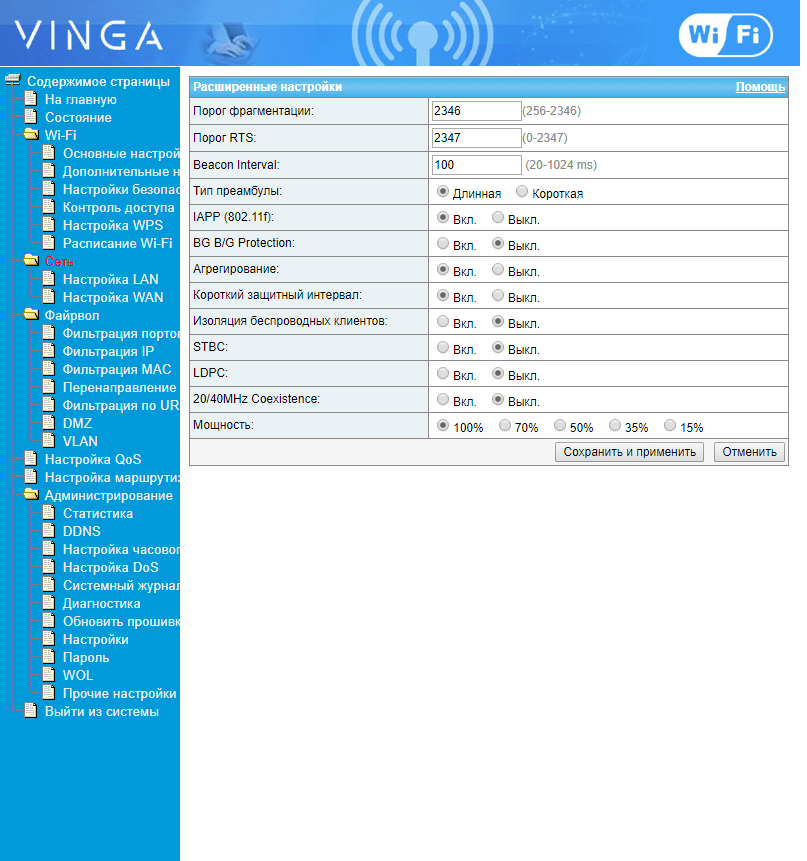
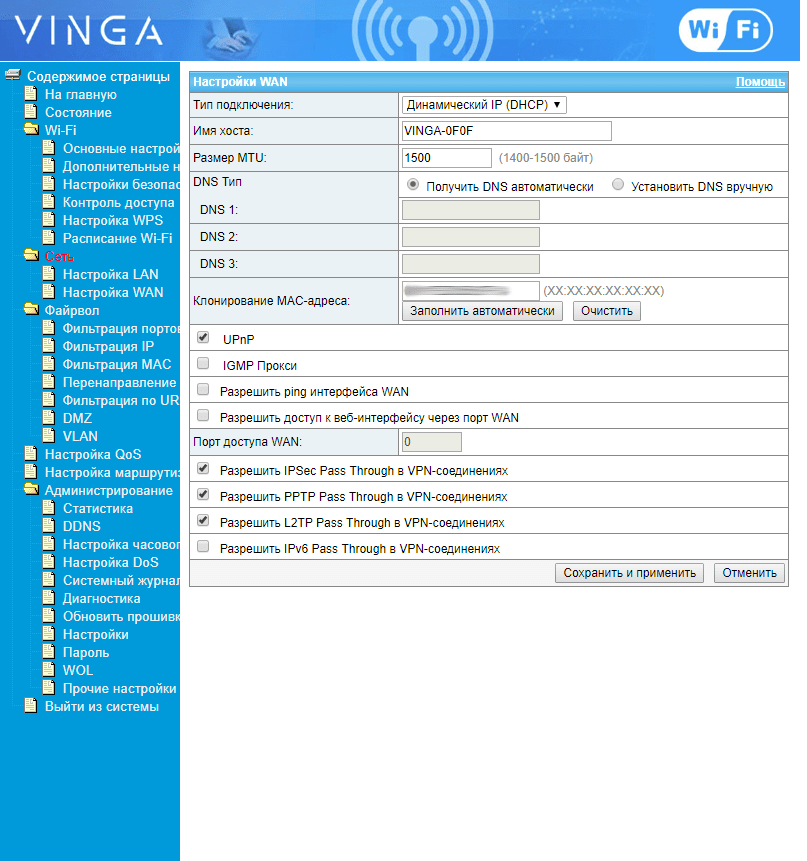
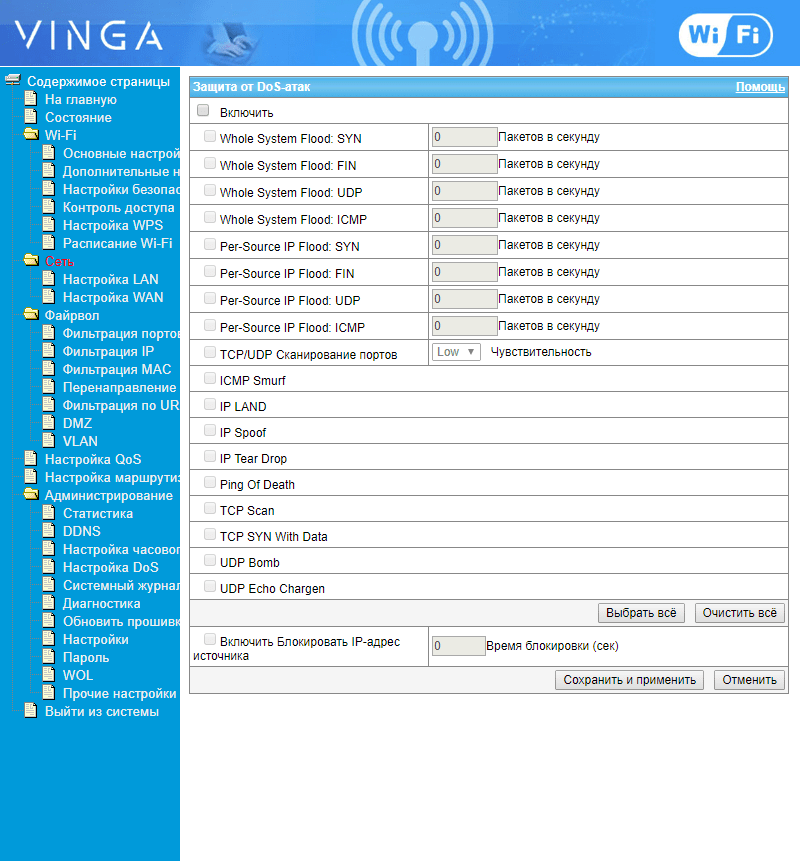
The only thing perhaps missing is adaptability. The admin panel harks back to the early days of internet technologies and HTML, in particular, with all elements positioned at the top left. Dividing the space into 3 "floating" frames and moving the reference information to the right side will help minimize "extra" clicks and improve visual "weight distribution".
The set of modes covers 95% of possible router connection scenarios in a home environment, and there should be no problems with them. In my case, setting up the router and wireless network took no more than 2 minutes.
Summary
Overall, the router turned out to be quite interesting, with decent functionality for a budget model. The N300 is ideal for building a secure network at home or in a small office where employees like to work on both desktop and portable devices. The advantages definitely include compactness, ease of setup, interesting and sometimes unusual functionality for a budget model, and connection quality, thanks to stable firmware from the entire tested quartet. Among the most annoying downsides, I would note only the short power cord.
WR-N300-LR (Long Range)
Package and Specifications
In the standard package, there is nothing superfluous: router, manual, power adapter, and patch cord. However, for people familiar with computer technologies and LEGO constructors, the box opens in a more familiar manner - upwards.
| Parameter | Value |
|---|---|
| Wi-Fi Standard and Speed | 802.11n (300 Mb/s) |
| Type of Local Network Connection | Fast Ethernet (10/100 Mb/s), RJ-45 |
| Type and Number of Antennas | 3x5 dBi (non-removable) |
| Type and Number of LAN Ports | 4x100 Mb/s |
| Power Supply | DC 5V/1A |
| --------------------------------- | ------------------------------------ |
| Frequency Range, GHz | 2.4 |
| Wireless Transmitter Power | up to 250 mW |
| Flash Memory, MB | 4 |
| DRAM Memory | 32 |
| Chipset | MT7628N |
| Type of Wireless Chip | MT7628N |
| Encryption Type | 64/128-bit WEP, WPA/WPA2 |
| Wireless Standards | IEEE 802.3, IEEE 802.3ab, IEEE 802.3u, IEEE 802.11n, IEEE 802.11g, IEEE 802.11b |
| Operating Modes | Access Point, Route, Relay, WISP, Firewall, WDS Wireless Bridge |
First Impressions
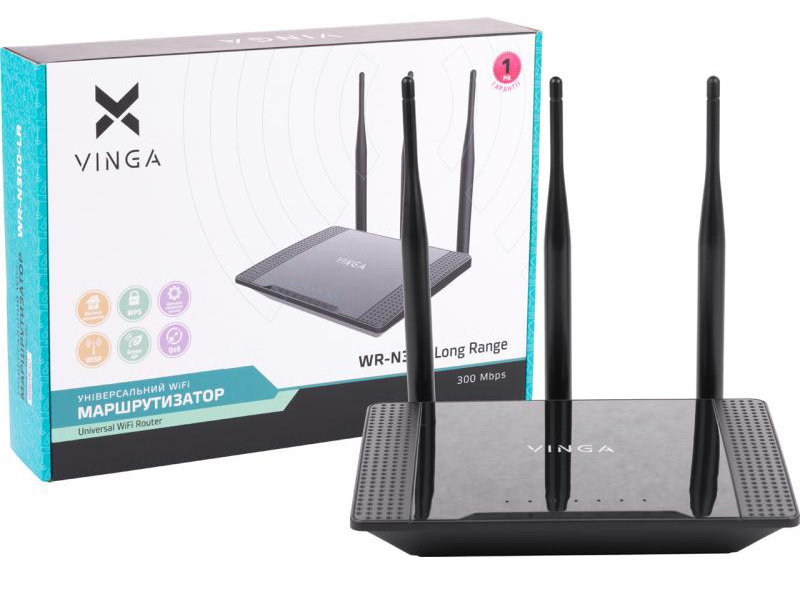
The WR-N300-LR is already in a more familiar router form factor - a trapezoidal lower part with air vents and a textured top cover with an indicator block. A fun fact: the edges of the top cover have the same dotted texture as the front cover of my NAS Xtreamer e-TRAYz. The indicator descriptions here are positioned tangentially to the top cover and seem to be recessed into it. This somewhat resembles a similar solution in TP-Link with the C7 AC1750. However, while the C7 combines indication with labels, here the indication is unusually far up, which still confuses and the problem with reading information in the dark, which I mentioned earlier when talking about the WR-N300, will be relevant here as well. The router is equipped with three non-removable antennas of 5 dBi each - this provides a larger coverage area and a more stable signal level. Interestingly and unusually, there are no holes for mounting the device on the wall here for some reason.
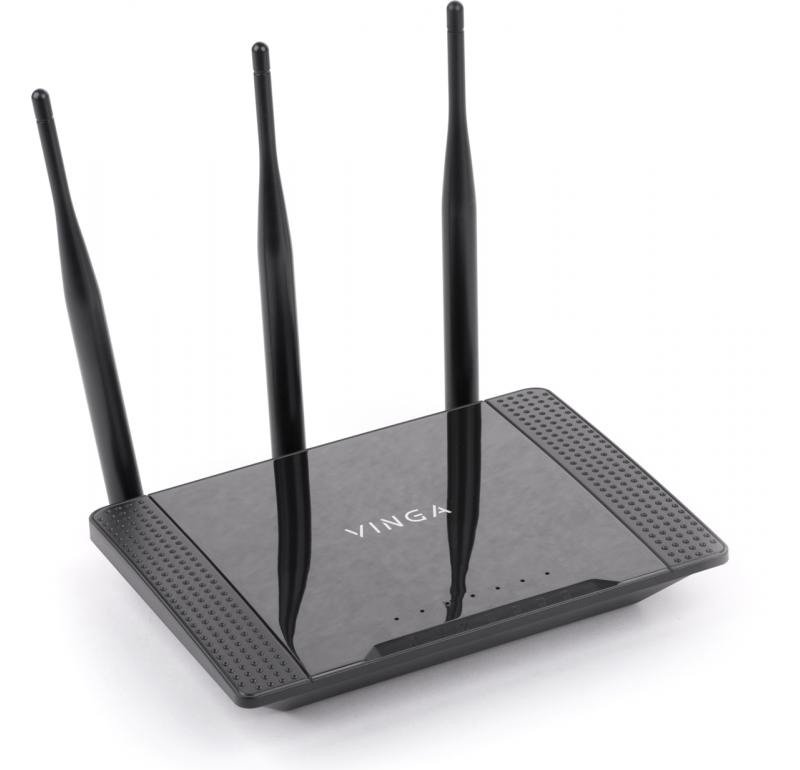
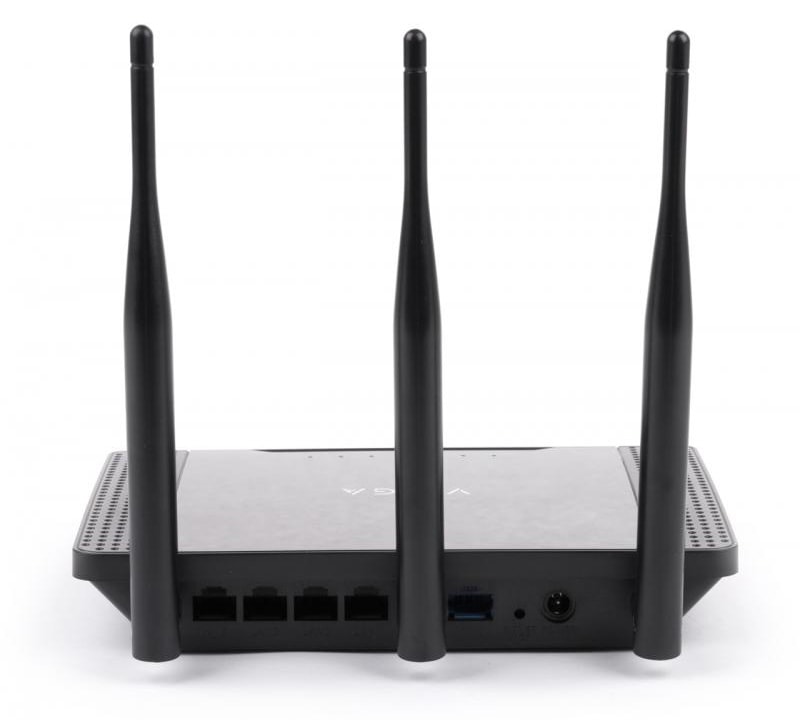
The ports are positioned and oriented similarly to the WR-N300 model, but here the WAN port has acquired a blue color, and the reset/WPS tab has transformed into a recessed button in the case, which can be pressed with a pin. As a solution for resetting settings - good, but as WPS - debatable, because you will need to keep something sharp handy near the router to press this button each time. From this point of view, the tab button looks better.
The power adapter is no different from the WR-N300: the same 5V/1A output and the same short cord.
Functionality
All the most interesting is hidden "under the hood". The platform is based on the rather old but still popular MediaTek MT7628N chip with a clock frequency of 575 MHz, which is also used in models by TP-Link, ZyXEL Keenetic, and even Xiaomi. The reason for such popularity is the versatility of the board, which has everything necessary, including a USB port, which for some reason was not soldered here.
However, the key qualitative difference from competitors is the variable power of the wireless transmitter. By default, the router operates in a mode of up to 100 mW, but if necessary, the power can be increased to 250 mW (as in other routers with the LR suffix), which directly affects the potential "killing range" of the router, increasing its range. As a result, you get a more stable signal and more comfortable working conditions on any devices. However, the high-power mode should be used wisely. I will return to this at the end of the article.
Among the differences from the WR-N300, one can note a more advanced firmware with a more attractive web interface, the ability to configure up to 3 Wi-Fi networks simultaneously, QoS, detailed statistics, and much more. By the way, regarding the firmware: the router carries 4MB of Flash memory and 32MB of DRAM, which gives hope for the possibility of installing alternative firmware like DD-WRT or OpenWRT , when they become available or you can try to take it from a device with similar hardware.
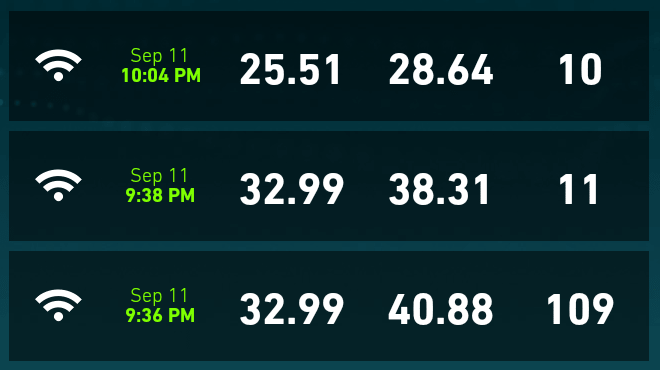
In terms of speed, everything is quite predictable:
-
Wired access:

-
Wireless access:
Line of sight (~ 1.5 m) Through 2 brick walls (~ 10 m) 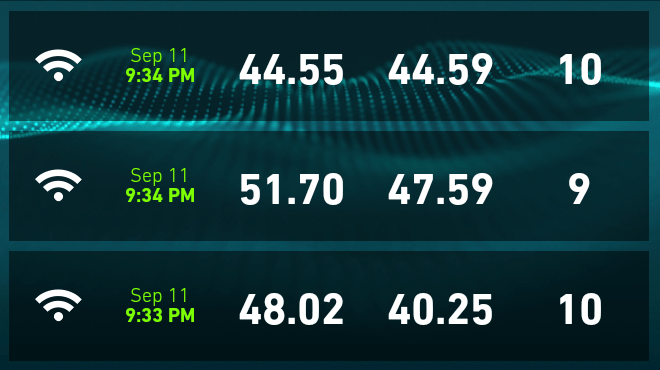
Admin Panel
The admin panel still represents 2 in 1: short data on all active connections and an advanced setup mode.
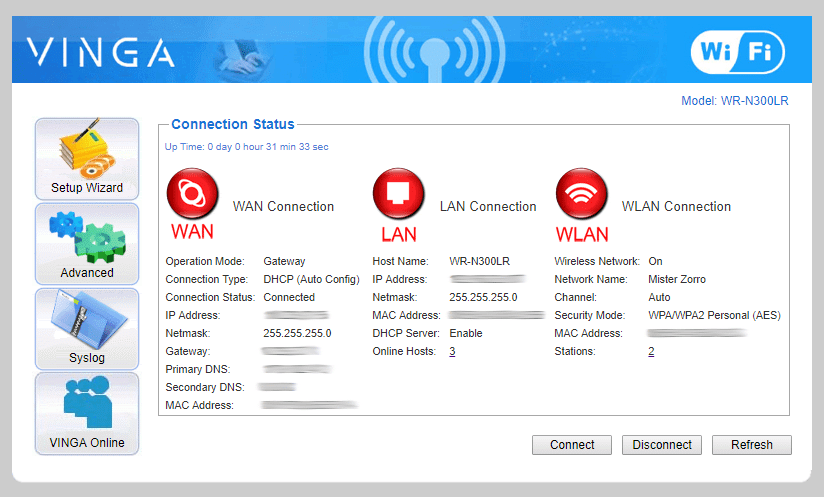
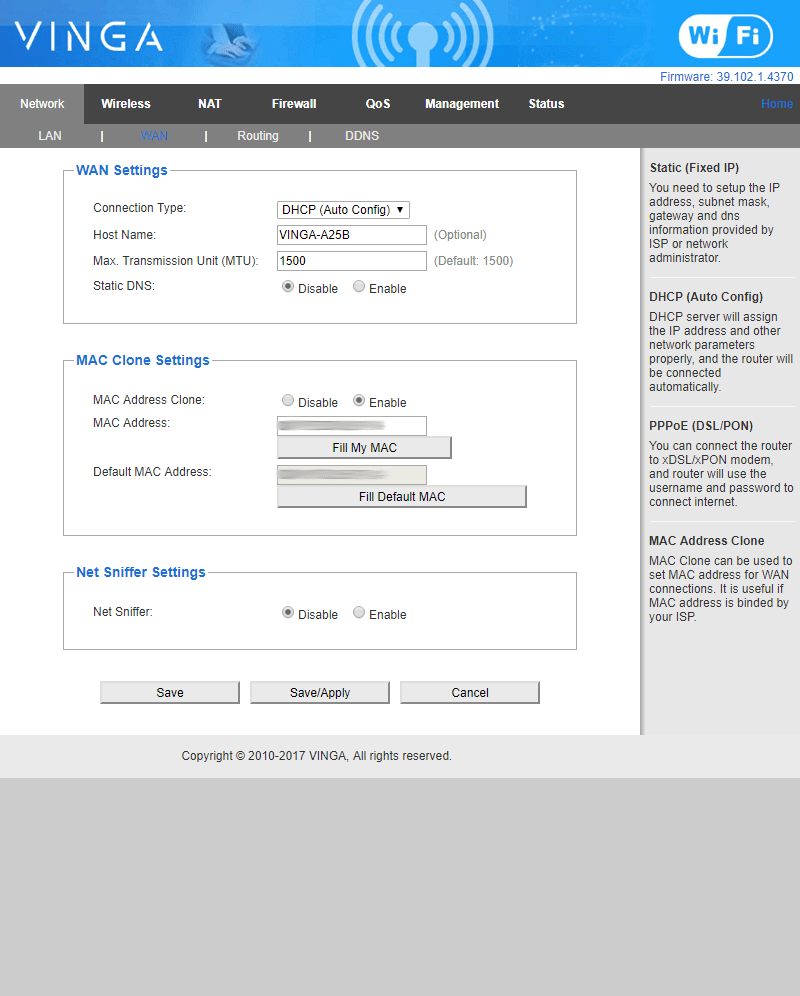
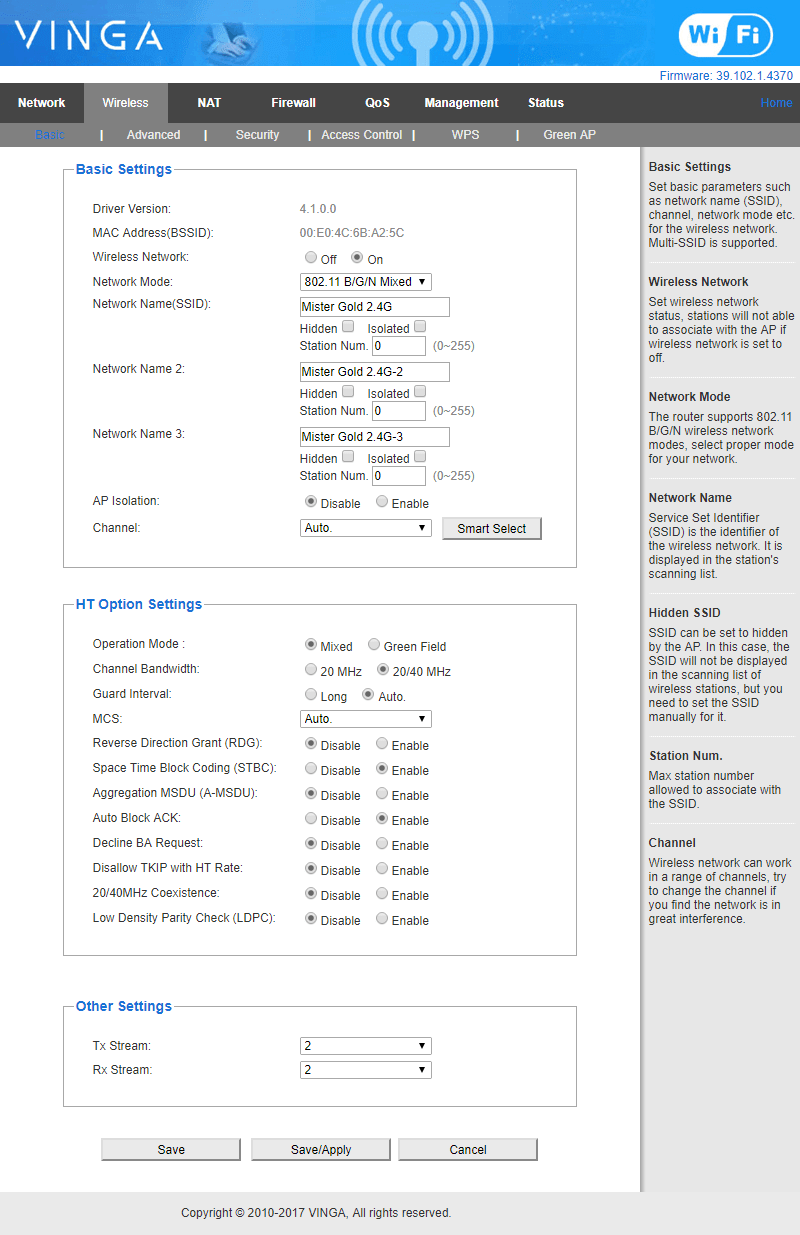
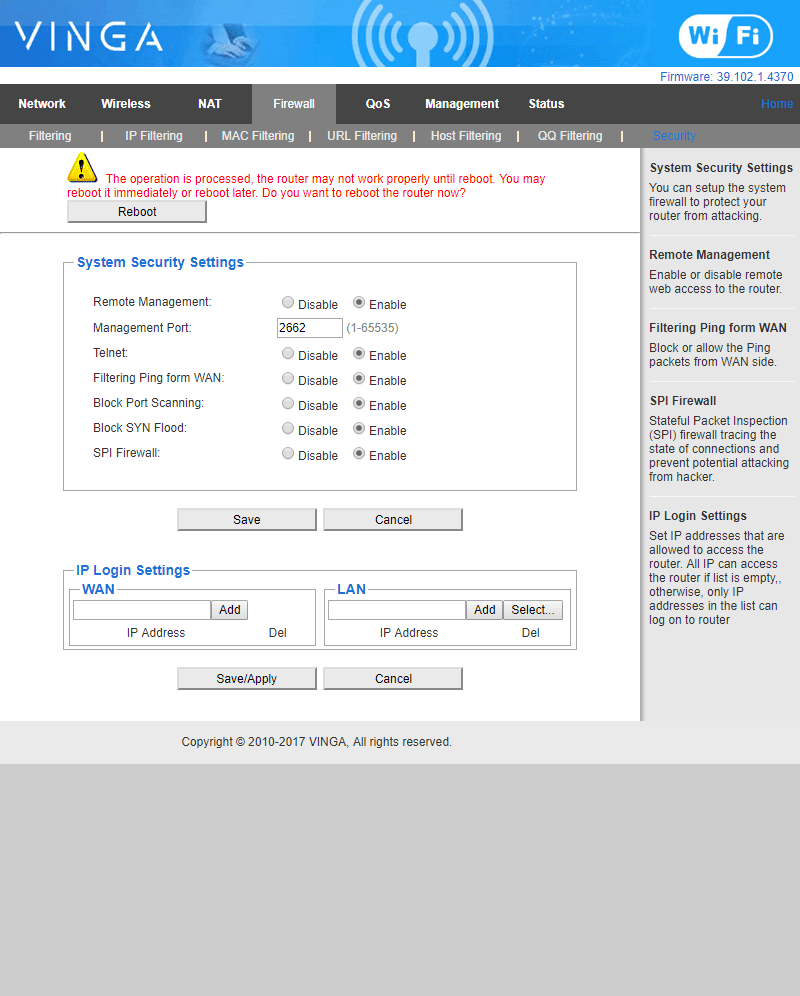
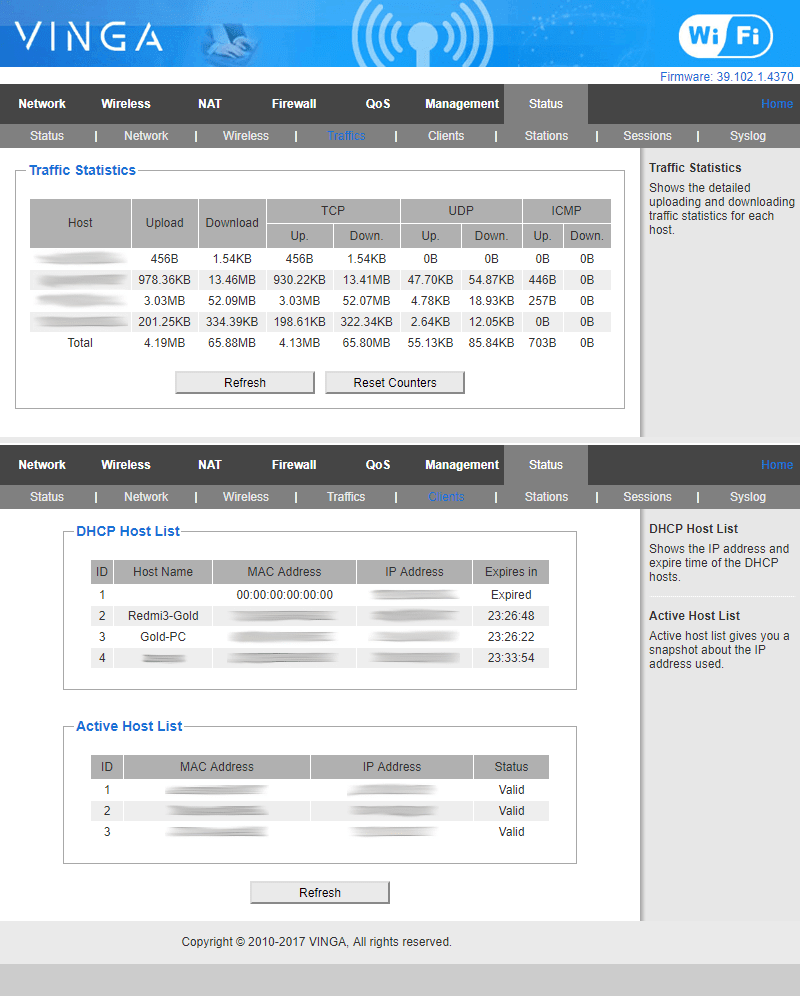
In the shortened version, I liked that the information about connection statuses is presented briefly but succinctly, including the total uptime. And by clicking on the icon of each type of connection, you can enter the advanced setup mode for that type of connection. Convenient.
The admin panel itself is more developed, with 3 main blocks: at the top - navigation through sections (which, I must say, are well organized), below - the main block showing the content selected by you, and on the right - an additional information block (which was missing in the WR-N300 admin panel).
Summary
For the average user who works with multiple devices and wants a stable home channel for both Internet surfing and watching heavy video, the WR-N300-LR can be a smart choice in all respects. The router is easy to set up, good in functionality, and stable in connection. The downsides include a firmware that is not yet fully refined, which sometimes presented surprises (for example, MAC address cloning that is not always picked up when the router is restarted or after a disconnection; DHCP not always correctly updating the statistics on issued addresses; a crazy Wi-Fi indicator that blinked continuously showing activity even when no device was connected to the network; router rebooting after applying settings: the need for a reboot is usually shown in the admin panel, but sometimes after applying settings in the admin panel, there is no word, although it is clear that the router went into reboot). According to company representatives, the firmware for the WR-N300 is currently undergoing an active phase of refinement and testing (in which your humble servant is also participating :-)), so the resolution of all the above problems is expected soon.
WR-N300U-HP (High Power)
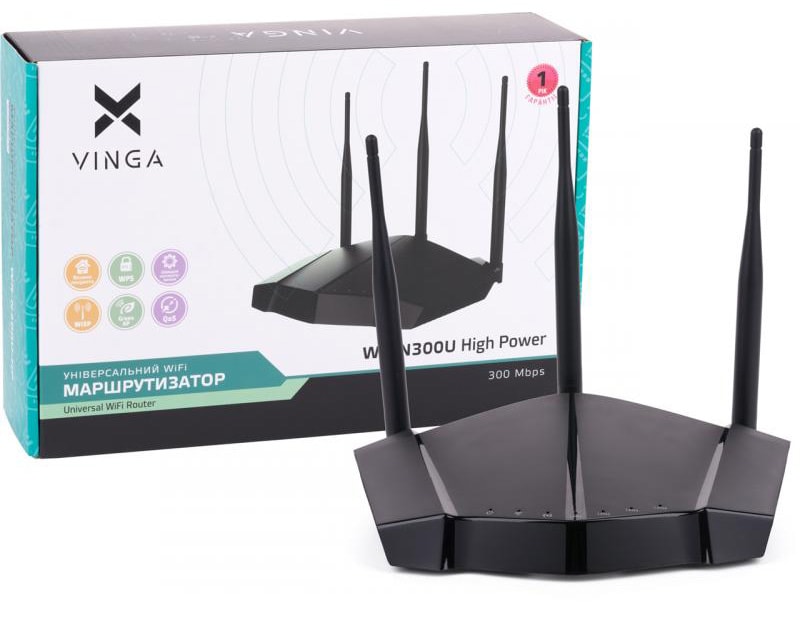
Package and Specifications
The package is nothing new again, but the router itself is no longer nestled in an egg tray (as is the case with the majority of manufacturers) but in a multi-layered polyethylene foam packaging.
| Parameter | Value |
|---|---|
| Wi-Fi Standard and Speed | 802.11n (300 Mb/s) |
| Type of Local Network Connection | Fast Ethernet (10/100 Mb/s), RJ-45 |
| Type and Number of Antennas | 3x5 dBi (removable) |
| Type and Number of LAN Ports | 4x100 Mb/s |
|
Power Source |
DC 12V/1A |
| --------------------------------- | ------------------------------------ |
| Frequency Range, GHz | 2.4 |
| Wireless Transmitter Power | up to 500 mW |
| Flash Memory, MB | 8 |
| DRAM Memory | 128 |
| Chipset | MT7620A |
| Type of Wireless Chip | MT7620A |
| Encryption Type | 64/128-bit WEP, WPA/WPA2 |
| Wireless Standards | IEEE 802.3, IEEE 802.3ab, IEEE 802.3u, IEEE 802.11n, IEEE 802.11g, IEEE 802.11b |
|
Operating Modes |
Access Point, Route, Relay, WISP, Firewall, WDS Wireless Bridge |
|
Additional Features |
Printer server, Disk Management, User Management, Samba Server, FTP Server, iTunes Server |
First Impressions
Opening the box, I was stunned... Thoughts of stealth, fighter jets, and military submarines immediately flashed through my mind. The shape of the WR-N300U-HP reminded me of the top routers from Netgear's Nighthawk series, and the military feelings intensified. Removing the protective packaging from the router, I felt like a pilot entrusted to unveil a brand new aircraft. Examining the amazing device from all sides, I noticed red plugs on the antenna outputs (of which there are three). Again, associations with missile covers, launch buttons, triggers, and switches. By the way, the antennas themselves, neatly folded in the upper compartment... reminded me of ship cannons or torpedoes. Damn, guys, you can't tease like this! :-) Okay, stop! Enough associations for today. Let's try to focus.
The router's appearance is perhaps the most stylish and extraordinary of the entire review quartet: matte black plastic, shimmering with glossy inserts on the beveled edges. The indicator block is located around the perimeter in the wedge-shaped nose part, symmetrically stretching from the center. On the sides are pseudo-ventilation grilles, and at the back...
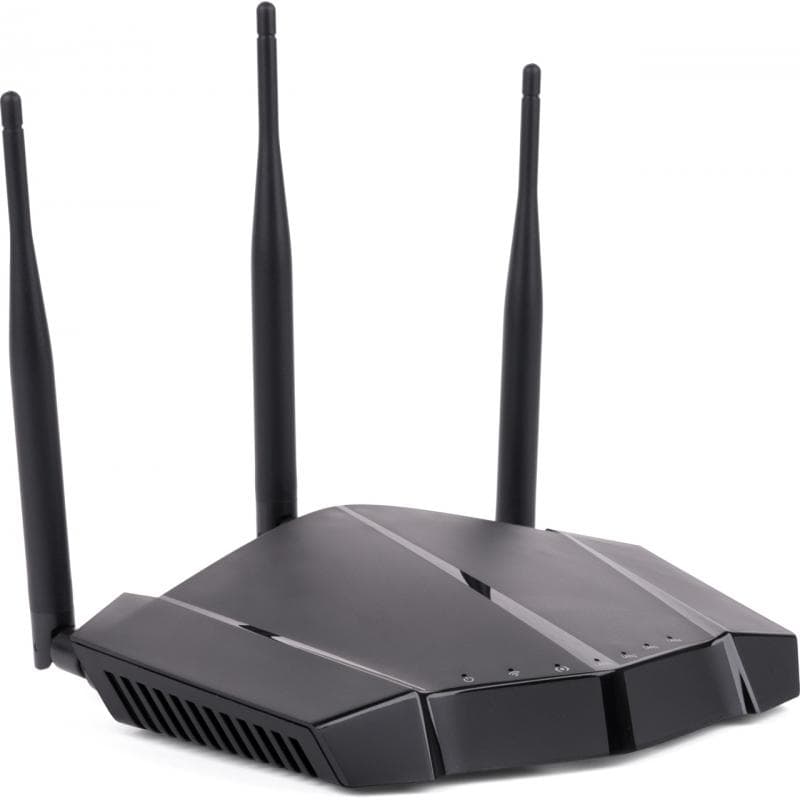
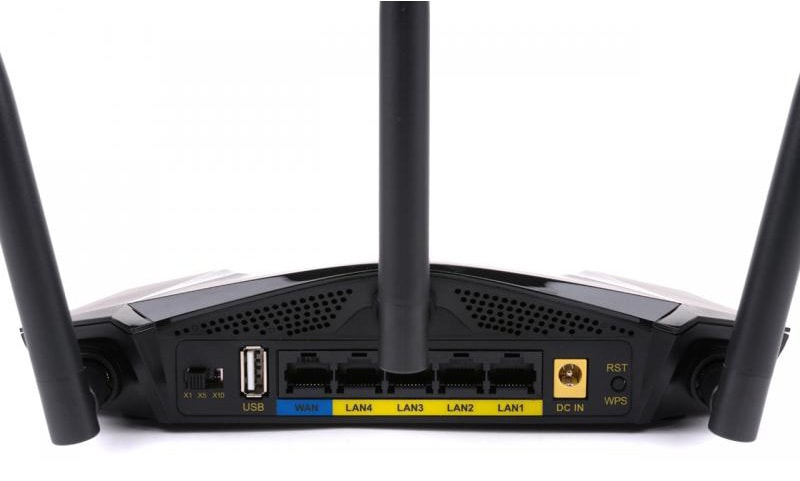
The back of the router is simply gorgeous: (left to right) reset/WPS button, power port framed in yellow plastic, LAN1-4, WAN, USB, 3-position Wi-Fi transmitter power switch. The main ports are located in the center, and they... HURRAY! are not monolithic with the back wall. And even though they are black (no, I'm not racist :-)), they have contrasting labels at the bottom in yellow (LAN) and blue (WAN) colors. This is good. The reset button... HURRAY! small, stiff, with a short stroke. The picture is complemented by gold-plated antenna leads. Interestingly, the antennas are not arranged in a row but in a wedge: the central antenna is located in a small "attic" formed by the unusual shape of the router. On either side of the central antenna are air ducts of an unusual triangular shape.
The power supply is large, resembling a laptop one, and there is an explanation for this - it is 12 volts, while the previous ones were 5. Plus, the router carries an enhanced transmitter up to 500 mW and a USB port, which also requires increased power. This power supply, with the longest cord, is the best of the entire quartet. It is literally a few centimeters shorter than the TP-Link one, which allowed the WR-N300U-HP to be installed in the "regular" place without problems. This is a plus. Interestingly, there are holes on the bottom of the case for mounting the router on the wall.
Functionality
Having studied all the external features, I prepared to study the functionality. Connecting all the necessary wires and (slightly regretting the absence of a separate power button) turning on the router, I was stunned once more... The power indicator lit up... red... a few seconds later, the blue LAN indicator flashed, and then the Wi-Fi indicator... yellow! Wow! Besides all these military-aircraft associations, another thought was hovering in my mind, and I couldn't quite grasp what it was. These beveled edges were as close and familiar as they were elusive. But after turning on the router and observing the LED frenzy, it struck me like lightning... Of course! It's the Lamborghini Reventón. In fact, the nose of the router almost exactly replicates the front of the supercar, and the LEDs resemble one of the dashboard options. This is a low blow! :-)
But what thrilled me the most was the Wi-Fi transmitter power switch. More precisely, the fact that when the mode was changed, the color of the Wi-Fi indicator also changed. The most economical mode (x1) is green, the standard (x5) is yellow, and the most powerful (x10) is red. I have never encountered anything like this in any device of this type. By the way, I saw my advantage in this approach - despite the fact that the indication is still point-like, thanks to the unusual shape, all LAN port indicators are located on the right side of the Lamborghini front, and the "service" indicators are on the left. Therefore, even if all the indicators were the same color, it would be impossible to get confused. And since there is also color differentiation, the chances are simply zero. Even when the Wi-Fi is turned up to the maximum (lit red) and all LAN ports are occupied, it is still impossible to confuse the Wi-Fi with the indicator, and the WAN with the LAN.
In terms of functionality, it is similar to the N300-LR, but here the router has acquired a USB port, in which the whole charm of this model is hidden. Essentially, the WR-N300U-HP partially combines the functionality of my e-TRAYz, allowing you to organize a cloud data storage within the local network and provide centralized access to it for various users.
By connecting my flash drive as a test bench (with multimedia files pre-recorded on it), I made them available over the network without any problems and literally within 2-3 minutes, I was enjoying my favorite music, playing directly from the media storage. There is also the possibility of firmware upgrade via USB.
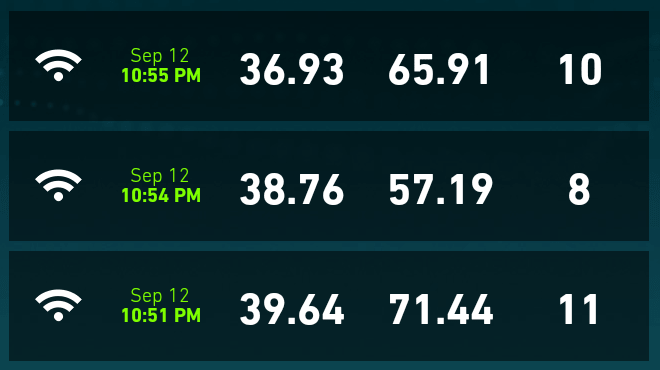
Speed indicators:
-
Wired access:

-
Wireless access:
direct visibility (~1.5 m) Through 2 brick walls (~10 m) 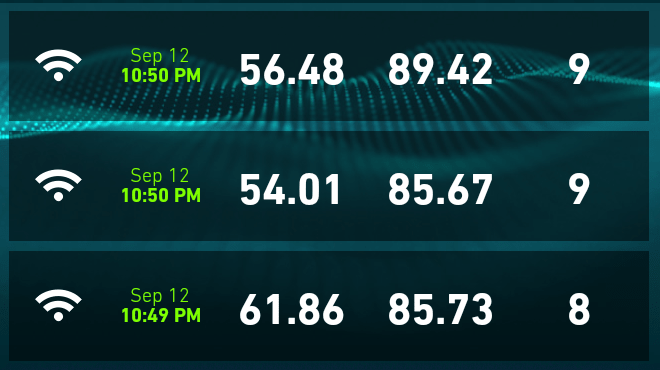
Admin Panel
The admin panel, as in previous models, is presented in two variants.
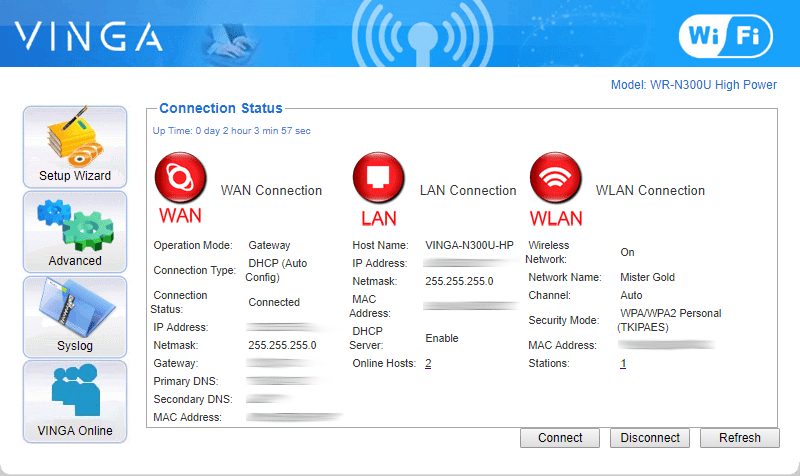
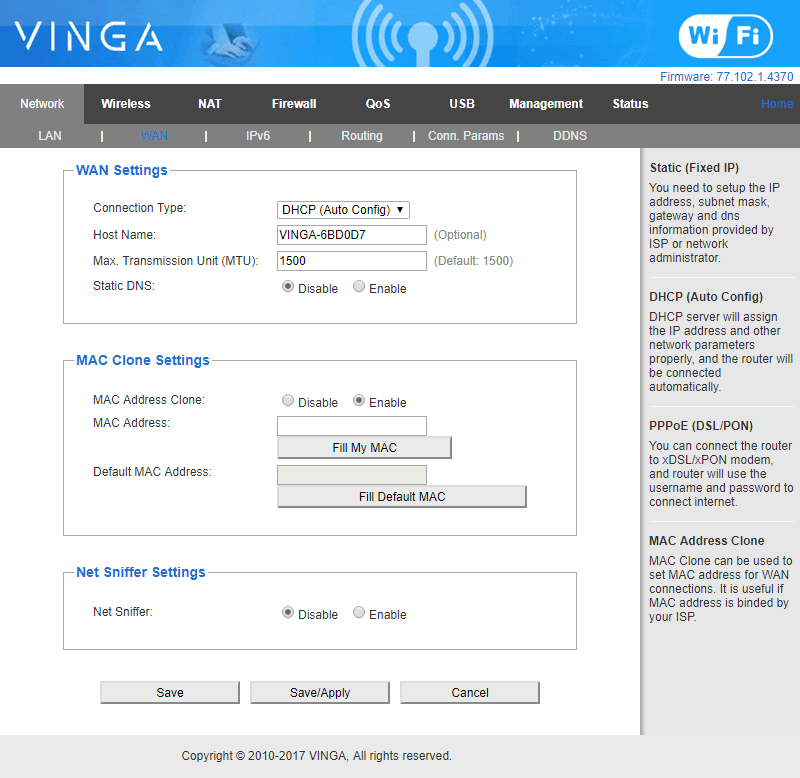
All menus are already familiar, and the only new and interesting items are two: the WDS function, which will allow organizing wireless communication between several routers (or access points) to expand the network coverage:
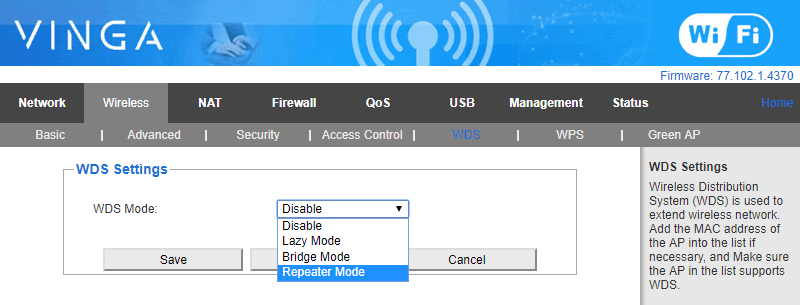
And also the USB section, which I mentioned above and would like to say a few words about. With simple functionality, you can easily turn any storage device, whether it's a flash drive, portable hard drive, or anything else with a USB interface and ROM, into a home cloud for storing and sharing multimedia over the network.
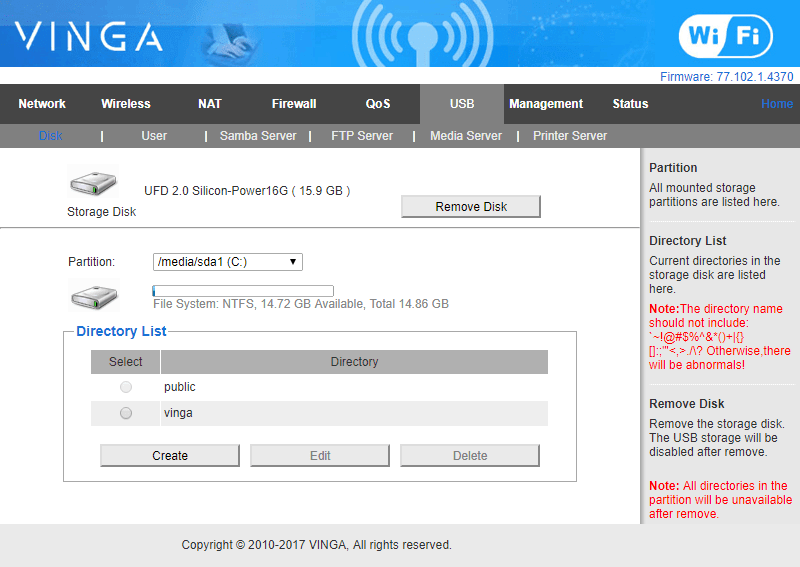
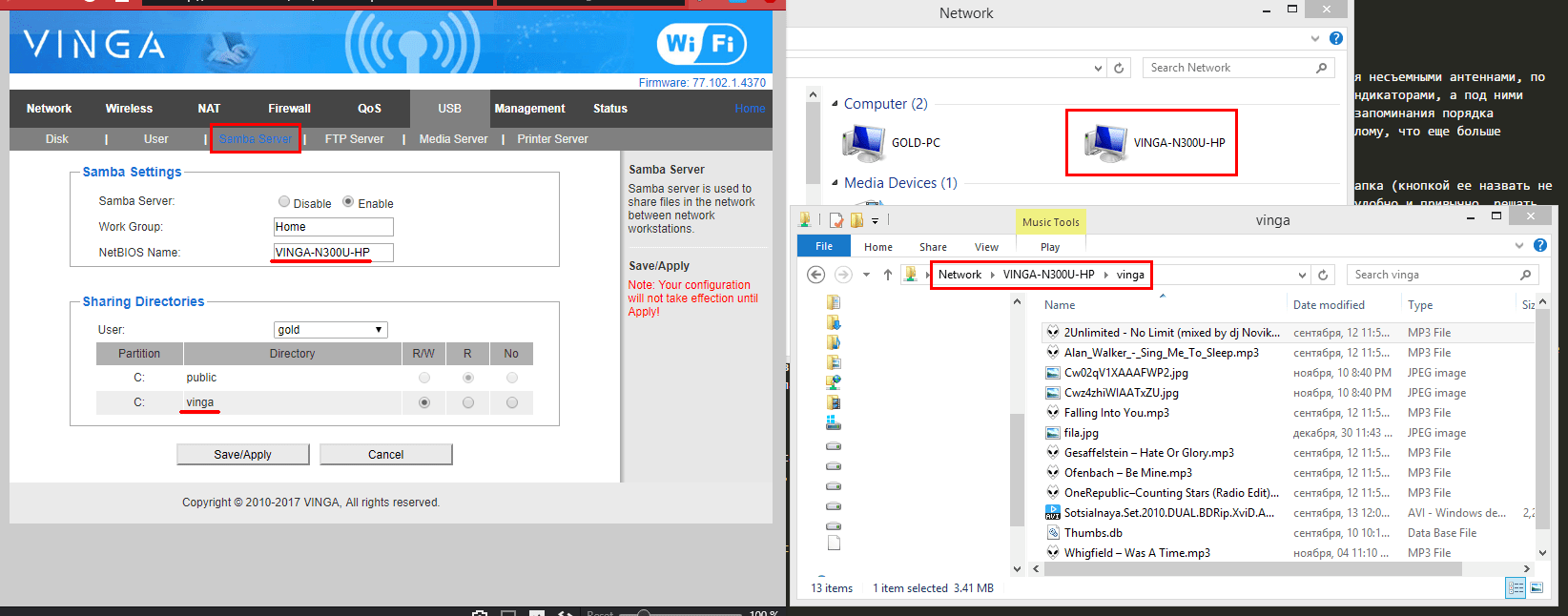
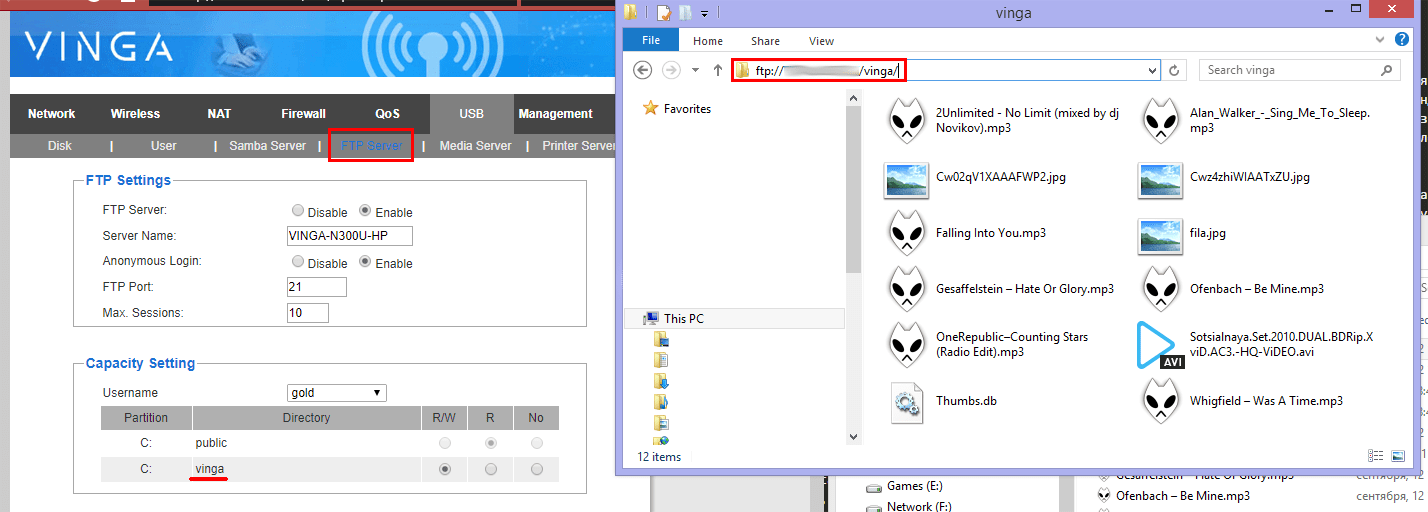
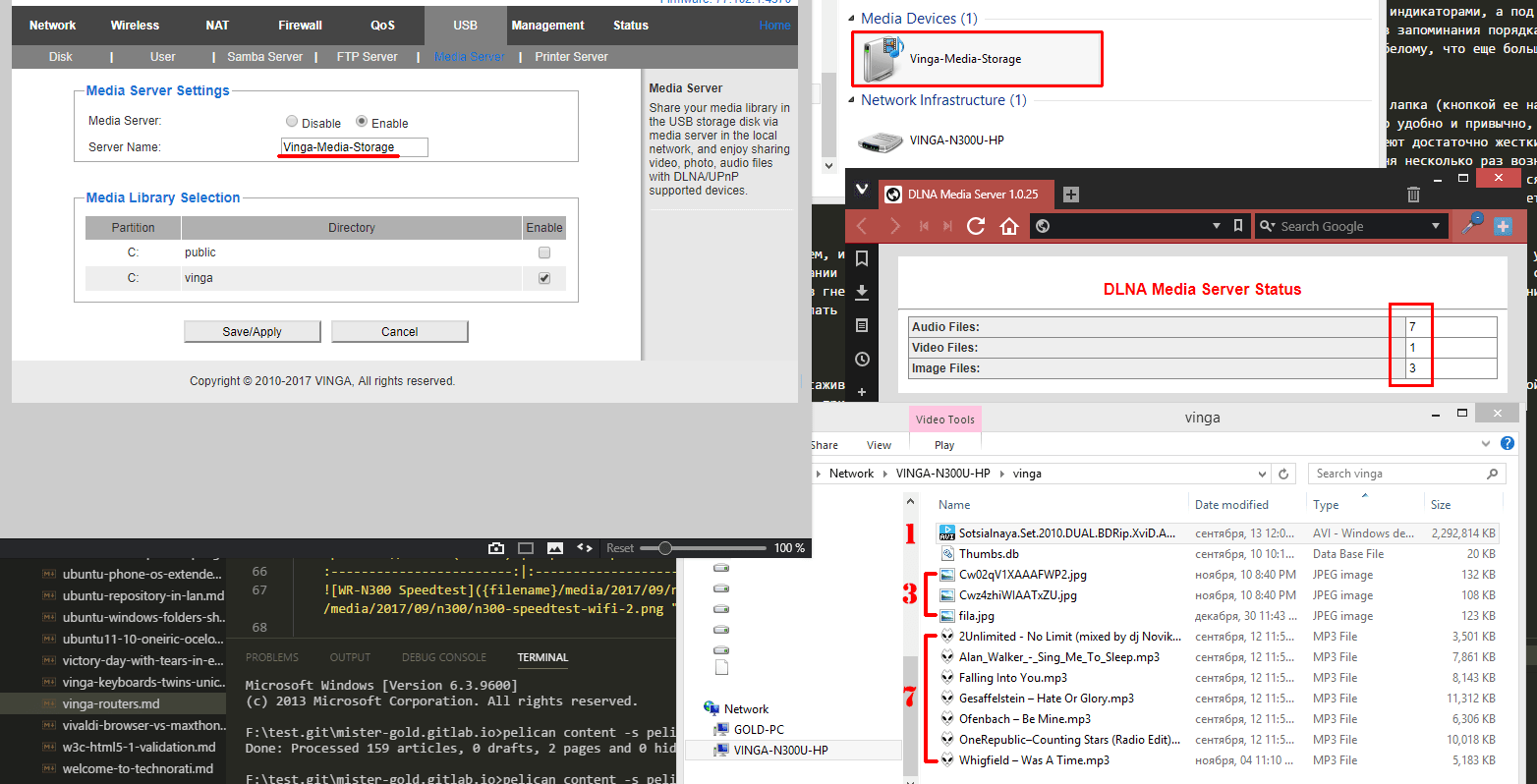
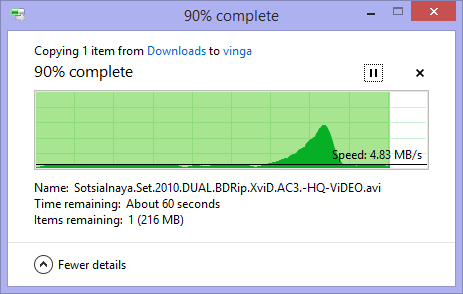
In this way, you can create a media storage that can automatically be recognized by media players (such as Windows Media Player, foobar, or VLC) or create a kind of library with FTP access for certain users. For those who prefer simple solutions, there is the option of a regular Samba Server, where you can work with the contents of the storage as with a regular share. Although the file operation speed is not very high, it will still serve as an alternative in the absence of a full-fledged NAS. And that's great! The only nuance I noticed: all multimedia must be in a folder because through the admin panel you can only specify the path to folders (existing or new), the root path cannot be specified.
Summary
An excellent router with an unconventional design and solid functionality. I think it will be an ideal option for experiment enthusiasts who know what they want from such devices. For the title of "ideal router," it probably lacks only gigabit ports and support for the 5GHz band. Then it would be a completely different story.
WR-AC1200-LR
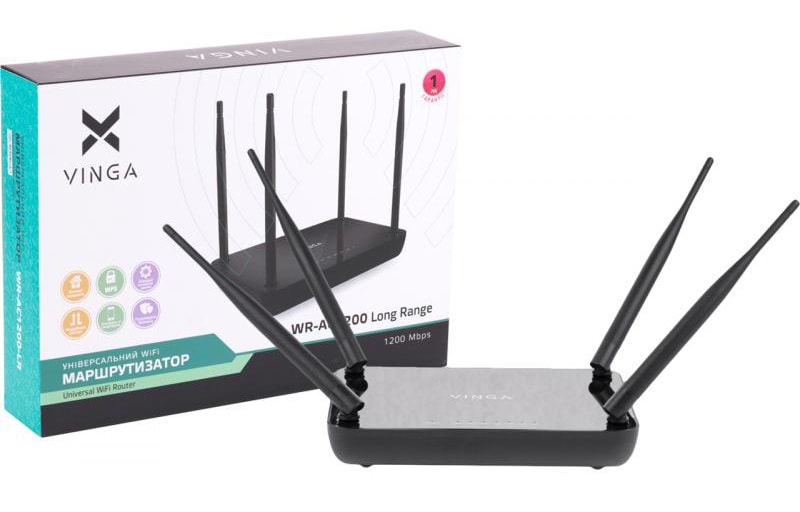
Package and Specifications
The package is standard again: router, manual, power adapter, and patch cord. There is also no unity regarding the box opening option (or maybe it was intended this way), this time the box opens from the side.
| Parameter | Value |
|---|---|
| Wi-Fi Standard and Speed | 802.11n (300 Mb/s) + 802.11ac (867 Mb/s) |
| Local Network Connection Type | Fast Ethernet (10/100 Mb/s), RJ-45 |
| Type and Number of Antennas | 4x5 dBi (non-removable) |
| Type and Number of LAN Ports | 4x100 Mb/s |
|
Power Source |
DC 9V/0.8A |
| --------------------------------- | ------------------------------------ |
| Frequency Range, GHz | 2.4 + 5 |
| Wireless Transmitter Power | up to 250 mW |
| Flash Memory, MB | 4 |
| DRAM Memory | 64 |
| Chipset | MT7612E |
| Wireless Chip Type | MT7628N + MT7612 |
| Encryption Type | 64/128-bit WEP, WPA/WPA2 |
| Wireless Standards | IEEE 802.3, IEEE 802.3ab, IEEE 802.3ac, IEEE 802.3u, IEEE 802.11n, IEEE 802.11g, IEEE 802.11b |
| Operating Modes | Access Point, Route, Relay, WISP, Firewall, WDS Wireless Bridge |
First Impressions
The router has a fairly standard shape: rounded edges at the bottom, glossy on top. However, it feels nice to hold and doesn't slip. Interestingly, all ventilation is directed downwards, with no side openings. While I was turning the router in my hands and fitting it into its designated place near the computer, I noted the following points:
-
The only one of the four with 4 antennas
-
The only one of the four with support for 2 bands at 2.4 and 5 GHz
-
The only one of the four with inverted ports
-
The only one of the four on the opposite side of LAN4-1 ports
-
The only one of the four with separate Reset and WPS buttons
-
The only one of the four with a 9V / 0.8A power adapter
-
The only one of the four with stable feet: doesn't tip backward under the weight of cables and doesn't slide (at all)
The ports on the WR-AC1200-LR are inverted (like on my TP-Link), and the layout is similar to the WR-N300-LR: power socket, WAN, LAN4-1, reset button, WPS.
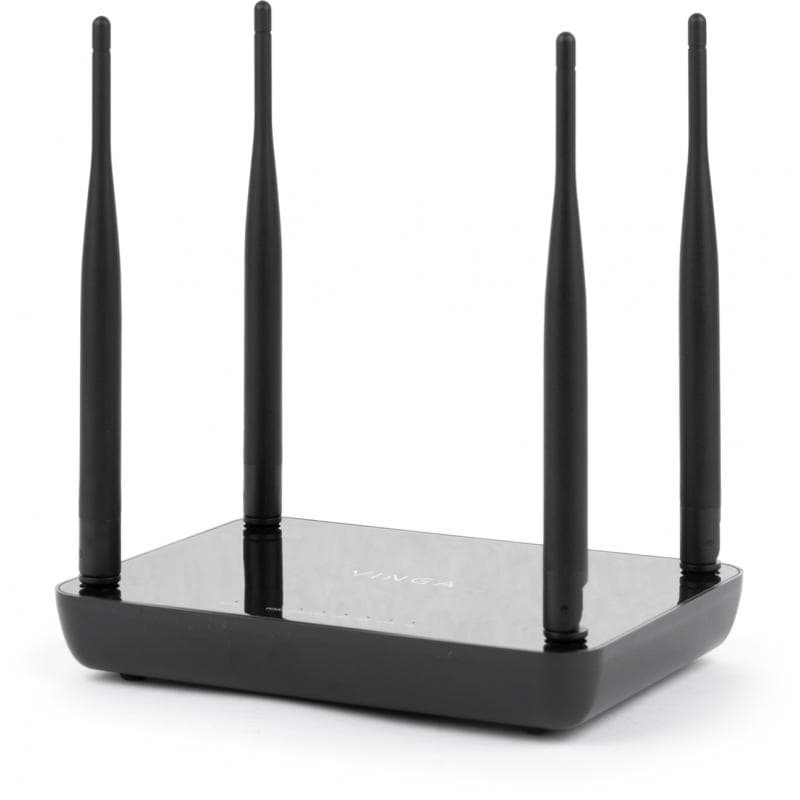
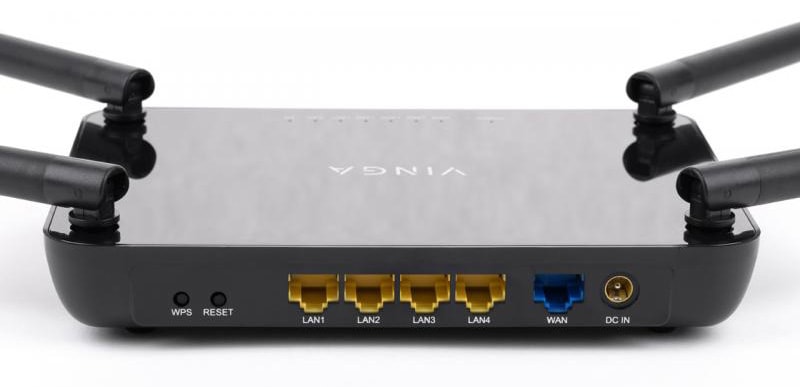
The power adapter is similar in size to the WR-N300 and WR-N300-LR, but here it is 9V / 0.8A. The absence of wall mounts was disappointing: even with four antennas, they can be easily arranged so that they do not interfere with each other when mounted on the wall.
Functionality
This router can be classified as the so-called AC1200 class, meaning a device that supports data transmission according to the 802.11ac (867 Mb/s) and 802.11n (300 Mb/s) standards, which is indicated in the model name.
The 2.4 GHz wireless module is based on the MT7628N chip (similar to the WR-N300-LR). The 5 GHz wireless module is based on the MT7612 chip and supports the standard set of features, all according to the MediaTek specification.
Interestingly, similar to the WR-N300-LR, this model also has a transmitter with a power of up to 250 mW, with all the resulting advantages and nuances. Considering that there are two bands here, enhanced power for more confident Wi-Fi signal reception will certainly not hurt.
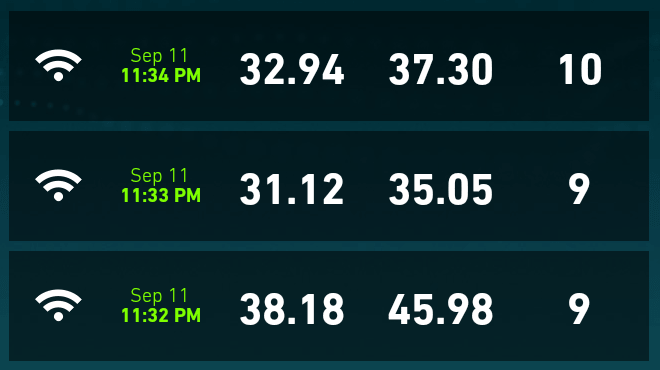
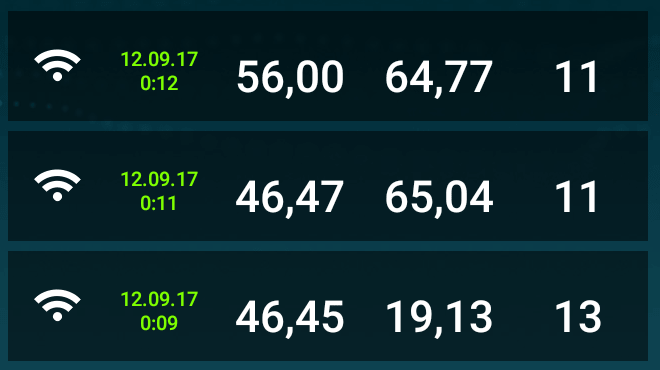
The following speed values were obtained:
-
Wired access:

-
Wireless access (for 2.4 GHz):
direct visibility (~1.5 m) Through 2 brick walls (~10 m) 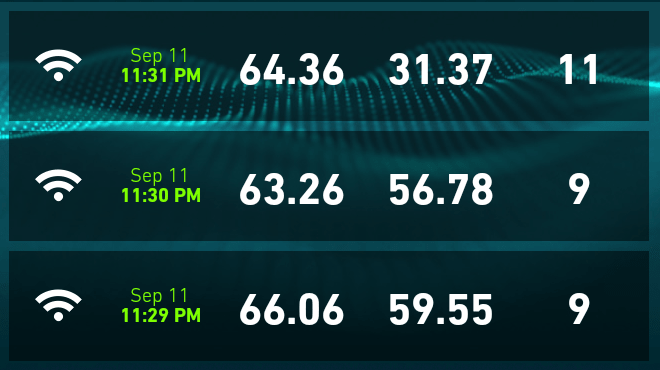
-
Wireless access (for 5 GHz):
direct visibility (~1.5 m) Through 2 brick walls (~10 m) 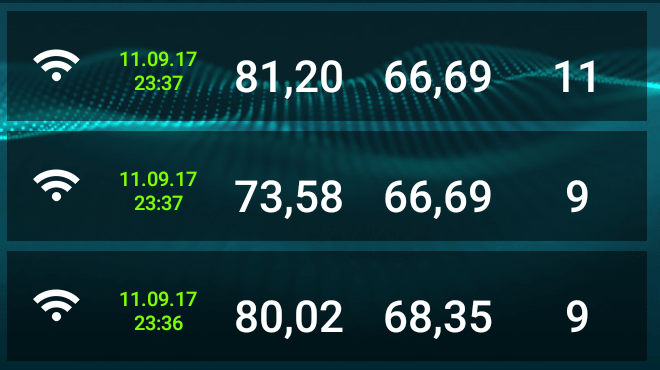
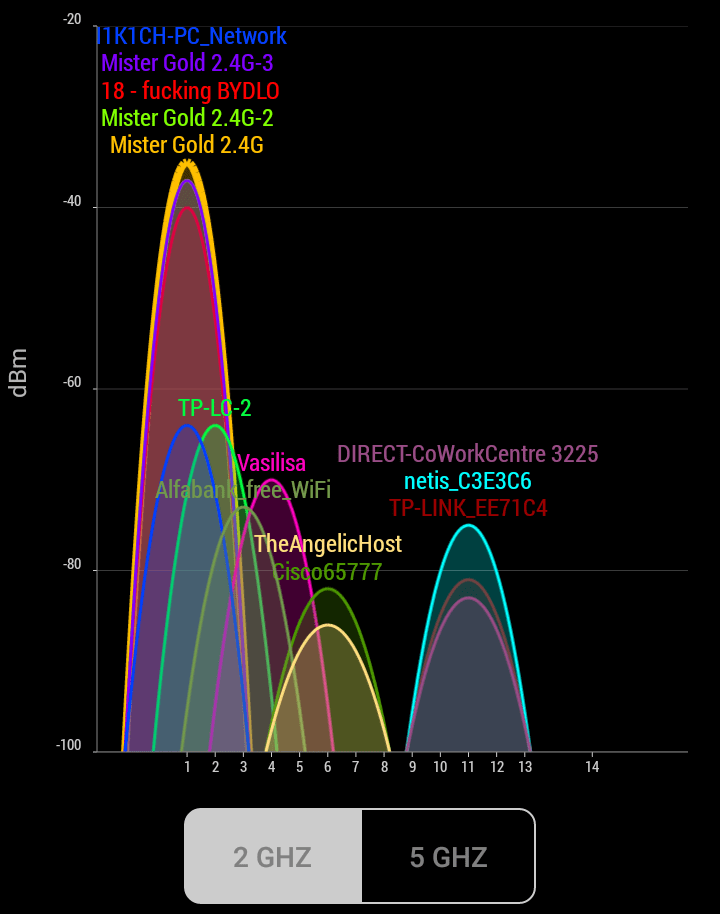
Why is wireless access at 5GHz good? It's simple. In our ultra-mobile and gadget-dependent time, almost everyone has a router at home with a working Wi-Fi network (possibly more than one). This can easily be seen when scanning with a phone for nearby available Wi-Fi networks. Each network creates interference for the propagation of the radio signal, and most routers choose the frequency and channel automatically, which only worsens the situation. With the help of special smartphone applications, you can see which channels are occupied by neighboring Wi-Fi networks and their power, which also affects the level of interference.
| 2.4 GHz | 5 GHz |
|---|---|
 |
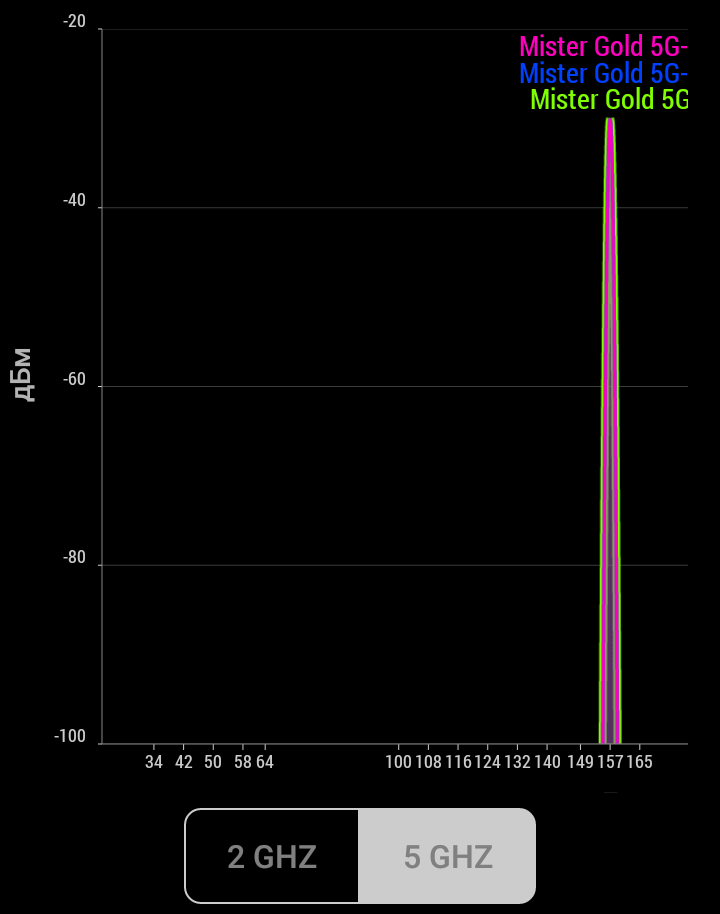 |
Currently, among devices, support for the 2.4 GHz range (802.11n) prevails, and the screenshots above clearly show that it is crowded with networks, while the 5 GHz range is empty (it only has networks running on WR-AC1200-LR). Therefore, switching to 5 GHz (802.11ac) will provide a good speed boost for some time and also increase the stability of the home (or office) network, allowing comfortable work with any type of content. Why for some time? Because sooner or later, 5GHz will push out the slower counterparts from the market (as 802.11n did), thus restoring the status quo :-) On the other hand, dual-band routers are still quite a doubtful purchase for many (especially for those not in the know) + not all devices support 5 GHz, so there is still time to breathe freely on 5 GHz :-)
Admin Panel
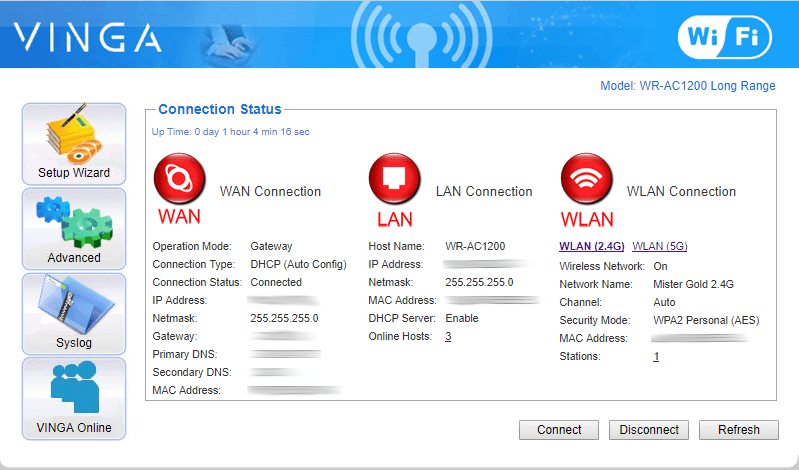
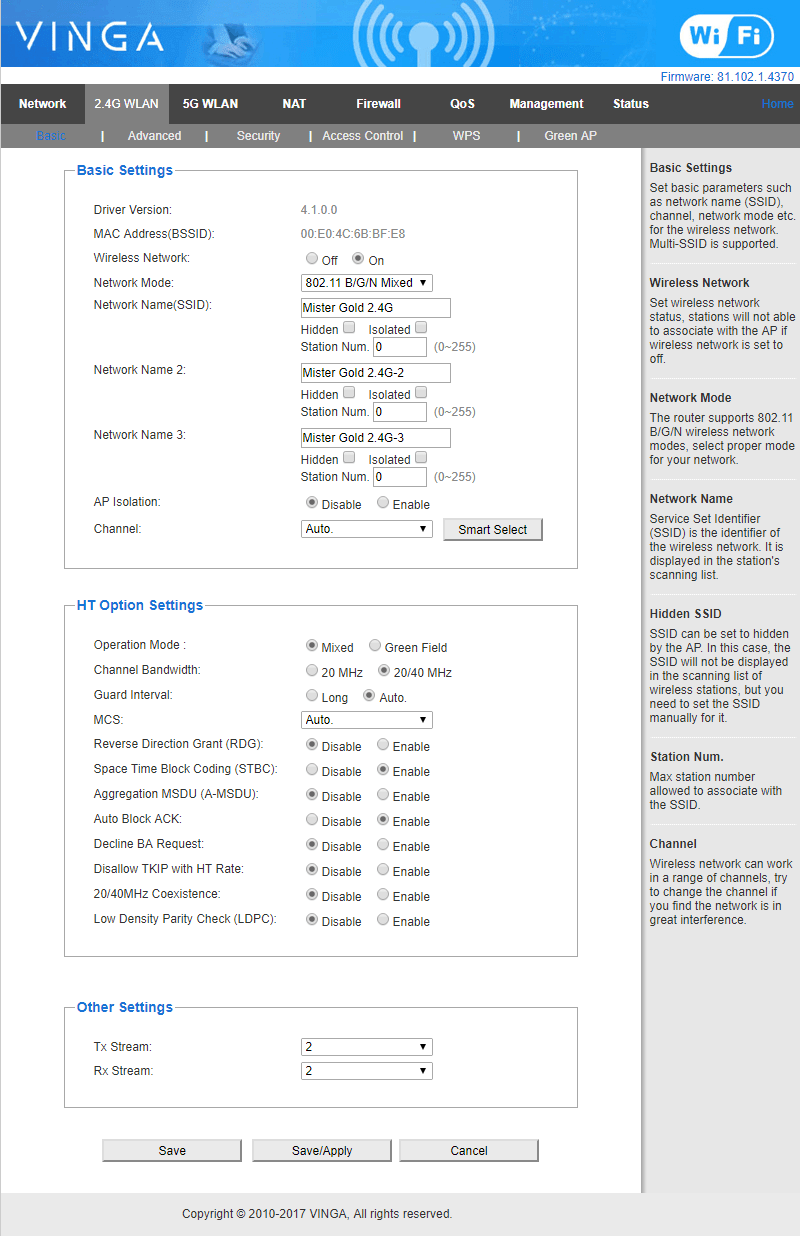
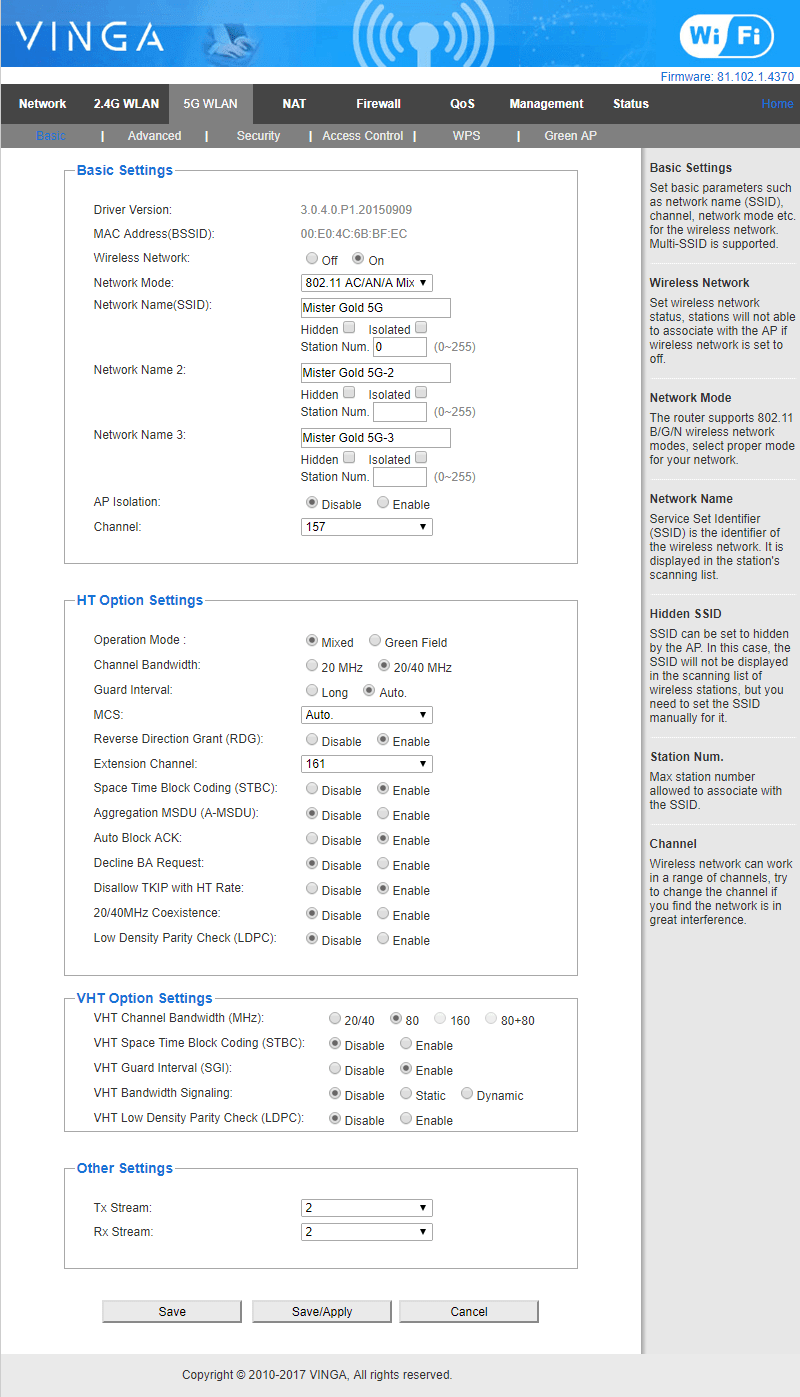
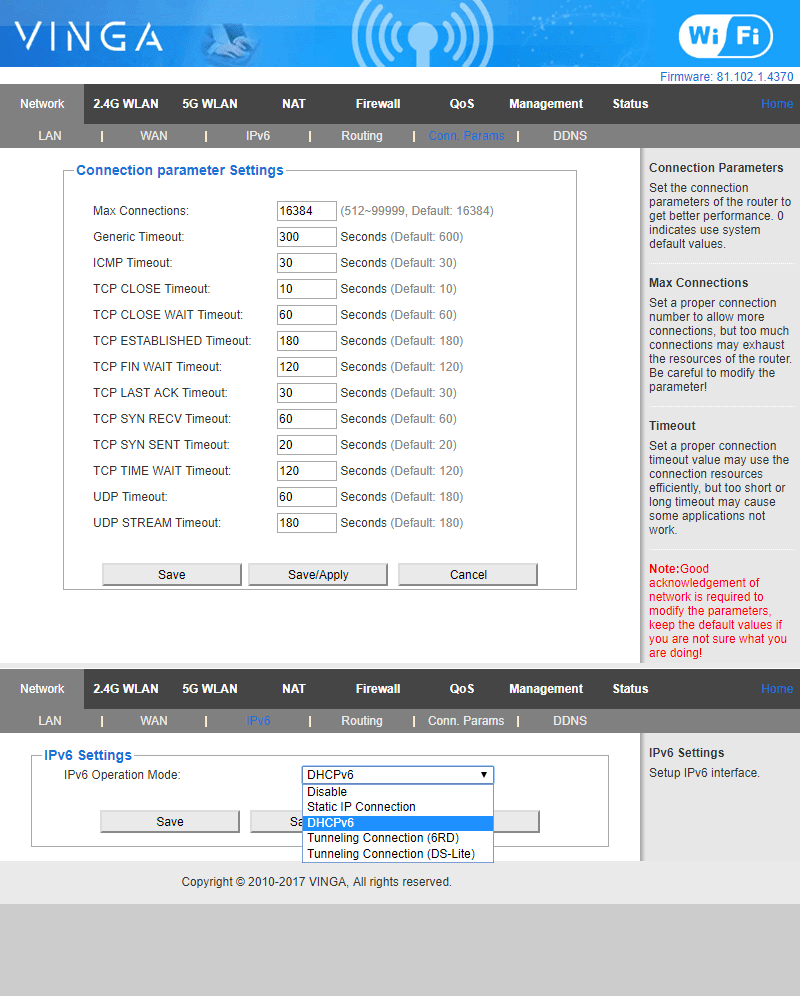
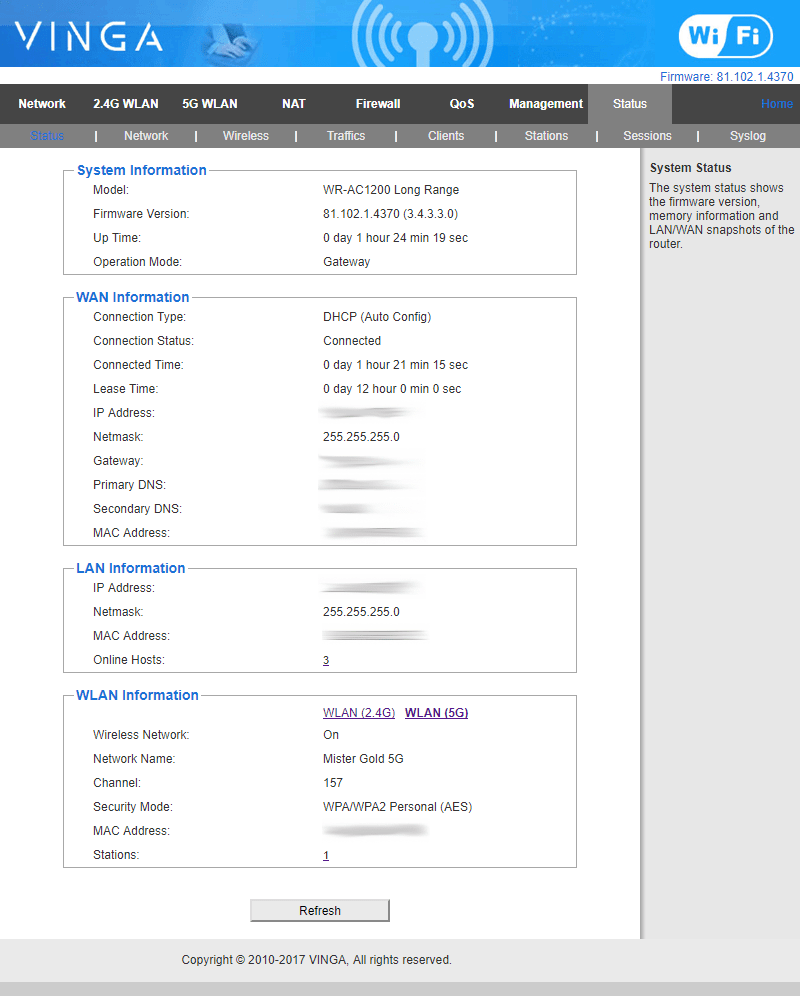
The admin panel largely repeats WR-N300-LR, but here the Wi-Fi networks for the 2.4 and 5 GHz bands are configured separately from each other. This means that you can set up to 6 networks, each with its own combination of settings and security rules. You can also disable any of the networks or the entire range entirely. In addition, there are settings for IPv6 and connection parameters for different types of packets.
Summary
Support for two bands is great! If your devices support 802.11ac, now is the time to appreciate all the advantages of working on 5GHz, and WR-AC1200-LR is an absolute must-have. Moreover, at the moment, Vinga WR-AC1200-LR is one of the most affordable solutions on the market, alongside Xiaomi products. However, Xiaomi has its own functional downsides, which are not immediately noticeable but are important to consider before purchasing. Vinga, on the other hand, is aimed at a wider audience and a broader range of possible connection options. So, if you are considering a quality transition to 5 GHz but don't know which model to choose for a start, pay attention to WR-AC1200-LR. Perhaps it will become your reliable Internet guide for many years.
Global Summary
Summing up everything mentioned above, we can say the following: the routers are quite good and are quite capable of attracting some buyers from more renowned and slightly more famous brands. In addition, all models have a rather original design, good functionality, stable signal, and affordable pricing policy. (Including the presence of Ukrainian localization firmware, which will definitely find its fans), stable signal, and affordable pricing policy.
But, the most serious arguments are hidden inside: all black routers (WR-N300-LR, WR-AC1200-LR, WR-N300U-HP) are equipped with enhanced wireless transmitters up to 250 mW and up to 500 mW respectively, with variable power, which most competitors do not have (if they have it at all). However, it is worth remembering one important point: according to the decision of the National Commission for State Regulation of Communications and Informatization No. 844 dated 23.12.2014, the allowed power of radio modules for routers is regulated at the level of 100 mW (default operating mode for black models), so for their operation in "extra" power modes, a special permit is required. On the other hand, such a necessity rarely arises in ordinary conditions, but for companies and organizations with non-standard network configurations, these additional milliwatts can be a great find.
During testing, I was harshly critical of the mediocre implementation of the MAC address cloning function (on all black routers), which is critical in my case. But, this is probably the only thing they can be criticized for.
In all routers, I found support (as it seemed to me) for the guest network function, but by all means, I could not correctly configure it - perhaps I was doing something wrong, and connected clients still had access to network resources. But, I was pleased with the very fact of this function's presence - there are not many similar models on the market. In the future, I would like a more understandable and transparent implementation of it.
Among the minor drawbacks, I would also highlight the following:
-
lack of indicator backlighting (blinking dots at night are absolutely useless. Here, the ideal option seems to be panel backlighting, as done in TP-Link)
-
lack of a separate router power button (Again, by analogy with TP-Link, and considering the rigidity of the power ports)
-
too light weight (routers lose stability, leaning back under the weight of wires (two or more) and start to wobble). Exception - WR-AC1200-LR.
-
low and slippery feet (again, except for WR-AC1200-LR - they are excellent there)
As usual, I'll continue the list with "wants" and recommendations (maybe someone will read them too :-))
- transition to gigabit ports
- a more "friendly" web interface with a description of all features (even I did not immediately understand some obvious points without Google)
- a clearer implementation of the guest network function
- expansion of the existing line with dual-band models (hinting at WR-N300U-HP :-))
This is how the review turned out. In some ways, of course, it was a gallop across Europe, but it was an interesting experience. I hope the information from it will be useful to you.
Thanks to the BRAIN store for kindly providing the routers for review.
Author: Anton Zolotukhin
https://mister-gold.pro/posts/vinga-routers-all-that-you-want/