Professional displays for color work and content creation are usually associated with astronomical price tags and a huge number of specific features. However, in practice, most of these features turn out to be excessive for beginners who are just trying their hand at design or photography. Even experienced professionals do not always need an overloaded toolkit at a fierce overprice. When the market has a clear demand for a simple but high-quality screen, the corresponding offer appears. One of these devices is under our detailed review today.
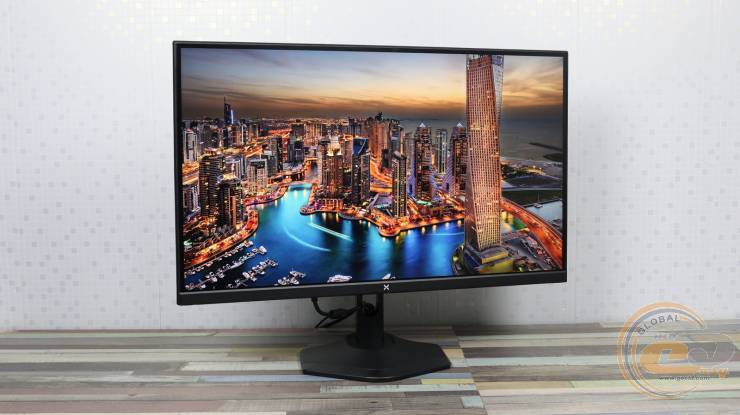
Vinga 27S406-11B offers a strict basic minimum of capabilities for work — there is no sea of additional functions, but what is available is implemented surprisingly well. The combination of a solid matrix and an advanced ergonomic stand at a fantastically low price makes the device a real entry ticket into the world of proper color reproduction for budget-conscious users.
The model is available for order at BRAIN Computers.
On paper, such an offer looks simply fantastic. But whether the developers managed to maintain the balance and whether everything is as rosy as it seems — we are to find out as a result of a detailed practical acquaintance.
Specification
|
Model |
Vinga 27S406-11B |
|
Panel Type |
IPS |
|
Coating Type |
Matte Coating |
|
Backlight Type |
WLED |
|
Diagonal, inches/cm |
27/68.58 |
|
Display Viewing Area (W*H), mm |
596.74 x 335.66 |
|
Maximum Resolution |
3840 x 2160 |
|
Aspect Ratio |
16:9 |
|
Pixel Size, mm*mm |
0.155 x 0.155 |
|
Typical Response Time (MPRT), ms |
1 |
|
Brightness (SDR, typical), cd/m2 |
300±20 |
|
Static Contrast Ratio (typical) |
1000:1 |
|
Viewing Angles (CR≧10, H/V), ° |
178 / 178 |
|
Vertical Refresh Rate (max.), Hz |
60 |
|
Number of Displayed Colors, million |
16.7 |
|
Color Coverage sRGB, % |
99 |
|
Adaptive Sync Support |
VESA Adaptive Sync / AMD FreeSync / G-Sync |
|
Flicker-free Technology |
Yes |
|
Low Blue Light Technology |
Yes |
|
Gaming Features: |
|
|
Modes |
Standard / Photo / Cinema / FPS / RTS |
|
HDR / MPRT Technology |
Yes/ Yes |
|
Video Features: |
|
|
Overdrive Technology |
Yes |
|
Color Temperature Selection |
Yes (4 modes) |
|
HDCP Support |
Yes, 2.2 |
|
VRR Technology |
Yes (Adaptive-Sync) |
|
Blue Light Filter |
Yes |
|
Speakers |
Yes, (2 W*2) |
|
Interfaces |
DisplayPort x2 HDMI x 2 |
|
Design Features: |
|
|
Screen Tilt, ° |
-5…+15 |
|
Horizontal Swivel, ° |
+30…-30 |
|
Height Adjustment, mm : |
0…150 |
|
Vertical Pivot, ° |
+90…-90 |
|
VESA Wall Mount, mm |
100 x 100 |
|
Kensington Lock |
Yes |
|
Power Consumption: |
|
|
Power Consumption in Off / Standby / Nominal, W |
<0.3 / <0.5 / <39 |
|
Voltage |
100-240 V, 50/60 Hz |
|
Dimensions: |
|
|
Dimensions, (W*H*D), cm |
61.5 x 44.40 x 17.00 |
|
Dimensions, (W*H*D) without stand, cm |
61.50 x 35.90 x 4.4 |
|
Net Weight, kg |
3.8 |
|
Gross Weight, kg |
5.5 |
|
Color |
Black |
|
Warranty, months |
12 |
|
Accessories |
Stand, base, power adapter, DP cable, quick guide, warranty card. |
|
Manufacturer's Website |
|
|
Product Page |
|
Packaging and Delivery Set
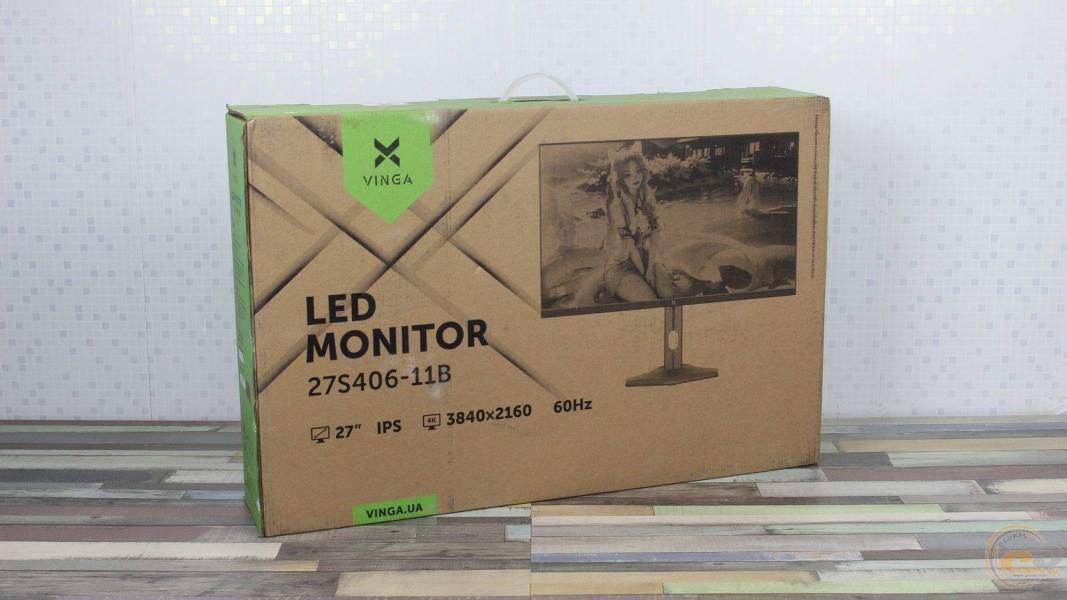
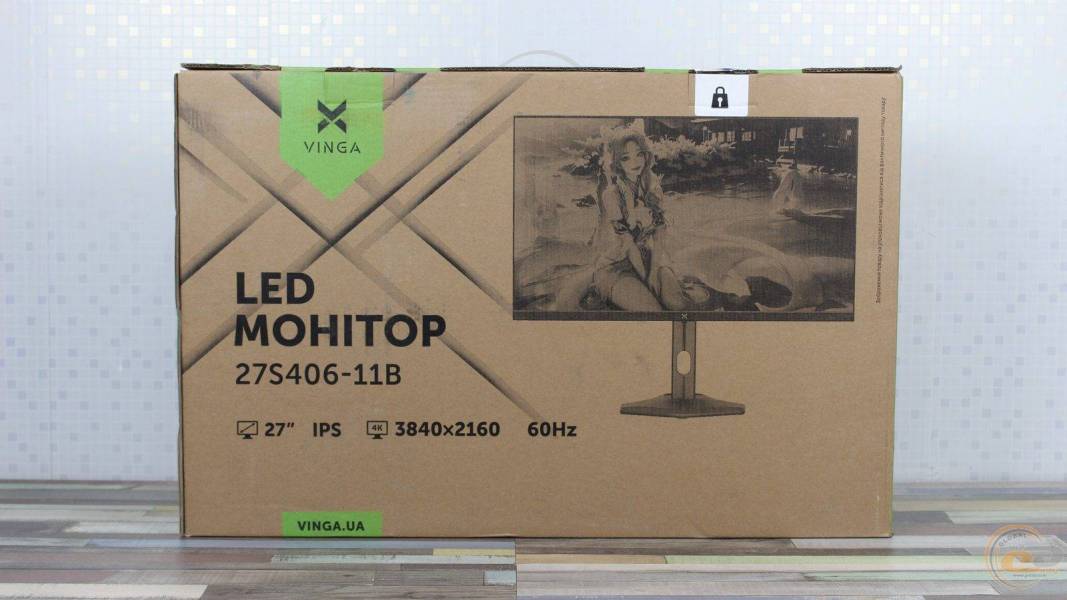
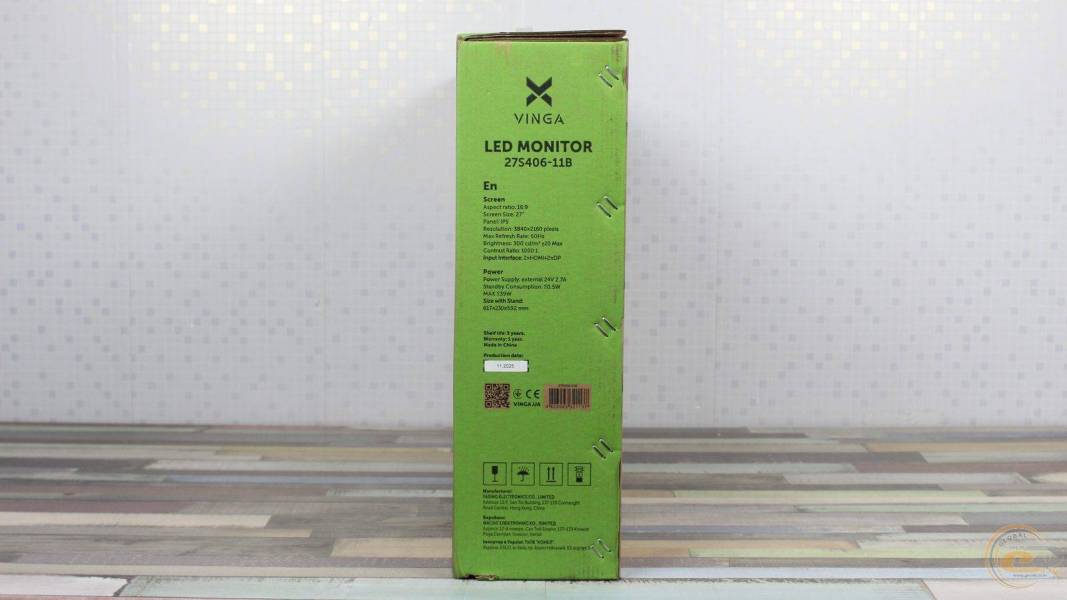
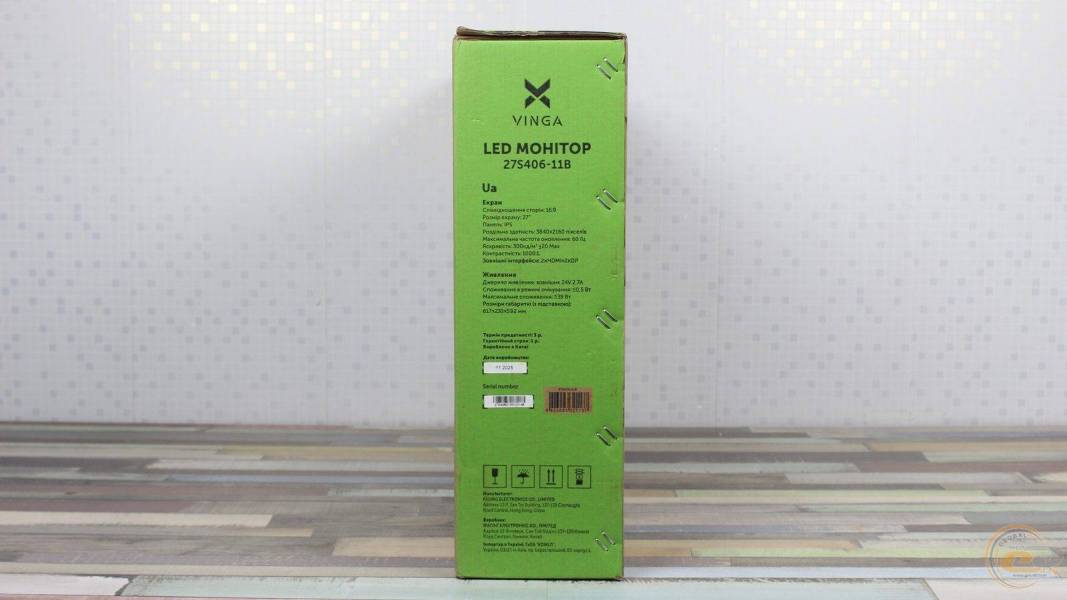
The box made of unpainted cardboard is designed in Vinga's corporate style with green accents. The front and back sides have identical design: series name, model designation 27S406‑11B, brand logo, and key parameters — 27-inch IPS panel and resolution 4K (3840×2160). The side edges provide technical specifications in Ukrainian and English. The top side is equipped with a plastic handle for convenient transportation.
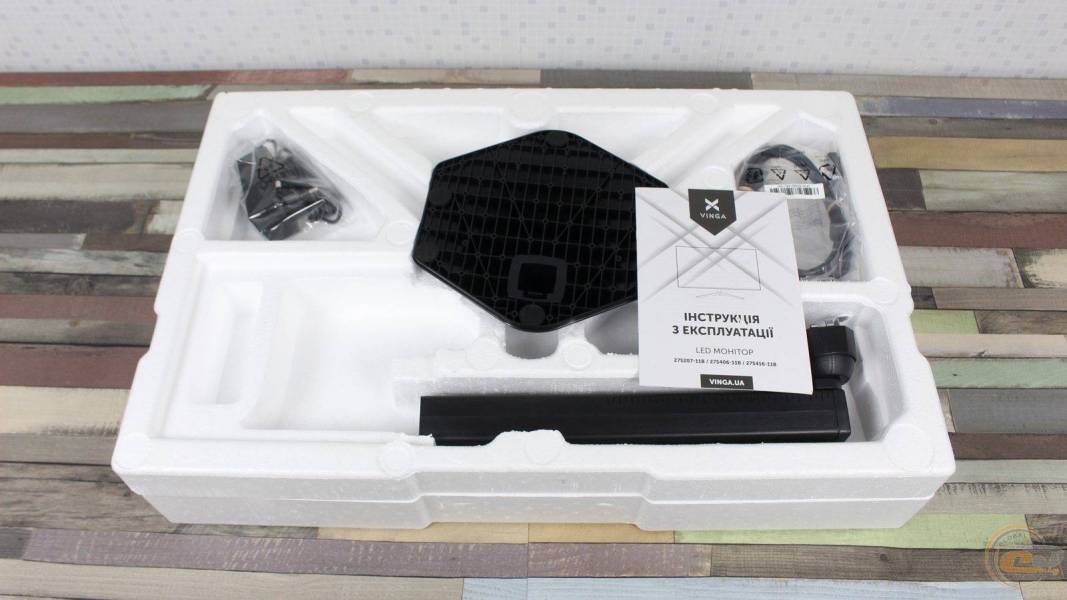
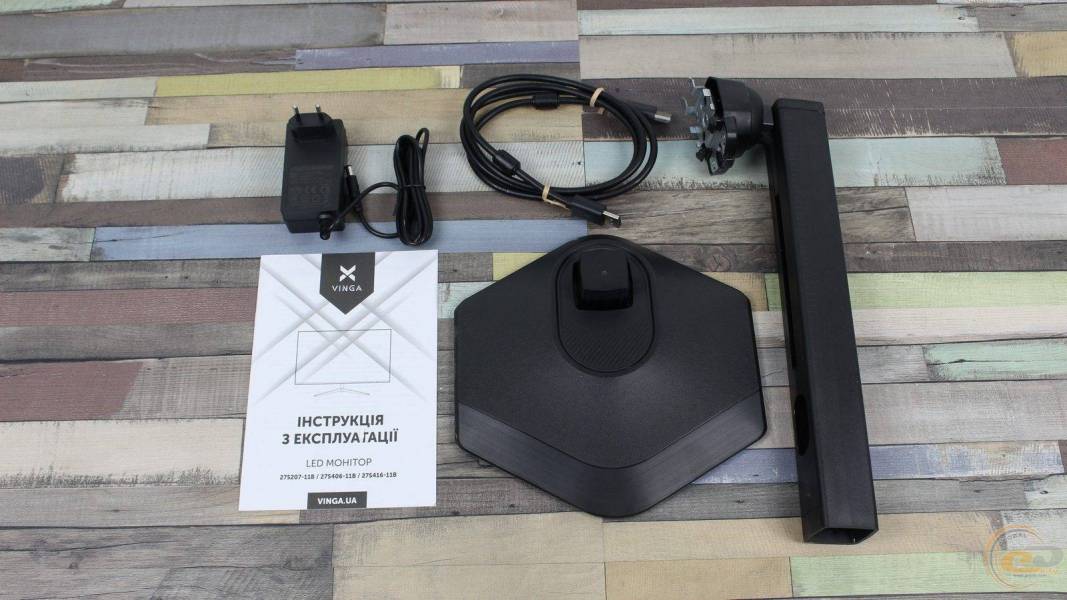
The set includes: a monitor stand, a base, a power adapter, a DisplayPort cable, and a paper manual. All elements are securely fixed in molded polystyrene with separate compartments for accessories.
Appearance and operational features
Vinga 27S406-11B is typical for the company's modern frameless models. The front part has a restrained design with a minimal visible border around the panel. The design is distinguished by a low hexagonal base, which allows you to conveniently place the keyboard on top of it.
The external plastic frame of the case is 2 mm thick on all sides. The internal black border of the display's active area is 7 mm on the sides and top and 3 mm on the bottom. The lower part is 22 mm thick. In its center, a stylized Vinga logo is applied with light paint, adding recognizability to the model.
The power indicator is located on the back of the case, directly under the monitor control button block. In working mode, it glows blue, and in standby mode, it changes color to red. This hidden placement protects from bright light in the dark, but it forces you to rely solely on the reflection on the table or to peek behind the screen, which is not very convenient.
The back side is made of matte plastic. Its upper part is adorned with the VINGA logo.
The monitor case profile is clearly divided into two parts: an ultra-thin upper and a noticeably thicker lower part. This solution allowed for maintaining the visual elegance of the device and hiding all the necessary electronics, interface boards, power supply, and speakers in the lower thickening.
The lower central part houses the interface area with ports. Around them are the openings of the built-in speakers.
Interestingly, the upper and lower edges of the case completely lack the usual ventilation grilles. Thanks to the energy-efficient matrix, the monitor uses passive cooling — heat is imperceptibly dissipated through the interface connectors' niche and the perforation of the built-in acoustics, which additionally protects the internal components from dust ingress.
On the left, there is a hole for a Kensington lock.
Control is carried out using five physical buttons located on the right.
The central area of the back is a mounting socket for the stand leg with an integrated lock, around which are the VESA mount holes 100 × 100 mm. Installing the stand bracket to the panel does not require tools: the top protrusions are inserted into the corresponding slots, and the bottom part is secured with a mechanical lock with a spring-loaded latch.
The connection of the stand to the base is simplified to the maximum: the leg is simply inserted into the slots of the mounting shaft until it clicks. The manufacturer decided to completely abandon screws, so the fixation of the elements relies solely on the internal plastic clamp. The stand and leg construction is made of solid matte plastic with a rough surface—there is no metal reinforcement or weights inside, which is a classic compromise for budget solutions. Because of this, the construction lacks some monolithic quality and may be sensitive to table vibrations.
The stand itself has no decorative inscriptions or logos—the design is restrained and neat. For cable management, there is a through vertical rounded hole at the bottom of the leg, allowing cables to be neatly routed back and down. The compact hexagonal base of the stand is equipped with rubberized feet around the perimeter, preventing the monitor from sliding on the work surface.
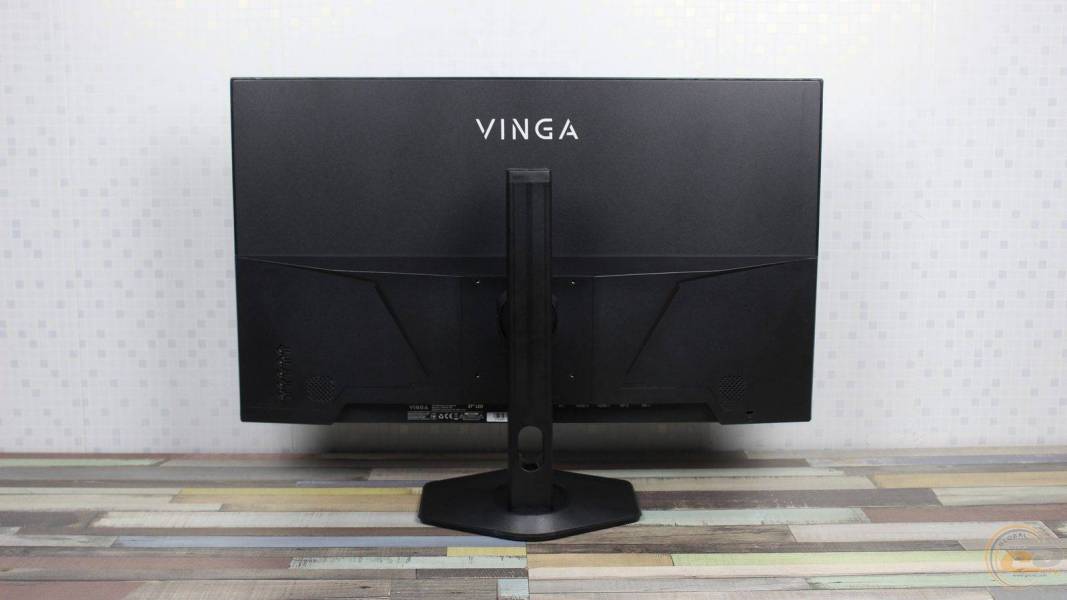
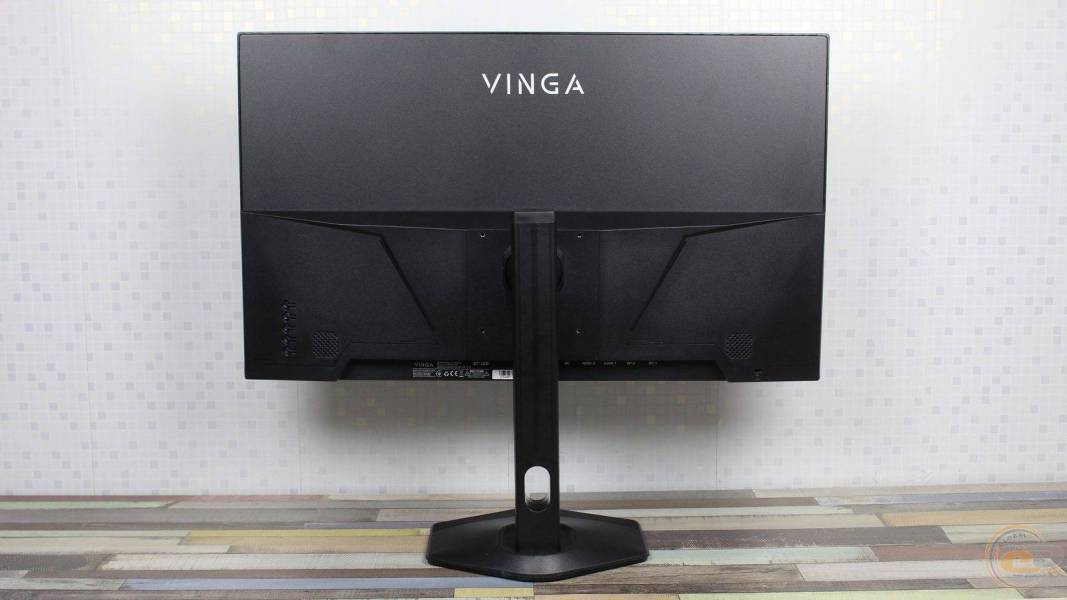
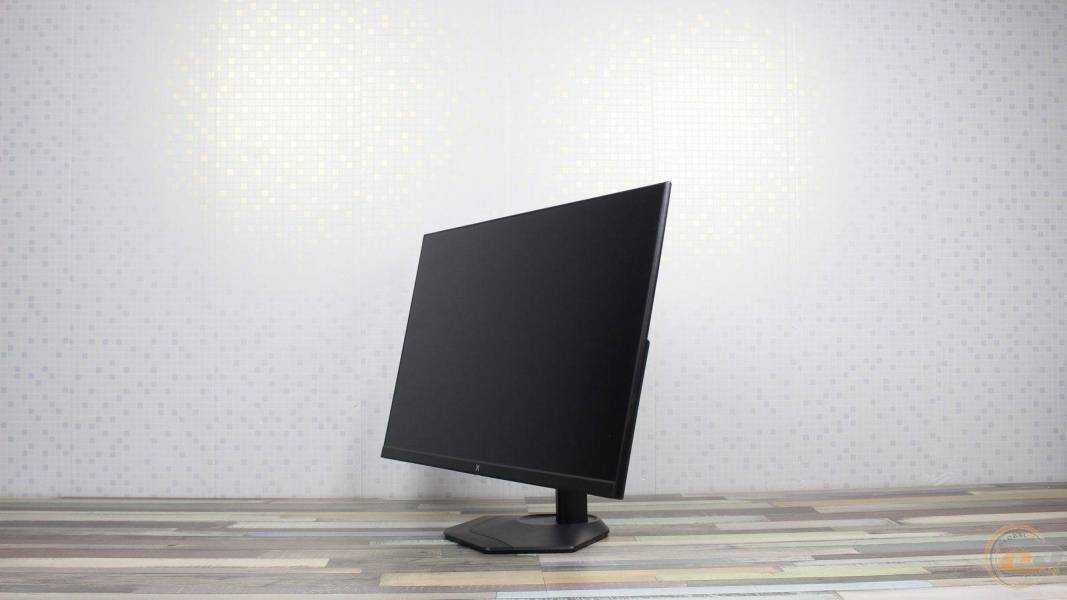
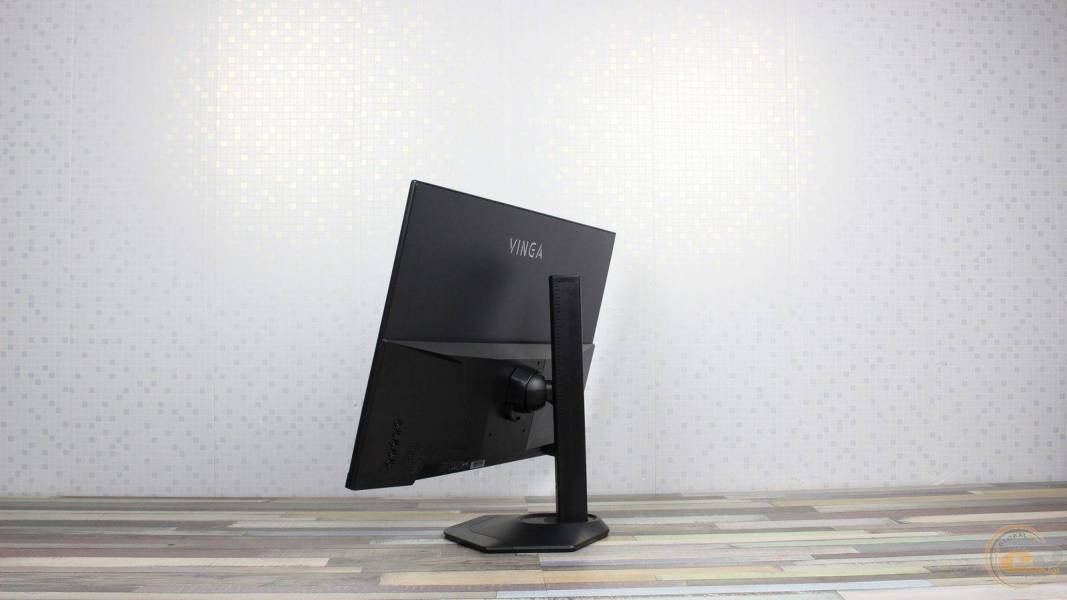
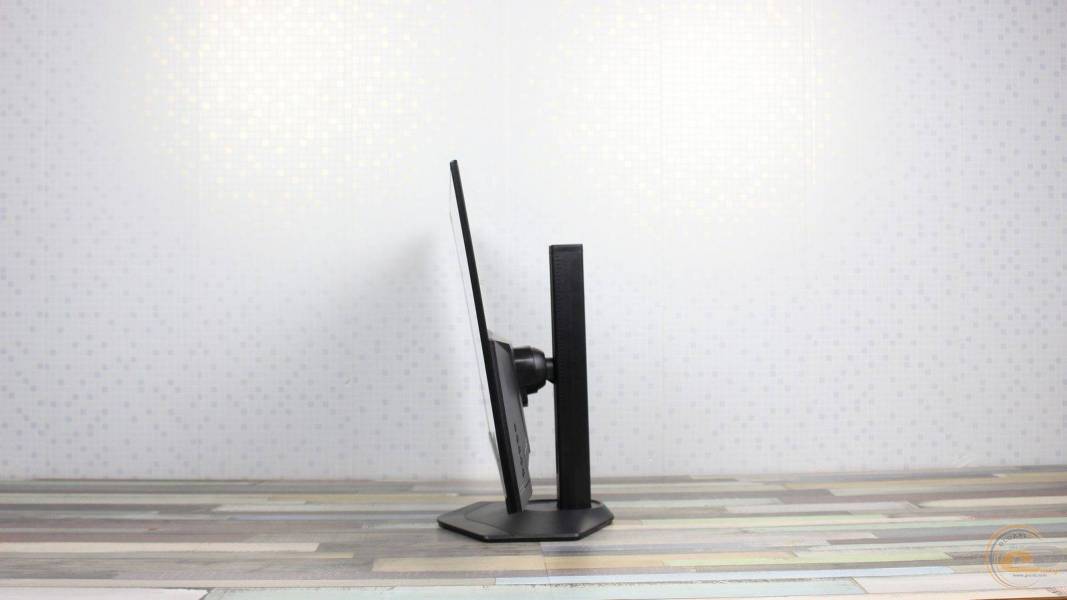
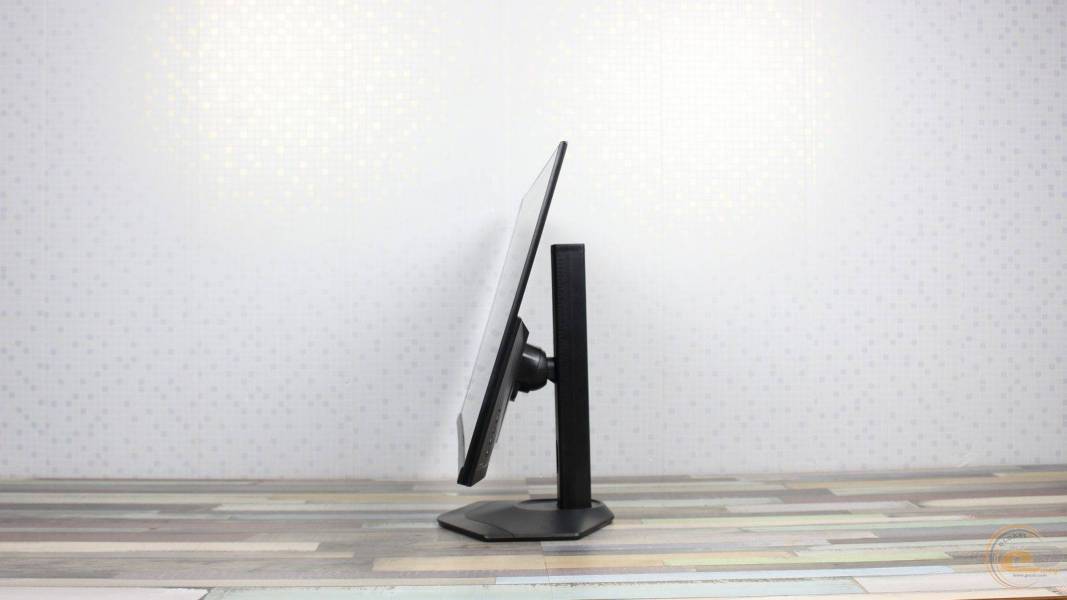
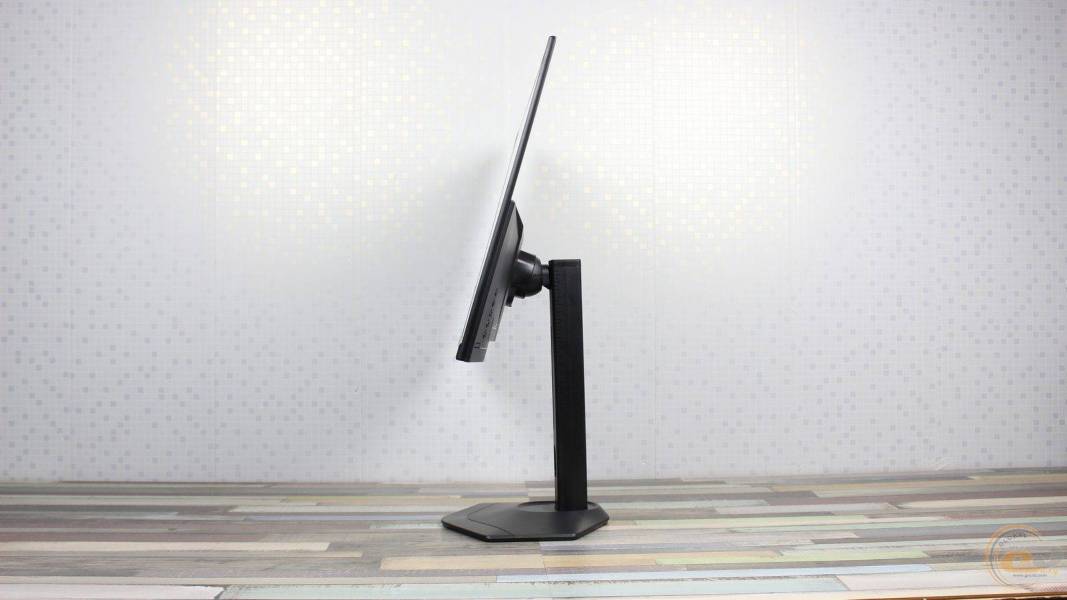
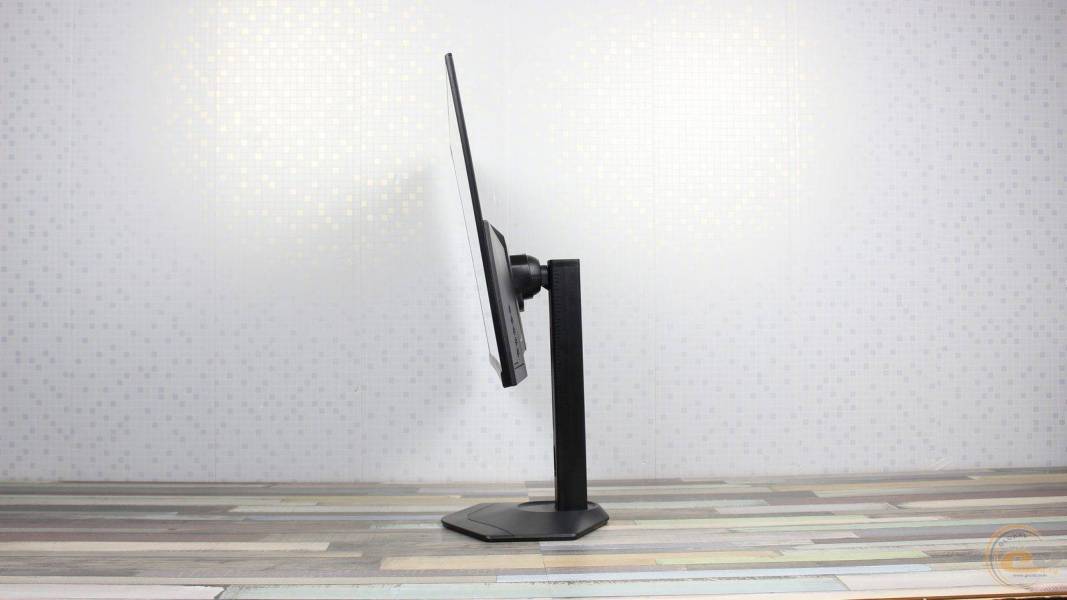
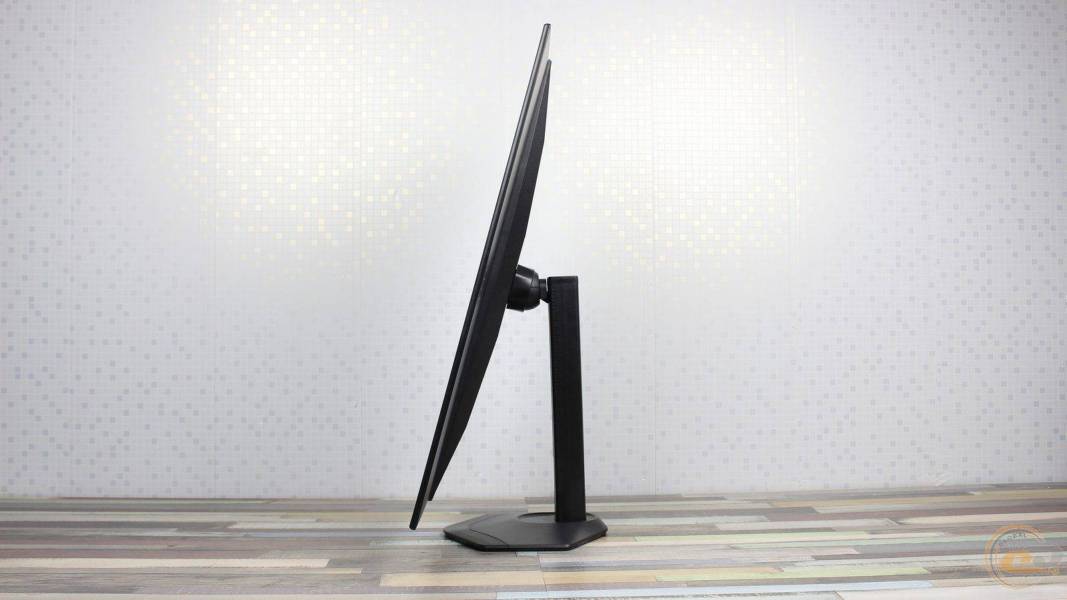
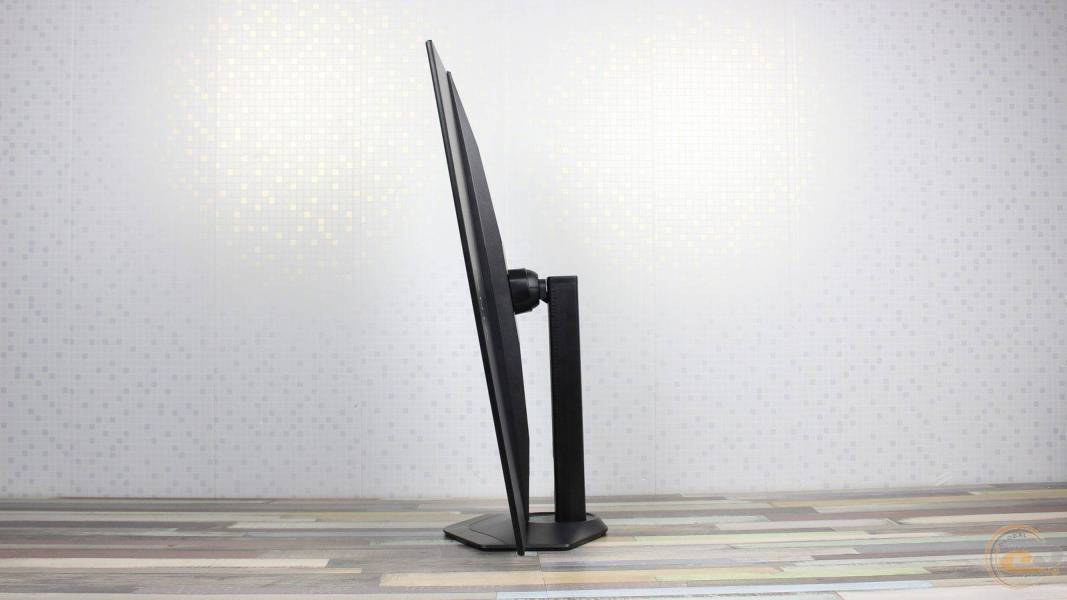
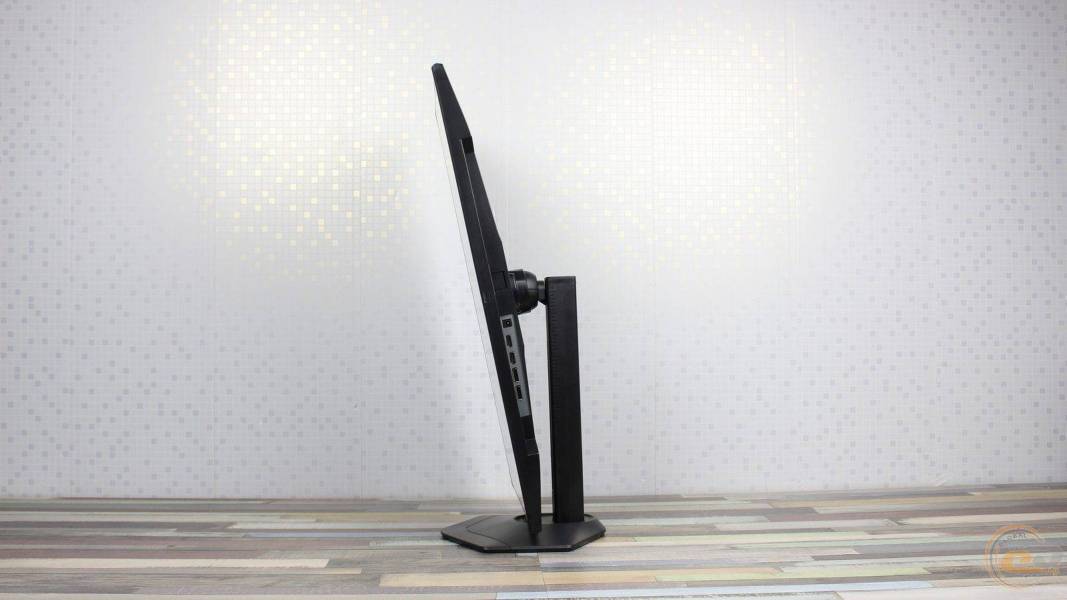
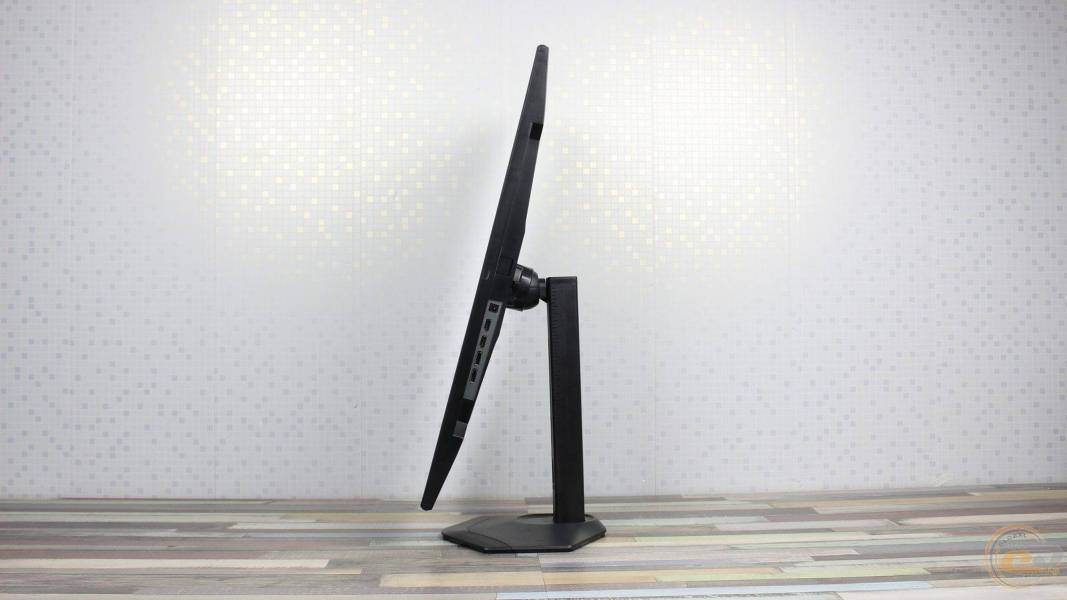
The stand supports all types of adjustments: screen tilt within -5°…+15°, horizontal swivel ±30°, vertical swivel (Pivot) ±90°, and height adjustment in the range of 0…150 mm.
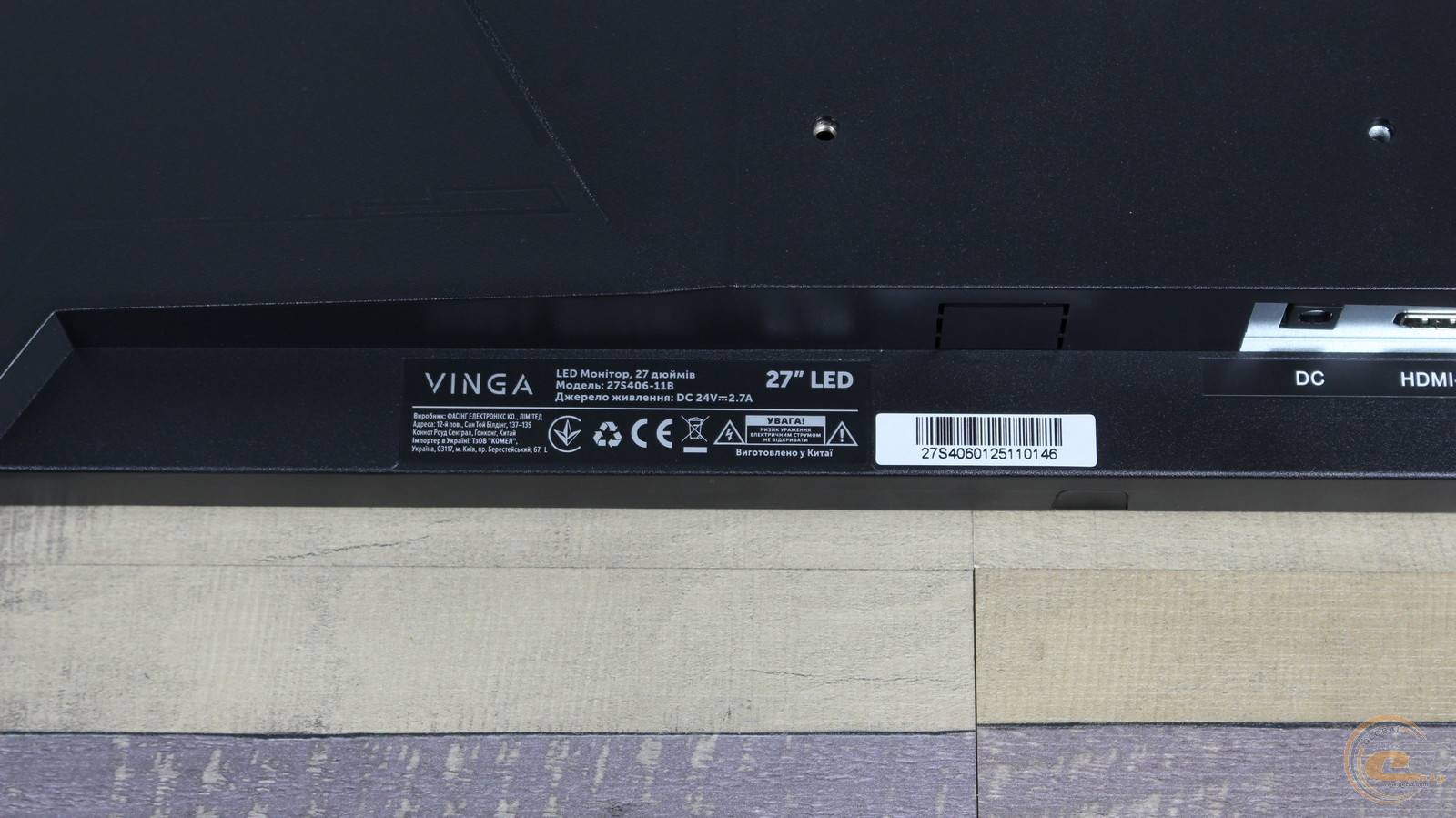
The sticker at the bottom contains the model, serial number, production date, and country of origin.
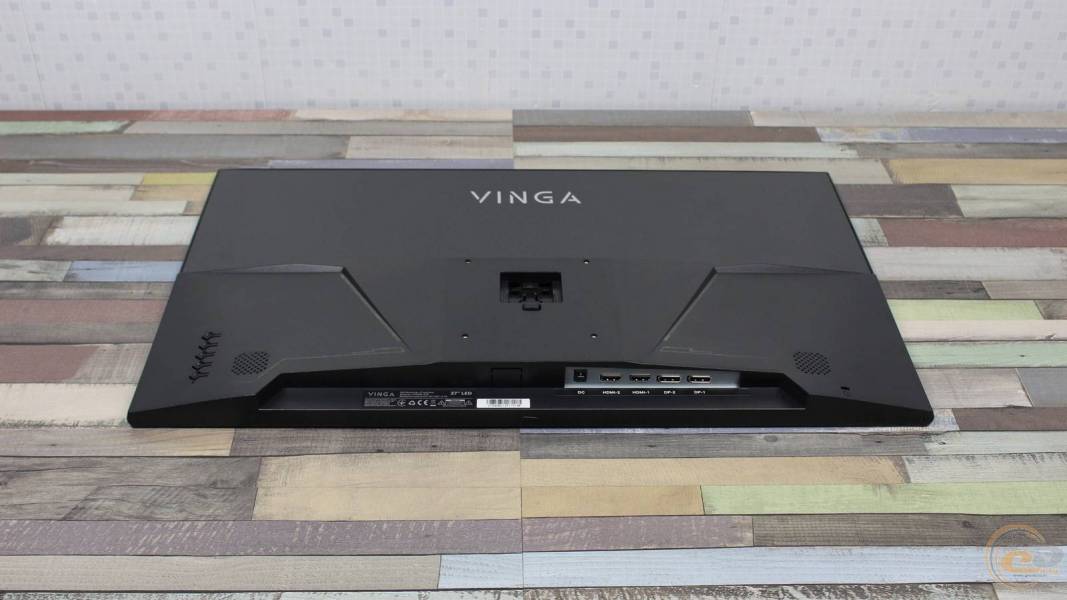
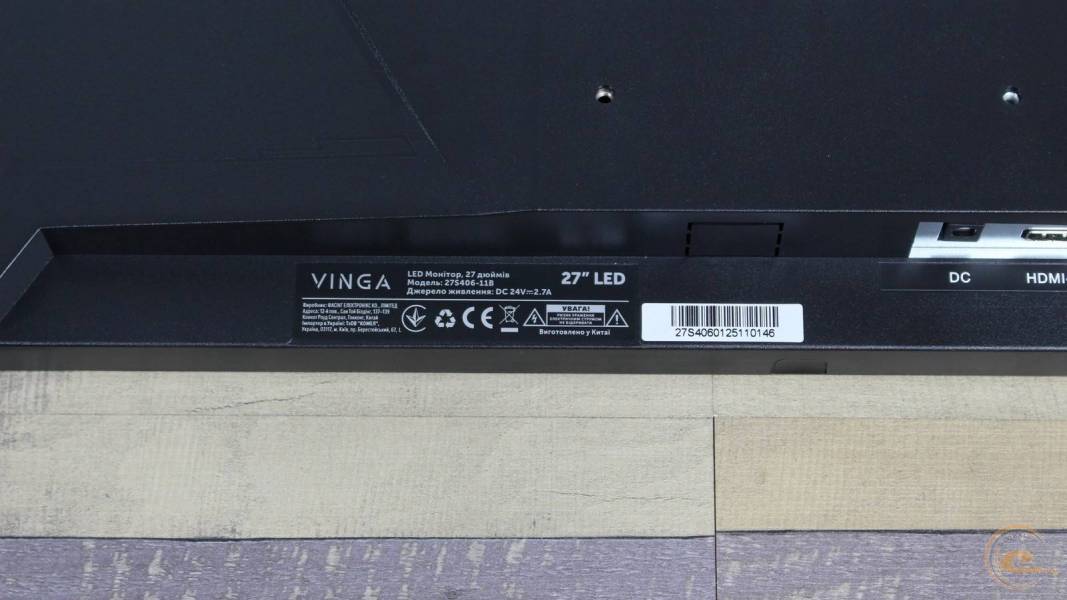
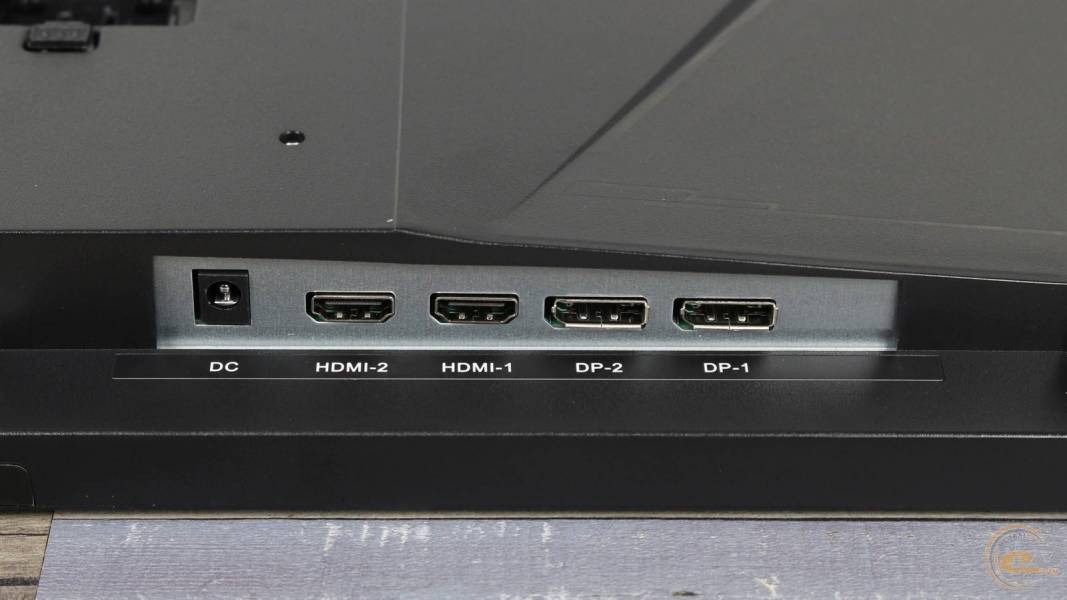
All ports of the Vinga 27S406-11B are oriented downwards, ensuring full compatibility with wall mounting. The interface panel includes: DC-in power connector, two HDMI, and two DisplayPort.
The built-in speakers are hidden behind openings on both sides of the interface zone. Their quality is typical for such solutions: noticeably lacking in bass and volume reserve, so for gaming or multimedia, it is advisable to use external acoustics.
On-Screen Menu
Navigation in Vinga 27S406-11B is done through five physical buttons located on the right on the bottom edge. Order from left to right:
- “M” — call menu and confirm selection;
- “Down” — move cursor down, decrease value;
- “Up” — move cursor up, increase value;
- “E” — exit menu and select signal source;
- “Power” — turn the monitor on/off.
A detailed description of OSD functions is in the user manual.
Testing
It's time to find out what the Vinga 27S406-11B can demonstrate in practice. You can familiarize yourself with the methodology for researching monitor characteristics in the corresponding material.
The display includes five factory profiles oriented towards different usage scenarios—from gaming to video viewing and text work. Visually compare the modes in the following gallery:
Before testing, all settings in the OSD were reset to factory defaults, and the monitor was warmed up for 30 minutes. All measurements were conducted in the native 4K 60 Hz mode without additional settings.
For convenience, we have compiled the measurement results in a single table:
|
Profiles |
Standard |
Foto |
Cinema |
FPS |
RTS |
|
White field brightness, cd/m2 |
295.8 |
140 |
345.9 |
338.6 |
316.2 |
|
Black field brightness, cd/m2 |
0.3374 |
0.1487 |
0.3895 |
0.3678 |
0.3610 |
|
Contrast ratio |
877:1 |
942:1 |
888:1 |
921:1 |
876:1 |
|
White point color temperature, K |
6880 |
6714 |
7049 |
7410 |
7078 |
|
sRGB color gamut coverage, % |
96.5 |
96.5 |
95.0 |
94.7 |
95.8 |
|
Adobe RGB color gamut coverage, % |
70.8 |
70.8 |
69.6 |
69.5 |
70.4 |
|
DCI-P3 Color Gamut Coverage, % |
76.5 |
76.5 |
76.0 |
76.0 |
79.2 |
|
sRGB Color Gamut Volume, % |
108.7 |
108.7 |
108.2 |
108.3 |
115.6 |
|
DCI-P3 Color Gamut Volume, % |
74.9 |
74.9 |
74.5 |
74.6 |
79.6 |
|
Adobe RGB Color Gamut Volume, % |
77.0 |
77.0 |
76.6 |
76.7 |
81.9 |
|
Average dE*00 Deviation (∆E) |
0.27 |
0.27 |
0.31 |
0.27 |
0.49 |
|
Maximum dE*00 Deviation (∆E) |
1.23 |
1.17 |
1.2 |
1.06 |
2.55 |
|
Average Gamma |
2.05 |
2.04 |
2.04 |
2.04 |
2.04 |
|
Power Consumption, W |
47.1 |
31.5 |
46.3 |
42.1 |
37.2 |
The declared peak brightness is 300 cd/m². In practice, in the "Standard" profile at 80% in the OSD, the actual figure reaches 295.8 cd/m², which fully meets the specification. However, in "Cinema" and "FPS" modes, the backlight noticeably accelerates, delivering 345.9 cd/m² and 338.6 cd/m² respectively. In the "Foto" profile, the brightness is reduced to 140 cd/m² for comfortable work, and in "RTS" it is 316.2 cd/m².
The static contrast ratio ranges from 876:1 to 942:1. This slightly falls short of the declared 1000:1, which is a typical result for an affordable IPS panel.
The color temperature in all modes is slightly shifted to the cooler side relative to the reference 6500 K. The "Foto" profile is closest to the standard (6714 K), "Standard" is recorded at 6880 K, and the "Cinema", "RTS", and "FPS" profiles raise the bar to 7049–7410 K.
The manufacturer's claimed sRGB color coverage of 95% is confirmed by tests: the actual coverage ranges from 94.7–96.5% with an overall color gamut volume of 108.2–115.6%.
The out-of-the-box color accuracy is impressive: the average dE*00 deviation (∆E) in most modes is a mere 0.27–0.31 (only in "RTS" it rises to 0.49), and the maximum does not exceed 1.23 (up to 2.55 in "RTS").
However, there is a nuance with power consumption. With the declared "up to 39 W", the monitor's actual appetite varies from 31.5 W to a noticeable 47.1 W depending on the profile.
Color Coverage
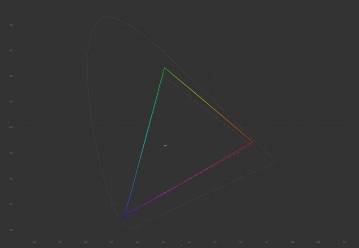
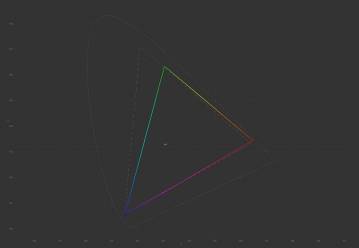
CIE diagrams of the "Standard" profile for sRGB and Adobe RGB spaces
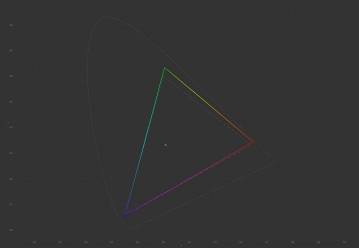
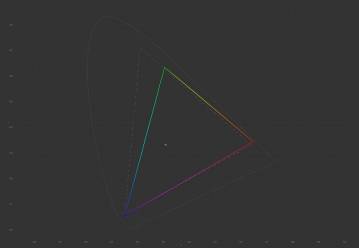
CIE diagrams of the "Foto" profile for sRGB and Adobe RGB spaces
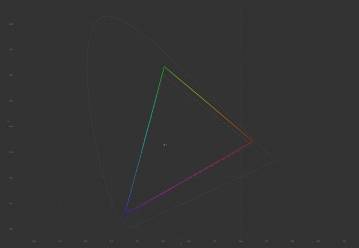
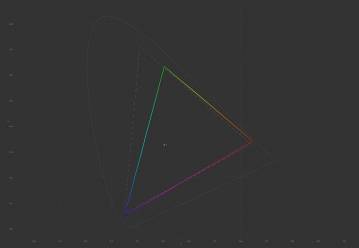
CIE diagrams of the "Cinema" profile for sRGB and Adobe RGB spaces
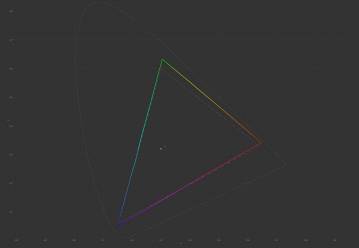
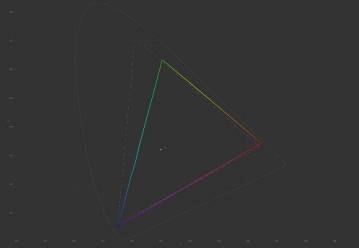
CIE diagrams of the "FPS" profile for sRGB and Adobe RGB spaces
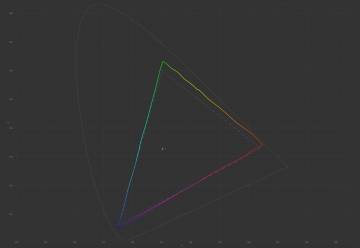
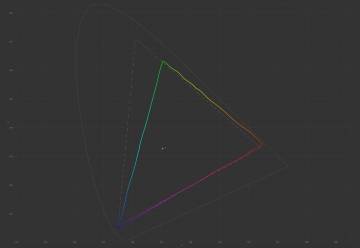
CIE diagrams of the "RTS" profile for sRGB and Adobe RGB spaces
CIE diagrams for all profiles demonstrate stable reproduction of the sRGB space with coverage within 94.7–96.5% and a volume of 108.2–115.6%. The shape of the triangle maintains correct proportions, but its color volume slightly exceeds the standard, indicating slight oversaturation of the palette in certain shades. The white point is noticeably shifted to the cool spectrum (6714–7410 K) relative to the reference 6500 K.
All profiles show almost identical diagrams, with minimal differences reduced to slight shifts of reference points.
For a budget IPS monitor, the shape of the triangle and the actual sRGB coverage look quite convincing.
Color Accuracy
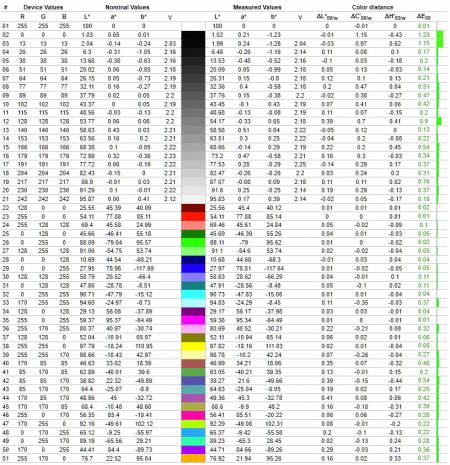
Diagram of deviations of primary colors and shades from standards in the "Standard" profile
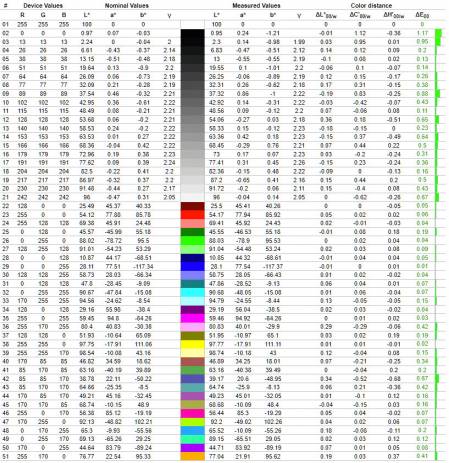
Diagram of deviations of primary colors and shades from standards in the "Foto" profile
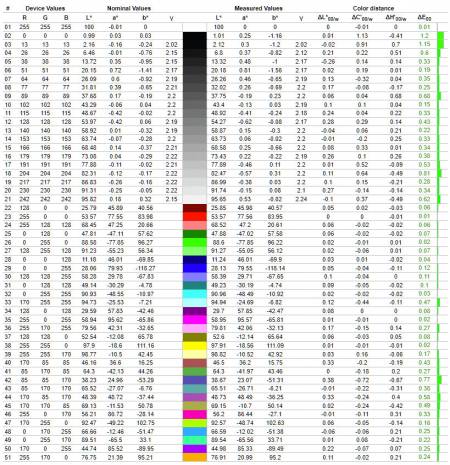
Diagram of deviations of primary colors and shades from standards in the "Cinema" profile
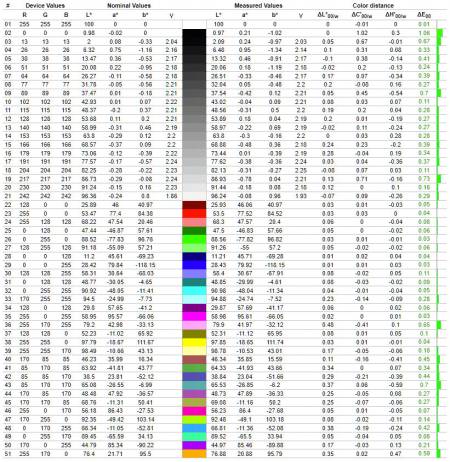
Diagram of deviations of primary colors and shades from standards in the "FPS" profile
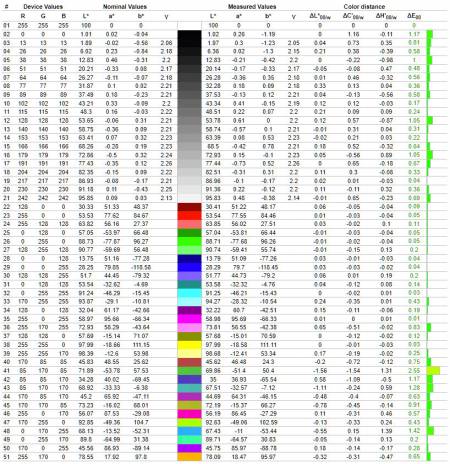
Diagram of deviations of primary colors and shades from standards in the "RTS" profile
All five tested profiles demonstrate high color accuracy without prior hardware calibration. In most modes, the average dE*00 deviation (∆E) is a mere 0.27–0.31, and the maximum does not exceed 1.23. The exception is the "RTS" profile, where the average error rises to 0.49, and the maximum is recorded at 2.55. These indicators fully meet the requirements for monitors of a significantly higher class.
It is especially impressive that such results are demonstrated by an ultra-budget model positioned by the manufacturer as a universal solution for home and office. The recorded level of accuracy ensures correct, clean, and visually pleasant images, making this model an exception in its price class and allowing it to be used for basic work with color content.
RGB Levels
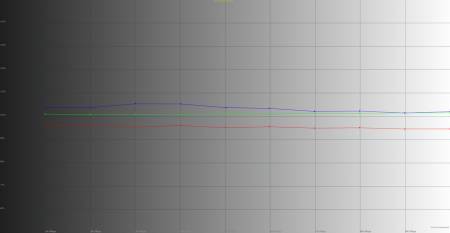
RGB levels graph of the "Standard" profile
RGB levels chart of the "Foto" profile
RGB levels chart of the "Cinema" profile
RGB levels chart of the "FPS" profile
RGB levels chart of the "RTS" profile
All five tested profiles demonstrate high linearity and controlled balance of RGB channels. The red component is consistently underestimated by -6…-7%, green remains near the reference mark of 100%, and blue is elevated by +3…+5%. This balance does not create critical distortions and ensures neutral, clean gray gradients without parasitic shades.
The channels in all modes run smoothly, parallel to each other, and without sharp jumps throughout the gray scale. The most balanced profile appears to be "Foto," where the component imbalance is minimized. The "Standard," "Cinema," and "FPS" modes have an identical slight shift towards the cool side due to the mentioned rise of the blue channel, while the gaming preset "RTS" maintains overall linearity despite the software palette correction.
The monitor demonstrates a high level of factory settings: even specialized presets do not have critical failures, and the channel behavior remains stable. This is an excellent result for a universal model in the budget segment.
Gamma
Gamma curves chart in the "Standard" profile
Gamma curves chart in the "Foto" profile
Gamma curves chart in the "Cinema" profile
Gamma curves chart in the "FPS" profile
Gamma curves chart in the "RTS" profile
All profiles demonstrate an exceptionally smooth gamma curve shape — without breaks, dips, or channel desynchronization. The average gamma value stays within 2.04–2.05, which is only slightly below the reference 2.2. The channels are consistent, and the lines run closely and parallel, ensuring a stable curve shape and smooth halftone rendering without losing details in shadows or highlights.
The profile closest to the reference is "Foto" — its curves are maximally close to the reference 2.2. The "Standard," "Cinema," and "FPS" modes have a similar linear structure with a slight shift towards the cool side due to the blue channel rise, while the "RTS" preset completely repeats the overall geometry without artificial brightness distortions.
No profile shows critical deviations. All curves are smooth and coherent, without sharp channel stratification or aggressive mid-tone highlighting, which is often found in inexpensive displays. Overall, the gamma curve shape confirms the high level of factory settings aimed at controlled brightness gradient transmission.
Contrast stability and brightness range
Among all profiles, the most balanced was the "Standard" mode, so it was taken as the basis for further calibration.
The brightness range covers values from 30 to 345 cd/m², providing versatility for work in different conditions. The minimum brightness is quite high, so for night work, it is advisable to use the monitor with background lighting behind the screen. The maximum brightness of 345 cd/m² is sufficient for comfortable work during the day, although it may be borderline in direct sunlight.
Contrast remains stable across the entire adjustment range, fluctuating between 851:1 and 883:1. Although the passport 1000:1 is not achieved in this case, the contrast change line is practically straight, without dips at low backlight levels. This indicates a high-quality implementation of hardware brightness control without losing black field depth.
Monitor calibration
CIE diagrams of the calibrated profile for sRGB and Adobe RGB spaces
Diagram of primary colors and shades deviation from references in the calibrated profile
RGB levels chart of the calibrated profile
Gamma curves chart in the calibrated profile
The file with the corresponding parameters is available at this link. The obtained results before and after hardware calibration are summarized in the table.
|
Profiles |
"Standard" |
Calibrated |
|
Brightness by OSD, % |
80 |
19 |
|
White field brightness, cd/m2 |
295.8 |
105.7 |
|
Black field brightness, cd/m2 |
0.3374 |
0.1163 |
|
Contrast ratio |
877:1 |
909:1 |
|
Color temperature of white point, K |
6880 |
6665 |
|
sRGB color gamut coverage, % |
96.5 |
96.8 |
|
Adobe RGB color gamut coverage, % |
70.8 |
71.0 |
|
DCI-P3 color gamut coverage, % |
76.5 |
76.7 |
|
sRGB color gamut volume, % |
108.7 |
108.9 |
|
DCI-P3 color gamut volume, % |
74.9 |
75.0 |
|
Adobe RGB color gamut volume, % |
77.0 |
77.1 |
|
Average deviation dE*00 (∆E) |
0.27 |
0.29 |
|
Maximum deviation dE*00 (∆E) |
1.23 |
1.31 |
|
Average gamma |
2.05 |
2.05 |
|
Power consumption, W |
47.1 |
29.2 |
Calibration allowed reducing the white field brightness from 295.8 to 105.7 cd/m², making the image comfortable for prolonged work. The black level also decreased from 0.3374 to 0.1163 cd/m², which slightly increased the contrast ratio: 909:1 compared to the initial 877:1. The color temperature shifted from a cooler 6880 K to a neutral value of 6665 K, approaching the standard.
The coverage of color spaces remained practically unchanged: sRGB is 96.8% compared to 96.5%, Adobe RGB is 71.0% compared to 70.8%, DCI‑P3 is 76.7% compared to 76.5%. The volume of color spaces also remained at the previous level, confirming the absence of palette losses.
The color accuracy remained high: the average deviation ∆E almost did not change (0.29 compared to 0.27), and the maximum slightly increased (1.31 compared to 1.23), which is still within the professional norm. The average gamma remained stable at 2.05. Power consumption significantly decreased — from 47.1 to 29.2 W.
Calibration of the "Standard" profile brought practical benefits in work comfort, white point alignment, and power consumption, but did not provide a noticeable improvement in color reproduction. The factory setting was so high-quality that for most users it will be enough to simply reduce the brightness in the "Standard" profile to 19% in the OSD to achieve an optimal balance between work comfort and image quality without additional calibration.
Screen backlight uniformity
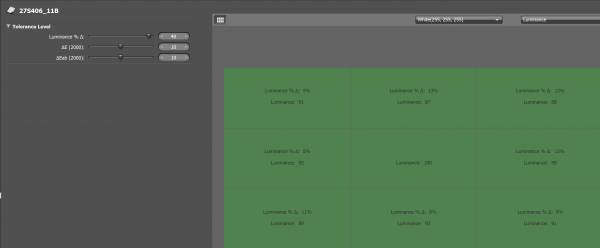
The maximum brightness deviation relative to the central area was 12–13%. For panels of this class, this is a typical working result, and in real use, such a difference remains barely noticeable.
Local brightness reductions are concentrated along the top line and on the right edge of the matrix (where deviations reach 12–13%), while the left and bottom zones show better stability within 8–11%. There are no critical peaks or sharp bends — the backlight is distributed smoothly, without pronounced light spots.
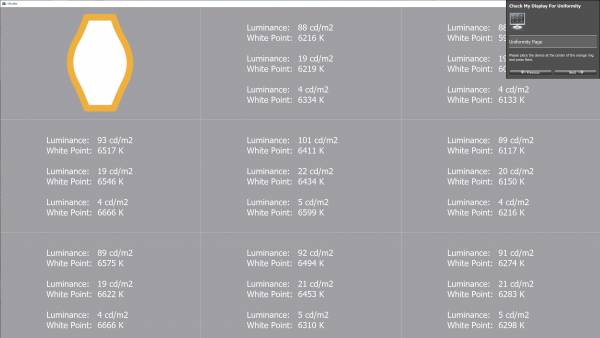
The deviation of the white point temperature relative to the central area ranges from –466 to +188 K. While the positive deviation on the left side fully fits within the professional frames of ±300–350 K, the negative drop on the right edge goes beyond the standard limits compared to the center. However, thanks to the smooth nature of this decrease and the absence of sharp zonal bends, such a color transition remains barely noticeable during normal screen use.
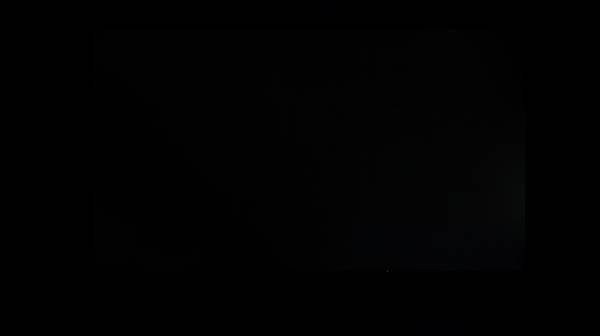
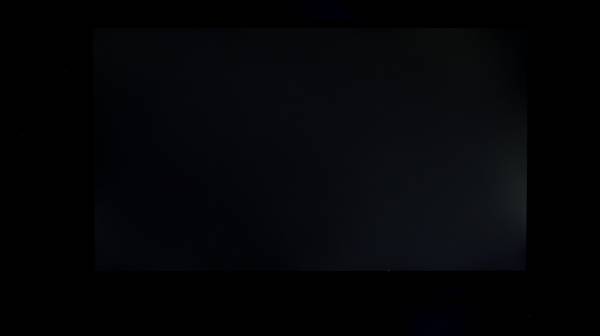
Glow on a black screen appears only in complete darkness. The first photo shows the real picture: the background is evenly dark, without critical light leaks, although a local light spot is observed on the right edge. The second photo was taken with a 0.3-second exposure, which enhances contrast and more clearly outlines this defect near the right frame, but it does not have the character of a classic corner IPS-glow. In real usage conditions, this nuance remains practically unnoticeable and does not interfere with viewing dark scenes.
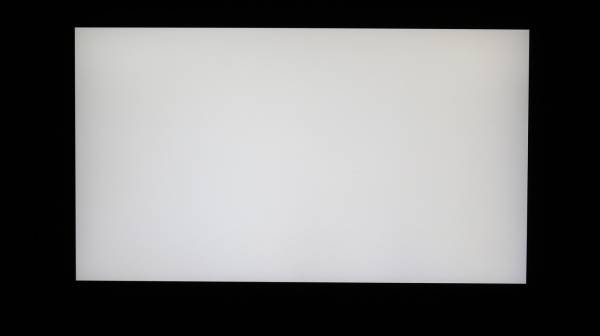
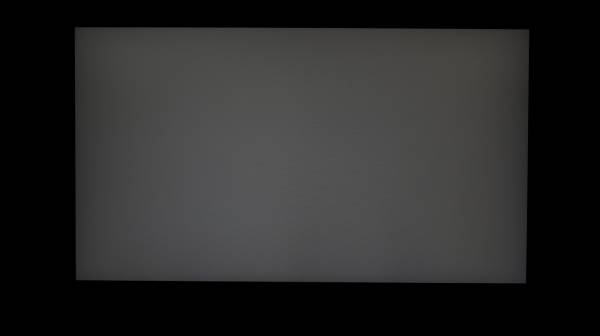
On a white fill, a slight darkening is noticeable along the edges, but without sharp transitions. The center appears slightly brighter, creating a weak vignetting effect typical for most IPS panels.
On a dark gray background, vignetting is more pronounced — a smooth darkening goes along all edges of the screen. It fully fits within the norm for this type of matrix, and the field itself remains clean, without foreign spots, "cloudiness" effect, or critical color shifts in halftones.
Matrix speed and PWM
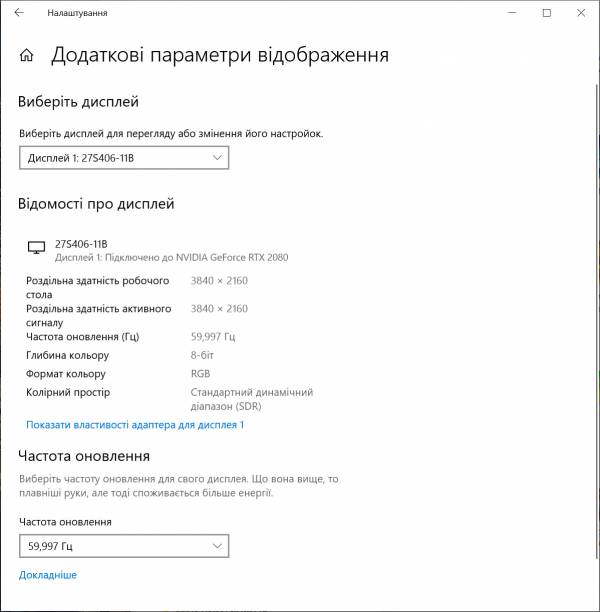
Vinga is equipped with a flat IPS panel with a declared response time of 1 ms MPRT. In practice, in the standard 4K mode at 60 Hz without overdrive activation, we have a typical IPS result of about 5–6 ms.
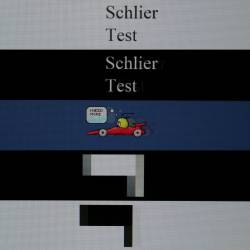
In dynamics, the monitor behaves clearly, although on dark transitions the Schlieren test showed moderate trails.
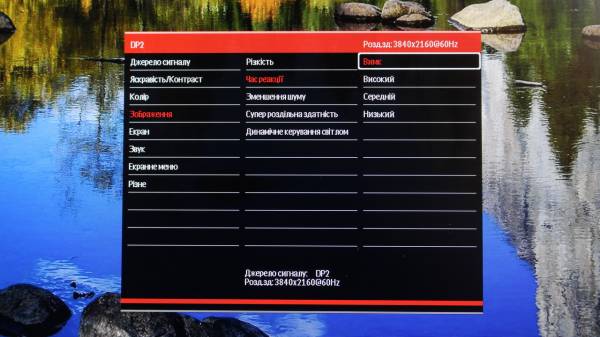
The menu offers matrix overdrive adjustment in the "Response Time" section with four presets: "Off", "Low", "Medium", and "High". For work and video viewing, overdrive can be left off. In modern AAA games, the "Low" mode will be optimal, and for esports disciplines — "Medium". "High" provides maximum clarity but is accompanied by noticeable overshoot artifacts (reverse trails), so it is not suitable for everyday use.
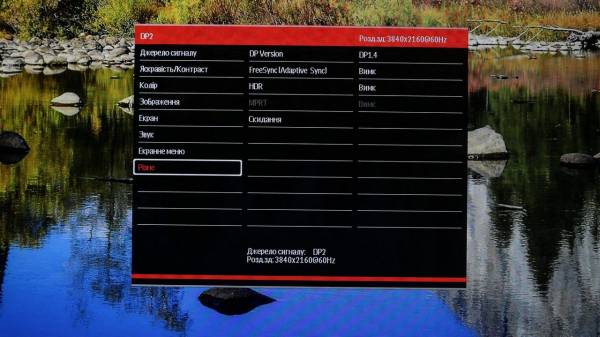
The monitor supports all current adaptive sync technologies: VESA Adaptive Sync, AMD FreeSync, and NVIDIA G-Sync Compatible. This allows dynamically adjusting the refresh rate according to FPS, providing smooth images without tearing and delays.
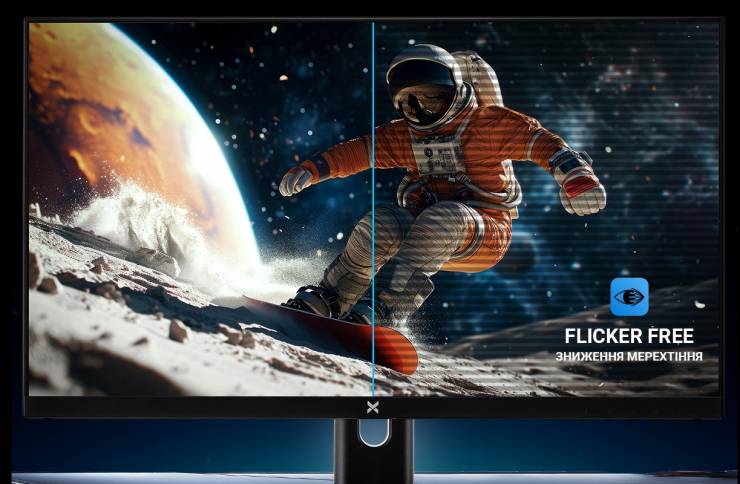
Additionally, Flicker-Free technology is implemented, which eliminates backlight flicker and reduces eye strain. The backlight works stably even at low brightness, confirming the absence of PWM.
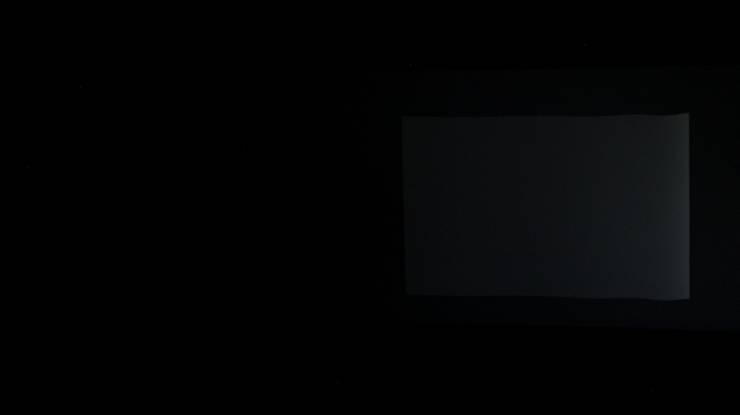
Brightness 20%, exposure 1/13
The actual absence of PWM is also confirmed during testing: at low brightness, the screen shows a solid gray fill front without characteristic transverse stripes.
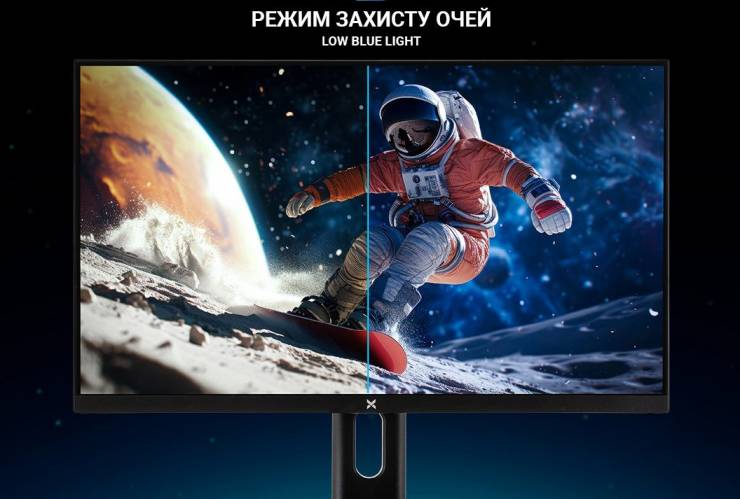
Additionally, for eye protection, a software Low Blue Light mode is provided, which reduces the intensity of the blue component of the spectrum. The menu offers several levels of filtering — from minimal to maximal, allowing the user to choose a comfortable balance.
Viewing angles
The image remains stable even at significant deviations from the center: colors are not distorted, and the overall tone of the scene retains correct color reproduction. Thanks to wide viewing angles, the monitor is comfortable to use from any angle, without the risk of color inversion.
With extreme deviations, especially diagonally, a characteristic IPS-glow effect appears — contrast slightly decreases, and deep dark tones acquire a slight grayish tint. However, for panels of this class, such behavior is completely predictable; brightness shift remains within normal limits and does not interfere with everyday work or media content viewing.
Summary
Vinga 27S406-11B — is a monitor that focuses not on the glossy shine of the case but on dry pragmatic characteristics. Its main value is a clear 4K IPS panel with 16.7 million colors, which demonstrates excellent pixel density and perfect font clarity. The factory profiles are so well-tuned that they evoke genuine delight: color temperature and gamma are maximized to the panel's capabilities, so the device is fully ready to work right «out of the box».
The model does not have esports speed, and the 60 Hz refresh rate clearly separates it from the gaming segment. However, the implemented minimum in the form of Over Drive and Adaptive-Sync allows for comfortable play in leisurely AAA games with beautiful landscapes. Thanks to Flicker-Free and Low Blue Light, the backlight remains absolutely stable at any brightness, ensuring eye safety during long working marathons.
The functional content pleasantly surprises for this price class. The ergonomic stand offers a full set of adjustments, including height change and portrait mode (Pivot), which is a great rarity in the budget segment. And the presence of a standard VESA 100 × 100 mm mount allows for easy installation of the monitor on a desktop bracket.
The port set is also convincing — four digital connectors (two HDMI and two DisplayPort) allow you to forget about constantly switching cables between devices. Yes, the manufacturer predictably saved on case materials, stiff buttons, and built-in speakers, but for the price of 8,499.00 UAH, you get a high-class working visual space, and the simple plastic wrapping is «extra».
Advantages:
- honest 4K IPS panel with excellent pixel density for working with text;
- excellent quality of factory-tuned color profiles;
- full ergonomics of the stand: height adjustment, Swivel, and portrait mode (Pivot);
- a record number of ports (2 × HDMI + 2 × DisplayPort) for connecting multiple devices;
- complete absence of PWM (Flicker-Free) and Low Blue Light mode for eye protection;
- stable viewing angles without color inversion;
- very attractive price for its characteristics in the Ukrainian market.
Features:
- strange location of the operation indicator;
- built-in speakers of basic level.