Which affordable yet functional case should a budget-conscious user choose? It should likely meet a number of important needs for building a modern productive system: have good compatibility with large components (graphics cards and cooling systems), support the installation of multiple drives, including at least one SSD, and provide the possibility of organizing efficient cooling. Of course, it is desirable to have a sufficient number and variety of current input-output ports (at least one USB 3.0 is a must). At the same time, do not forget about dust protection and ease of assembly.
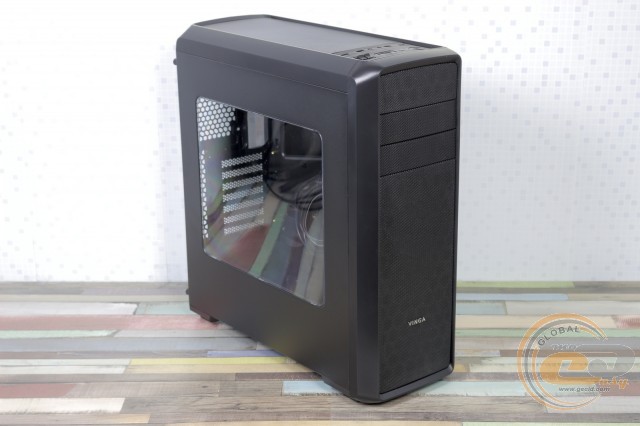
The hero of this review, Vinga Volcano, fits this description well. We have a mid-format solution with a recommended price tag below $50 (₴1225). Let's see if the newcomer lives up to the expectations placed on it.
Specification
|
Model |
Vinga Volcano |
||
|
Case size |
Middle Tower |
||
|
Supported motherboard form factors |
ATX / microATX / Mini-ITX |
||
|
Color |
Black |
||
|
Bays |
External |
2 x 5.25” |
|
|
Internal |
2 x 3.5” / 2.5” 3 x 2.5” |
||
|
Expansion card slots |
7 |
||
|
Maximum graphics card length (in brackets - own measurements) |
410 mm (400 mm) |
||
|
Maximum CPU cooler height (in brackets - own measurements) |
160 mm (160 mm) |
||
|
Maximum power supply length |
200 mm |
||
|
Cable management space width |
40 mm |
||
|
Connectors |
2 x USB 2.0 1 x USB 3.0 2 x audio ports |
||
|
Features |
SD card reader, fan speed controller, side panel window |
||
|
Fan installation capability |
Front panel |
2 x 120-mm /140-mm |
|
|
Rear panel |
1 x 120-mm |
||
|
Top panel |
2 x 120-mm |
||
|
Power supply |
None |
||
|
Materials |
Front and top panels, legs |
Plastic |
|
|
Chassis |
Steel thickness 0.71 mm |
||
|
Side panels |
Steel thickness 0.69 mm |
||
|
Case dimensions (in brackets - own measurements) |
473 x 200 x 515 mm (475 x 200 x 517 mm) |
||
|
Manufacturer's website |
|||
Packaging and supply package
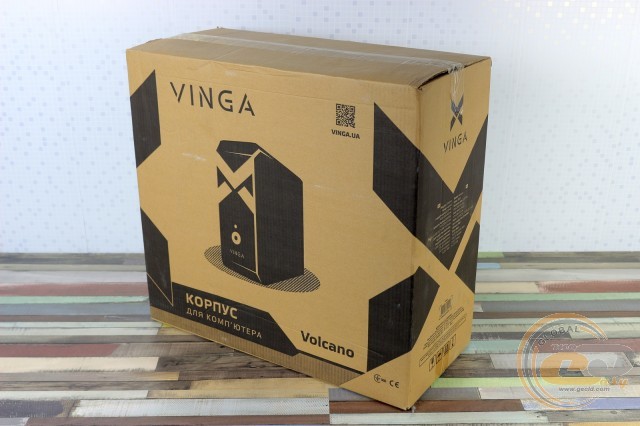
The Vinga Volcano case is packed in a simple cardboard box with monochrome design. On its sides, you can find not only the model name but also the product specification in English and Ukrainian.
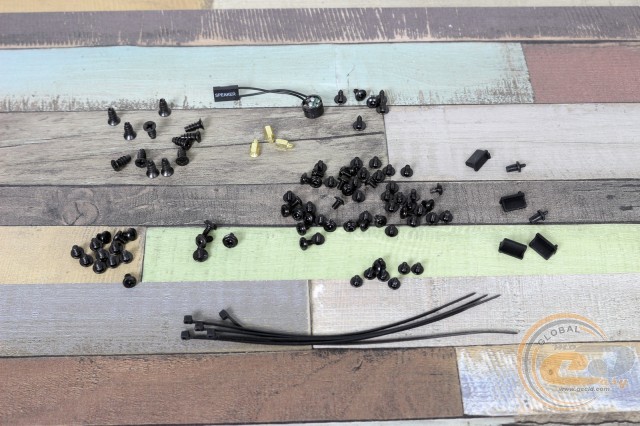
The supply package contains only the most necessary accessories for assembling a computer: a set of standoffs and screws for mounting the motherboard, fans, and drives. In addition, there is a set of disposable cable ties and a system speaker.
Exterior
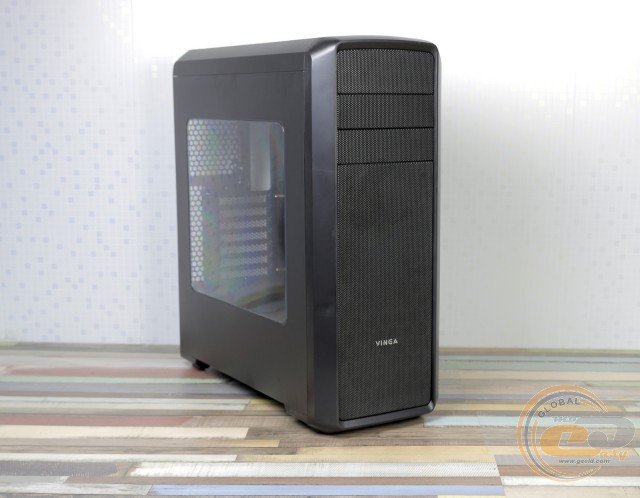
Subjectively, in terms of visuals, the Vinga Volcano looks quite pleasant and stylish. This is due to the winning combination of classic black coloring, sharp angles with rounded edges, and the addition of a transparent side window. Unfortunately, despite the use of matte surfaces, fingerprints accumulate well on them. Fortunately, they are only visible at a certain angle and are quite easy to wipe off.
The front panel edging is plastic. Its entire central part is covered with a fine metal mesh, designed to improve the internal microclimate by allowing airflow while protecting the system components from dust. At the top, there are two bays for installing external 5.25-inch devices. At the bottom is the silver Vinga brand logo.
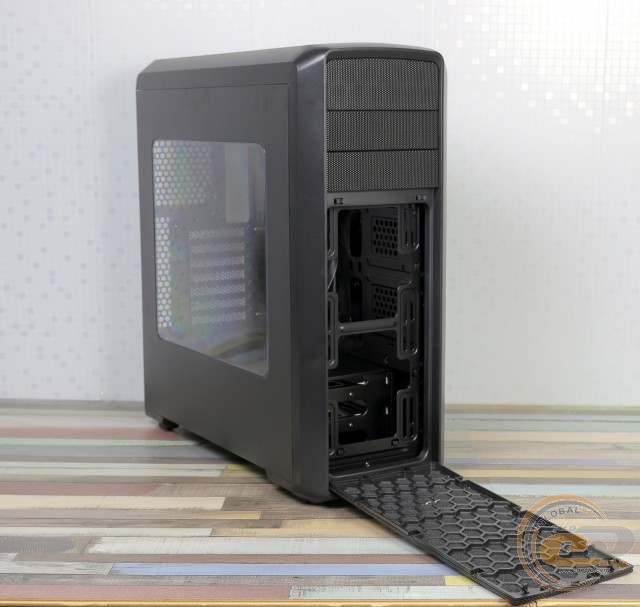
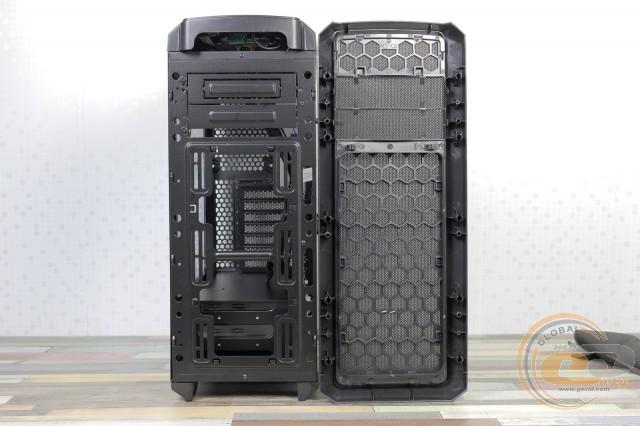
The panel itself is attached with a series of familiar latches. If necessary (for example, for cleaning accumulated dust or other contaminants), it can be completely or partially dismantled. This opens up a view of the chassis and mounting locations for two 120- or 140-mm fans (not included in the package). Instead of fans, a water cooling system radiator up to 280 mm in length can be installed here.
The top panel of the Vinga Volcano is made of the same plastic and is mostly covered with a metal mesh. After its removal, access to the mounting locations for two 120-mm fans or a similarly sized radiator is opened.
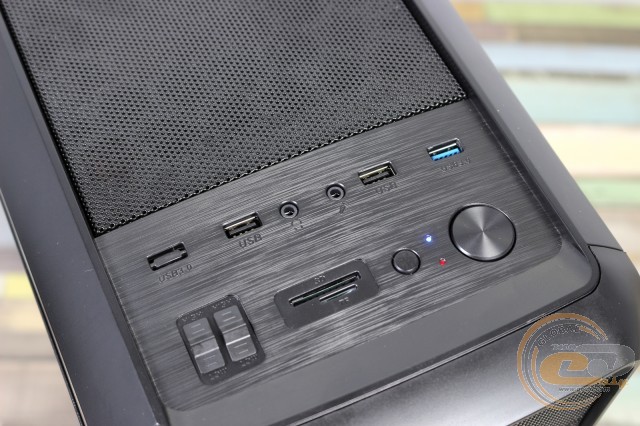
Closer to the front of the top panel is an "island" that mimics brushed metal, on which the block of buttons and interfaces is mounted. The set of elements is quite sufficient: a pair of USB 2.0 ports, one USB 3.0, and two 3.5-mm jacks for a microphone and headphones. Next to them is a dual two-position controller-rheobus, card reader, reset button, a pair of blue and red LED indicators of normal brightness, and a large power button.
The back is standard for a layout with a bottom-mounted power supply unit. Above its mounting location are seven expansion slots, a cutout for the motherboard's interface panel, and a mounting location for an exhaust fan.
On the bottom of the Vinga Volcano, you can note two pairs of large elongated feet 26 mm high with thin rubber pads, which provide good stability on different types of surfaces and sufficient airflow for the PSU. It is considered good practice to have a dust filter under the power supply installation location. The filter is easy to remove, blow out, and wash.
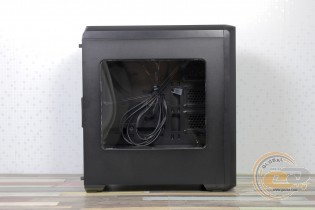
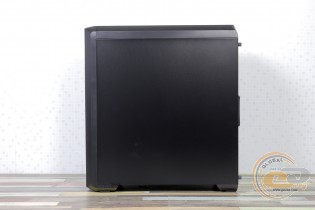
The side panels are attached using screws with shaped heads, which are very convenient to use. As mentioned earlier, the left panel is equipped with a transparent acrylic window, while the right is a solid sheet of metal. In both cases, stiffening ribs are provided.
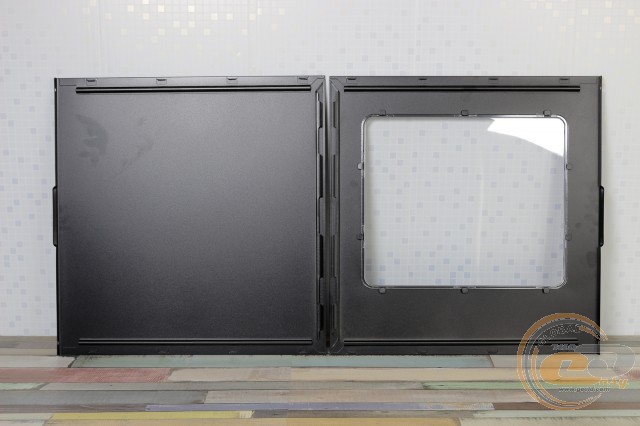
The process of dismantling them is easy and effortless: just unscrew the screws, slide the panels back, and then pull them towards you.
Internal Structure
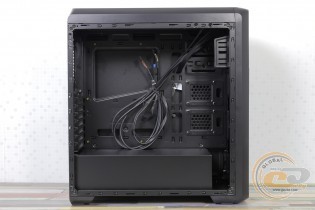
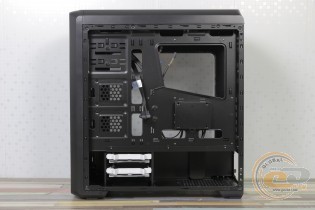
Like the exterior, the interior of the Vinga Volcano is done in a black color scheme. At the same time, the popular two-section design is used. Below, under a special shroud, is the power supply unit and the drive cage. The motherboard compartment is located above. There are no racks in the front, and there is space at the top for 5.25-inch external devices, allowing for the installation of large expansion cards. In the motherboard tray, there is a cutout that allows for the installation of CPU cooling systems with a backplate without dismantling the board itself.
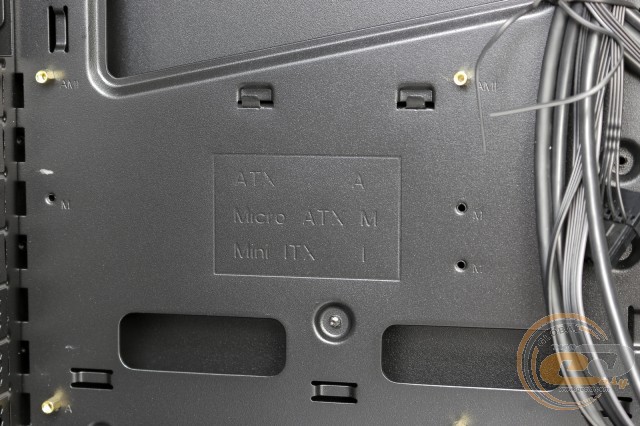
The motherboard is installed on standard standoffs from the package. The following form factors are supported: ATX, microATX, and Mini-ITX.
The power supply mounting location is equipped with anti-vibration pads, and the attachment is done with the included screws. According to our measurements, the maximum PSU length is 200 mm, leaving about 40 mm for cable management. The photo shows how a 160-mm Seasonic X-560 Gold modular power supply fits.
The Vinga Volcano allows for the simultaneous installation of up to 5 drives: three 2.5-inch (two are placed directly on the tray, closer to the front, and one is located behind the tray, attached with a bracket) and two 3.5-inch in a tool-free mounting rack. If necessary, 2.5-inch solutions can be installed here, but screws will be needed. This is sufficient even for building a high-performance system.
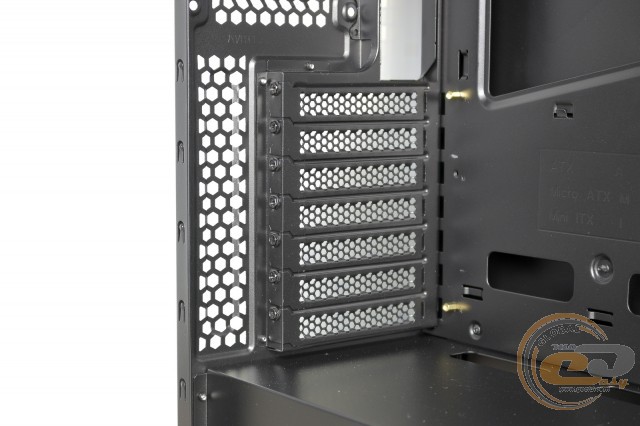
The expansion slot covers are reusable. A tool-free mounting system is not provided – the manufacturer suggests using regular screws.
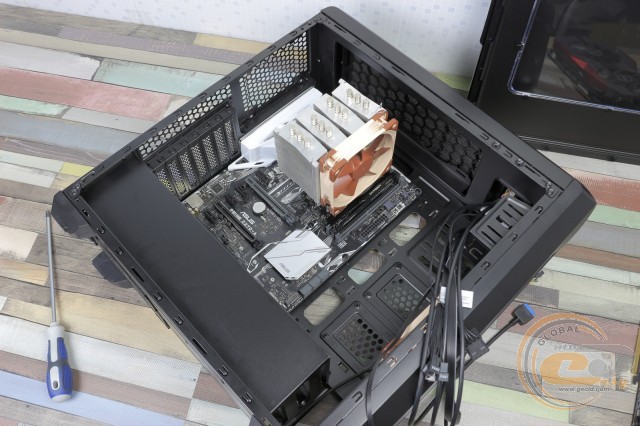
The width of the case allows for the installation of CPU coolers up to 160 mm in height without any issues. In our case, we easily accommodated a 158-mm Scythe Mugen 3 cooler.
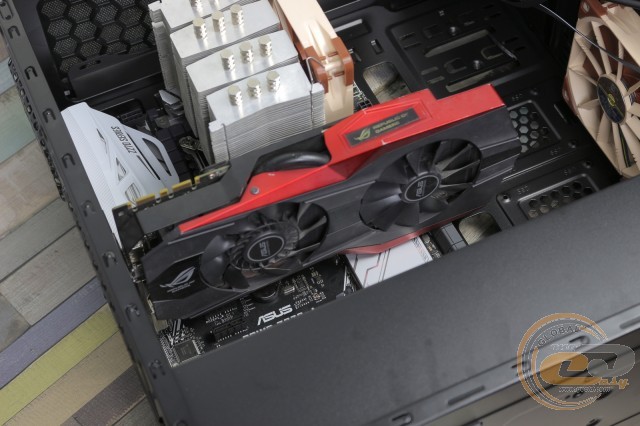
According to the manufacturer, the case can accommodate a graphics card up to 410 mm in length. We measured slightly less – 400 mm. But this is assuming there are no fans or a radiator on the front wall. Otherwise, this figure is limited to 355 mm. In any case, there is enough space even for top "monsters" like the ROG STRIX GeForce GTX 1080 Ti OC Edition.
On the front wall of the Vinga Volcano, two 120-mm or 140-mm fans can be installed. Instead of them, a 280-mm radiator can be easily placed, and with some engineering ingenuity, even more. The ceiling provides mounting locations for two 120-mm fans or a 240-mm radiator. A 120-mm exhaust fan can be installed on the rear wall.
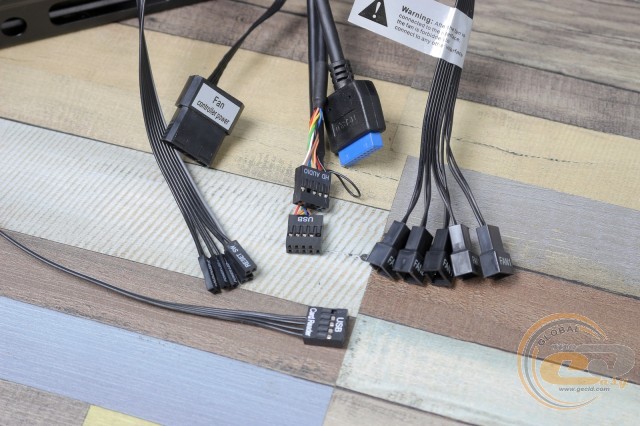
The set of wires for connecting the front panel includes an HD Audio connector, cables for connecting a pair of USB 2.0 ports, and one USB 3.0. They all have the same cable length of 80 cm, while the connectors for connecting buttons and LED indicators are 65 cm. As mentioned earlier, the case is equipped with a dual two-position rheobus, which allows changing the voltage on the fans (12 and 5 V), thereby regulating their rotation speed. It connects via a standard Molex connector, and at the output, we get five connectors for connecting fans. The length of each wire is 35 cm. This is quite enough to control all possible fans in the system, separately on two channels (in a 3+2 scheme, each marked), without the need to purchase additional splitter adapters.
Overall, assembling a computer in the Vinga Volcano proceeds without issues. There is plenty of space to accommodate even very large components in the required quantity, and thanks to several holes in the tray, on the side, and at the top, cables can be neatly routed and laid out, which is not only aesthetically pleasing but also allows for good air circulation. However, the choice and purchase of fans fall on the user's shoulders.
The case itself pleases with excellent quality of fitting and processing of parts: there are no gaps, sharp edges, distortions, or play anywhere. The construction is characterized by sufficient reliability and rigidity due to the use of steel with a thickness of 0.69 mm and 0.71 mm (including paint) for the chassis and side panels, respectively.
Testing
|
Processor |
Intel Core i7-7700K (Socket LGA1151, 4.2 GHz, L3 8 MB) |
|
Cooler |
Scythe Mugen 3 |
|
Motherboard |
ASUS PRIME Z270-A (ATX, Socket LGA1151) |
|
RAM |
2 x 4 GB DDR4-2400 HyperX Fury (HX424C15FBK2/16) |
|
Graphics Card |
ASUS GeForce GTX 980 MATRIX PLATINUM 4GB GDDR5 |
|
SSD |
SSD KINGMAX SME35 HYPERLINK |
|
Power Supply |
Seasonic X-560 Gold (SS-560KM Active PFC, ATX, 560W) CHIEFTEC SFX-250VS, 250W |
|
Thermal Paste |
Noctua NT-H1 |
Before reviewing the test results, it is worth noting that a couple of Noctua NF-F12 PWM fans were installed inside the Vinga Volcano for intake and exhaust (1500 RPM) to ensure all systems were in equal conditions. Moreover, using a modern powerful PC without good circulation inside the case can be considered an unusual phenomenon.
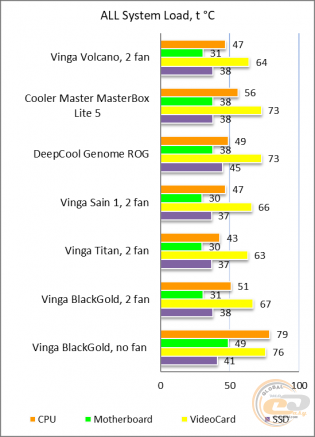
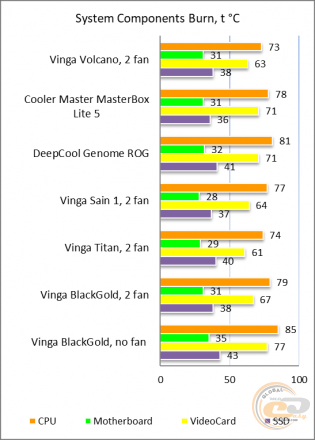
The "All System Load" chart shows the heating of components after 30 minutes of 3DMark Fire Strike in Ultra mode (4K resolution). The "System Component Burn" mode demonstrates temperatures under load with AIDA64 (Stress CPU and FPU) and MSI Kombustor applications for 15 minutes.
As you can see, the novelty handles the proposed powerful configuration well, demonstrating very comfortable temperature indicators and a good margin for overclocking. As for direct comparison with competitors, Vinga Volcano takes an honorable second place, losing only a few degrees to the Vinga Titan model, while surpassing more renowned competitors. At the same time, the overall acoustic background is at a comfortable level: it does not interfere or irritate during prolonged work with such a setup.
Conclusions
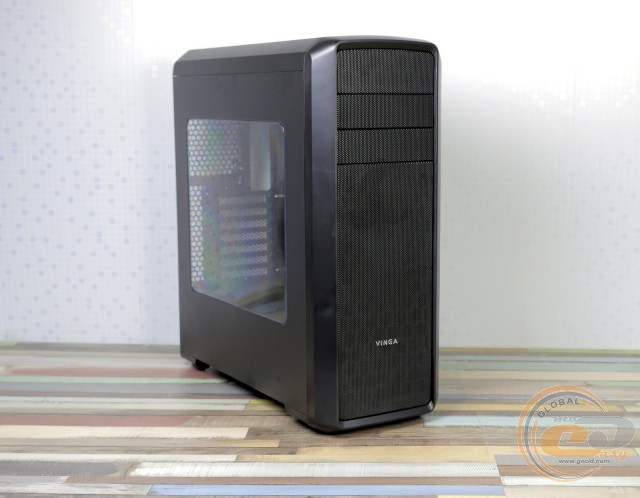
Once again, it must be stated that under the Vinga brand, very good cases are offered. There is no need to look far for an example, just take a look at the Vinga Volcano, which can satisfy the needs of an average user in all respects. Among its positive features, it is worth noting the pleasant appearance, fairly high build quality, convenient dual-section design, simple assembly process, and good cable organization.
At the same time, the novelty has enough space for modern high-performance components and the possibility of organizing an effective cooling system. Yes, the search and purchase of the necessary fans fall on the user's shoulders, but this allows you to choose optimal solutions at your discretion and not overpay for unnecessary ones. It is undoubtedly pleasing to have a built-in, albeit simple, fan controller for 5 fans and an SD card reader.
As a result, at a price of less than $50 (₴1225) Vinga Volcano looks like a very attractive option on which you can build a powerful and quiet system.
Advantages:
- pleasant design;
- presence of a transparent acrylic window;
- good build quality of the chassis, edge processing of panels, and case painting;
- good rigidity of the construction;
- dual-section design;
- possibility to install graphics cards up to 400 (355) mm long and CPU coolers up to 160 mm high;
- possibility to install up to five additional fans or a liquid cooling radiator up to 280 mm long;
- presence of a built-in fan controller;
- presence of an SD card reader;
- good opportunities for hidden cable management;
- good temperature and noise indicators;
- affordable price.
Author: Viktor Yefimenko
Author: Yuriy Koval
We express our gratitude to BRAIN Computers, the official representative of Vinga, for providing the case for testing.
We express our gratitude to ASUS, Intel, Noctua, Sea Sonic Electronics and the brand HyperX for providing equipment for the test bench.