If you look at the range of Vinga cases, the price of most of them is between $30 and $35. For example, previously tested solutions like Vinga BlackGold and Vinga Sain 1 are offered at this price point. The current review's hero, the Vinga Vision I case, also has a very affordable price.
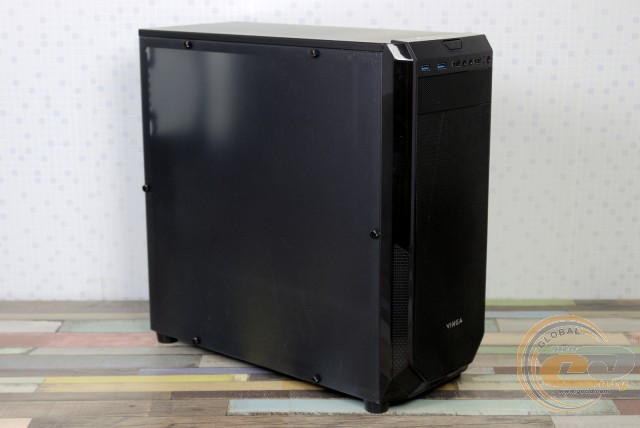
How not to get lost in such a variety and determine the most suitable solution? In the current review, we will find the common and different features with its model line siblings, as well as fully explore the novelty. Well, let's begin.
Specification
|
Model |
Vinga Vision I |
|
|
Case Size |
Middle Tower |
|
|
Motherboard Form Factor Support |
ATX / microATX / Mini-ITX |
|
|
Color |
Black |
|
|
Bays: |
||
|
- External |
1 x 5.25” |
|
|
- Internal |
3 x 3.5” 2 x 2.5” |
|
|
Expansion Card Slots |
7 |
|
|
Maximum GPU Length (in brackets - own measurements) |
415 mm (400 mm) |
|
|
Maximum CPU Cooler Height (in brackets - own measurements) |
163 mm (164 mm) |
|
|
Ports |
2 x USB 3.0 2 x USB 2.0 2 x Audio Ports |
|
|
Fan Installation Capability: |
||
|
- Front Panel |
2 x 120-mm |
|
|
- Rear Panel |
1 x 120-mm |
|
|
Power Supply |
None |
|
|
Materials: |
||
|
- Front Panel |
Plastic with Metal Mesh |
|
|
- Chassis |
Steel Thickness 0.58 − 0.6 mm |
|
|
- Right Side Panel |
Steel Thickness 0.6 mm |
|
|
- Left Side Panel |
Acrylic Thickness 2.6 mm |
|
|
Case Dimensions (in brackets - own measurements) |
430 x 420 x 190 mm (473 x 447 x 188 mm) |
|
|
Manufacturer's Website |
||
Packaging and Delivery Set
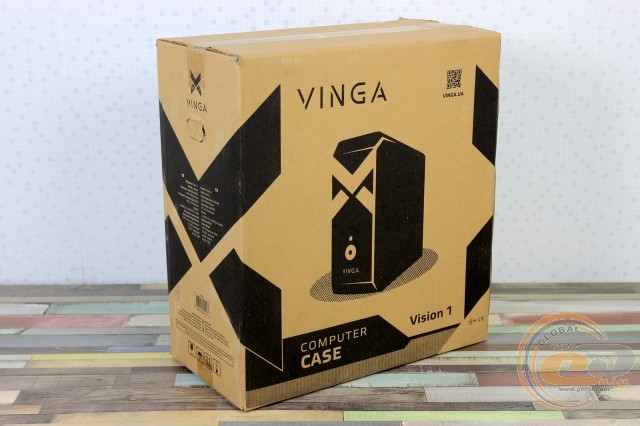
A simple box contains a brief specification table, while effectively fulfilling its primary duties of protection and transportability.
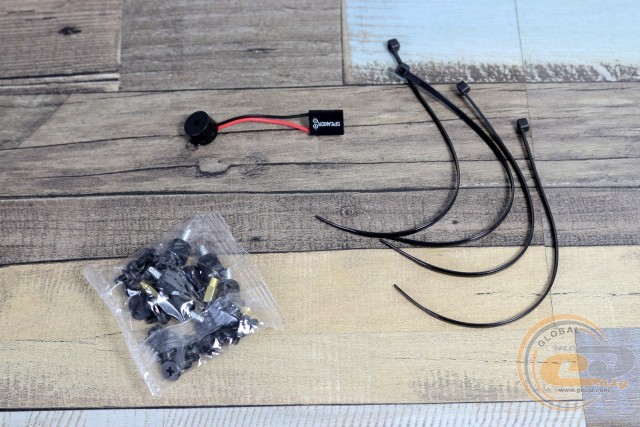
The delivery set also fully corresponds to the device's price positioning. It includes:
- a set of screws and standoffs for motherboard installation;
- a set of screws for securing the power supply and drives;
- a system speaker;
- cable ties.
Appearance
The appearance of Vinga cases is quite diverse, but among the many available variations, every buyer can find their desired one. The Vinga Vision I solution is distinguished by strict straight side lines, which are complemented at the bottom by 45° angled cuts.
Overall, the design is strict and stands out with the use of materials with different textures. Most of the front panel is covered with a metal mesh with fine perforation, through which air enters inside, passing through a synthetic dust filter. However, the "mesh" that appears below the middle of the case on the sides and closes at the bottom does not actually participate in air circulation.
The plastic near the front interfaces resembles brushed metal. Here, you will find the usual power and reset buttons, blue and moderately bright LED indicators, two 3.5-mm audio ports, and a pair of USB 3.0 and USB 2.0 ports. It's nice to see two USB third revision interfaces here, as in this price range, manufacturers (including the Vinga brand) often limit themselves to just one such port.
For those who have not yet abandoned the use of optical drives or owners of a reobas or card readers in the 5.25" format, there is one suitable bay.
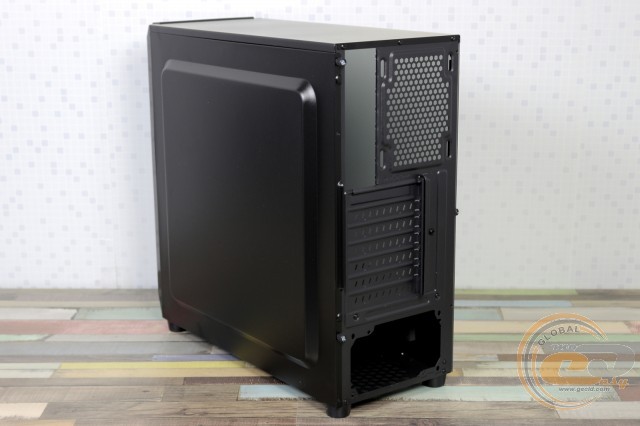
The entire chassis of the novelty is painted black, and the rear panel is no exception. Despite the use of a matte finish, leaving fingerprints here is very easy. However, their visibility greatly depends on the viewing angle, and they are quite easy to remove.
The width of the case at 190 mm allowed for the installation of a 120-mm fan with slight height adjustment. Below are seven expansion slots, with an external pressure plate to help secure devices. At the very bottom, there is space for a power supply – essential for any setup.
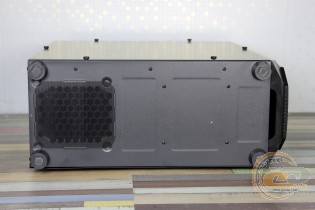
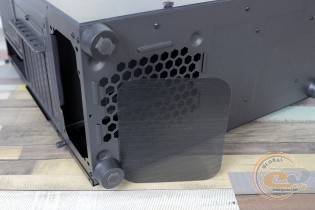
For cleaning the air entering the PSU, there is a removable dust filter located on the bottom panel. In its corners are plastic round feet with a height of 18 mm with millimeter rubber pads designed to protect the surface and minimize system unit sliding. Overall, the indicator is acceptable, although we would not recommend placing the case on a plush carpet.
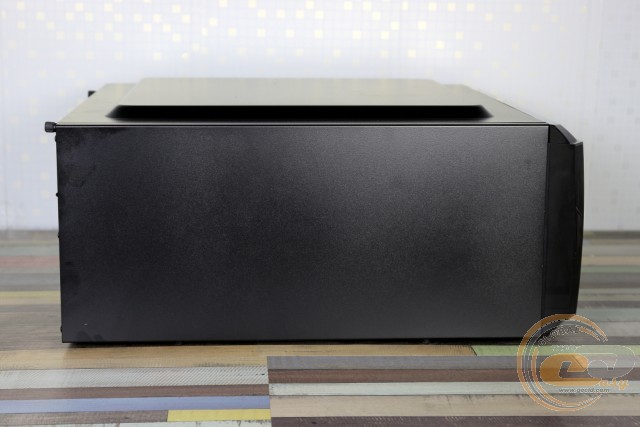
The top panel of the Vinga Vision I is simplicity itself. There is no possibility of installing a liquid cooling system or even fans, but it can be used as a shelf for books, gadgets, etc.
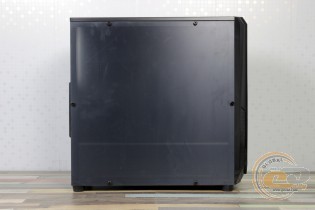
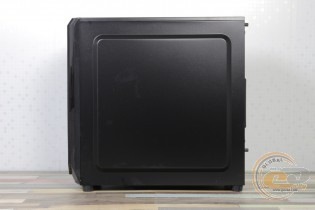
Thanks to stamping and ribs around the perimeter, the right side panel, with a thickness of 0.6 mm, is characterized by good rigidity. Its removal is quite standard – sliding towards the back of the case, for which there is a convenient protrusion. The side panel is attached with screws with shaped heads.
The left panel is solid acrylic with dimensions of 420 x 420 mm. This element is fixed from the front with six screws, which is less convenient than the usual attachment with two screws at the back.
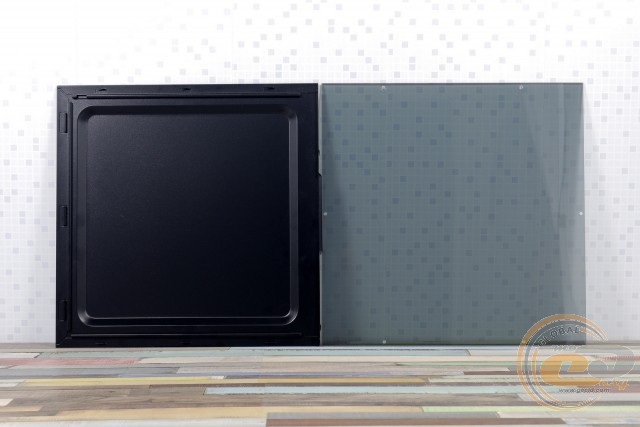
Out of the box, the surface is protected by a matte transport film, which we did not remove immediately. Underneath is a clear panel with a slight tint. Fingerprints are slightly visible, but they are easy to remove.
Internal Structure
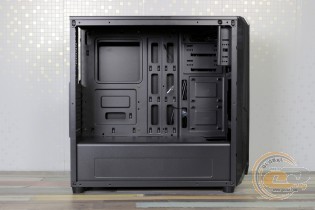
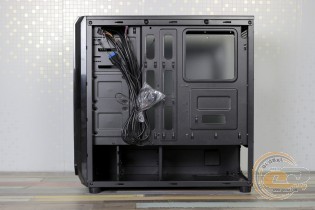
The Vinga Vision I features the manufacturer's usual division of the case into upper and lower parts. It can accommodate ATX, microATX, and Mini-ITX motherboards. A large number of cable management holes will allow wires to be routed to components as discreetly as possible, and a large square cutout in the tray provides the ability to replace a large CPU cooler without removing the system board.
The chassis is clearly designed for the installation of a pair of 5.25" devices, but the front panel allows the use of only the upper bay. The left part of the mount is short, so the same optical drive should preferably be additionally secured on the right.
Below on the tray, there are two mounting places for SSDs. They need to be secured from the reverse side using the included screws. The design is familiar and does not interfere with nearby devices, but for greater aesthetics and convenience, it is better to use L-shaped power connectors.
Behind the front panel, a pair of 120-mm fans can be installed with some height adjustment. The fans themselves are not included, so you can choose the solutions you need in the required quantity. A 240 mm liquid cooling radiator can also fit here.
The lower fan will direct airflow to the non-removable 3.5" drive cage located in the tunnel. The mounting of the latter is quite convenient: first, screws are attached to the left side of the HDD, which will fit into the corresponding slots of the trays. Final fixation is done from the right side with screws with knurled heads. Much more reliable than flimsy trays. However, 2.5" drives can only be installed here using a bracket adapter.
The drive cage is located at a certain distance from the front panel, thus limiting the length of the power supply. However, 170-mm models should fit here with enough space for power cables. For example, in the photo – a 160-mm Seasonic X-560 Gold power supply with a modular cable design. The PSU mounting location is thoughtfully equipped with anti-vibration elements on the bottom and side wall.
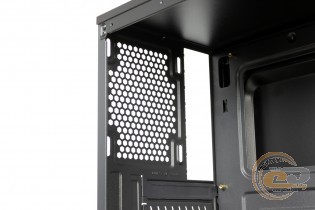
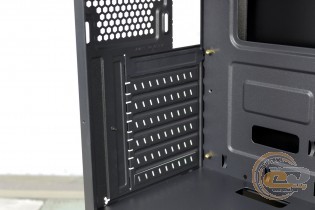
Cost reduction has affected the expansion slot covers: only the top one is removable, while all others simply break off.
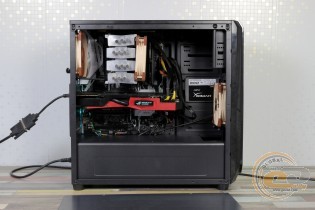
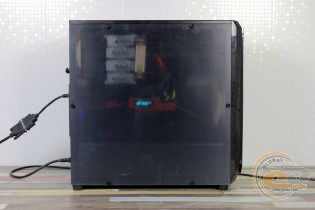
We have no complaints about the assembly process. There is more than enough free space, so there will be no difficulties. With the matte transport film on the side, the interior of the case is poorly visible, but after removing it, the components will look only slightly darker than usual.
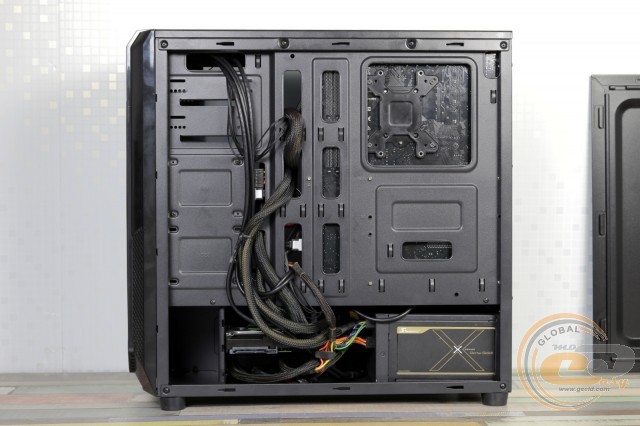
The free space behind the tray will allow for proper aesthetics, even if a budget PSU with a non-modular cable connection system is used. The stamping on the right side panel only contributes to this.
There is also quality fitting of parts, no gaps, sharp edges, or vibrations during operation.
As for component compatibility, the length of the graphics card can reach an impressive 400 mm. However, with a radiator or front fan installed, this figure will be slightly less – about 340 mm. As we can see, there is enough space even for a top-tier three-fan GeForce GTX 1080 Ti.
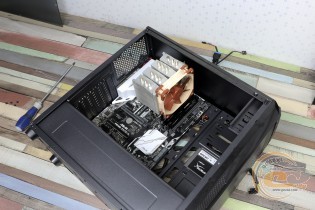
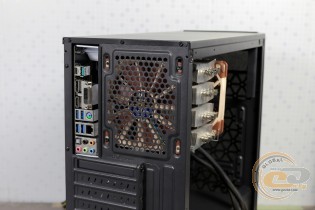
There should also be no particular problems with large CPU coolers. The 158-mm Scythe Mugen 3 easily fits inside the case. The same applies to other tower coolers with a height of up to 164 mm. And this is most modern models, except for the largest ones.
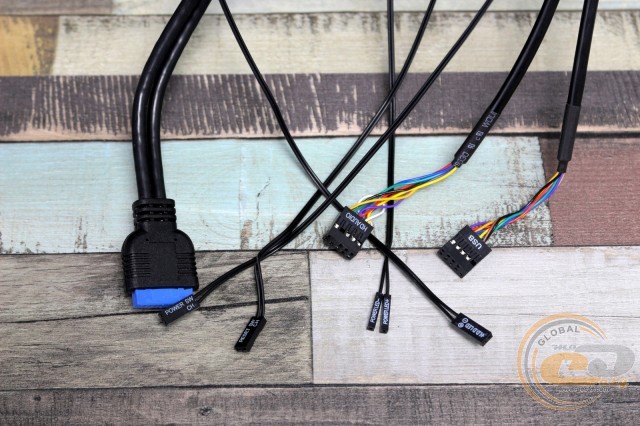
The cables from the front panel are long, and the holes in the tray will allow them to be routed to the motherboard as discreetly as possible.
|
Name |
Length, cm |
|
USB 3.0 |
65 |
|
USB 2.0 |
75 |
|
HD Audio |
75 |
|
Buttons and indicators |
70 |
Testing
|
Processor |
Intel Core i7-7700K (Socket LGA1151, 4.2 GHz, L3 8 MB) |
|
Cooler |
Scythe Mugen 3 |
|
Motherboard |
ASUS PRIME Z270-A (Socket LGA1151) |
|
RAM |
2 x 8 GB DDR4-2400 HyperX Fury HX424C15FBK2/16 |
|
Graphics Card |
ASUS GeForce GTX 980 MATRIX PLATINUM 4GB GDDR5 |
|
SSD |
SSD KINGMAX SME35 Xvalue |
|
Power Supply |
Seasonic X-560 Gold (SS-560KM Active PFC, ATX, 560W) |
|
Thermal Paste |
Noctua NT-H1 |
Since we are testing far from an office system, a couple of Noctua NF-F12 PWM fans were installed inside the Vinga Vision I for intake and exhaust (1500 RPM).
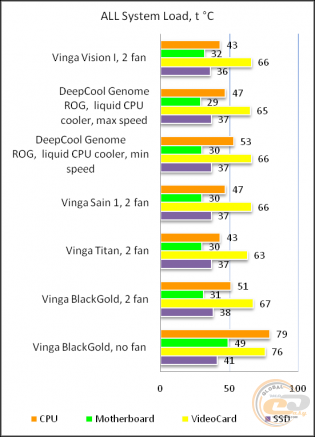
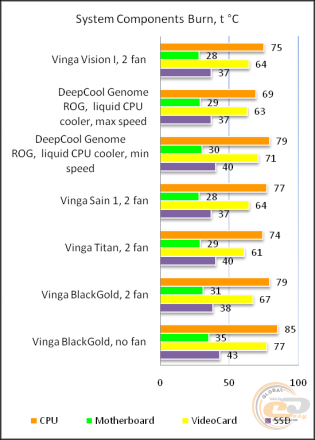
The "All System Load" chart shows the heating of components after 30 minutes of 3DMark Fire Strike in Ultra mode (4K resolution). The "System Component Burn" mode demonstrates temperatures under load with AIDA64 applications (Stress CPU and FPU) and MSI Kombustor for 15 minutes.
Installing two fans will allow you to create a true gaming system based on the Vinga Vision I without the risk of overheating components. If you do without additional fans, the temperature of the components will be close to the values of Vinga BlackGold at the very bottom of the charts. That is, without overheating, but with a higher noise level due to the additional load on the cooling systems of the processor and graphics card. Keep in mind that these readings were obtained in a room with a temperature of +27.5°C. Therefore, in cooler conditions, you can expect even lower temperature values.
Conclusions
The line of affordable Vinga cases priced at $30-35 can please buyers with a wide range of models for every taste. At the same time, they have many common pleasant features: bottom-mounted PSU in a tunnel, absence of the usual drive stand, allowing the use of very long graphics cards, the possibility of hidden cable management, and the presence of two or three places for installing SSDs.
As for the Vinga Vision I solution in particular, it is in many ways similar to the previously tested Vinga BlackGold and Vinga Sain 1 cases. However, the hero of the current review can boast a pair of USB 3.0 ports on the front panel instead of the usual one in this price segment, as well as good airflow thanks to the use of a front mesh wall with a synthetic filter. Many will also like the solid, slightly tinted acrylic side panel – an interesting alternative to metal panels with more compact windows in the two aforementioned devices.
As a result, the Vinga Vision I case attracts attention with a good balance of low price and a wide range of features that you will find only in a few products in this price range.
Advantages:
- strict design with a metal mesh on the front panel;
- left side panel made of slightly tinted transparent acrylic;
- good build quality;
- support for 400-mm graphics cards and 164-mm CPU coolers;
- possibility of mounting up to three fans and a 240-mm radiator of the liquid cooling system;
- possibility of installing one 5.25" device, three 3.5" and a pair of 2.5" drives;
- presence of dust filters on the bottom and front panel, soft feet, and vibration-absorbing elements at the PSU installation site;
- possibility of hidden cable management;
- two USB 3.0 ports on the front panel;
- good temperature performance of components when installing a pair of fans.
Features:
- complete absence of pre-installed fans.
Author: Oles Pakhok
Translation Yuriy Koval
We express our gratitude to BRAIN Computers, the official representative of Vinga, for providing the case for testing.
We express our gratitude to ASUS, Intel, Kingston, Noctua and Sea Sonic Electronics for providing the equipment for the test bench.