We hope that during the past hot May month, our regular readers have already missed the reviews of Vinga's products. This time we will look at the case called Polaris, which has a moderate glass area and, of course, RGB lighting.
Specifications
| Model | Vinga Polaris |
|---|---|
| Case Type | Midi-Tower |
| Dimensions, mm | 459 (H) x 215 (W) x 430 (D) |
| Material | Steel, ABS plastic, tempered glass |
| Weight, kg | 6.8 |
| Color | Black |
| Form Factor | ATX, MicroATX, Mini-ITX |
| 5.25″ Device | – |
| 3.5″ External Device | – |
| 3.5″ / 2.5″ Internal Device | 2 / 3 (2.5″ can be installed in 3.5″ bays) |
| Supported Number of Expansion Slots | 7 |
| Fans | front - 3 x 120 mm (installed) top - 2 x 120 mm (optional) rear - 1 x 120 mm (optional) |
| Interface Connectors | 1 x USB 3.0, 2 x USB 2.0, microphone input and headphone output |
| Other | Glass on the front and side panels, built-in dual-channel RGB lighting and fan speed controller for six 6-pin fans, four 3-pin fans, and two LED strips. Three stock fans have multicolor lighting. Magnetic dust filter on the top panel |
| Recommended Price, $ | 64 |
Packaging and Delivery Set
The chassis box looks quite simple. It is designed with monochrome printing, with images and the name of the case on the front and back, while short technical specifications and logistics information are indicated on the sides. There are carrying handles, the device inside is packed in massive polyurethane dampers, and all glass surfaces are covered with film.
The delivery set is assembled according to the principle of minimal sufficiency. It includes:
- six plastic disposable cable ties;
- diagnostic speaker;
- three brass motherboard standoffs (another six are screwed into the tray);
- four long screws;
- six case screws with hexagonal heads;
- eight screws for securing 3.5" hard drives;
- 18 screws for mounting the motherboard and securing 2.5" drives.
- No assembly instructions.
Appearance
The design of the Vinga Polaris is quite restrained, executed in black. The overall unpretentious look of the box is complemented by small side bevels on the top panel and tempered tinted glass at the front and on the left side.
The front glass is 3.2 mm thick and is held by four screws with knurled heads. Under the cap of all screws, there is a soft sticker, so you don't have to worry about scratches when screwing. The gap from the glass to the front metal panel is 4 mm, which is small but leaves some chance for air to enter inside.
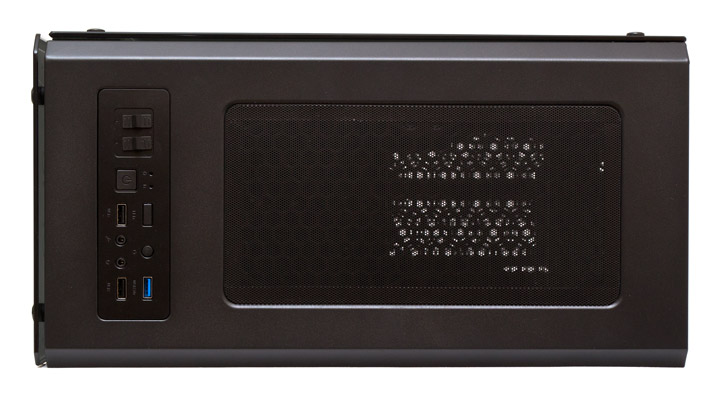
All external interfaces and buttons are located at the front of the top panel. Here, there are two fan speed controllers. Each of them has three positions: H - 12 V full speed, middle position - off, and L - 5 V reduced fan blade speed. The first slider controls six channels for stock six-pin fans, the second switches the voltage for four regular three-pin connected propellers. The system start button is square, above it are two indicators - power and drive activity, blue and red respectively. Two USB 2.0 ports are spaced apart and separated by two 3.5 mm audio jacks for a microphone and headphones. A rectangular key is responsible for cyclic switching of lighting modes. A small round button is for system reboot. And at the top right is the only USB 3.0 port.
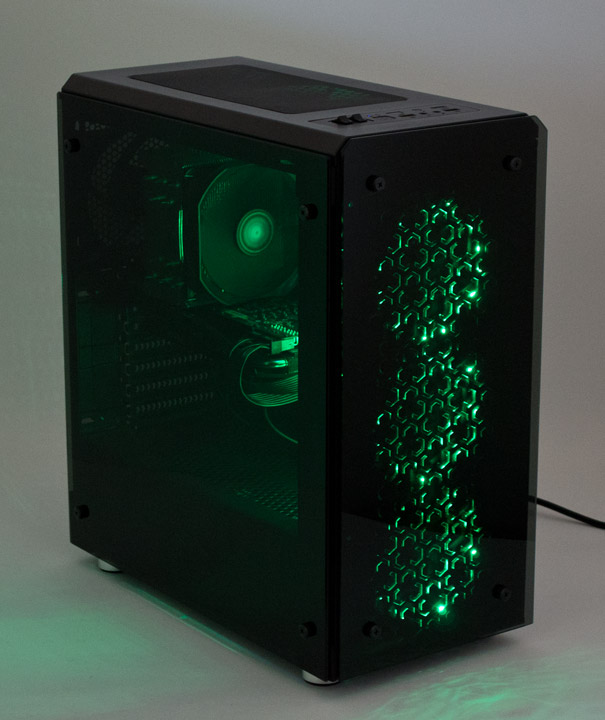
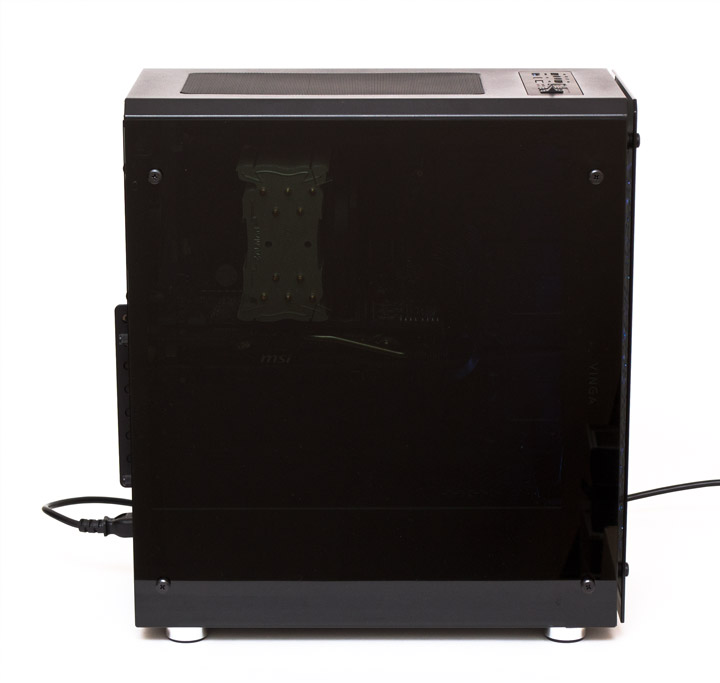
The left side panel of the case is completely glass. It is held by four knurled head screws, fitting loosely to the metal frame of the case with a gap around the perimeter from 2 to 3.5 mm.

All the glass is mounted on metal posts through rubber dampers that prevent glass damage and reduce vibration levels. Soft square inserts are additionally glued under the side glass at the corners.
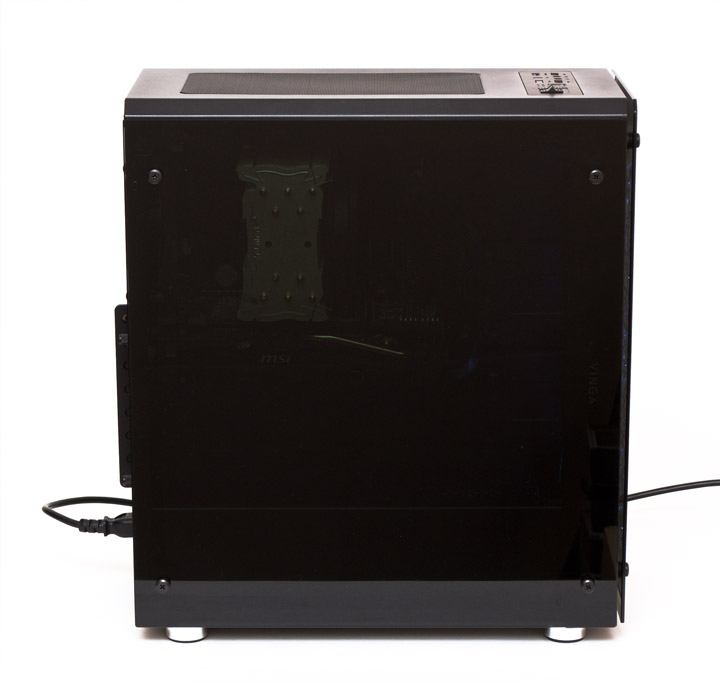
The thickness of the glass side panel is 4 mm. Like the front, it is quite heavily tinted.
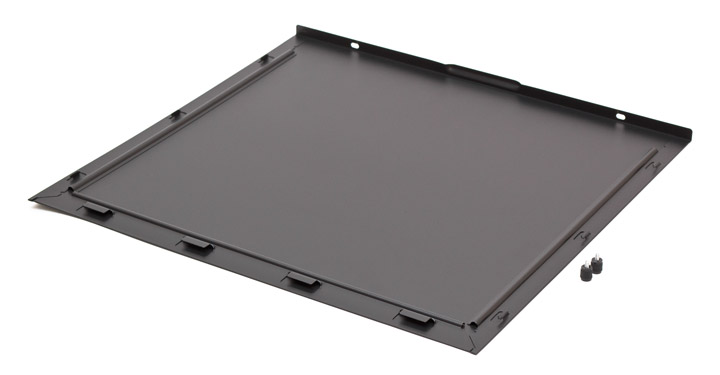
The right panel is solid, flat, and metal. It is held by two screws with plastic knurled heads and has a stamped handle to facilitate the dismantling process.
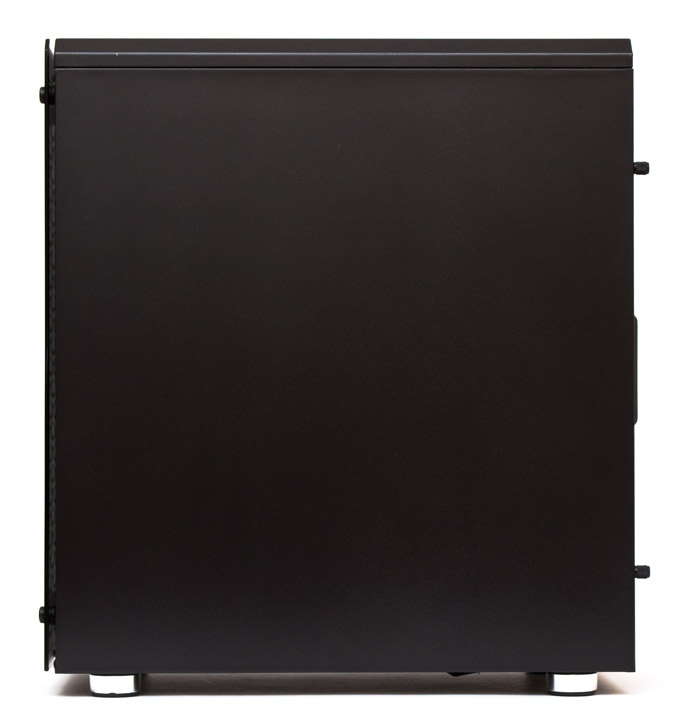
The right side has not very large internal stiffeners, but overall it is quite strong and handles transverse loads well.
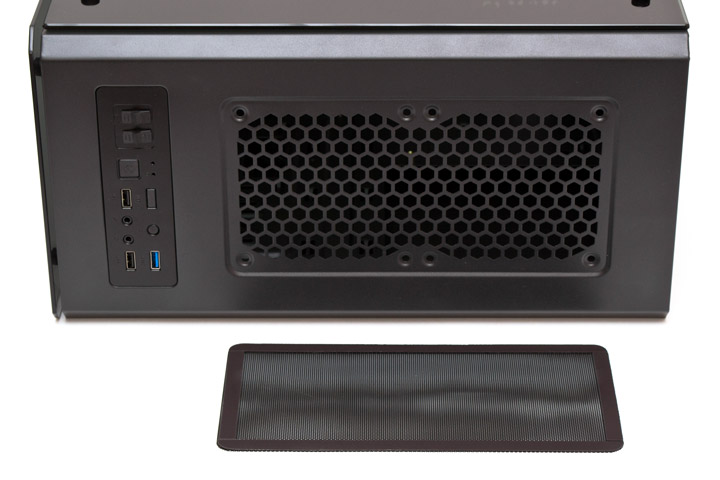
The majority of the metal top panel is occupied by a ventilation grille, covered with a dust filter held by magnetic strips glued around its perimeter.
The grille is large-mesh and can accommodate two 120-mm fans. The filter is also made of a metal fine-mesh grid.
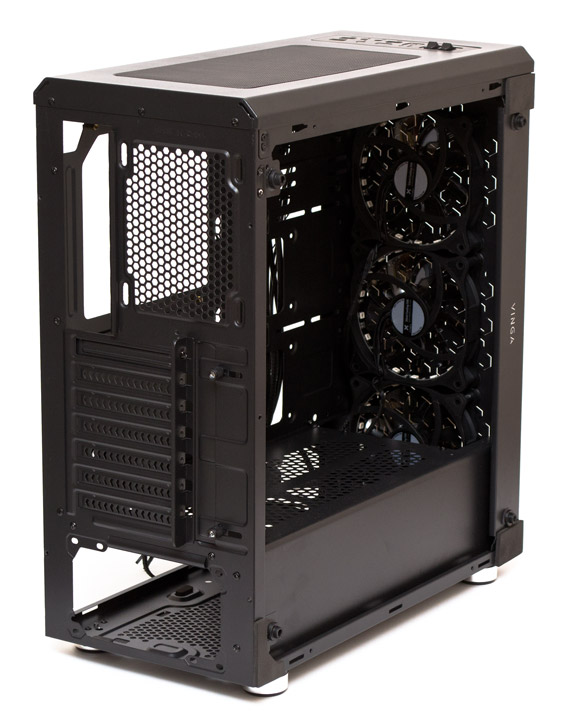
The rear panel is designed quite standardly. At the top, there is a ventilation grille that supports the installation of one 120-mm fan with the ability to adjust its mounting height within 15 mm. There are seven expansion slots in total, the top one is covered with a reusable solid plug, and all the others with disposable, but ventilated plugs. To the right of the slots, there is a decorative slide covering the technological hole for mounting expansion cards. This panel is held by two screws with a plastic knurled head and slides to the side if loosened. The power supply openings allow it to be oriented with the fan facing up or down.
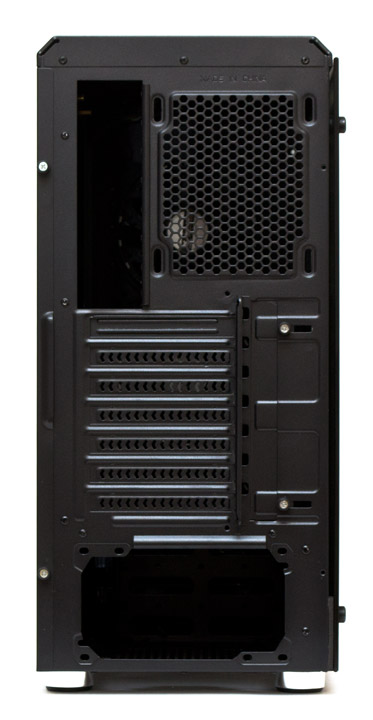
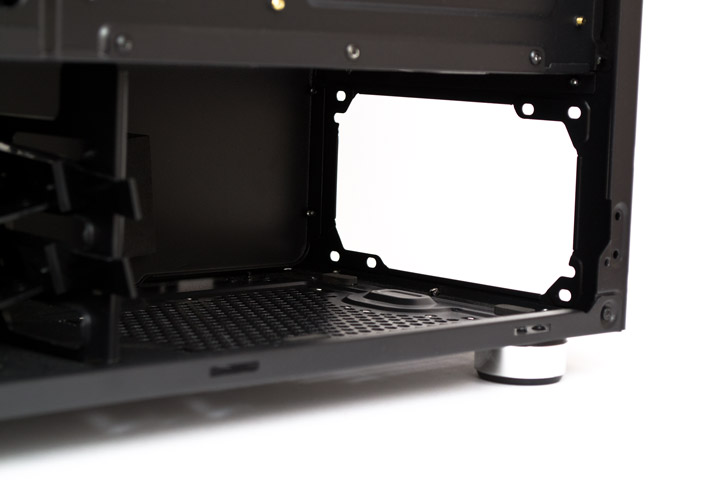
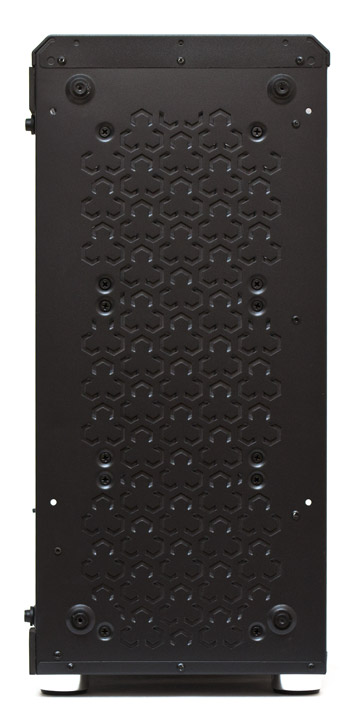
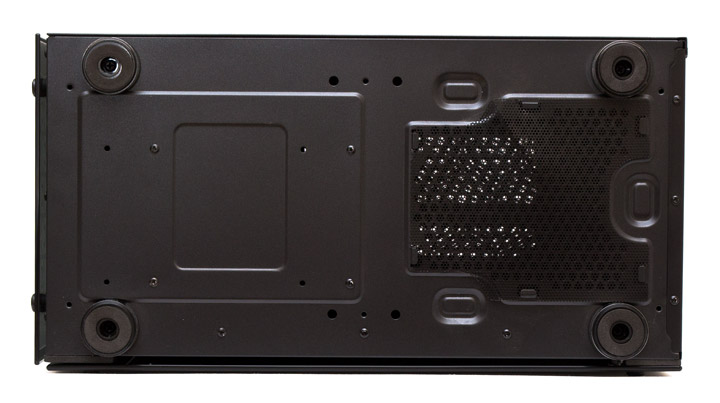
At the base of the case, there are four round feet and ventilation grilles for the power supply, covered with a metal mesh that acts as a dust filter.
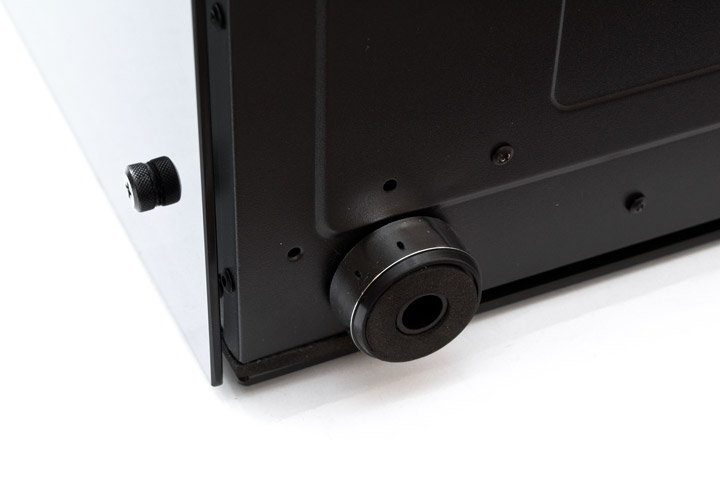
The height of the feet is 18 mm, with a silver plastic overlay around the rim that imitates metal, and soft felt stickers are attached underneath.
Let's take a look inside the chassis.
Internal Device
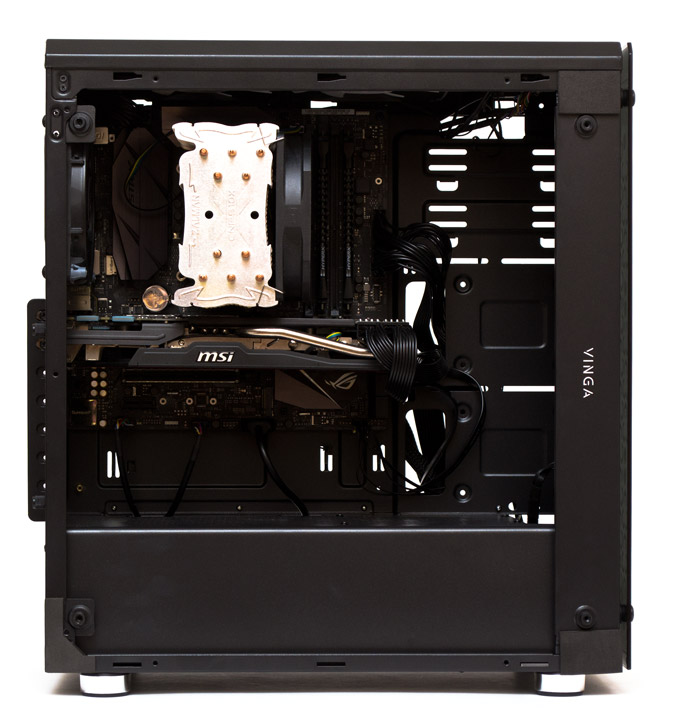
The Vinga Polaris case supports the installation of motherboards in a vertical position in ATX, MicroATX, and Mini-ITX formats. The permissible height of the CPU cooler is 168 mm according to our measurements and 163 mm from the manufacturer's point of view. The practical allowable length of expansion cards is 340 mm according to our measurements (the official website states a maximum of 400 mm). The power supply is limited in length by the wire turn, so we recommend not exceeding 160 mm to avoid problems during installation.
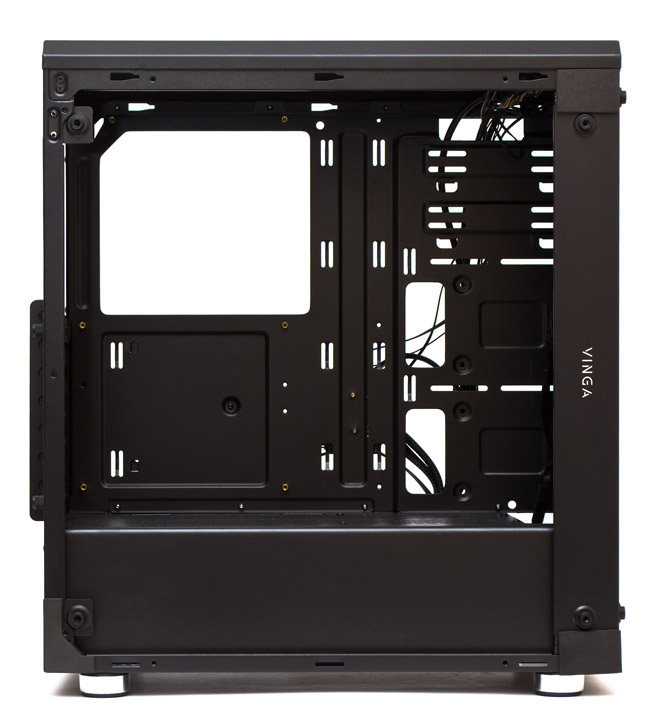
The space under the top panel to the edge of the motherboard is 30 mm. The holes for mounting two 120-mm fans are located exactly in the center, so when installing a large liquid cooling system here, a conflict with RAM or high CPU power converter radiators is possible.
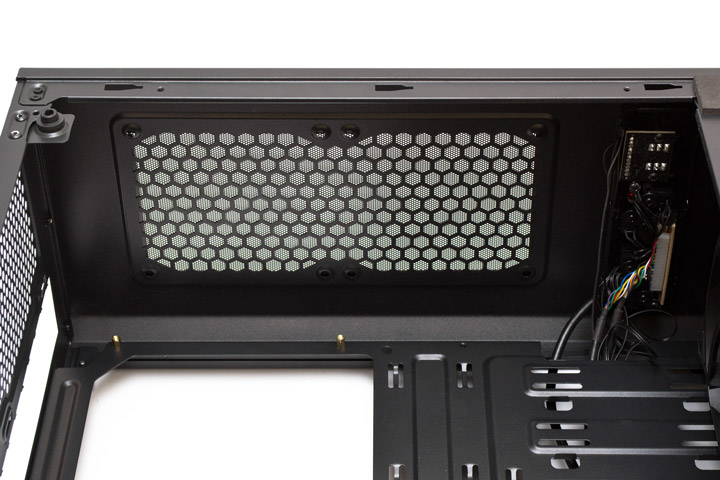
One 120-mm fan can be installed on the rear panel. Interestingly, the mounting lugs for expansion cards to the right of the slots are absent, so any adapter will rely only on the slot in the motherboard and the mounting screw on the left. From my point of view, this is a serious oversight.
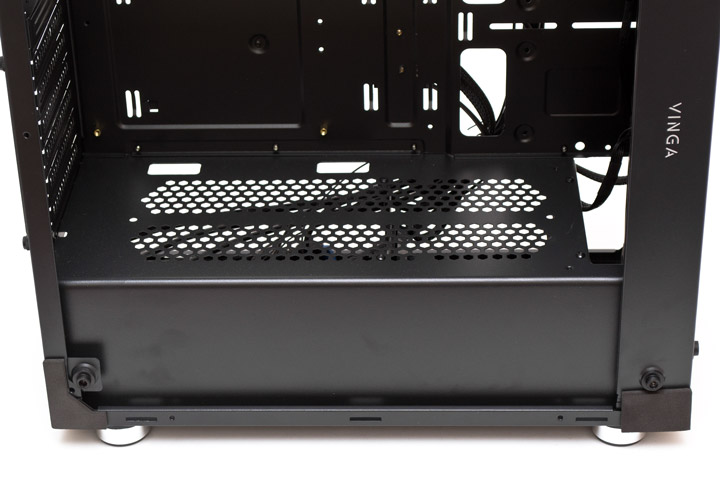
The non-removable power supply cover has perforation almost along its entire length. It turns out that it divides the volume of the case only visually, not creating independent thermal zones. In the rear part of the cover, there are two holes for cable routing, and in the front hole, you can install not only fans but also a liquid cooling system radiator, as its width of 60 mm allows for this.
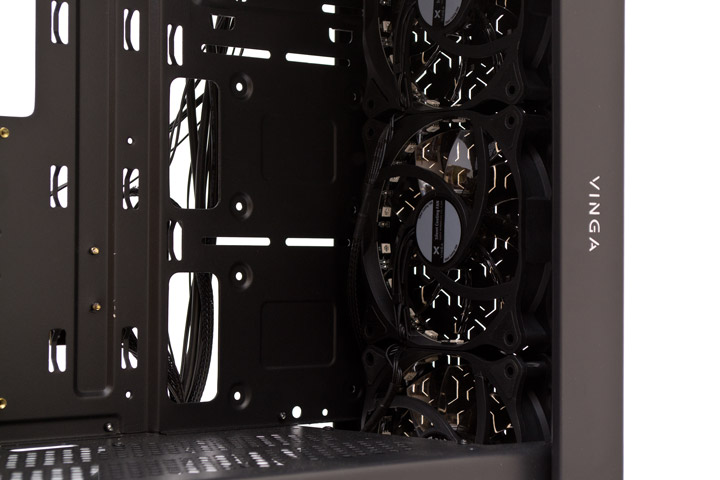
The front panel is fitted with three proprietary 120mm fans with built-in RGB lighting. However, the perforation in front of them raises some doubts - its total area is very small, which means the volume of air being circulated will be small.
Two 2.5" drives can be screwed onto the front part of the motherboard tray from either the outside or the inside.
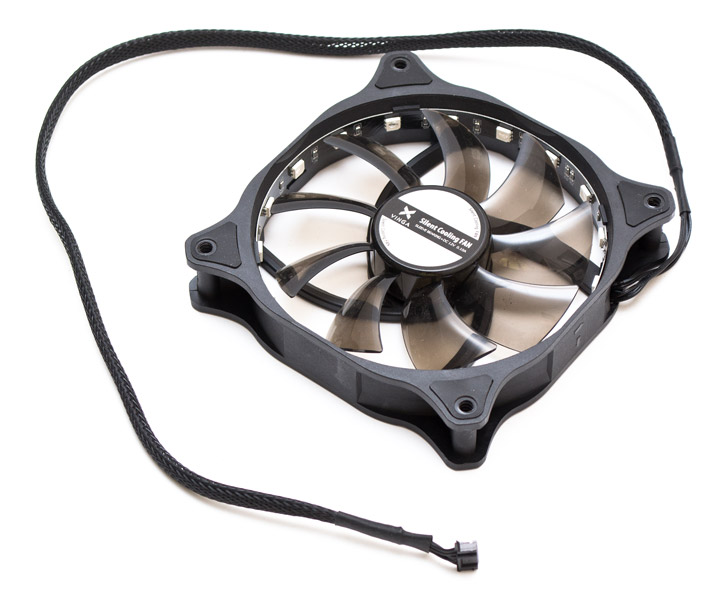
The stock 120mm fans used in this case are quite an interesting and somewhat unconventional solution. The impeller has nine translucent blades, and the sticker on the rotor is the same as on the stator. The modern-shaped frame is made of matte plastic. Rubber pads are glued near the mounting holes on both sides. There is no way to accurately identify this propeller, as it is not mentioned on the company's official website, and the name only features Silent Cooling Fan, operating at 12V and 0.10A current. Measuring actual consumption and rotation speed is not possible due to the non-standard connector, which has six contacts. The positive aspect is that there is only one wire for both the fan and the lighting, whereas other manufacturers usually use two separate cords. However, subjectively, the propeller operates quite quietly at a speed of approximately 1000 RPM. The power cord has a nylon braid and a length of 600 mm. It is also worth noting separately how the RGB lighting is implemented here. An LED strip with 18 working elements is glued to the inside of the frame, creating a very bright glow with an interesting reflection effect on the impeller blades. This device can only be connected to Vinga's proprietary hubs.
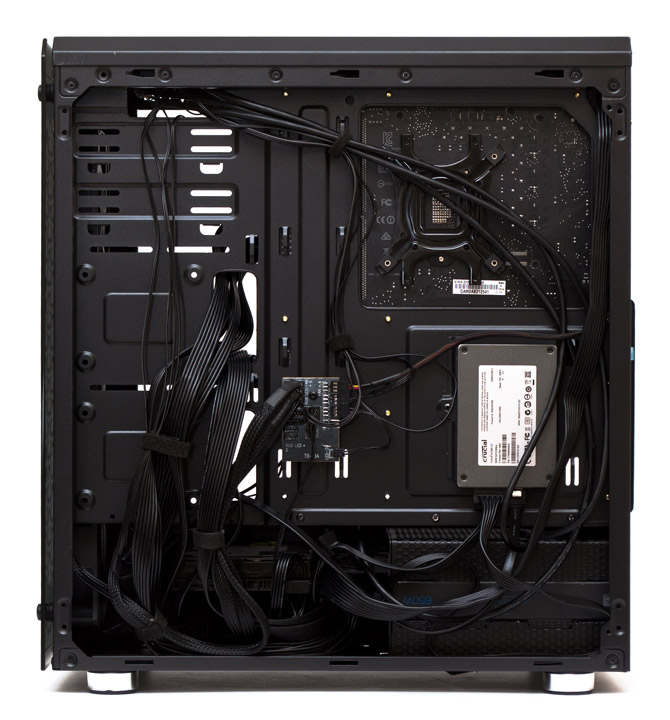
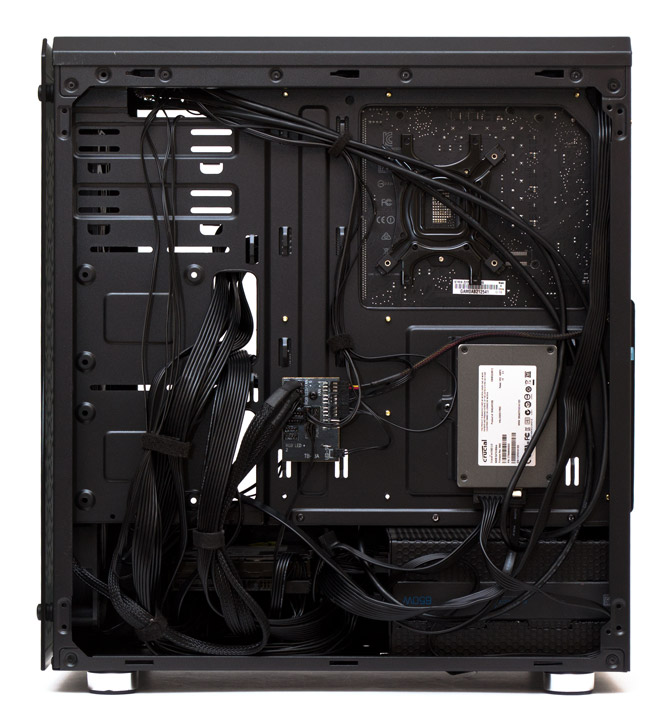
The motherboard tray looks quite ordinary. It has a cutout for mounting the CPU cooler's reinforcement plate, a total of four holes for cable routing, and 12 loops for securing cable ties. The width clearance from the tray to the side door is 26 mm, which is sufficient for proper cable management. 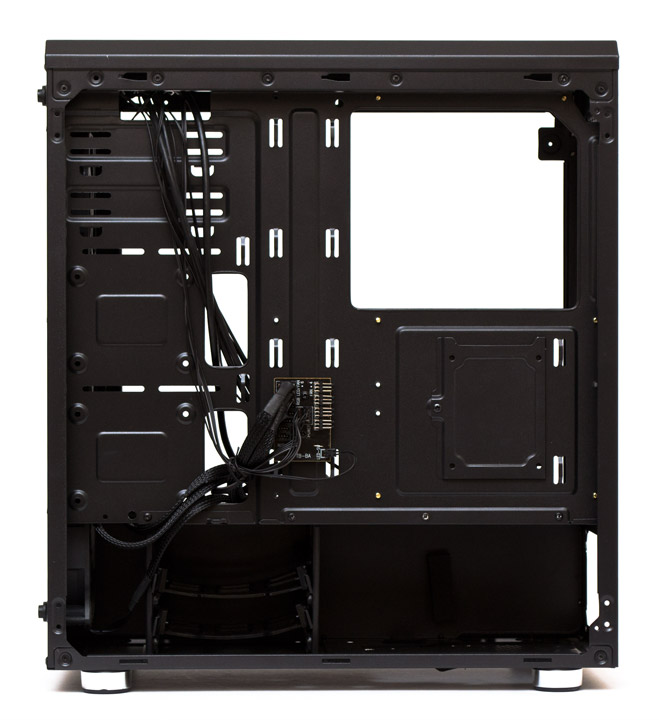
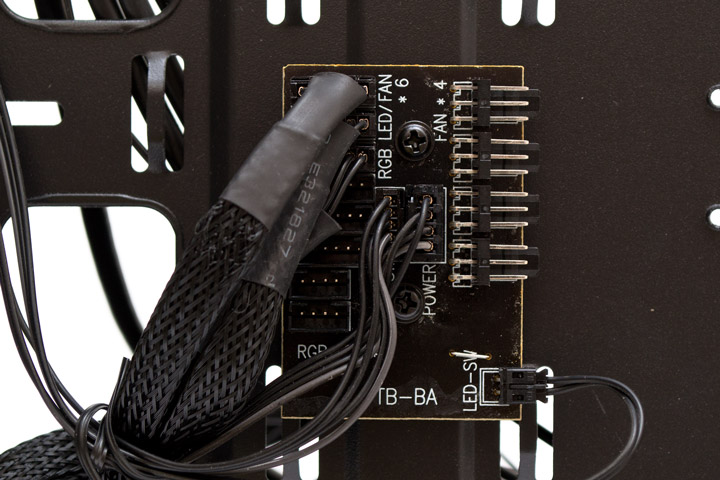
The fan controller hub board is screwed in the center of the tray. On the left, there are six six-pin connectors for RGB fans (controlled by the left slider on the front panel), and at the bottom, there are two vacant four-pin connectors for LED strips. In the center, the power and speed switch wires are connected. On the right, there are four connectors for standard three-pin fans (controlled by the right slider on the front panel), and at the bottom, there is a soldered connector for the LED switch, with two contacts.
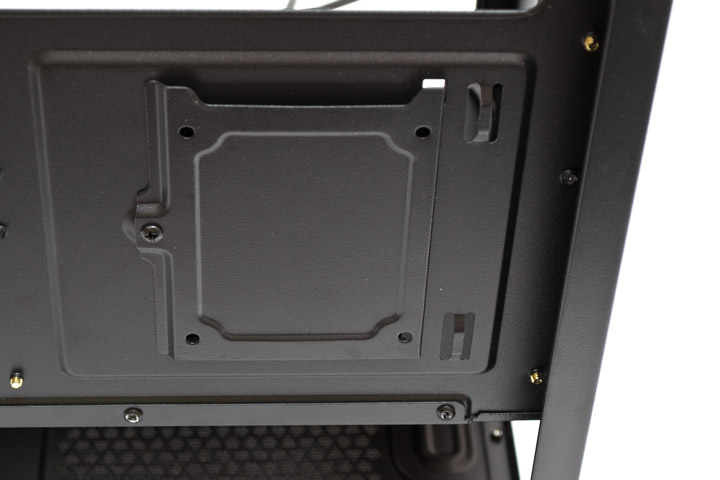
On the right side of the tray, a bracket for mounting one 2.5" drive is attached with a regular screw. The drive will need to be secured in place with screws.
A basket for two hard drives with removable plastic sleds is fixed in the front part.
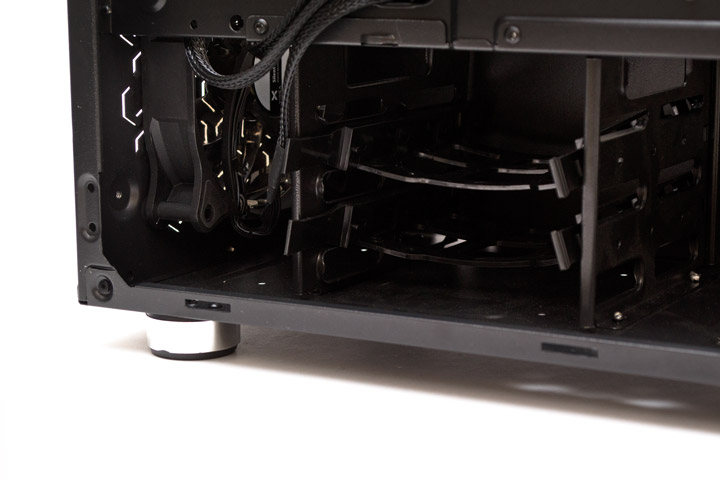
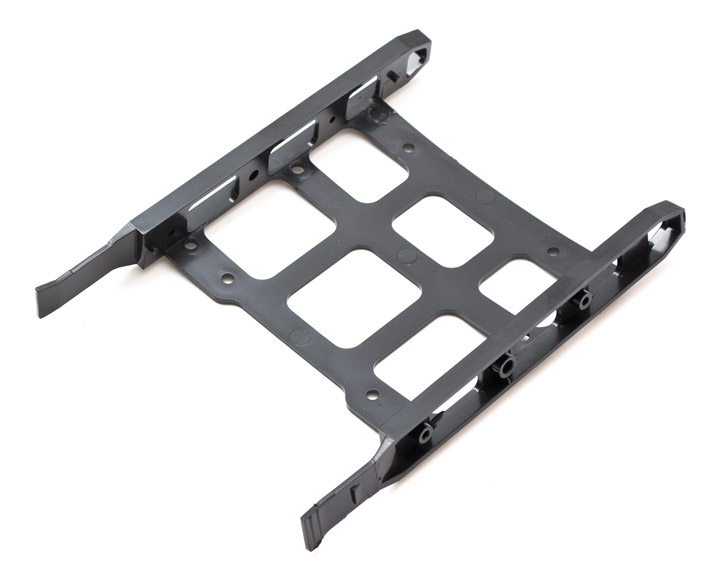
The sleds do not have vibration dampers, they simply bend and fit over a 3.5" drive. Alternatively, one 2.5" drive can be attached here using small screws.
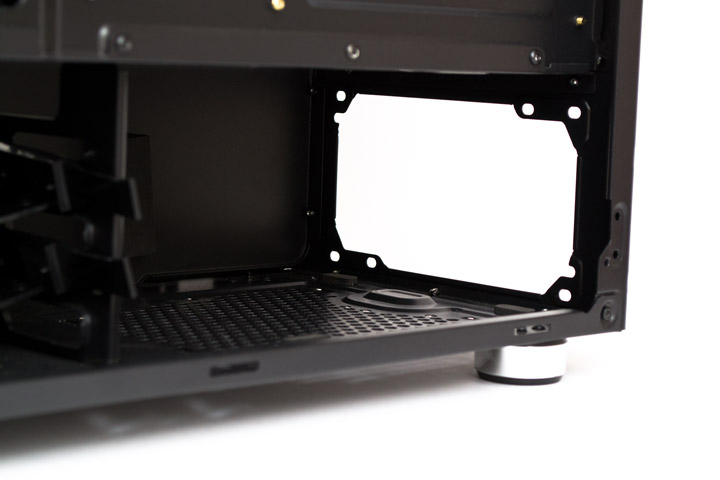
There are four soft dampers at the bottom and one large one on the side of the shroud at the power supply mounting location. It is quite difficult to fit a PSU longer than 160 mm here, as the cables hit the drive cage.
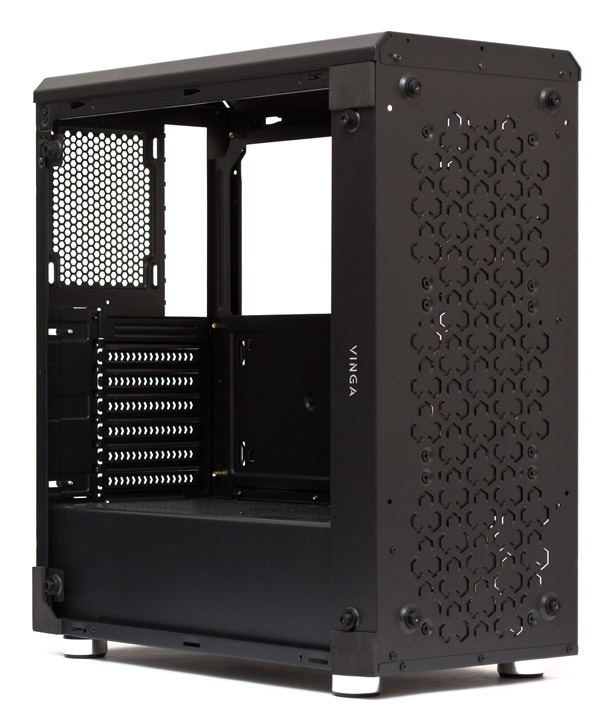
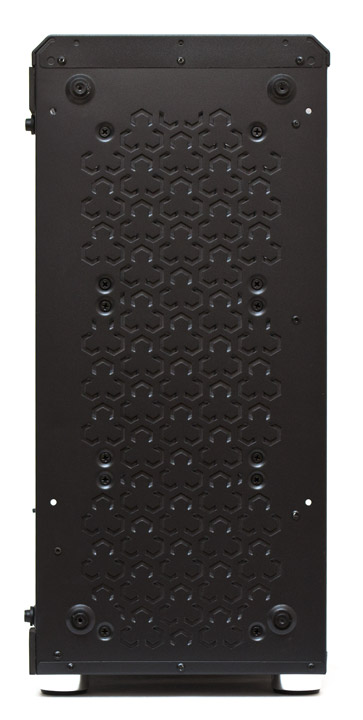
The front metal panel of the case gave me a slight stupor the first time I saw it after removing the glass overlay. Initially, it seems simply impenetrable to air, but upon closer inspection, you can see that the indentations along the perimeter of the "three-leaf clovers" are pressed inward, and there are holes there. Naturally, the total area through which air can be forced inside is quite insignificant. Overall, the design here has greatly prevailed over common sense and practicality. And all this relief was probably made so that the light from the fans would not blind and would create an interesting geometric pattern on the glass.
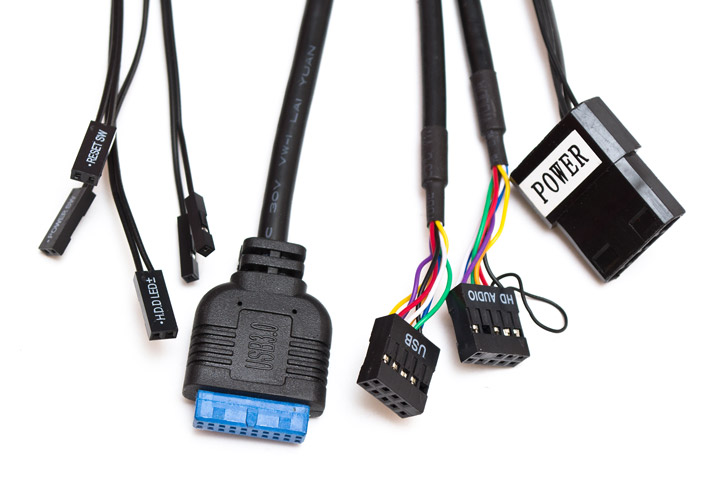
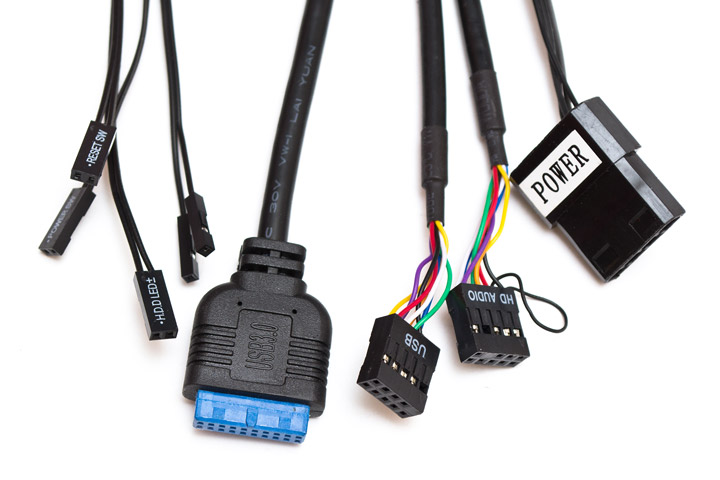
The set of wires includes: standard cables from the system start and reset buttons, power and drive activity indicators, USB 3.0, USB 2.0, and HDAudio port connectors, and a pass-through "molex" for powering the fan controller. All cords are painted black and have sufficient length for normal connection to the motherboard.
Let's move on to the assembly and thermal testing of the system.
Assembly
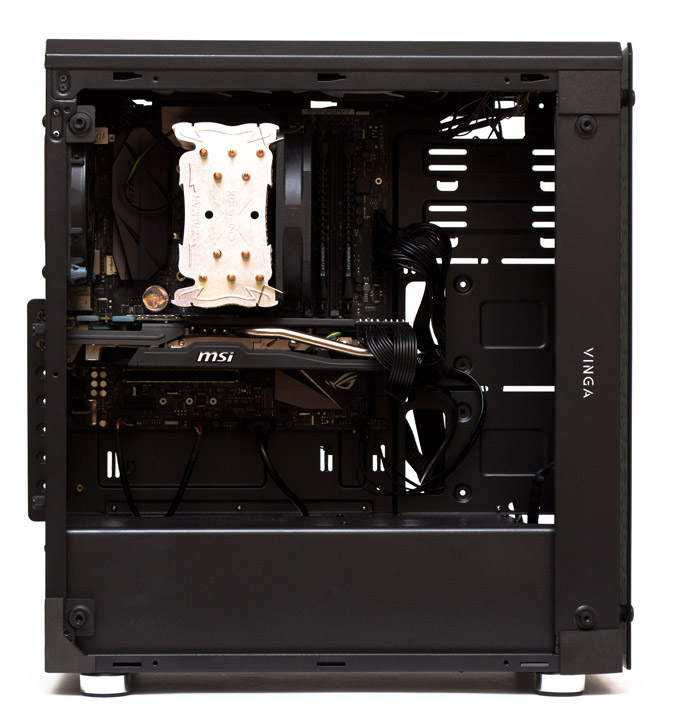
The assembly of the system in the Vinga Polaris case proceeds without significant remarks. There were only two points that caught my attention. Firstly, it's the short power supply compartment, where installing the test block required disconnecting the wires. Secondly, it's the absence of lugs for expansion cards on the motherboard tray side - they are usually there, but instead of three mounting points, the card is held by only two. As for cable management, everything turned out well, no problems with closing the door were noted. There is direct access to all components if necessary.
Without backlighting, the contents of the case are not visible. However, when the backlighting is turned on, all the beauty can be seen not only in detail but also in the desired color scheme.
The fans, which shine through the patterns of the front panel, also look quite exotic. The color scheme is switched cyclically by a button on the top panel. If you hold it down for a few seconds, the backlighting is completely turned off or, conversely, turned on. The order of color changes is as follows: red, green, blue, purple, yellow, cyan, white. After them, there are three cyclic effects with fast, slow, and fading alternation of shades.
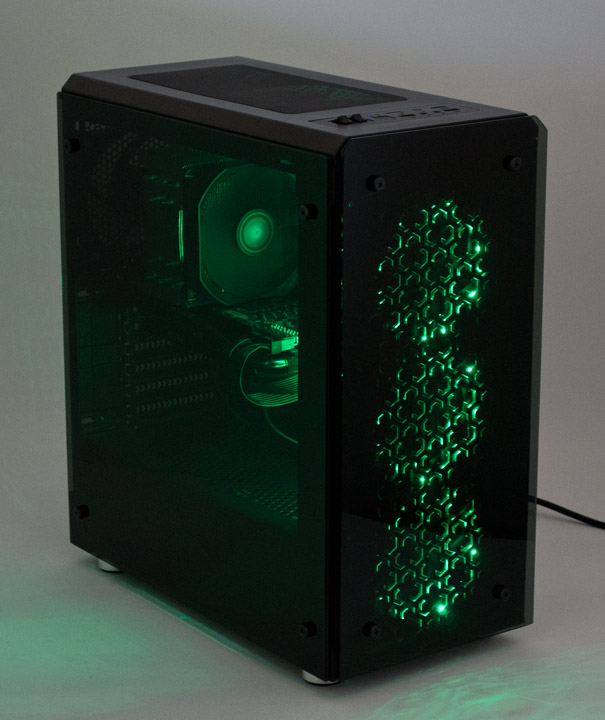
The activity indicators of the drives and system operation are bright, directed straight up. However, if you look at them at an angle, they do not strain the eyes.

Test Bench
For testing the cooling efficiency of components in the Vinga Polaris case, the following configuration was used:
- processor: Intel Core i5-6600K (3.5 @ 4.2 GHz, 1.300 V);
- cooler: Zalman CNPS10X Performa;
- motherboard: ASUS STRIX Z270G GAMING (Intel Z270);
- graphics card: MSI N770 TF 2GD5 / OC (Nvidia GeForce GTX 770);
- memory: HyperX Savage HX424C12SBK2 / 16 (2x4 GB, DDR4-2133, 15-15-15-36-2T, 1.20 V);
- solid-state drive: Crucial M4 CT064M4SSD2 (64 GB, SATA 6Gb/s);
- hard drive: Western Digital WD2000JS-00MHB0 (200 GB, SATA 3Gb/s, 7200 RPM);
- power supply: Aerocool P7-650W Platinum (650 W);
- thermal interface: Noctua NT-H1;
- additional fans: 1 x 120 mm - be quiet! Silent Wings USC (BQT T12025-LF), 1500 RPM; 2 x Fractal Design Dynamic X2 GP-12, 120 mm, 1200 RPM.
Testing methodology
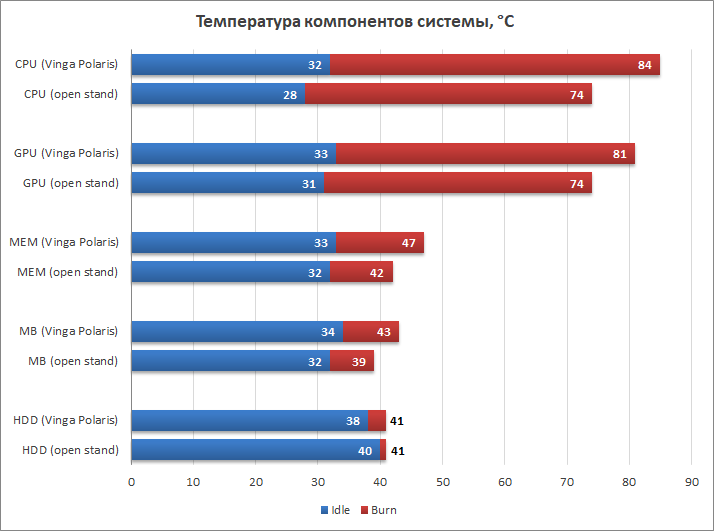
Thermal load was created using simultaneous operation of stress tests LinX 0.6.5 with 2048 MB of allocated memory and MSI Kombustor 3.5.1.0 for 10 minutes after temperature stabilization. The load on the hard drive was conducted using Crystal Disk Mark 5.2.2 x64. At the end of the testing cycle, the system ran for 10 minutes in idle mode to determine the minimum thermal indicators. The ambient temperature was 28 degrees Celsius. The speeds of the CPU cooler and GPU fans were fixed at maximum RPM. The peak power consumption of the system was 426 watts. Testing was conducted in a single comparison mode with an open stand. Three additional 120-mm fans were installed in the chassis oriented for exhaust at the back and top. All case fans operated at maximum speed during the test.
Test results
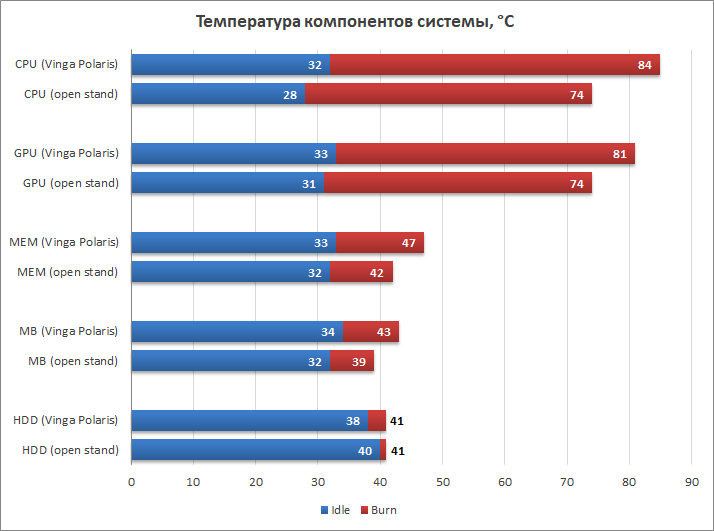
With the full set of Vinga Polaris fans, it noticeably lags behind the open stand in all respects. 10 degrees on the CPU, seven on the GPU, four to five degrees on the RAM and motherboard temperatures, and as for the hard drive heating, there is parity under load and a slight advantage of two degrees in idle. Considering that the front panel is very poorly ventilated, these results can still be considered not bad.
Conclusions
Vinga Polaris is another case made in the spirit of modern fashion for glass and RGB lighting, where more attention is paid to the aesthetic rather than the practical side of the design. From the point of view of internal design, it is quite good - spacious, convenient, with good cable management. Externally, especially with the lighting on, it also looks very good - the powerful fan LEDs and real glass of the side and front panels make themselves known. In addition, the case has a controller that allows you to control the speed of a dozen fans and the color of six channels of stock propellers and two LED strips. However, the shortcomings of this chassis are also visible to the naked eye. The design of the metal front panel with a small number of ventilation holes thoroughly spoils the ventilation scheme in the case, preventing it from being properly cooled even with a full set of fans. Traces of cost-cutting are noticeable in places - especially in the thickness of the metal, the quality of some connections, and this chassis is practically not protected from dust.
Overall, Vinga Polaris may appeal to those who are looking for a case in the mid-range and budget price segment, primarily based on considerations of beauty. But it should be noted that it is not advisable to assemble hot systems with top-end graphics cards and processors here, and it is better to limit yourself to components that are as "cool" as possible in terms of heat dissipation.